
Ọrọ Iṣaaju
This manual provides detailed instructions for the safe and efficient operation of your Reshow Portable Cassette Tape Player. Please read this manual thoroughly before using the device and retain it for future reference.
Ọja Pariview
The Reshow Portable Cassette Tape Player is designed for playing audio cassette tapes. It features a built-in speaker for direct listening and a headphone jack for private audio. The device can be powered via USB-C or batteries, offering portability and convenience.
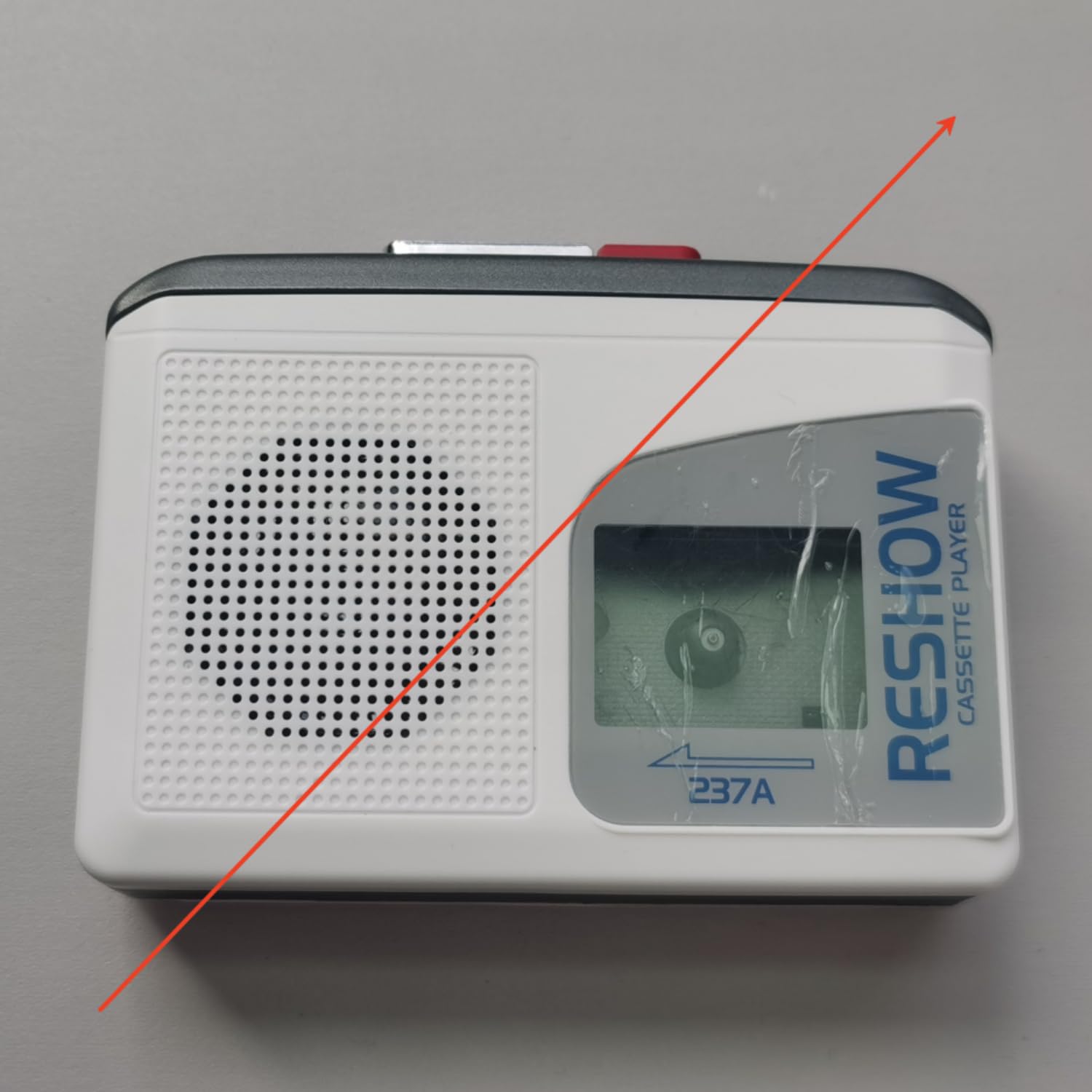
Image: The Reshow Portable Cassette Tape Player, a compact device for playing audio cassettes.

Aworan: Iwaju view of the Reshow Cassette Player showing the cassette window and playback controls.
Alaye Aabo
- Ma ṣe fi ẹrọ naa han si omi tabi ọrinrin pupọ.
- Yago fun awọn iwọn otutu to gaju.
- Ma ṣe gbiyanju lati tunto tabi tun ẹrọ naa funrararẹ. Tọkasi awọn oṣiṣẹ iṣẹ ti o peye.
- Use only the specified power source (USB-C cable or appropriate batteries).
- Jeki kuro ni arọwọto awọn ọmọde.
Package Awọn akoonu
Jẹrisi pe gbogbo awọn ohun kan wa ninu package:
- Reshow Portable Cassette Tape Player
- USB-C Power Cable
- Itọsọna olumulo
Ṣeto
Agbara ẹrọ naa
The cassette player can be powered in two ways:
- Agbara USB-C: Connect the provided USB-C cable to the USB-C port on the side of the player and plug the other end into a compatible USB power adapter (not included) or a computer USB port.
- Agbara Batiri: Open the battery compartment on the back of the player. Insert 2 AA batteries (not included), ensuring correct polarity (+/-). Close the battery compartment securely.

Aworan: Apa view of the Reshow Cassette Player, highlighting the USB-C power input and headphone jack.
Loading a Cassette Tape
- Press the 'OPEN' button or slide the latch to open the cassette compartment door.
- Insert a standard audio cassette tape with the exposed tape facing upwards and the side you wish to play facing the front.
- Gently close the cassette compartment door until it clicks shut.
Awọn ilana Iṣiṣẹ
Awọn iṣakoso ṣiṣiṣẹsẹhin
- DERE (►): Press this button to start playing the cassette tape.
- Duro (■): Tẹ bọtini yii lati da ṣiṣiṣẹsẹhin duro.
- FAST FORWARD (FF): Press this button to quickly advance the tape. Press STOP to disengage.
- REWIND (REW): Press this button to quickly rewind the tape. Press STOP to disengage.
- IDAGBASOKE: Rotate the volume dial (typically on the side) to adjust the audio output level.
Using the Built-in Speaker
The built-in speaker will automatically activate when no headphones are connected to the headphone jack. Adjust the volume dial to your desired listening level.
Lilo Agbekọri
To listen privately, plug a standard 3.5mm headphone jack into the headphone port on the side of the player. The built-in speaker will automatically mute. Adjust the volume dial for comfortable listening.
Itoju
Ninu
- Mu ese ita ti ẹrọ orin pẹlu asọ ti o gbẹ.
- Ma ṣe lo awọn olutọpa omi tabi awọn ohun elo abrasive.
- Periodically clean the tape head and pinch roller using a specialized cassette head cleaning kit to ensure optimal sound quality and tape longevity.
Ibi ipamọ
When not in use, store the cassette player in a cool, dry place away from direct sunlight and extreme temperatures. Remove batteries if the device will not be used for an extended period to prevent leakage.
Laasigbotitusita
| Isoro | Owun to le Fa | Ojutu |
|---|---|---|
| Ko si agbara | Batteries are dead or incorrectly inserted; USB-C cable not connected properly. | Replace batteries or check USB-C connection. |
| Ko si ohun | Volume too low; headphones connected; tape head dirty. | Increase volume; unplug headphones; clean tape head. |
| Teepu ko ṣiṣẹ / gbigbe | Tape is jammed; tape compartment not closed; batteries low. | Check tape for damage; ensure compartment is closed; replace batteries. |
| Didara ohun ko dara | Dirty tape head; worn-out tape. | Clean tape head; try a different tape. |
Awọn pato
- Brand: Atunse
- Awoṣe: B0GSPR9NFW
- Orisun Agbara: USB-C (DC 5V) or 2 x AA Batteries
- Ijade ohun: Built-in Speaker, 3.5mm Headphone Jack
- Media ibaramu: Standard Audio Cassette Tapes
- UPC: 797465915221
Atilẹyin ọja ati Support
For warranty information or technical support, please refer to the contact details provided with your purchase or visit the official Reshow webojula. Tọju iwe-ẹri rira rẹ bi ẹri rira.