
Ọrọ Iṣaaju
Thank you for choosing the GOBOULT Y1 v2.0 Wireless Earbuds. This manual provides essential information for setting up, operating, and maintaining your earbuds to ensure optimal performance and longevity. Please read it carefully before use.
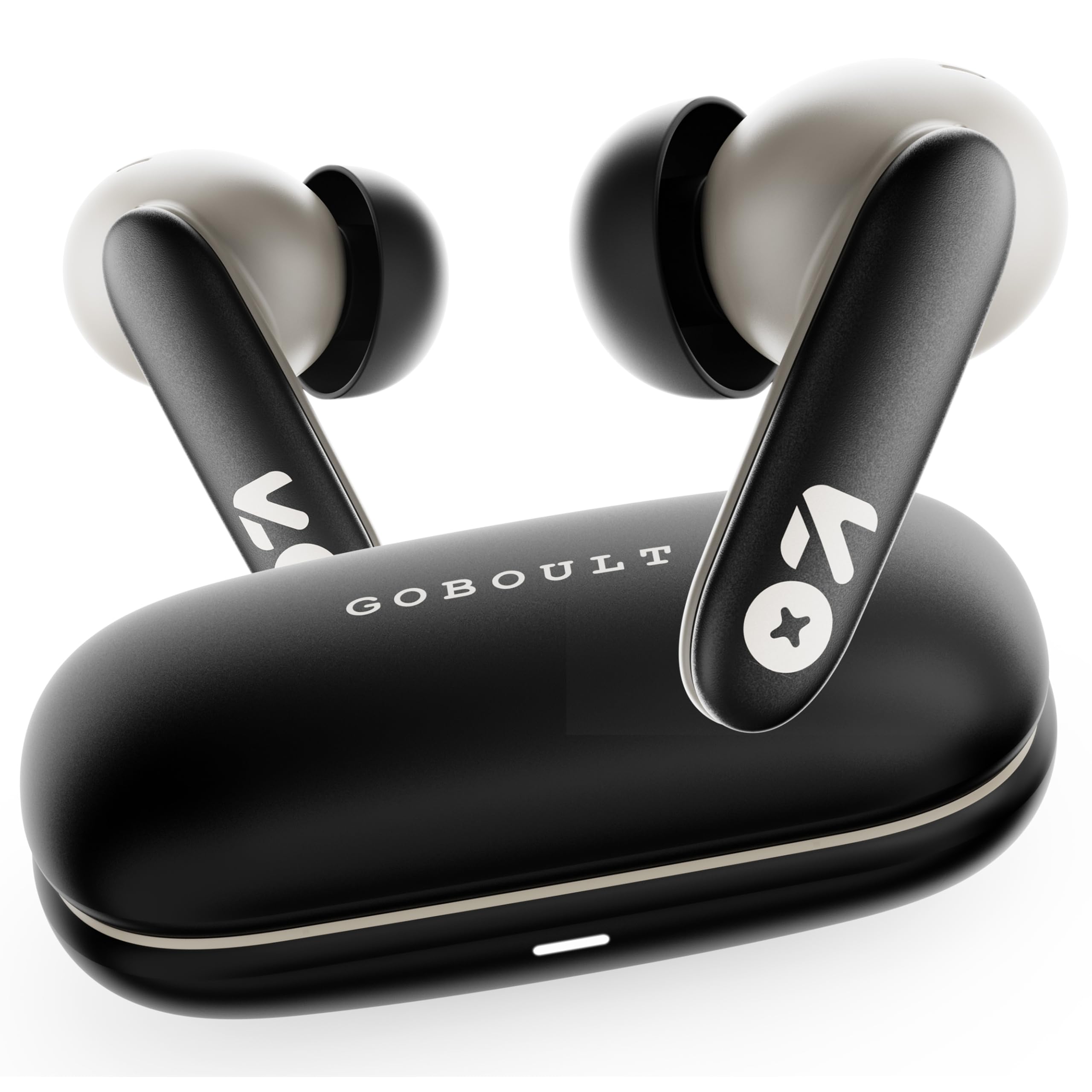
Image: GOBOULT Y1 v2.0 Wireless Earbuds and their charging case, showcasing awọn aso oniru.
Ohun ti o wa ninu Apoti
- GOBOULT Y1 v2.0 Wireless Earbuds
- Ngba agbara Case
- USB Iru-C Ngba agbara USB
- Awọn iṣu Eti (oriṣiriṣi titobi)
- Itọsọna olumulo
- Kaadi atilẹyin ọja
Ọja Awọn ẹya ara ẹrọ
The GOBOULT Y1 v2.0 earbuds are designed with advanced features for an enhanced audio experience:
- Akoko Idaraya: Titi di awọn wakati 60 ti akoko ere lapapọ pẹlu ọran gbigba agbara.
- Bluetooth 6.0: Ensures fast, stable, and efficient wireless connectivity.
- Zen Quad Mic ENC: Environmental Noise Cancellation with four microphones for clear calls.
- Irẹwẹsi Kekere: 45ms ultra-low latency for gaming and video synchronization.
- Iṣakoso Fọwọkan: Intuitive touch sensors for managing music, calls, and voice assistant.
- Pipọpọ Ẹrọ Meji: Connect and switch seamlessly between two devices.
- 13mm Bass Driver: Ó fúnni ní bass alágbára àti ohùn tó mọ́ kedere.
- AMP Atilẹyin Ohun elo: Customize audio settings and controls via the dedicated application.
- IPX5 Omi Resistance: Protection against sweat and light splashes.
- Gbigba agbara yiyara: Type-C port for quick charging of the case.

Aworan: Pariview of GOBOULT Y1 v2.0 features including sleek design, AMP App support, Bluetooth 6.0, 60 hours battery life, and dual device pairing.
Eto Itọsọna
1. Ngba agbara si Earbuds ati Ọran
Ṣaaju lilo akọkọ, gba agbara ni kikun awọn agbekọri ati apoti gbigba agbara.
- Gbe awọn agbekọri sinu apoti gbigba agbara. Rii daju pe wọn joko ni deede.
- So okun gbigba agbara Iru-C USB pọ si ibudo gbigba agbara lori ọran ati si orisun agbara.
- The LED indicator on the case will show charging status. A full charge typically takes approximately 1.5-2 hours.

Image: The GOBOULT Y1 v2.0 earbuds and charging case, highlighting the 60-hour battery life and Type-C fast charging capability.
2. Initial Pairing (Single Device)
- Ṣii apoti gbigba agbara. Awọn agbekọri yoo tẹ ipo isọpọ sii laifọwọyi.
- Lori ẹrọ rẹ (foonuiyara, tabulẹti, ati be be lo), jeki Bluetooth.
- Wa fun available Bluetooth devices and select "GOBOULT Y1 v2.0".
- Ni kete ti o ti sopọ, iwọ yoo gbọ ohun orin idaniloju kan.
3. Dual Device Pairing
The Y1 v2.0 supports connecting to two devices simultaneously.
- Pair the earbuds with your first device as described in "Initial Pairing".
- Mu Bluetooth ṣiṣẹ lori ẹrọ akọkọ. Awọn agbekọri yoo tun-tẹ ipo isọpọ sii.
- Pair the earbuds with your second device.
- Re-enable Bluetooth on the first device. The earbuds should automatically connect to both devices.
- To switch between devices, simply play audio on the desired device.

Image: The GOBOULT Y1 v2.0 earbuds connected to both a laptop and a smartphone, illustrating the dual device pairing feature.
Awọn ilana Iṣiṣẹ
1. Awọn iṣakoso ifọwọkan
The earbuds feature intuitive touch controls on their stems:
| Iṣe | Išẹ |
|---|---|
| Tẹ ẹyọkan (osi/ọtun) | Mu orin ṣiṣẹ/Danuduro, Dahun/Pari ipe |
| Tẹ lẹẹmeji (ọtun) | Next Track |
| Tẹ lẹẹmeji (Osi) | Ti tẹlẹ Track |
| Tẹ lẹẹmẹta (Osi/Ọtun) | Mu Oluranlọwọ Ohun ṣiṣẹ |
| Tẹ Gigun (Osi/Ọtun) | Kọ Ipe |
| Tẹ Gigun (Ọtun) | Iwọn didun soke |
| Tẹ Gigun (Osi) | Iwọn didun isalẹ |

Image: Visual representation of touch controls for music playback and call management, along with the IPX5 water resistance rating.
2. Oluranlọwọ ohun
Activate your device's voice assistant (Siri, Google Assistant) by triple-tapping either earbud. You can then issue commands like making calls or playing music.

Image: The GOBOULT Y1 v2.0 earbuds highlighting Bluetooth 6.0 for stable connection and integration with AI voice assistants like Siri and Google Assistant.
3. Ipo Ere-idaraya (Latency Kekere)
For an optimized gaming experience, activate the 45ms ultra-low latency gaming mode. Refer to the AMP App or specific touch control gestures (if available) for activation.

Image: The GOBOULT Y1 v2.0 earbuds illustrating the 45ms ultra-low latency Gaming Mode.
4. AMP App Support
Download the GOBOULT AMP App to unlock advanced customization options:
- Ṣàtúnṣe àwọn ètò Equalizer (EQ) fún ohùn àdáni.
- Ṣe akanṣe awọn idari ifọwọkan.
- Access additional features like Water Ejection mode.

Image: Screenshot of the GOBOULT AMP App interface, demonstrating equalizer adjustments and other customization features.
Itoju
1. Ninu
Mimọ deede ṣe iranlọwọ lati ṣetọju didara ohun ati imototo.
- Lo asọ ti o gbẹ, asọ ti ko ni lint lati nu awọn afikọti ati apoti gbigba agbara.
- Fi ọwọ́ rọra yọ gbogbo ìdọ̀tí etí tàbí ìdọ̀tí kúrò nínú etí àti ẹ̀rọ ìbánisọ̀rọ̀ nípa lílo búrọ́ọ̀ṣì kékeré tàbí swab owú.
- Maṣe lo awọn afọmọ abrasive, ọti-lile, tabi awọn nkan ti kemikali.
2. Omi Resistance (IPX5)
The GOBOULT Y1 v2.0 earbuds are rated IPX5 water resistant, meaning they are protected against low-pressure water jets from any direction. This makes them suitable for workouts and light rain.
- Ma ṣe tẹ awọn agbekọri naa sinu omi.
- Ẹjọ gbigba agbara kii ṣe sooro omi.
- Rii daju pe awọn agbekọri ti gbẹ ṣaaju gbigbe wọn pada si apoti gbigba agbara lati yago fun ibajẹ.
Laasigbotitusita
| Isoro | Ojutu |
|---|---|
| Earbuds ko so pọ | Rii daju pe awọn agbekọri ti gba agbara. Paa ati tan Bluetooth lori ẹrọ rẹ. Gbagbe ẹrọ ni awọn eto Bluetooth ki o tun-meji. |
| Agbekọri agbekọri kan ṣoṣo ti n ṣiṣẹ | Place both earbuds back in the case, close it, then open again. Ensure both are charged. Reset earbuds if issue persists. |
| Iwọn kekere tabi didara ohun ko dara | Clean earbud speaker mesh. Adjust volume on both earbuds and connected device. Try different ear tip sizes for a better seal. |
| Ngba agbara ko gba agbara | Check USB Type-C cable and power adapter. Ensure connections are secure. |
Awọn pato
| Ẹya ara ẹrọ | Ẹ̀kúnrẹ́rẹ́ |
|---|---|
| Brand | GOBOULT |
| Orukọ awoṣe | Y1 v2.0 (Airbass) |
| Gbigbe Eti | Ninu Eti |
| Ariwo Iṣakoso | Ifagile Noise ayika (ENC) |
| Ẹya Bluetooth | 6.0 |
| Bluetooth Ibiti | 10 Mita |
| Igbesi aye batiri (Lapapọ) | Titi di awọn wakati 60 |
| Audio Driver Iwon | 13 Milimita |
| Latency Ohun | 45 Miliseconds (Ipo ere) |
| Idahun Igbohunsafẹfẹ | 20 Hz - 20,000 Hz |
| Omi Resistance Ipele | IPX5 |
| Ọna Iṣakoso | Touch Control, App |
| Awọn ẹrọ ibaramu | Android, iOS, Desktops, Laptops, Tablets |
| Iwọn Nkan | 50 giramu |

Image: A detailed comparison table showing the specifications of GOBOULT Y1 v2.0 versus the previous Y1 model, highlighting improvements.
Atilẹyin ọja ati Support
The GOBOULT Y1 v2.0 Wireless Earbuds come with a 1-odun olupese ká atilẹyin ọja láti ọjọ́ tí a rà á. Àtìlẹ́yìn yìí bo àwọn àbùkù iṣẹ́-ọnà.
For warranty claims, technical support, or any product-related inquiries, please refer to the contact information provided on your warranty card or visit the official GOBOULT support webojula.