
1. Ti pariview
This manual provides essential information for setting up, operating, maintaining, and troubleshooting your OPPO F33 Pro 5G Smartphone. Please read this guide thoroughly to ensure optimal performance and longevity of your device.

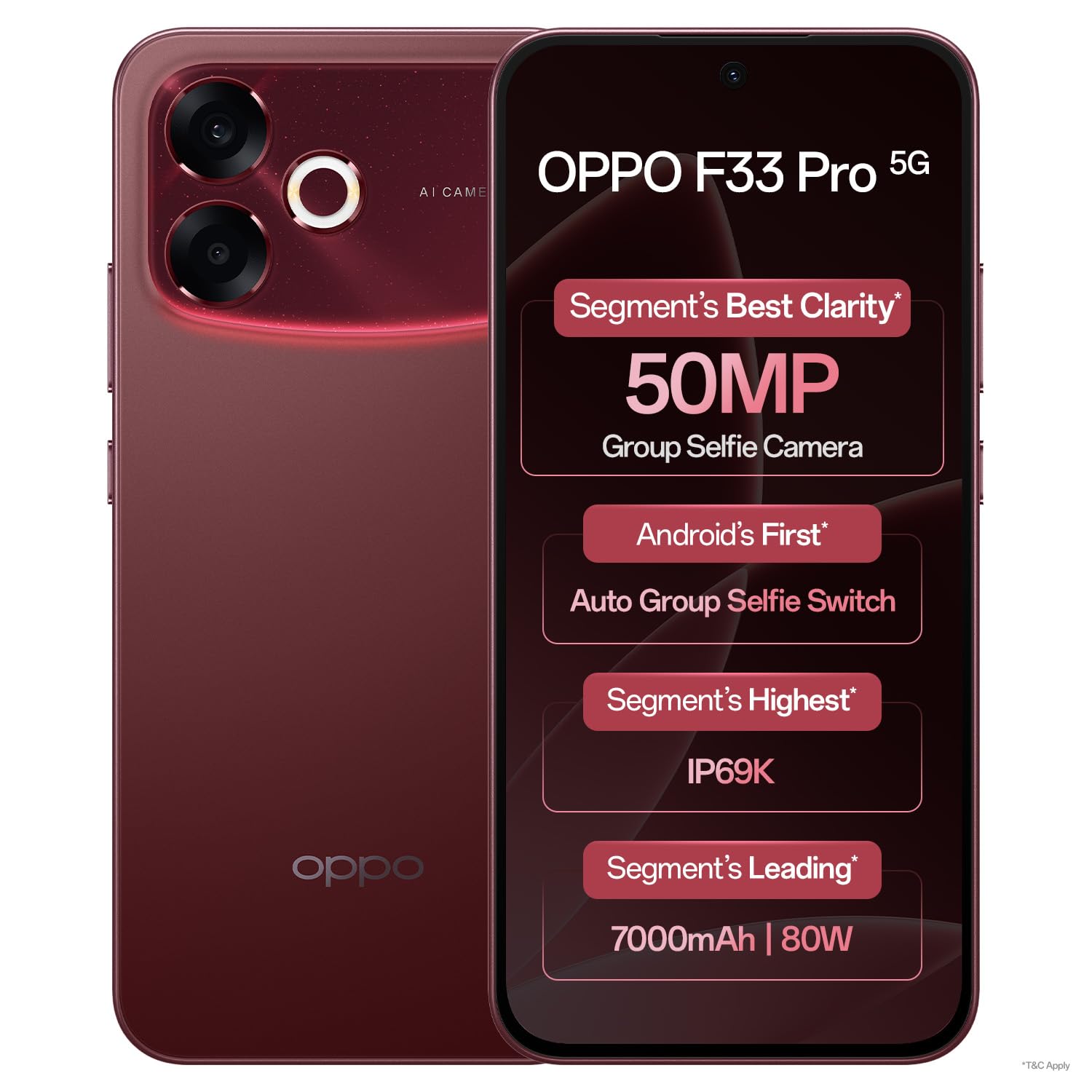
Image: OPPO F33 Pro 5G highlighting key features including 50MP selfie camera, smooth performance, IP69K durability, and 7000 mAh battery.
2. Eto Itọsọna
2.1 Unboxing ati Ibẹrẹ ayewo
Upon opening the package, verify that all contents are present and undamaged. The box should contain:
- Foonuiyara OPPO F33 Pro 5G
- Adapta Agbara (80W SUPERVOOC)
- USB Iru-C USB
- Foonu Case
- SIM Atẹ ejector
- Aabo iboju (ti a ti lo tẹlẹ tabi ninu apoti)
- Quick Bẹrẹ Itọsọna
2.2 Fifi sori kaadi SIM
- Wa atẹ kaadi SIM ni ẹgbẹ ẹrọ rẹ.
- Fi SIM atẹ ejector ọpa sinu kekere iho tókàn si awọn atẹ ki o si tẹ ṣinṣin titi ti atẹ yoo jade.
- Place your Nano-SIM cards (up to two) into the designated slots on the tray. Ensure the gold contacts face downwards.
- Fi iṣọra tun fi kaadi SIM sii sinu foonu titi ti o fi tẹ sinu aaye.
2.3 Agbara akọkọ Lori ati gbigba agbara
Press and hold the Power button until the OPPO logo appears. Follow the on-screen instructions to complete the initial setup, including language selection, Wi-Fi connection, and Google account setup. It is recommended to fully charge your device before first use.
Aworan: Iwaju view of the OPPO F33 Pro 5G Smartphone, showcasing the display and front camera.
3. Awọn ilana Iṣiṣẹ
3.1 Ipilẹ Lilọ kiri
The OPPO F33 Pro 5G features an intuitive Android 15 operating system with ColorOS 16. Use touch gestures such as tap, swipe, pinch-to-zoom, and long-press to navigate the interface, open apps, and access menus.
3.2 kamẹra Lilo
Your device is equipped with a 50MP rear camera and a 50MP ultrawide front camera. Open the Camera app to access various modes including Photo, Video, Portrait, and Night. The front camera features a 100° Field of View and an automatic wide-angle switch for group selfies.

Image: Specifications of the 50MP Ultra-Wide Selfie Camera, including 100° FOV and f/2.0 aperture.

Image: The phone's camera automatically adjusts to wide-angle when multiple faces are detected in the frame.
3.3 Isakoso Batiri ati Gbigba agbara
The device is powered by a 7000 mAh battery. Utilize the included 80W SUPERVOOC charger for rapid charging. A 5-minute charge can provide significant usage time. The phone also supports reverse wired charging, allowing it to act as a power bank for other devices using an OTG cable.

Image: Information on the 7000 mAh battery and 80W Flash Charge capabilities, showing usage times for a 5-minute charge.
3.4 Išẹ ati itutu
The Dual-Engine Smoothness System, powered by ColorOS 16, is designed to provide a lag-free experience. A high-performance 4289mm² VC Cooling System helps maintain optimal device temperature even under heavy usage.

Image: Diagram illustrating the Dual-Engine Smoothness System and its benefits for a fluid user experience.

Image: Visual representation of the cooling system designed for high temperatures, ensuring smooth operation with multiple applications.
3.5 Asopọmọra
The OPPO F33 Pro 5G supports 5G cellular technology, Wi-Fi, and Bluetooth for seamless connectivity. The device is designed to maintain strong signal reception in various environments.

Image: The smartphone maintaining strong network signal in challenging environments like elevators, hilly areas, and narrow city lanes.
4. Itọju
4.1 Ninu ẹrọ rẹ
To clean your smartphone, power it off and disconnect any cables. Use a soft, lint-free cloth slightly dampened with water or a screen cleaner. Avoid harsh chemicals or abrasive materials. Do not spray cleaners directly onto the device.
4.2 Agbara ati Idaabobo
The OPPO F33 Pro 5G features an IP69K rating for water and dust resistance, and MIL-STD-810H certified durability with a 360° Armour Body. While designed to withstand splashes, dust, and everyday rough usage, it is not indestructible. Avoid intentional submersion or exposure to extreme conditions beyond its rated capabilities.

Image: The smartphone being used in rainy conditions, illustrating its IP69K water and dust resistance.

Image: The phone's 360° Armour Body and MIL-STD-810H certification for enhanced damage resistance.
4.3 Software imudojuiwọn
Regularly check for and install software updates to ensure your device has the latest features, security patches, and performance improvements. You can usually find this option in the device's Settings menu under 'About Phone' or 'Software Update'.
5. Laasigbotitusita
5.1 Wọpọ Oran ati Solusan
- Ẹrọ ti ko tan: Rii daju pe batiri ti gba agbara. So ṣaja pọ ki o duro fun iṣẹju diẹ ṣaaju igbiyanju lati tan-an lẹẹkansi. Ti ko ba dahun, tun fi agbara mu bẹrẹ nipa didimu Bọtini Agbara ati bọtini Iwọn didun isalẹ nigbakanna fun bii awọn aaya 10-15.
- Awọn iṣoro gbigba agbara: Check the charging cable and adapter for damage. Ensure they are securely connected. Try a different outlet or charger.
- Network connectivity problems: Verify that Airplane Mode is off. Restart the device. Check your SIM card installation. If issues persist, contact your network provider.
- Awọn ohun elo kọlu tabi didi: Close and reopen the app. Clear the app's cache and data in Settings > Apps. Ensure the app is updated to its latest version.
- Iṣẹ ṣiṣe ti o lọra: Ti awọn ohun elo abẹlẹ ti ko wulo. Pa awọn kaṣe kuro nigbagbogbo. Ronu lati gba aaye ipamọ laaye.
5.2 Atunto ile-iṣẹ
If persistent software issues occur, a factory reset may be necessary. Ikilọ: This will erase all data on your device. Back up important data before proceeding. Navigate to Settings > System > Reset options > Erase all data (factory reset).
6. Awọn pato
| Ẹya ara ẹrọ | Ẹ̀kúnrẹ́rẹ́ |
|---|---|
| Brand | OPPO |
| Awoṣe | F33 Pro 5G |
| Eto isesise | Android 15 (AwọOS 16) |
| Àgbo | 8 GB |
| Agbara ipamọ | 256 GB |
| Sipiyu Awoṣe | Mediatek Dimensity 6300 |
| Sipiyu Iyara | 2.4 GHz |
| Kamẹra akọkọ | 50MP |
| Kamẹra iwaju | 50MP Ultrawide |
| Agbara Batiri | 7000 mAh |
| Gbigba agbara | 80W SUPERVOOC Fast Charging |
| Ifihan Iru | AMOLED |
| Awọn iwọn | 16.3 x 7.8 x 0.8 centimeters |
| Iwọn | 204 giramu |
| Iduroṣinṣin | IP69K Water & Dust Resistance, MIL-STD-810H |
| Iho kaadi SIM | SIM meji |
7. Atilẹyin ọja ati Support
7.1 atilẹyin ọja Alaye
Your OPPO F33 Pro 5G Smartphone comes with a 12-month warranty on the handset and a 6-month warranty on the adapter and cable from the date of purchase. Please retain your proof of purchase for warranty claims.
7.2 Onibara Support
For any queries, technical assistance, or service requests, please contact OPPO customer support:
- Tẹlifoonu: 18001032777 (Available 9:00 - 22:00, Monday - Sunday, including holidays)
- Atilẹyin WhatsApp: + 91-9871502777
You can also visit one of the 580+ authorized service centers for in-person assistance, software updates, or device diagnosis.

Aworan: Pariview of OPPO's customer support services, including contact numbers and service center information.