
1. Ifihan
Thank you for choosing the WOOX MX0294 34-inch Ceiling Fan. This manual provides essential information for the safe installation, operation, and maintenance of your new ceiling fan. Please read these instructions thoroughly before installation and keep them for future reference.
2. Awọn ilana aabo
- Rii daju pe ipese agbara akọkọ ti ge asopọ ṣaaju fifi sori ẹrọ, itọju, tabi mimọ.
- Onímọ̀ ẹ̀rọ iná mànàmáná tó mọ̀ nípa rẹ̀ gbọ́dọ̀ fi sori ẹ̀rọ náà ní ìbámu pẹ̀lú àwọn ìlànà iná mànàmáná àdúgbò.
- The mounting structure must be capable of supporting the weight of the fan (minimum 15 kg).
- Ensure all electrical connections are secure and comply with local regulations.
- Má ṣe fi àwọn nǹkan sínú abẹ́ afẹ́fẹ́ nígbà tí afẹ́fẹ́ náà bá ń ṣiṣẹ́.
- Jeki awọn ọmọ kuro lati awọn àìpẹ nigba isẹ ti.
- Apẹrẹ afẹfẹ yii jẹ apẹrẹ fun lilo inu ile nikan.
3. Package Awọn akoonu
Jọwọ ṣayẹwo pe gbogbo awọn paati wa ati pe ko bajẹ:
- Aja Fan Motor Housing
- Fan Blades (3 x ABS, maple leaf type)
- Ohun elo Ina LED
- Isakoṣo latọna jijin pẹlu Odi Oke
- Iṣagbesori akọmọ ati Hardware
- Ilana itọnisọna
4. Eto ati fifi sori
Follow these steps for proper installation of your WOOX MX0294 ceiling fan.
4.1 Iṣagbesori Fan
Secure the mounting bracket to a ceiling joist or a suitable support structure. Ensure the bracket is firmly attached and can support the fan's weight.
4.2 Awọn isopọ onirin
Connect the electrical wires from the ceiling to the fan's wiring according to the provided wiring diagram. Ensure all connections are tight and insulated.
4.3 Attaching awọn Fan Ara ati Blades
Carefully lift the fan motor housing and attach it to the mounting bracket. Secure it with the provided screws. Then, attach the three ABS blades to the motor housing.
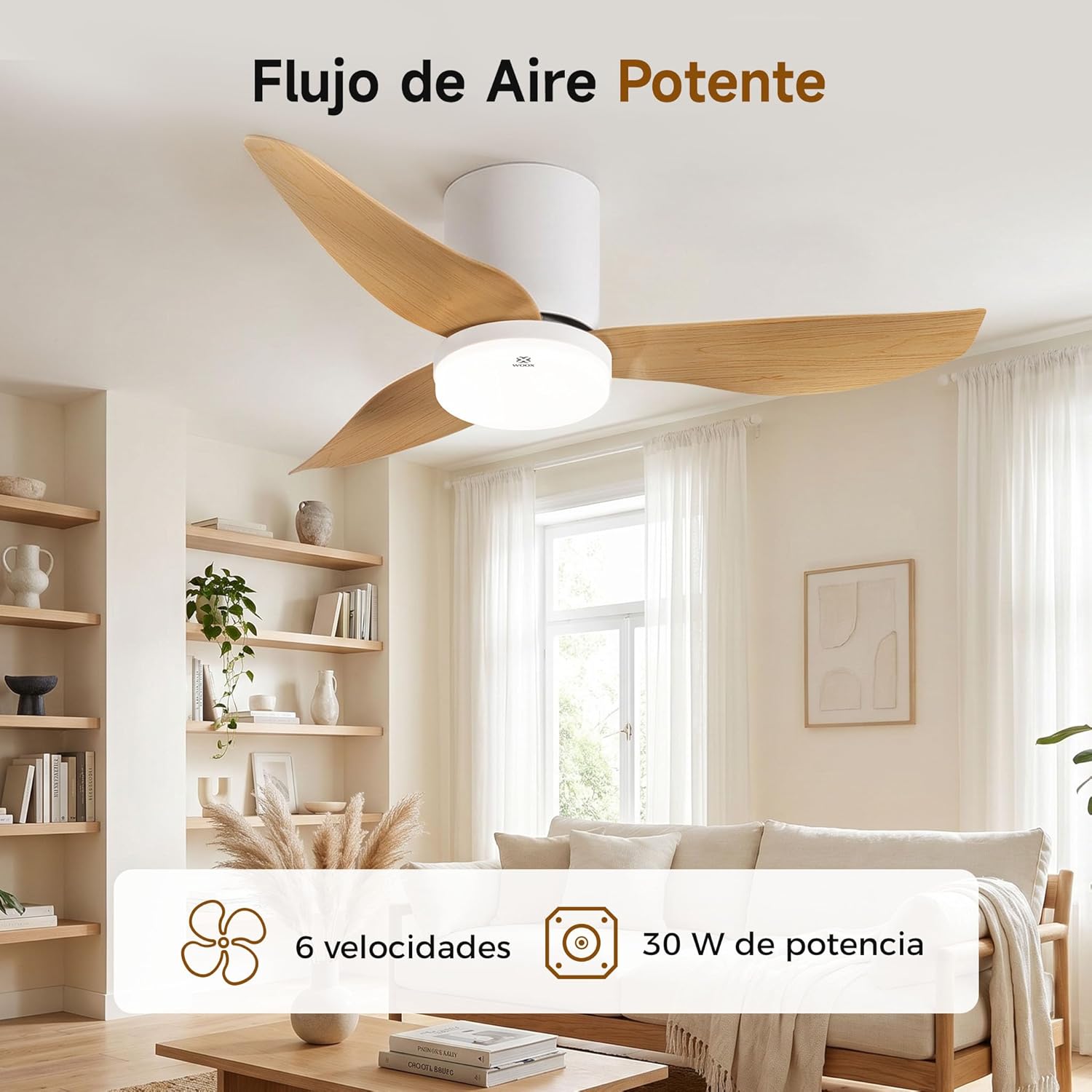
Image: The WOOX MX0294 ceiling fan installed, demonstrating powerful airflow. This image shows the fan's overall appearance and its ability to circulate air effectively.
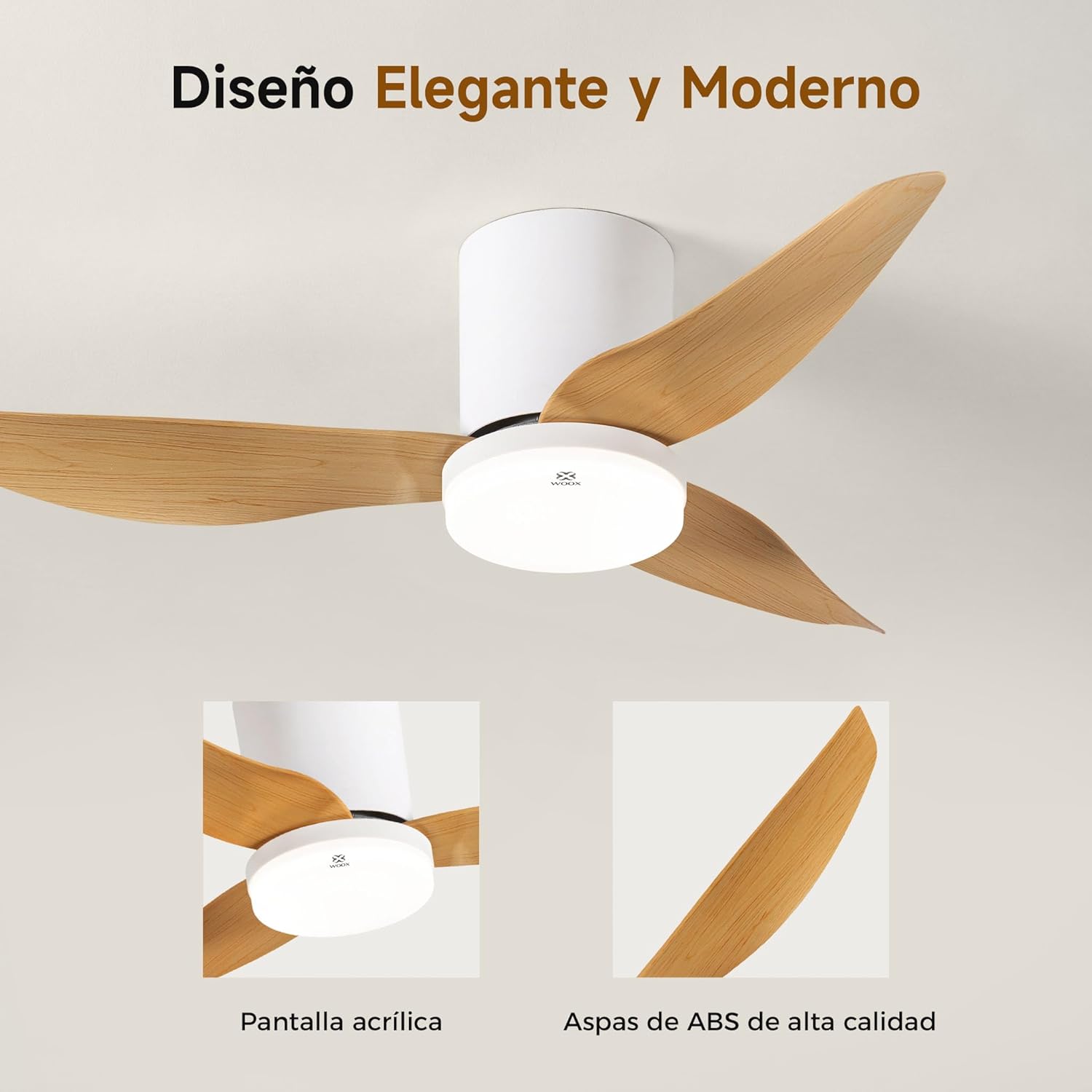
Aworan: A alaye view of the WOOX MX0294 ceiling fan, highlighting its elegant and modern design. The image focuses on the acrylic light screen and the high-quality ABS blades.
4.4 Fifi sori ẹrọ Apo Imọlẹ LED
Connect the LED light kit to the fan's electrical connections and secure it to the bottom of the fan housing.
5. Awọn ilana Iṣiṣẹ
Your WOOX MX0294 ceiling fan is controlled by a smart remote control.
5.1 Latọna Iṣakoso Awọn iṣẹ

Image: The smart remote control for the WOOX MX0294 ceiling fan, showing buttons for fan speed, light control, timer, natural wind mode, and night light mode.
- TAN/PAPA: Tẹ bọtini agbara lati tan afẹfẹ ati tan-an tabi pa.
- Iyara Olufẹ: Use the speed buttons (1-6) to adjust the fan's airflow. There are 6 adjustable speeds.
- Imọlẹ TAN/PA: Separate button to control the light.
- Iwọn Awọ Ina: Cycle through 3 color temperatures: 6500K (Cool White), 4000K (Natural White), and 3000K (Warm White).
- Dimming Light: Adjust the brightness of the 15W LED light continuously from 0% to 100%.
- Iṣẹ Aago: Set the fan to turn off automatically after 2 hours (2H) or 4 hours (4H).
- Inverse Function (Summer/Winter Mode): Change the direction of the fan blades to optimize air circulation for different seasons.
- Ipo Afẹfẹ Adayeba: Ó ń ṣe àfarawé afẹ́fẹ́ àdánidá nípa yíyàtọ̀ sí iyàrá afẹ́fẹ́.
- Ipo Imọlẹ Alẹ: Activates a low-intensity light setting for nighttime use.

Image: The WOOX MX0294 fan light demonstrating its three adjustable color temperatures: 6500K (Cool White), 4000K (Natural White), and 3000K (Warm White).

Image: The WOOX MX0294 fan light illustrating its 15W dimmable brightness feature, allowing continuous adjustment from 0% to 100%.

Image: The WOOX MX0294 fan demonstrating its year-round inverse function, showing downward airflow for cooling in summer and upward airflow for circulating warm air in winter.
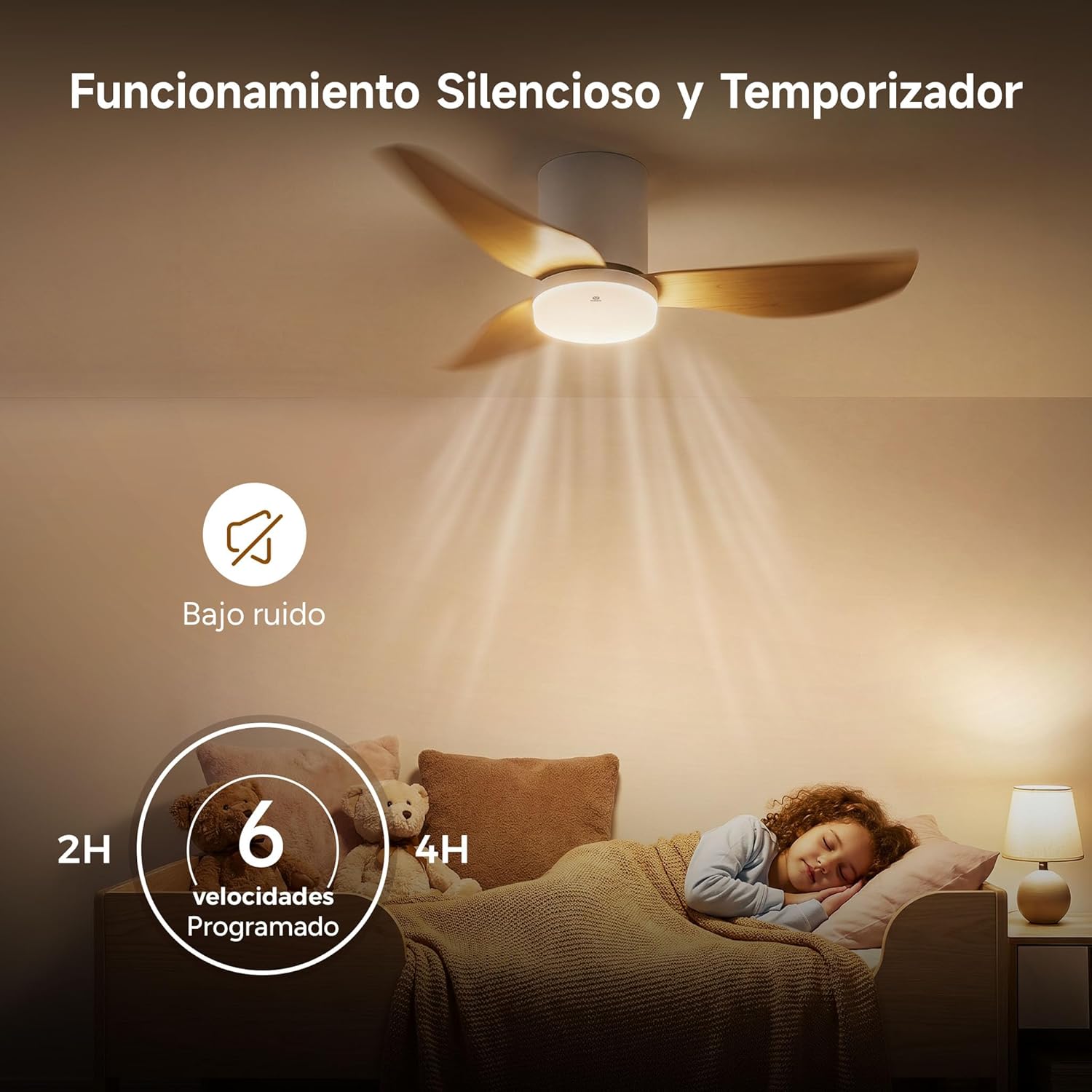
Image: The WOOX MX0294 fan highlighting its silent operation and programmable timer settings for 2 hours and 4 hours, ideal for undisturbed sleep.
6. Itọju
Itọju deede ṣe idaniloju iṣẹ ṣiṣe ti o dara julọ ati gigun gigun ti olufẹ aja rẹ.
- Ninu: Dẹ erupẹ afẹfẹ ati ile mọto nigbagbogbo pẹlu asọ, damp asọ. Ma ṣe lo abrasive ose tabi epo.
- Titọpa: Periodically check and tighten all screws on the fan blades and mounting hardware.
- Lubrication: A fi epo kun mọto afẹfẹ naa titi lai, ko si nilo epo afikun.
7. Laasigbotitusita
Ti o ba pade awọn ọran pẹlu olufẹ rẹ, tọka si awọn iṣoro ati awọn ojutu ti o wọpọ wọnyi:
- Afẹ́fẹ́ kò bẹ̀rẹ̀:
- Ṣayẹwo boya ipese agbara ti sopọ.
- Rii daju pe awọn batiri iṣakoso latọna jijin n ṣiṣẹ.
- Daju pe gbogbo awọn asopọ onirin wa ni aabo.
- Fan Wobbly:
- Rii daju pe gbogbo awọn skru abẹfẹlẹ ti di wiwọ.
- Check that the mounting bracket is securely installed.
- Imọlẹ Ko ṣiṣẹ:
- Check light wiring connections.
- Ensure the light is turned on via the remote.
- Iṣakoso Latọna jijin Ko Dahun:
- Rọpo awọn batiri isakoṣo latọna jijin.
- Rii daju pe ko si awọn idena laarin isakoṣo latọna jijin ati olugba afẹfẹ.
8. Awọn pato
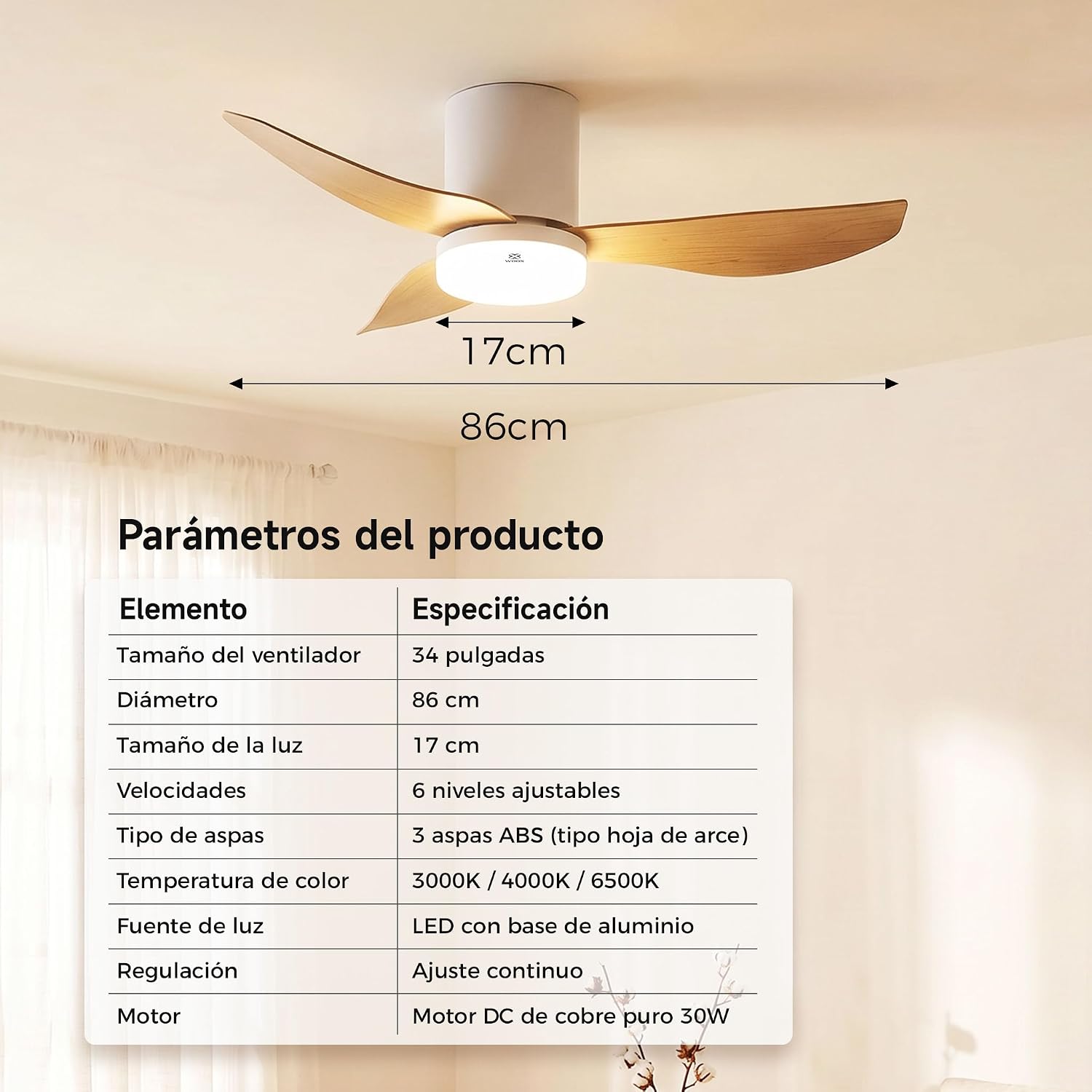
Image: A table detailing the product parameters of the WOOX MX0294 ceiling fan, including fan size, diameter, light size, speeds, blade type, color temperature, light source, dimming, and motor type.
| Paramita | Sipesifikesonu |
|---|---|
| Fan Iwon | 34 inches |
| Iwọn opin | 86 cm |
| Iwọn Imọlẹ | 17 cm |
| Awọn iyara | 6 awọn ipele adijositabulu |
| Blade Iru | 3 ABS blades (maple leaf type) |
| Iwọn otutu awọ | 3000K / 4000K / 6500K |
| Orisun Imọlẹ | LED with aluminum base (15W) |
| Dimming | Continuous adjustment |
| Mọto | Pure copper DC 30W motor |
| Awọn iwọn Ọja (D x W x H) | 40 x 40 x 114 cm (packaging/overall) |
| Àwọ̀ | Funfun |
9. Atilẹyin ọja ati Support
WOOX products are designed for quality and reliability. This product comes with a standard manufacturer's warranty against defects in materials and workmanship. Please refer to your purchase documentation for specific warranty terms and duration.
For technical support, troubleshooting assistance, or warranty claims, please contact your retailer or the WOOX customer service department. Keep your proof of purchase for warranty validation.


