
Ọrọ Iṣaaju
The Fosmon C-10803FFUS Countdown Plug-in Timer Dual Outlet provides convenient and customizable control over your electrical appliances and lights. This indoor timer features dual grounded outlets and offers multiple countdown settings from 15 minutes to 8 hours. It is designed for ease of use and includes safety features such as ETL certification and a fire-resistant shell. This manual will guide you through the setup, operation, and maintenance of your timer.
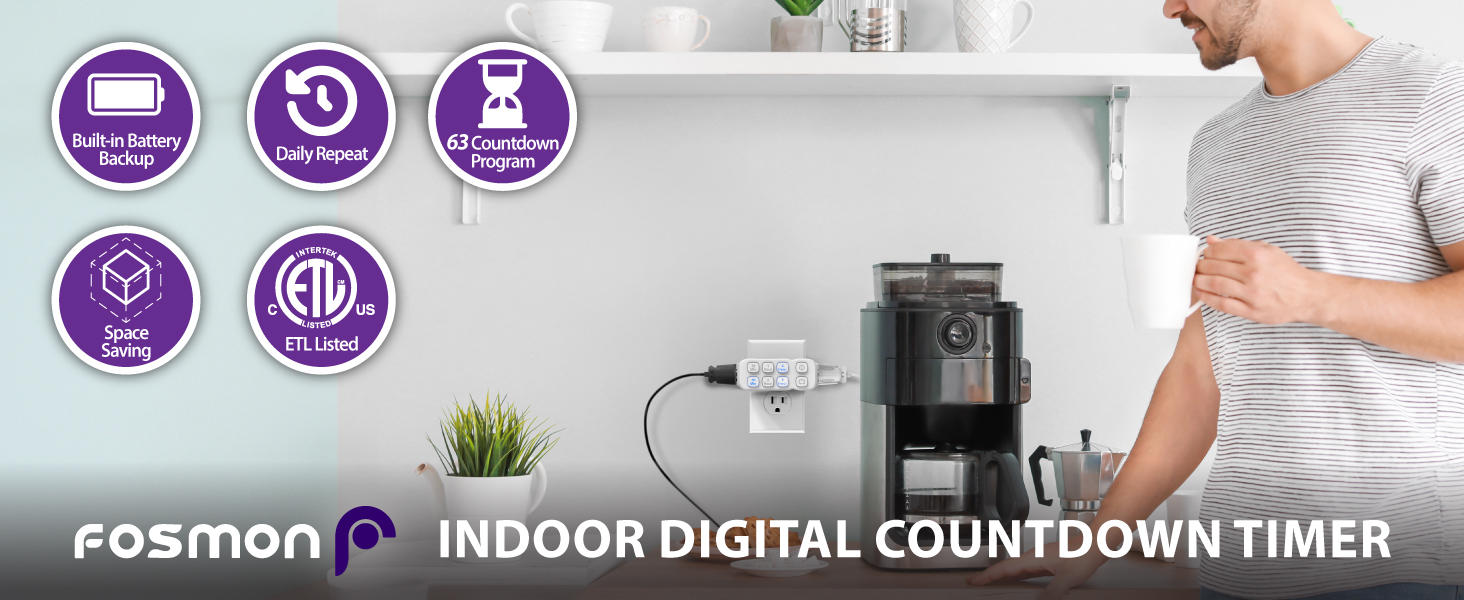
Image: The Fosmon Countdown Plug-in Timer, highlighting its compact design and dual outlets.
Ọja Pariview
The Fosmon C-10803FFUS timer is equipped with intuitive controls and practical features for managing your devices. Understanding its components will help you utilize it effectively.
- Awọn ile-iṣẹ Ilẹ-meji: Located on the sides of the timer, these outlets turn on and off simultaneously based on the set program.
- Countdown Buttons: Front-facing buttons for 15 Min, 30 Min, 1 Hour, 2 Hour, 4 Hour, and 8 Hour settings.
- Bọtini TAN/PA afọwọṣe: Allows for immediate power control, overriding any active program.
- Daily Repeat Button: Activates a daily repeat function for the current countdown program.
- Àfikún Batiri tí a ṣe sínú rẹ̀: Ensures the timer continues to function during power failures, though a prolonged outage may reset the timer if the internal battery depletes.
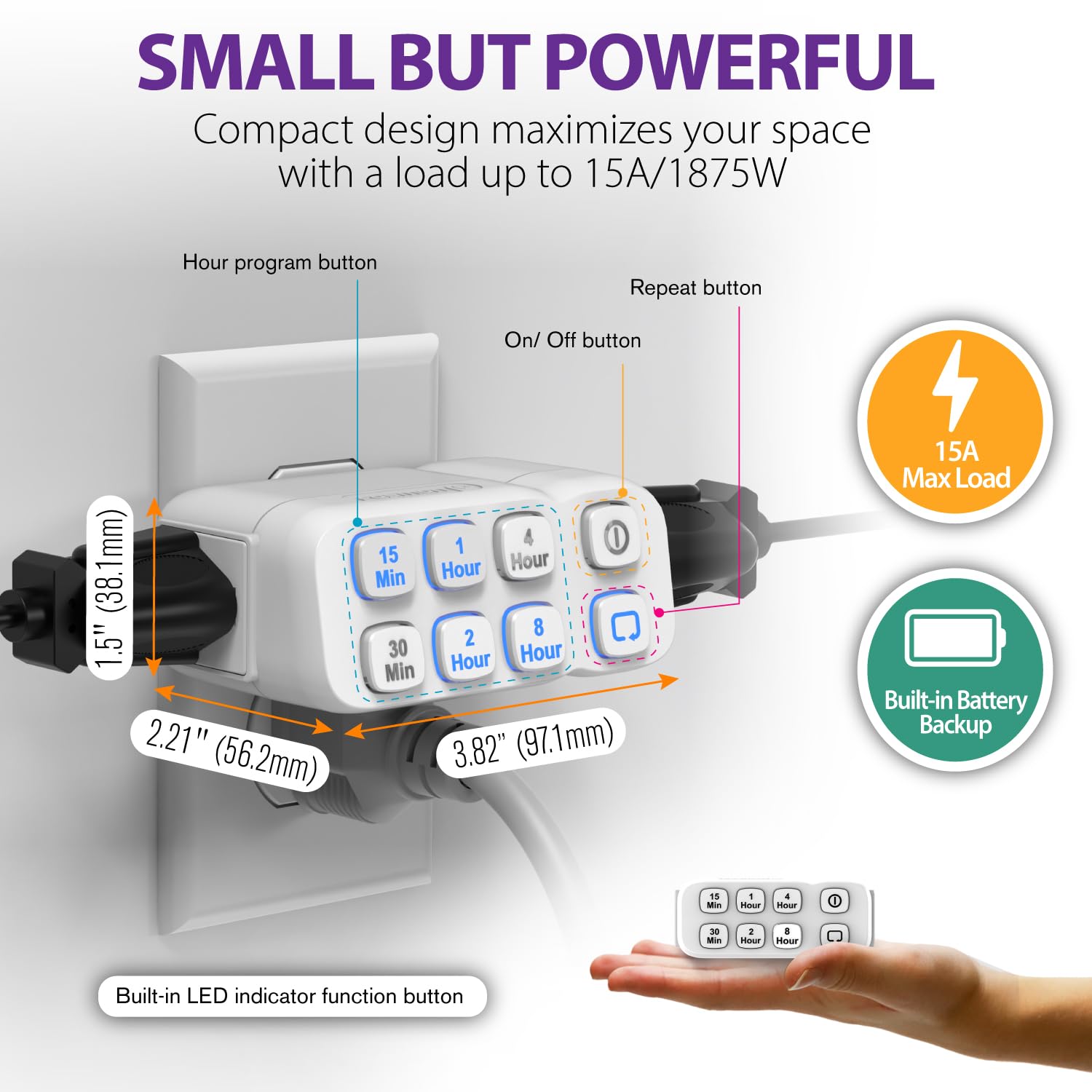
Aworan: A alaye view of the timer, illustrating its compact dimensions and the layout of its control buttons.
Ṣeto
Tẹ̀lé àwọn ìgbésẹ̀ wọ̀nyí láti ṣètò Fosmon Countdown Plug-in Time rẹ.
- So Aago naa pọ mọ: Insert the timer into a standard grounded wall outlet. It is recommended to plug it in before setting a program.
- Agbara Ibẹrẹ: Upon plugging in, the timer is ready for programming. Note that in case of a power failure, the internal battery will maintain the program. If the internal battery runs out, the timer will reset, requiring reprogramming.

Image: A person plugging the timer into a wall outlet, demonstrating the first step of setup.
Setup Guide Video
Video: An official setup guide for the Fosmon Plug-In Countdown Timer, demonstrating how to plug in the device and set its various functions.
Awọn ilana Iṣiṣẹ
The timer offers flexible programming options for various durations and includes a daily repeat function.
Ṣíṣeto Ètò Kíkà Sílẹ̀
- Select Desired Duration: Press one or more of the time buttons (15 Min, 30 Min, 1 Hour, 2 Hour, 4 Hour, 8 Hour) to achieve your desired countdown duration. For example, to set a 5-hour and 45-minute countdown, press the 15 Min, 30 Min, 1 Hour, and 4 Hour buttons.
- Jẹrisi Aṣayan: Ensure all selected buttons are illuminated blue. The timer will begin its countdown immediately after the last button press.
- Changing Program: At any point during an active countdown, you can press any time button to set a new countdown program. The previous program will be canceled.
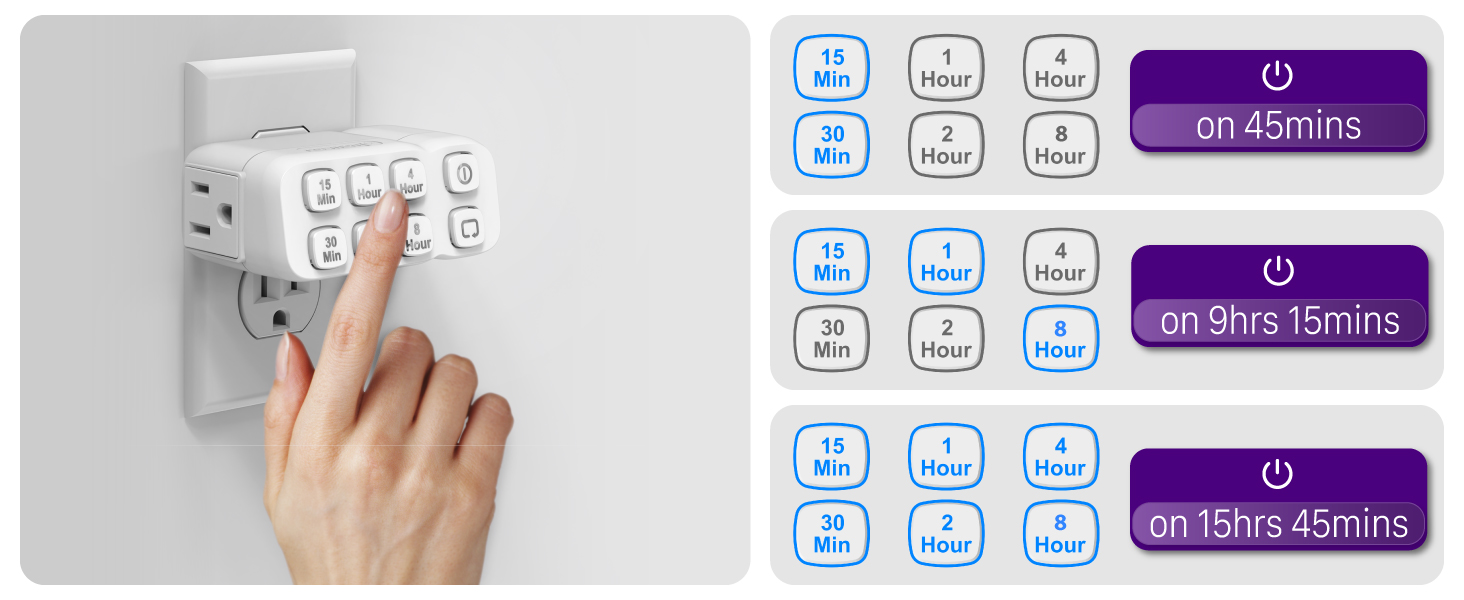
Image: A visual guide demonstrating how to combine different time buttons to achieve various countdown durations.
Iṣẹ́ Àtúnṣe Ojoojúmọ́
To have your set countdown program repeat automatically every day:
- Set a Countdown: First, set your desired countdown program using the time buttons.
- Activate Repeat: While the countdown program is running, press the Daily Repeat button (indicated by a circular arrow icon). The repeat indicator will illuminate, confirming that the program will now run at the same time every day.

Image: The timer in a home environment, showcasing how the daily repeat function can be used to automate lighting for security or convenience.
Àtúnṣe TÍTÁN/PÁPÀ LỌ́WỌ́
To manually turn the connected devices ON or OFF, overriding any active countdown or repeat program:
- Tẹ awọn Afowoyi PA/PA button (indicated by a power icon). The timer will remain in the ON or OFF state until the button is pressed again or a new countdown program is set.
Awọn ẹya ara ẹrọ
The Fosmon Countdown Plug-in Timer is designed with several key features to enhance its functionality and user experience:
- Àṣàyàn Àṣàyàn: Offers 55 possible countdown durations by combining 15 Min, 30 Min, 1 Hour, 2 Hour, 4 Hour, and 8 Hour settings.
- Eto ti o rọrun: Simple button presses for setting and adjusting countdowns.
- Ọpọ Awọn ẹya Aabo: ETL certified, includes two grounded outlets for electrical shock protection, and features a V-0 rated fire-resistant shell.
- Ibamu gbooro: Supports up to 1/2 horsepower and is rated at 125V/15A 1875W, compatible with incandescent, CFL, and LED lights.

Image: Icons visually representing the timer's key features, including battery backup, daily repeat, and various programming options.
Lilo Examples
Ìlò Fosmon Countdown Plug-in Timer ló jẹ́ kí ó dára fún ọ̀pọ̀lọpọ̀ àwọn ohun èlò:
- Aabo Ile: Automate lights to turn on and off, creating the impression of an occupied home to deter potential intruders.
- Appliance Control: Ideal for coffee makers, slow cookers, and chargers, ensuring they operate only for the required duration.
- Lighting Management: Perfect for seasonal lights, lamps, and grow lights, providing consistent on/off cycles.
- Isẹ Fan: Control fans for specific periods to optimize air circulation and energy use.

Aworan: Examples of the timer's diverse applications, such as controlling aquarium lights, plant grow lights, table lamps, and Christmas tree lights.
Awọn pato
| Iwa | Ẹ̀kúnrẹ́rẹ́ |
|---|---|
| Brand | Fosmon |
| Nọmba awoṣe | C-10803FFUS |
| Ohun elo | Ṣiṣu |
| Agbara Rating | 125V/15A, 1875W |
| Horsepower Rating | 1 / 2 HP |
| Awọn iÿë | 2 Ilẹ iÿë |
| Awọn iwe-ẹri | Akojọ ETL |

Aworan: inu view of the timer, highlighting its grounded protection and ETL certification for safety.
Laasigbotitusita
If you encounter issues with your Fosmon Countdown Plug-in Timer, please refer to the following common troubleshooting steps:
- Aago ti ko dahun: Ensure the timer is securely plugged into a functioning wall outlet. Check if the internal battery might be depleted, which could cause a reset.
- Ètò náà kò ṣiṣẹ́: Verify that the desired time buttons are illuminated blue after setting your program. If the Daily Repeat function is intended, ensure its indicator is also lit.
- Devices Not Turning On/Off: Confirm that the devices connected to the timer are properly plugged into the timer's outlets and are in working condition. Check the Manual ON/OFF button status; it might be overriding the program.
- Agbara Outage Impact: Ni ọran ti agbara kan otage, the internal battery should maintain the program. However, if the outage is prolonged and the battery depletes, the timer will reset, and you will need to reprogram it.
Atilẹyin ọja ati Support
Fosmon dúró fún dídára àwọn ọjà rẹ̀. Ọjà yìí wá pẹ̀lú Atilẹyin ọja to lopin. For any questions, concerns, or support needs, please contact our dedicated US-based customer service team. Refer to the product packaging or the official Fosmon webaaye fun awọn alaye olubasọrọ.