
Ọrọ Iṣaaju
Thank you for choosing the Leadjoy Saber Plus Game Controller. This manual provides detailed instructions for setting up, operating, maintaining, and troubleshooting your new controller. Please read this manual carefully before use to ensure optimal performance and longevity of your device.
Ọja Pariview
The Leadjoy Saber Plus is a versatile game controller designed for multi-platform compatibility, offering wired, 2.4G wireless, and Bluetooth connectivity. It features advanced components for precise control and an immersive gaming experience.

Image: The Leadjoy Saber Plus Game Controller in black, showcasing apẹrẹ ergonomic rẹ ati ipilẹ bọtini.
Awọn ẹya pataki:
- Microswitch ABXY Buttons: Equipped with professional-grade microswitches for short travel and crisp tactile feedback, eliminating the mushy feel of traditional rubber buttons. Ideal for rapid combos and quick input changes in FPS games.
- High-Friction Rubber Stick Caps & TMR High-Precision Sticks: Stick tops feature high-friction rubber material for 300% more grip, preventing thumb slippage even with sweaty hands. Custom TMR sticks offer ultra-low latency (2.6ms) and maintain neutral accuracy over time.
- Dual-Mode Triggers (Micro / Hall Linear): Instantly switch between Hall-effect linear input for racing games (smooth acceleration) and microswitch short-travel mode for FPS games (instant activation) with a single back switch.
- Customizable Shoulder & Back Buttons: Features 4 additional buttons (2 shoulder, 2 back) that can be freely remapped or programmed with macros via the dedicated app.
- Oṣuwọn Idibo 1000Hz: Achieves a 1000Hz polling rate in wired mode, ensuring a button response delay of only 2.7ms for lag-free, instantaneous reactions in competitive environments.
- Olona-Stage Adjustable Vibration Motors: Independent left and right vibration motors with fine-tuned intensity levels provide realistic haptic feedback for gunshots, collisions, and other in-game events.
- Infinitely Adjustable RGB Breathing Lights: RGB ring lights around the sticks offer customizable lighting patterns and colors to enhance your gaming atmosphere.
Ṣeto
Awọn akoonu idii:
- Leadjoy Saber Plus Game Controller
- Okùn Gbigba agbara/Okùn Détà USB-C
- Itọsọna olumulo
Gbigba agbara si Alakoso:
Connect the supplied USB-C cable to the controller's charging port and the other end to a USB power source (e.g., PC, USB wall adapter). The RGB lights will indicate charging status and turn off when fully charged. A full charge typically takes approximately 2-3 hours.
Sisopọ Alakoso:

Image: Diagram illustrating wired, 2.4G wireless, and Bluetooth connectivity options for various platforms.
1. Asopọ onirin:
Connect the USB-C cable from the controller to your PC or Nintendo Switch (Switch 1 mode). The controller will be automatically recognized and ready for use. This mode supports a 1000Hz polling rate.
2. Asopọ Alailowaya 2.4G:
This mode requires a 2.4G receiver (sold separately). Plug the 2.4G receiver into your Windows PC or Xbox Series S/X console. Turn on the controller, and it should automatically pair with the receiver. Refer to the receiver's manual for specific pairing instructions if needed.
3. Asopọ Bluetooth:
- For Nintendo Switch (Switch 1 & 2): Go to the Switch's 'Controllers' menu, select 'Change Grip/Order', then press and hold the pairing button on the controller until the indicator lights flash.
- Fun PC: Go to 'Bluetooth & other devices' settings, select 'Add Bluetooth or other device', then 'Bluetooth'. Press and hold the pairing button on the controller. Select 'Leadjoy Saber Plus' from the list of available devices.
- For iOS/Android: Enable Bluetooth on your mobile device. Press and hold the pairing button on the controller. Select 'Leadjoy Saber Plus' from the list of available devices in your Bluetooth settings.
Awọn ilana Iṣiṣẹ
Joystick Tuning and Precision:
The controller features Leadjoy's exclusive JS13 Pro TMR sticks, offering high-precision sampling and enhanced resolution for finer control. The ultra-low latency ensures responsive, true-to-input movement.

Aworan: Exploded view of the joystick mechanism, highlighting features like high-precision sampling, enhanced resolution, superior linearity, ultra-low latency, durability, and full customization.
Dual-Mode Triggers:
The triggers can be switched between two modes using a physical switch on the back of the controller:
- Hall Linear Mode: Provides a full range of motion (0-255 levels) for precise acceleration control in racing games.
- Microswitch Short-Travel Mode: Offers instant activation with a 0.45mm ultra-short stroke, ideal for rapid firing in shooting games.

Image: Visual representation of the dual-mode triggers, showing the extended stroke for racing and rapid reaction for shooting games.
Awọn bọtini isọdi:
The controller features two shoulder buttons and two back buttons that are fully customizable. Use the dedicated Leadjoy app to:
- Remap any button to the customizable buttons.
- Record and assign macros for complex command sequences.

Aworan: Ẹyin view of the controller highlighting the transparent design and the four customizable back buttons.
Imọlẹ Ibaramu RGB:
The controller includes multi-mode RGB lighting around the joysticks. You can customize the color, brightness, and light speed using the companion app to match your gaming setup or mood.

Image: Multiple Leadjoy Saber Plus controllers with vibrant RGB lighting, demonstrating the customizable ambient effects.
Iṣakoso išipopada:
The controller supports simulated motion control, compatible with various platform games. It offers different modes, such as standard mode (yaw control) and mobile mode (invert Y-axis), which can be configured via the app.
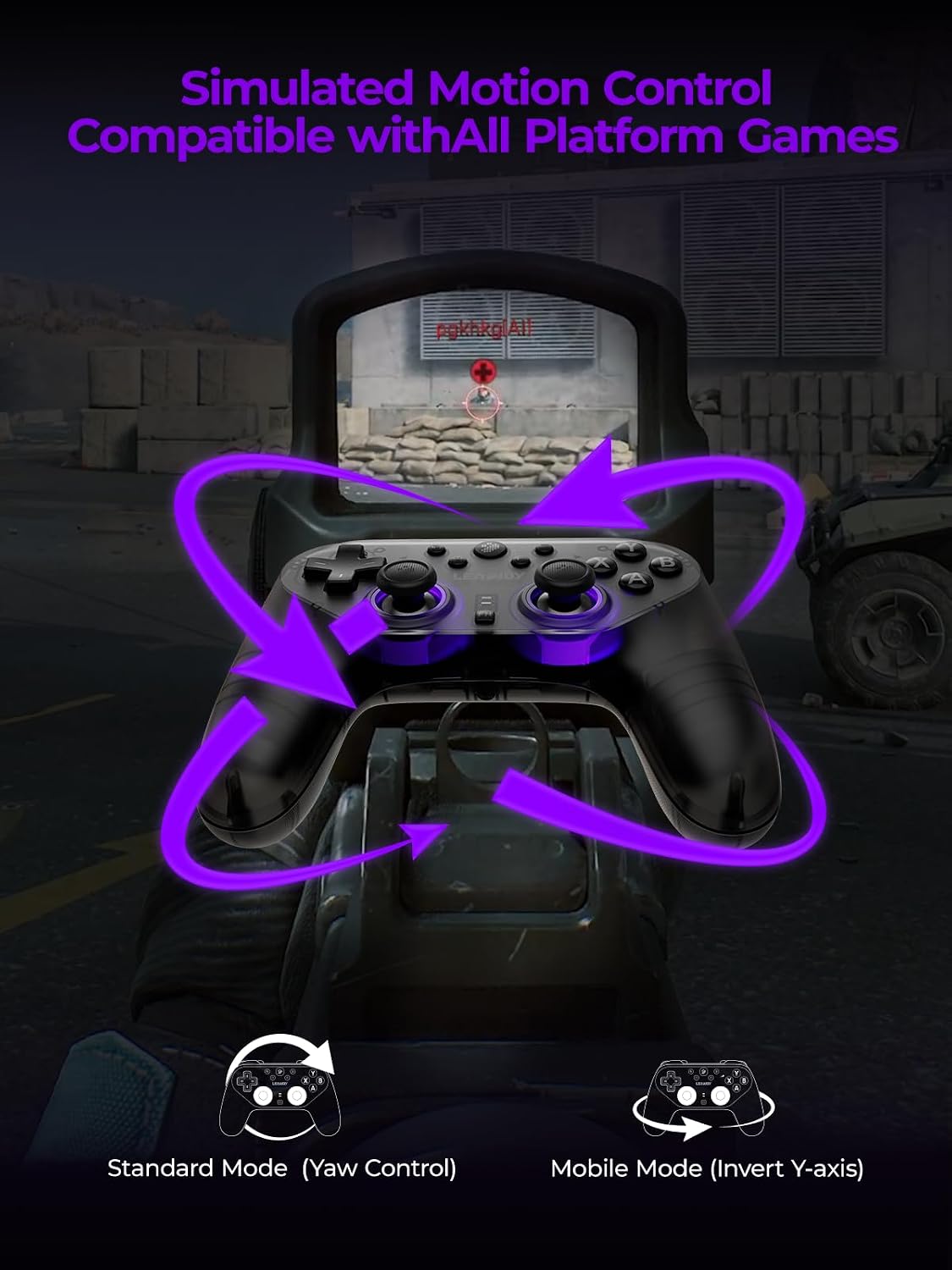
Image: A first-person shooter perspective showing the controller being used with motion controls, indicated by purple arrows.
Itoju
- Ninu: Lo aṣọ rírọrùn tí ó gbẹ láti nu ohun èlò ìdarí náà. Má ṣe lo àwọn kẹ́míkà líle tàbí àwọn ohun èlò ìpalára.
- Ibi ipamọ: Tọju olutọju naa ni itura, aye gbigbẹ kuro lati orun taara ati awọn iwọn otutu to gaju.
- Itọju Batiri: Lati pẹ aye batiri, yago fun gbigba agbara ni kikun oludari nigbagbogbo. Gba agbara rẹ nigbagbogbo, paapaa ti kii ba lo fun awọn akoko gigun.
Laasigbotitusita
Alakoso Ko Sopọ:
- Rii daju pe oludari ti gba agbara.
- Verify the correct connection mode (wired, 2.4G, Bluetooth) is selected for your device.
- Fún Bluetooth, rí i dájú pé Bluetooth ẹ̀rọ rẹ ti ṣiṣẹ́ àti pé olùdarí náà wà ní ipò ìsopọ̀.
- For 2.4G wireless, ensure the receiver is properly plugged in and the controller is paired.
- Try restarting both the controller and your gaming device.
Buttons Unresponsive or Laggy:
- Ensure the controller's firmware is up to date via the companion app.
- Ṣayẹwo fun eyikeyi awọn idena ti ara tabi idoti ni ayika awọn bọtini.
- If using wireless, ensure you are within range and there is no significant interference.
- Try a wired connection to rule out wireless issues.
Awọn ọran gbigba agbara:
- Rí i dájú pé okùn USB-C so mọ́ olùdarí àti orísun agbára dáadáa.
- Gbiyanju okun USB-C ti o yatọ tabi ohun ti nmu badọgba agbara.
- Ensure the power source is providing sufficient power.
Awọn pato
| Ẹya ara ẹrọ | Ẹ̀kúnrẹ́rẹ́ |
|---|---|
| Nọmba awoṣe | LJSBP001 |
| Asopọmọra | 2.4G Wireless, Bluetooth, Wired |
| Idibo Oṣuwọn | 1000Hz (Wired) |
| Batiri | 1 Non-standard Battery (included) |
| Ọja Mefa | 20 x 11 x 5 cm |
| Iwọn | 362.87 g |
| Iṣeduro ọjọ ori | 12 ọdun ati si oke |
| Ipilẹṣẹ | China |
Alaye atilẹyin ọja
The Leadjoy Saber Plus Game Controller comes with a standard manufacturer's warranty. Please refer to the warranty card included in your package or visit the official Leadjoy webAaye fun alaye atilẹyin ọja ofin ati ipo. Jeki ẹri rira rẹ fun awọn iṣeduro atilẹyin ọja.
Onibara Support
If you encounter any issues or have questions regarding your Leadjoy Saber Plus Game Controller that are not covered in this manual, please contact Leadjoy customer support. Contact information can typically be found on the official Leadjoy webaaye tabi lori apoti ọja.
Awọn fidio ọja osise
No official seller videos were found in the provided product data.