
1. Ifihan
Thank you for choosing the Aigostar Gx-5555 Ceiling Fan with Light. This product combines a powerful ceiling fan with an integrated LED light, offering both comfort and illumination for your living space. It features a silent DC motor, five durable ABS blades, and a sleek black metal design. The light offers adjustable color temperature and brightness, while the fan provides six speed settings and a convenient timer function. This manual provides essential information for safe installation, operation, and maintenance of your new ceiling fan.
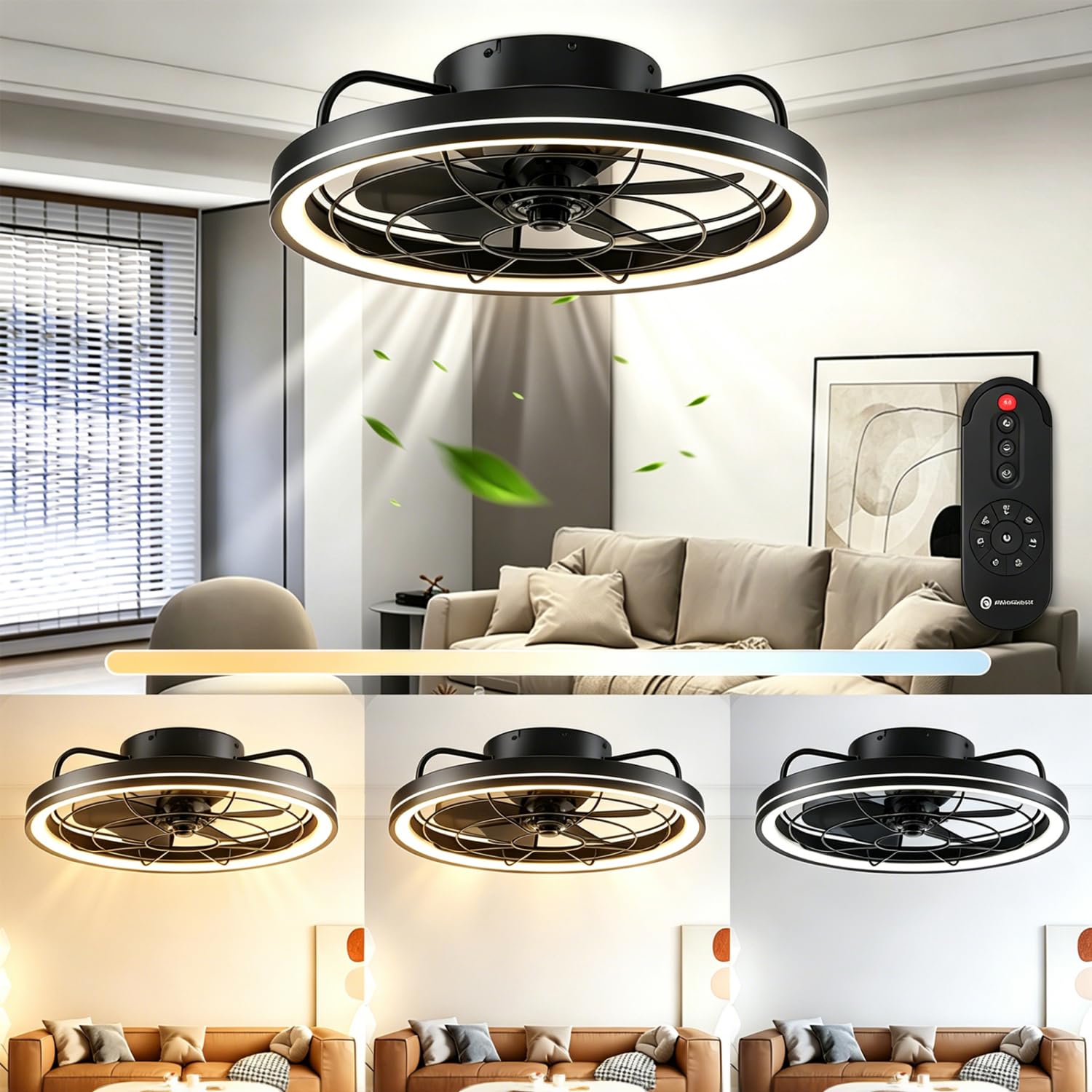
Olusin 1: Pariview of the Aigostar Gx-5555 Ceiling Fan with Light.
2. Awọn ilana aabo
Please read all safety instructions carefully before installation and use. Keep this manual for future reference.
- Rí i dájú pé a ti ge ina agbara kuro ṣaaju fifi sori ẹrọ, mimọ, tabi itọju.
- Fifi sori gbọdọ jẹ ṣiṣe nipasẹ onisẹ ina mọnamọna ni ibamu pẹlu awọn ilana wiwọ agbegbe.
- Eto fifi sori ẹrọ naa gbọdọ ni agbara lati gbe iwuwo afẹfẹ naa (to iwọn 4.05 kg).
- Má ṣe fi ohunkóhun sínú abẹ́ afẹ́fẹ́ nígbà tí afẹ́fẹ́ náà bá ń ṣiṣẹ́.
- Jeki awọn ọmọ kuro lati awọn àìpẹ nigba isẹ ti.
- Maṣe lo afẹfẹ ni damp tabi awọn ipo tutu.
- Only use the provided remote control for operation.
3. Package Awọn akoonu
Rí i dájú pé gbogbo àwọn èròjà wà níbẹ̀ tí wọn kò sì bàjẹ́ nígbà tí wọ́n bá ń tú wọn.
- Aigostar Aja Fan Unit
- Isakoṣo latọna jijin
- Ilana itọnisọna
4. Awọn pato
| Ẹya ara ẹrọ | Sipesifikesonu |
|---|---|
| Nọmba awoṣe | Gx-5555 |
| Awọn iwọn (L x W x H) | 48 x 48 x 15.5 cm |
| Iwọn | 4.05 kg |
| Power (Light) | 40W |
| Agbara (Fan) | 20W |
| Flux Imọlẹ | 4400LM |
| Iwọn otutu awọ | 2700K-6500K (Atunṣe) |
| Imọlẹ | 10-100% (Adjustable) |
| Awọn iyara Fan | 6 Awọn ipele |
| Aago Išė | 1/2/4 Wakati |
| Motor Iru | DC Motor (Silent) |
| Awọn abẹfẹlẹ | 5 ABS Blades |
| Voltage | 230V (AC) |
| Ọna Iṣakoso | Isakoṣo latọna jijin |
| Iṣagbesori Iru | Oke Oke |
| Awọn iwe-ẹri | CE, RoHS |
5. Eto ati fifi sori
Installation should only be performed by a qualified professional to ensure safety and proper functionality. Always disconnect power at the circuit breaker before beginning any installation work.
5.1 Ṣiṣii silẹ
Carefully remove all components from the packaging. Inspect for any damage during transit. Retain packaging for future transport or returns.
5.2 Iṣagbesori Location
Choose a ceiling location that can safely support the fan's weight and allows for adequate clearance around the blades. The fan has a diameter of 480mm and a height of 155mm.

Nọmba 2: Awọn iwọn ọja fun iṣeto fifi sori ẹrọ.
5.3 Wiring and Assembly
Follow the detailed wiring diagrams and assembly instructions provided in the separate installation guide included with your product. Ensure all electrical connections are secure and comply with local electrical codes. After wiring, securely attach the fan unit to the ceiling mount.
6. Awọn ilana Iṣiṣẹ
The Aigostar Gx-5555 Ceiling Fan with Light is operated using the included remote control. Ensure batteries are correctly inserted into the remote.
6.1 Light Awọn iṣẹ
Use the remote control to adjust the light settings:
- Ṣatunṣe iwọn otutu awọ: Cycle through warm white (2700K), neutral white (4500K), and cool white (6500K) to suit your preference.
- Atunse Imọlẹ: Ṣatunṣe kikankikan ina lati 10% si 100%.
- The light features a memory function, retaining the last setting when turned off and on again.

Figure 3: Adjustable color temperature and brightness settings.
6.2 Fan Awọn iṣẹ
Control the fan speed and direction with the remote:
- Titunṣe Iyara: Select from 6 fan speeds. Lower speeds (1-2) are ideal for sleeping, medium speeds (3-4) for daily activities, and higher speeds (5-6) for increased air circulation.

Figure 4: Fan speed settings for various comfort levels.
- Isẹ idakẹjẹ: The DC motor ensures quiet operation, minimizing disturbance, especially during sleep.

Figure 5: The fan's quiet operation for undisturbed rest.
- Yiyi pada: The fan can rotate clockwise for downward airflow (ideal for cooling in summer) or counter-clockwise for upward airflow (to circulate warm air in winter). Refer to the remote control for the specific button to change rotation direction.
6.3 Aago Išė
Set the fan and/or light to automatically turn off after a specified period:
- Press the timer button on the remote to select 1, 2, or 4 hours.
- Note: Pressing any other button after setting the timer will cancel the timer function.

Figure 6: Remote control displaying the timer function.
7. Itọju
Itọju deede ṣe idaniloju iṣẹ ṣiṣe ti o dara julọ ati gigun gigun ti olufẹ aja rẹ.
- Ninu: Always disconnect power before cleaning. Use a soft, damp cloth to wipe down the fan housing and blades. Do not use abrasive cleaners or solvents.
- Ayẹwo abẹfẹlẹ: Periodically check the fan blades for any dust buildup or damage.
- Tira: Ensure all screws and connections remain tight.
8. Laasigbotitusita
Ti o ba pade awọn ọran, tọka si awọn iṣoro ti o wọpọ ati awọn ojutu wọnyi:
| Isoro | Owun to le Fa | Ojutu |
|---|---|---|
| Fan ko ṣiṣẹ | No power supply; Remote control battery low/dead; Incorrect wiring. | Check circuit breaker; Replace remote batteries; Consult a qualified electrician to check wiring. |
| Imọlẹ ko tan | No power supply; Light component fault. | Check circuit breaker; Contact customer support if light component is faulty. |
| Isakoṣo latọna jijin ko ṣiṣẹ | Batteries incorrectly inserted or dead; Remote not paired (if applicable). | Check battery orientation and replace if necessary; Refer to remote pairing instructions in the full manual. |
| Fan wobbles | Àwọn skru tí ó lè so mọ́ ara wọn; Àwọn abẹ́ tí kò ní ìwọ̀ntúnwọ̀nsì. | Ensure all mounting screws are tight; Check for balanced blades and re-tighten if necessary. |
If the problem persists after attempting these solutions, please contact Aigostar customer support.
9. Atilẹyin ọja ati Support
Aigostar products are designed and manufactured to the highest quality standards. This product comes with a standard manufacturer's warranty. For detailed warranty information, please refer to the warranty card included in your package or visit the official Aigostar webojula.
For technical support, replacement parts, or any other inquiries, please contact Aigostar customer service through the contact information provided on our website or in your product documentation. Please have your model number (Gx-5555) and purchase date ready when contacting support.