1. Ifihan
O ṣeun fun riraasing the Billboard BL-ANC002 Wireless Bluetooth 5.3 Noise Cancelling Earbuds. These earbuds are designed to provide a superior audio experience with Active Noise Cancelling (ANC), high-performance microphone, and convenient touch controls. Please read this manual carefully before use to ensure optimal performance and longevity of your device.

2. Package Awọn akoonu
Rii daju pe gbogbo awọn nkan wa ninu apo rẹ:
- Billboard BL-ANC002 Wireless Earbuds (Left and Right)
- Ngba agbara Case
- Okun Ngba agbara USB
- Itọsọna olumulo
- Multiple sizes of ear tips (typically S, M, L)
3. Eto ati First Lo
3.1 Ngba agbara si Earbuds ati Ọran
Ṣaaju lilo akọkọ, gba agbara ni kikun awọn agbekọri ati apoti gbigba agbara.
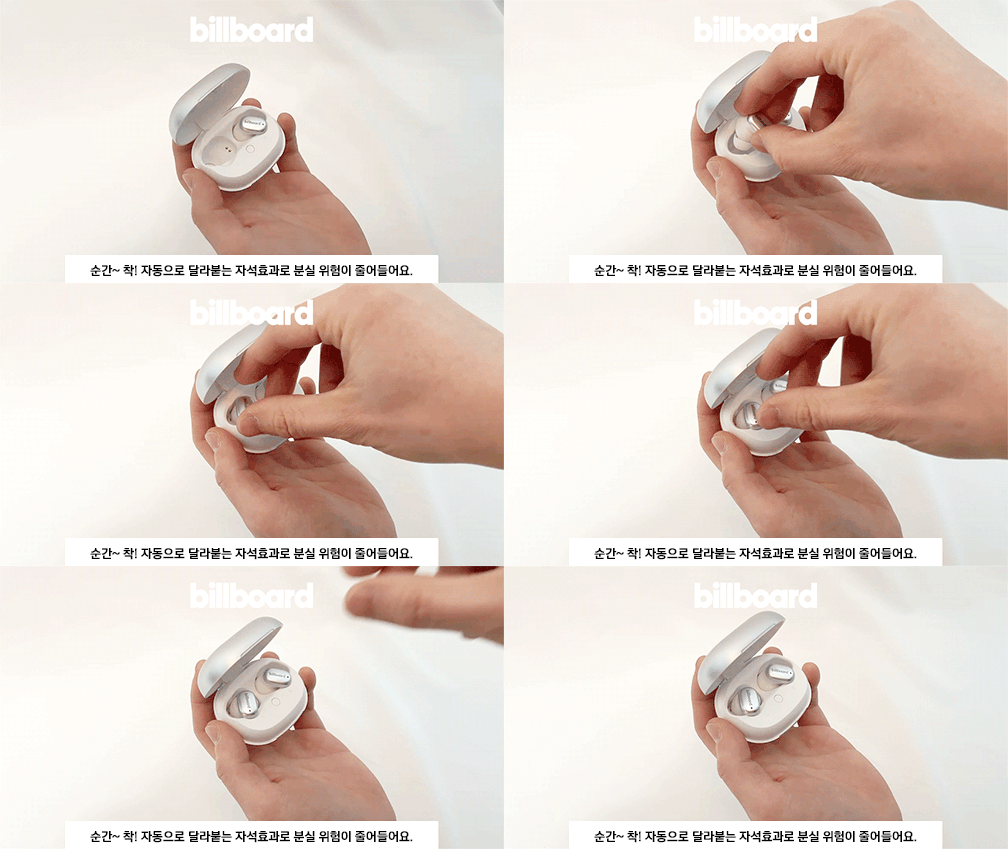
- Place the earbuds into the charging case. The magnetic design ensures they snap into place correctly.
- So okun gbigba agbara USB pọ si ibudo gbigba agbara lori ọran ati orisun agbara kan.
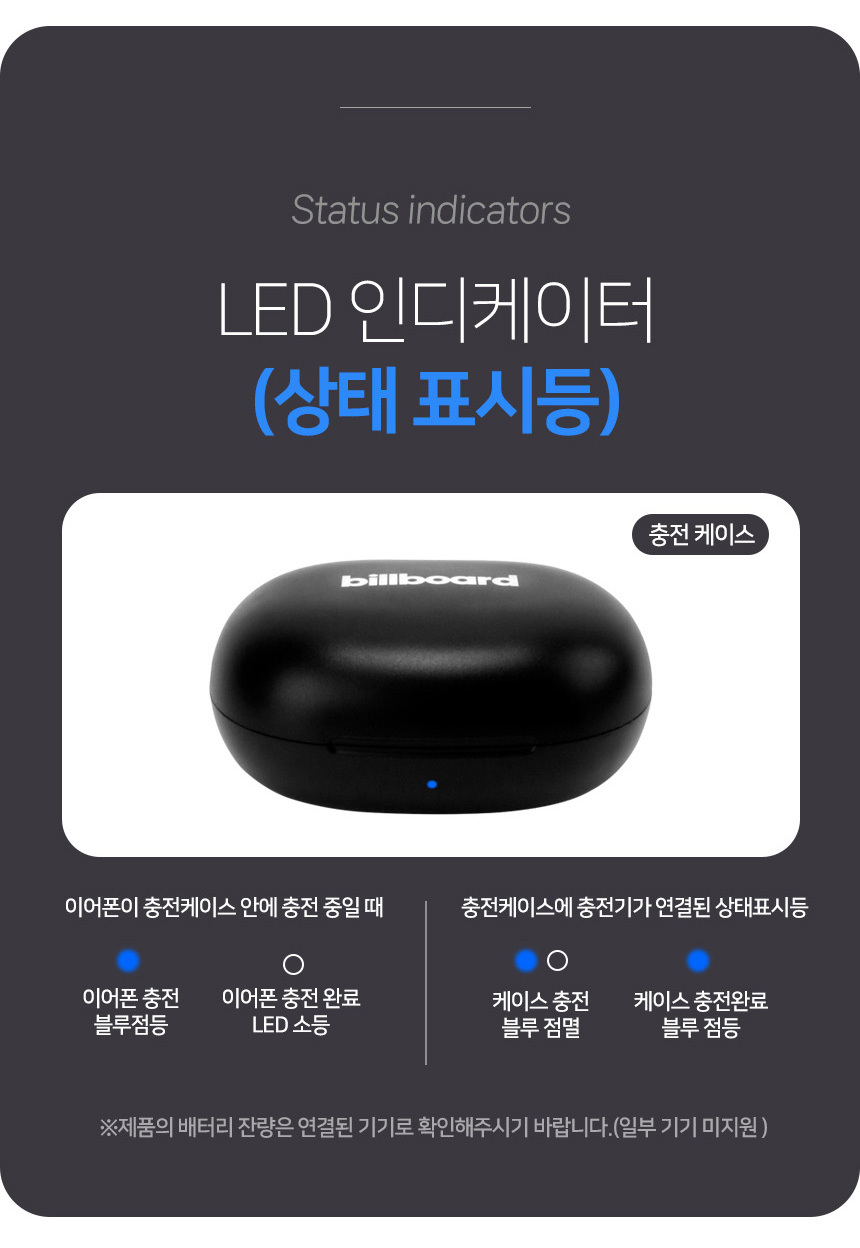
- Observe the LED indicators for charging status:
- Gbigba agbara foonu eti: Ina bulu seju.
- Earphone charging complete: LED ni pipa.
- Ngba agbara ọran: Ina bulu seju.
- Case charging complete: Imọlẹ bulu lori.

3.2 Sisopọ Bluetooth
Lati so agbekọri rẹ pọ mọ ẹrọ kan:
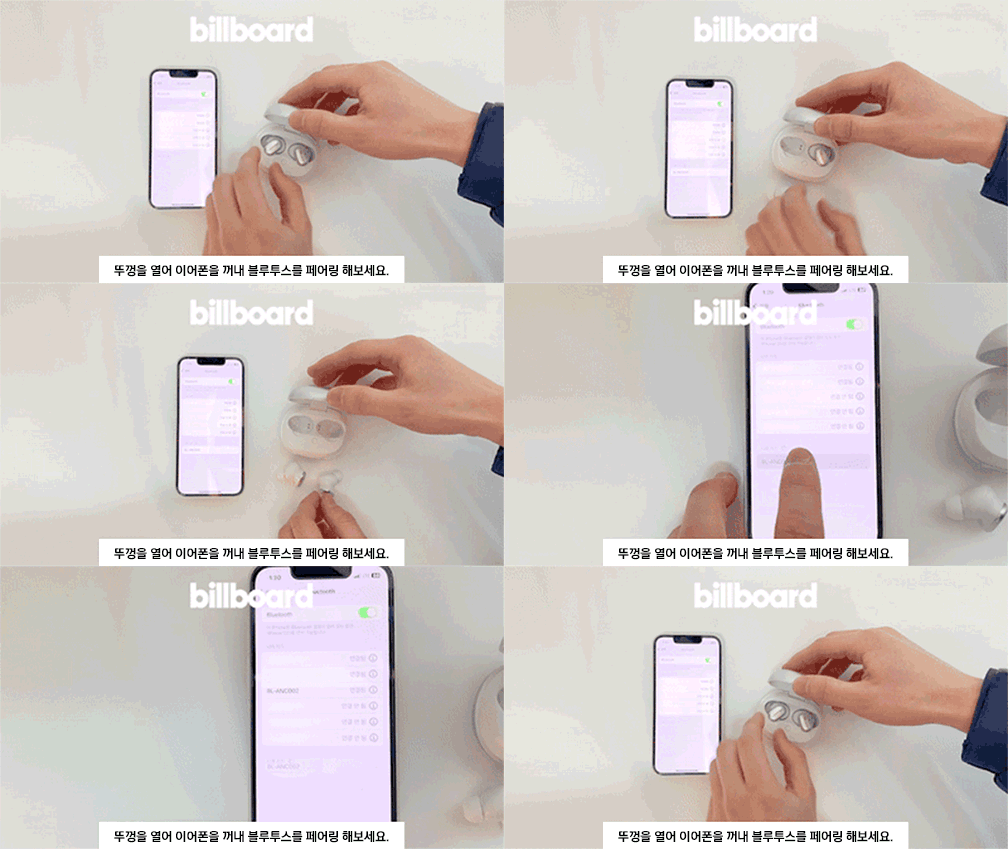
- Ṣii ideri apoti gbigba agbara.
- Take out both earbuds. They will automatically enter pairing mode.
- Lori ẹrọ rẹ (foonuiyara, tabulẹti, ati bẹbẹ lọ), lọ si awọn eto Bluetooth ki o wa awọn ẹrọ to wa.
- Select "BL-ANC002" from the list to connect.
- Once connected, you will hear a confirmation tone, and the LED indicator on the earbuds will change.
3.3 Wọ awọn Earbuds
Choose the ear tips that provide the best fit and seal for optimal sound quality and noise cancellation. Insert the earbuds into your ears and gently twist them to secure a comfortable and snug fit.
4. Awọn ilana Iṣiṣẹ
4.1 Fọwọkan Iṣakoso
The BL-ANC002 earbuds feature intuitive touch controls for various functions:
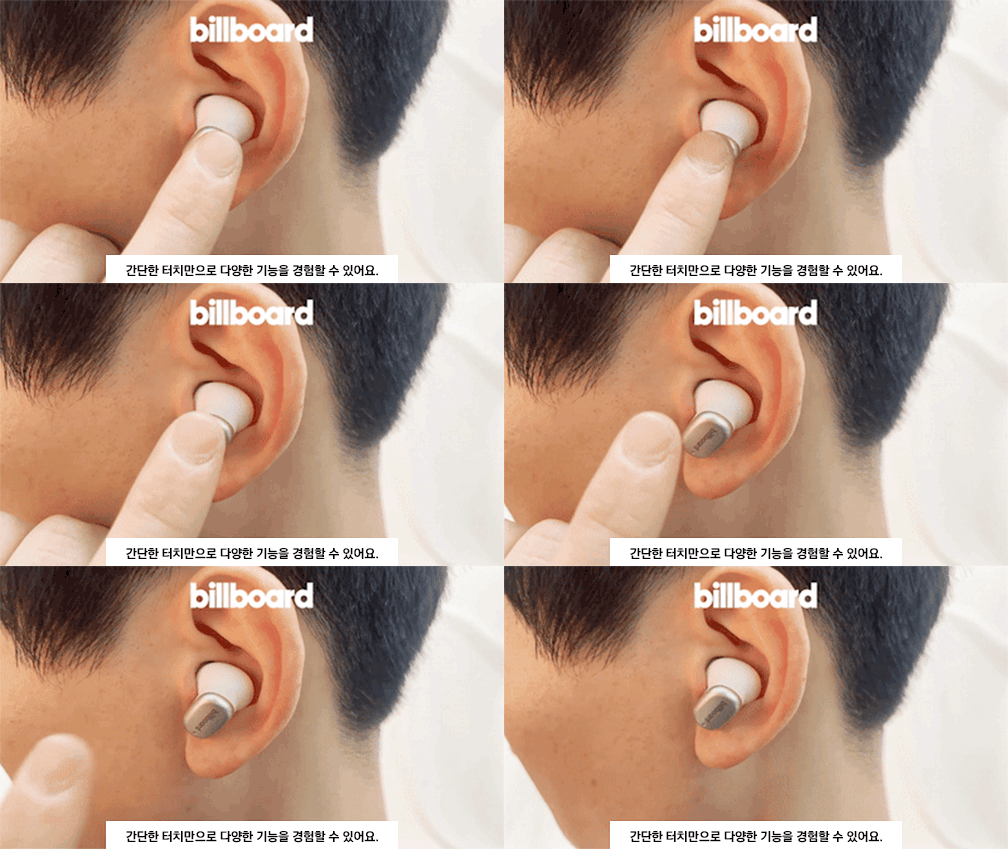
- Ṣiṣẹ/Daduro: Fọwọ ba ẹyọkan lori boya agbekọri.
- Orin t’okan: Fọwọ ba lẹẹmeji lori agbekọri ọtun.
- Tẹlẹ Orin: Fọwọ ba lẹẹmeji lori agbekọri osi.
- Idahun/Ipe Ipari: Fọwọ ba ẹyọkan lori boya agbekọri.
- Kọ Ipe: Tẹ mọlẹ boya agbekọri fun iṣẹju 2.
- Mu Oluranlọwọ Ohun ṣiṣẹ: Fọwọ ba meteta lori boya agbekọri.
- ANC On/Off/Transparency Mode: Press and hold the touch area for 2-3 seconds on either earbud to cycle through modes.
4.2 Ifagile Ariwo Nṣiṣẹ (ANC)
The ANC feature reduces ambient noise, allowing you to focus on your audio. Cycle through ANC On, ANC Off, and Transparency Mode using the touch controls. Transparency Mode allows you to hear your surroundings while still enjoying your audio.
4.3 High-Performance Microphone
The integrated high-performance microphone ensures clear voice pickup for calls and voice commands.
5. Itọju ati Itọju
5.1 Ninu
Regularly clean your earbuds and charging case to maintain hygiene and performance.
- Lo aṣọ rirọ, gbẹ, tí kò ní àwọ̀ láti nu àwọn ètí àti àpótí náà.
- For ear tips, remove them from the earbuds and clean with mild soap and water, then dry thoroughly before reattaching.
- Maṣe lo awọn kẹmika lile tabi awọn ohun elo abrasive.
5.2 Omi Resistance
The BL-ANC002 earbuds feature a life waterproof function, protecting them from sweat and light splashes. They are not designed for submersion in water or use during swimming. Ensure the earbuds are dry before placing them back in the charging case to prevent damage.
5.3 Ibi ipamọ
When not in use, always store the earbuds in their charging case. The magnetic attachment helps secure them and reduces the risk of loss.

6. Laasigbotitusita
- Àwọn etí tí kò ń tan: Rii daju pe awọn agbekọri ati apoti gbigba agbara ti gba agbara ni kikun.
- Awọn agbekọri ti ko so pọ: Make sure Bluetooth is enabled on your device. Place earbuds back in the case, close the lid, wait a few seconds, then open and try pairing again. If issues persist, try forgetting the device in your phone's Bluetooth settings and re-pairing.
- Ko si ohun lati inu agbekọri agbekọri kan: Try placing both earbuds back in the case, closing the lid, and then taking them out again. Ensure both are charged.
- ANC ko munadoko: Ensure the earbuds are properly seated in your ears with a good seal. Try different sized ear tips for a better fit.
- Awọn idari ifọwọkan ko dahun: Rii daju pe awọn ika ọwọ rẹ mọ ati gbẹ. Gbiyanju lati tun awọn agbekọri bẹrẹ nipa gbigbe wọn sinu ọran naa ki o tun mu wọn jade lẹẹkansi.
7. Awọn pato
| Ẹya ara ẹrọ | Sipesifikesonu |
|---|---|
| Awoṣe | BL-ANC002 |
| Ohun elo | Ṣiṣu |
| Ẹka | Agbekọri & Agbekọri |
| Ẹya Bluetooth | 5.3 |
| Alailowaya Iru | Bluetooth |
| Ara | Ninu-eti |
| Ipilẹṣẹ | Orile-ede China |
| Ìgbésí Ayé Bátìrì (pẹ̀lú àpótí) | Titi di wakati 24 |
| Gbigba agbara Case Batiri | 500mAh |
| Iwuwo Earbud | Approx. 46g (total for both earbuds and case) |
| Omi Resistance | Life Waterproof (sweat and splash resistant) |
| Awọn ẹya ara ẹrọ | Active Noise Cancelling (ANC), Touch Control, High-performance Microphone |
8. Atilẹyin ọja ati Support
8.1 atilẹyin ọja Alaye
The Billboard BL-ANC002 earbuds come with a limited warranty. Please refer to the following conditions:
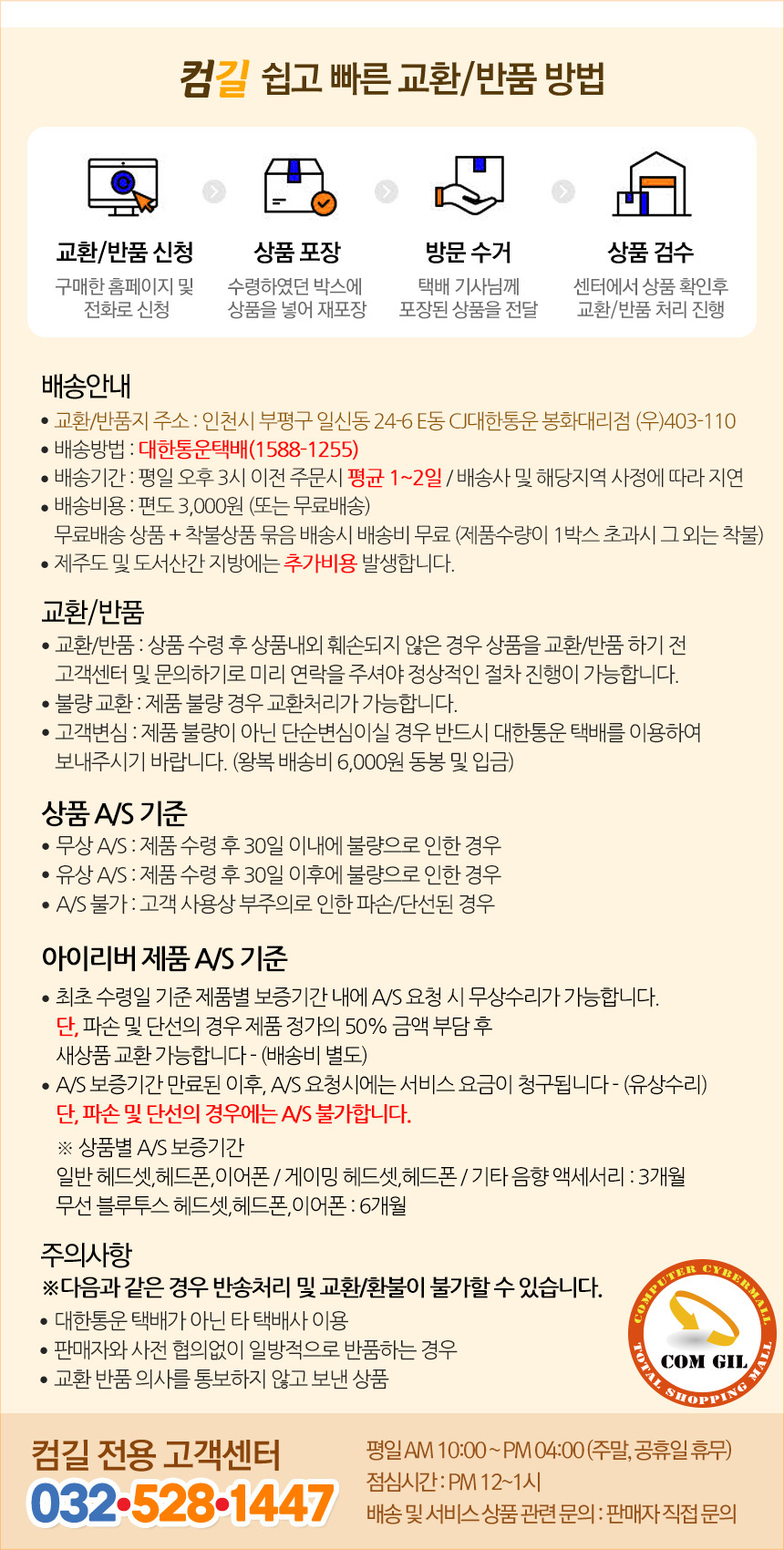
- Akoko atilẹyin ọja: 6 months for general Bluetooth headsets, headphones, and earphones.
- Free A/S (Warranty Service) Conditions:
- If the product is found to be defective within 30 days of receipt.
- If the product is found to be defective after 30 days of receipt (within the warranty period).
- Cases Not Covered by A/S:
- Damage or disconnection caused by customer's negligence or misuse.
- Paid A/S (Out-of-Warranty Service):
- Service fees will be charged for A/S requests made after the warranty period has expired.
8.2 Onibara Support
For technical support or warranty inquiries, please contact the Comgill Customer Center:
- Foonu: 032-528-1447
- Awọn wakati iṣẹ: Weekdays 10:00 AM - 4:00 PM (Lunch break: 12:00 PM - 1:00 PM). Closed on weekends and public holidays.
9. Awọn imọran olumulo
- Idara ti o dara julọ: Experiment with different ear tip sizes to find the best fit for your ears. A good seal is crucial for effective noise cancellation and sound quality.
- Gbigba agbara deede: For consistent performance, make a habit of placing your earbuds back in the charging case when not in use. This keeps them charged and ready.
- Awọn olubasọrọ mimọ: Tí o bá ní ìṣòro gbígbà agbára, fi owú gbígbẹ fọ àwọn ohun tí ó wà lórí àwọn ètí ìgbọ́rọ̀ àti inú àpótí náà pẹ̀lú ìbòrí owú gbígbẹ.
- Magnetic Security: The magnetic design of the charging case helps prevent accidental loss of earbuds. Ensure they snap securely into place.