Ọrọ Iṣaaju
This manual provides essential instructions for the setup, operation, maintenance, and troubleshooting of your Trust Soundwave 1000P PC Speaker system. Please read this manual thoroughly before using the product to ensure proper functionality and longevity.
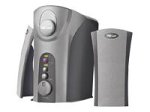
Image: The Trust Soundwave 1000P PC Speaker system, featuring a central subwoofer unit and two compact satellite speakers, designed for computer audio. The subwoofer is typically placed on the floor, while the satellite speakers are positioned on a desk.
Awọn ilana iṣeto
Follow these steps to correctly set up your Trust Soundwave 1000P PC Speaker system.
- Ṣii silẹ: Carefully remove all components from the packaging. Ensure you have the subwoofer, two satellite speakers, and all necessary cables.
- Gbigbe Agbọrọsọ:
- Place the subwoofer on the floor, preferably near your computer desk, to optimize bass response. The vertical bass reflex design benefits from clear space around it.
- Position the two satellite speakers on your desk, equidistant from your listening position, for optimal stereo sound.
- Àwọn Agbọrọsọ Satẹlaiti Tó Sopọ̀: Connect the cables from the satellite speakers to the corresponding output ports on the subwoofer unit. Ensure a secure connection.
- Connecting to Audio Source (PC): Connect the 3.5mm audio jack cable from the subwoofer to the audio output port (usually green) on your computer's sound card.
- Asopọ agbara: Plug the power cable from the subwoofer into a standard electrical outlet.
- Agbara Ibẹrẹ Tan: Turn on the speaker system using the power control, typically located on the subwoofer or a wired remote.
Ṣiṣẹ awọn Agbọrọsọ
Once set up, you can begin using your Soundwave 1000P speakers.
- Titan/Apapa: Use the main power switch or button to turn the system on or off. An indicator light may confirm the power status.
- Iṣakoso iwọn didun: Adjust the overall volume using the dedicated volume knob or controls. Start with a low volume and gradually increase it.
- Atunse Bass: The subwoofer features an adjustable bass control. Rotate the bass knob to achieve your desired level of deep bass.
- 3D Sound Switch: Activate or deactivate the 3D sound feature using the designated switch. Experiment with this setting to find your preferred audio experience for different content.
- Iṣawọle Olohun: The system primarily uses an AUX connection. Ensure your audio source is playing sound through its 3.5mm audio output.
Itọju ati Itọju
Ìtọ́jú tó péye máa ń jẹ́ kí ẹ̀rọ agbọ́hùnsọ rẹ pẹ́ títí, ó sì máa ń ṣiṣẹ́ dáadáa.
- Ninu:
- Ge asopọ agbara ṣaaju ṣiṣe mimọ.
- Use a soft, dry cloth to wipe down the speaker surfaces.
- Do not use liquid cleaners, aerosols, or abrasive materials, as these can damage the finish or internal components.
- Ibi: Avoid placing speakers in direct sunlight, near heat sources, or in areas with high humidity. Ensure adequate ventilation around the subwoofer.
- Iṣakoso USB: Jeki awọn kebulu ni mimọ ki o yago fun awọn itọsi didasilẹ tabi awọn kinks lati yago fun ibajẹ.
- Ibi ipamọ: If storing the speakers for an extended period, disconnect them from power, clean them, and store them in a dry, cool place, preferably in their original packaging.
Laasigbotitusita Itọsọna
If you encounter issues with your Trust Soundwave 1000P speakers, refer to the following common problems and solutions.
| Isoro | Owun to le Fa | Ojutu |
|---|---|---|
| Ko si ohun lati awọn agbohunsoke. |
|
|
| Ohùn tí kò ṣe kedere tàbí tí kò ṣe kedere. |
|
|
| Subwoofer kii ṣe awọn baasi. |
|
|
Awọn pato ọja
Key technical details for the Trust Soundwave 1000P PC Speaker system.
- Nọmba awoṣe: 12616
- Brand: Gbekele
- Irú Agbọrọsọ: Subwoofer (2.1 system)
- Agbara Ijade ti o pọju: 1000 Watt
- RMS Wattage: 7 Watt (5 + 2 x 1 Watt RMS)
- Imọ-ẹrọ Asopọmọra: AUX (Jack 3.5mm)
- Ipo Ijade Ohun: Sitẹrio
- Orisun Agbara: Ti firanṣẹ Electric
- Ìwọ̀n Nkan: 10 g
- Iru fifi sori: Tabletop Mount (for satellites), Floor (for subwoofer)
- Ọna Iṣakoso: Fọwọkan
Alaye atilẹyin ọja
Ọja yi wa pẹlu kan Atilẹyin ọja to lopin. For specific terms and conditions, including warranty duration and claim procedures, please refer to the warranty card included with your purchase or visit the official Trust webojula. Jeki ẹri rira rẹ fun awọn iṣeduro atilẹyin ọja.
Onibara Support
For further assistance, technical support, or inquiries not covered in this manual, please visit the official Trust support webojula tabi kan si wọn onibara iṣẹ Eka. Awọn alaye olubasọrọ le ṣee rii ni igbagbogbo lori olupese webaaye tabi apoti ọja.
Igbẹkẹle Osise Webojula: www.trust.com