1. Ifihan
Thank you for choosing the Hama Fixed TV Wall Mount, Model 00108770. This wall mount is designed to securely hold flat-screen televisions ranging from 32 to 56 inches (81 to 142 cm) with a maximum weight of 30 kg. It supports VESA mounting standards up to 400x400. This manual provides essential information for safe installation, operation, and maintenance of your wall mount.
Please read these instructions carefully before installation and keep them for future reference. If you sell the product, pass on these operating instructions to the new owner.
2. Awọn ilana aabo
- Ikilọ: This wall mount is intended for household use only.
- Ikilọ: Ensure the wall on which the mount is to be installed can support the weight of the wall mount and the TV. Consult a structural engineer if unsure.
- Ikilọ: Maṣe kọja agbara fifuye ti o pọju ti 30 kg.
- Ikilọ: Use only the provided mounting hardware or suitable alternatives for your specific wall type. Incorrect installation can lead to serious injury or property damage.
- Ikilọ: During installation, ensure no electrical cables, water pipes, or gas lines are damaged.
- Ikilọ: Always have a second person assist with mounting the TV to the wall plate.
- Pa awọn ohun elo apoti mọ kuro lọdọ awọn ọmọde nitori ewu ifunmi.
- Check the mount and TV regularly for stability and secure connections.
3. Package Awọn akoonu
Carefully unpack the box and ensure all components are present and undamaged. The package includes:
- 1x Odi Awo
- Àwọn àkọmọ́ TV 2x
- Mounting hardware kit (screws, washers, spacers, wall anchors)
- Ilọpo ẹmi
- Ilana itọnisọna

Nọmba 3.1: Included mounting hardware kit. This kit contains various screws, washers, spacers, and wall anchors suitable for different TV models and wall types.
4. Eto ati fifi sori
Before you begin, gather the necessary tools: drill, screwdriver, pencil, measuring tape, and a stud finder (if mounting to wood studs).
4.1. Pre-Fifi sọwedowo
- Ibamu TV: Verify your TV's VESA mounting pattern (distance between mounting holes on the back of the TV) is compatible with the mount (up to 400x400 mm).
- Odi Iru: Determine your wall type (solid concrete, brick, wood stud, drywall with anchors). This will dictate the appropriate mounting hardware.
- Ibi: Yan ipo ti o yẹ fun TV rẹ, ronu viewing height, power outlets, and cable management.
4.2. Attaching TV Brackets to the TV
- Lay your TV face down on a soft, clean surface to prevent scratches.
- Identify the mounting holes on the back of your TV.
- Select the correct screws, washers, and spacers from the hardware kit that fit your TV's mounting holes. Ensure the screws are not too long, which could damage internal components.
- Attach the two TV brackets to the back of your TV, aligning them with the mounting holes. Ensure they are securely fastened but do not overtighten.
4.3. Ṣíṣe Àwo Ògiri
- Hold the wall plate against the wall at your desired TV height. Use the integrated spirit level to ensure it is perfectly horizontal.
- Mark the drilling points through the holes on the wall plate with a pencil.
- Drill pilot holes at the marked positions. The drill bit size and depth depend on your wall type and the chosen anchors.
- Insert the appropriate wall anchors into the drilled holes (if required for your wall type).
- Securely fasten the wall plate to the wall using the provided screws and washers. Ensure it is firmly attached and level.
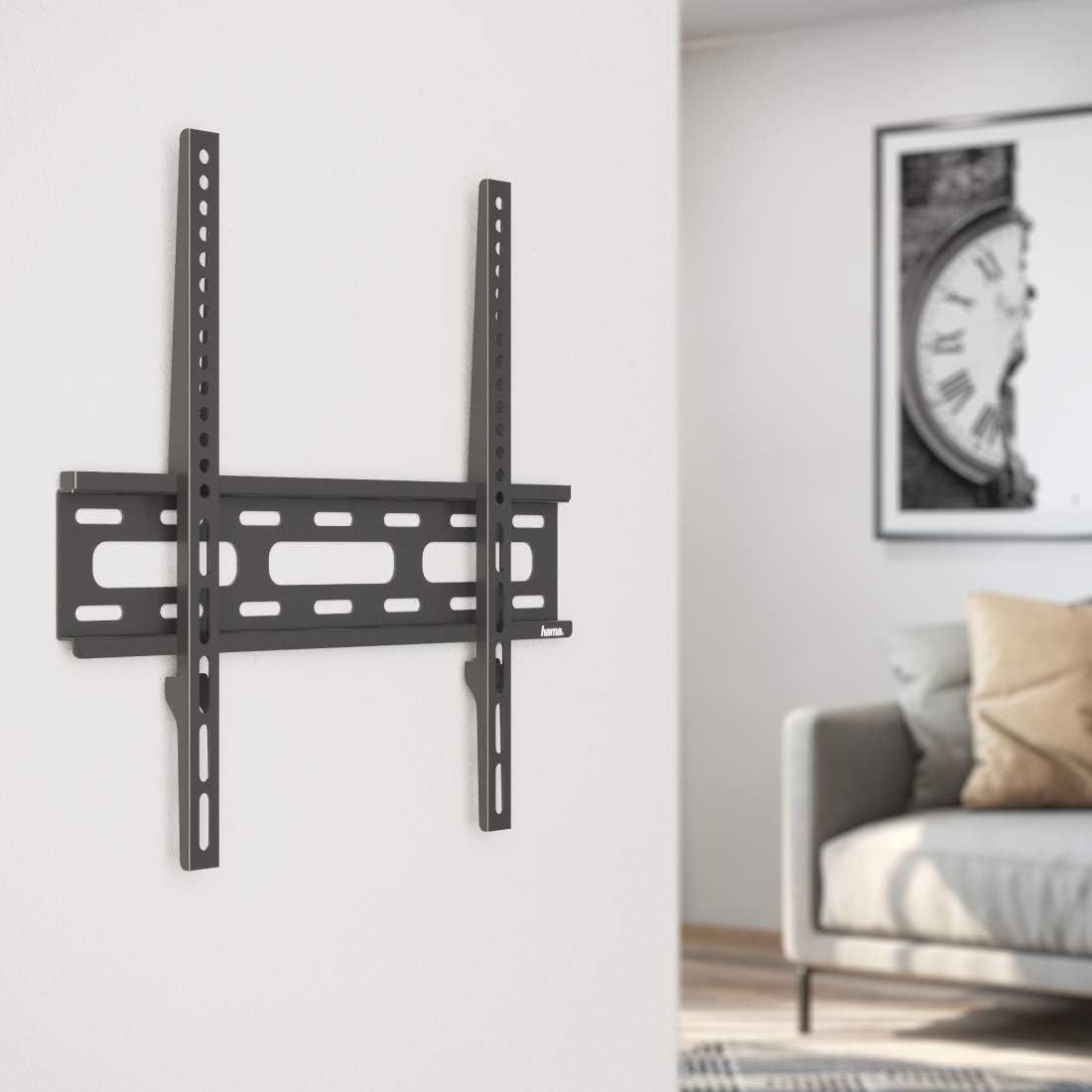
Nọmba 4.1: The wall plate securely mounted to the wall, ready for the TV. Note the slim profile of the mount.
4.4. Mounting the TV to the Wall Plate
- With the help of a second person, carefully lift the TV with the attached brackets.
- Hook the TV brackets onto the wall plate. Ensure both brackets are properly seated and engaged with the wall plate's rails.
- Once the TV is hanging securely, engage any safety locking mechanisms on the brackets to prevent accidental dislodgement.
- Connect all necessary cables (power, HDMI, etc.) to your TV.

Nọmba 4.2: A television successfully mounted on the wall using the Hama fixed wall mount, viewed lati iwaju.
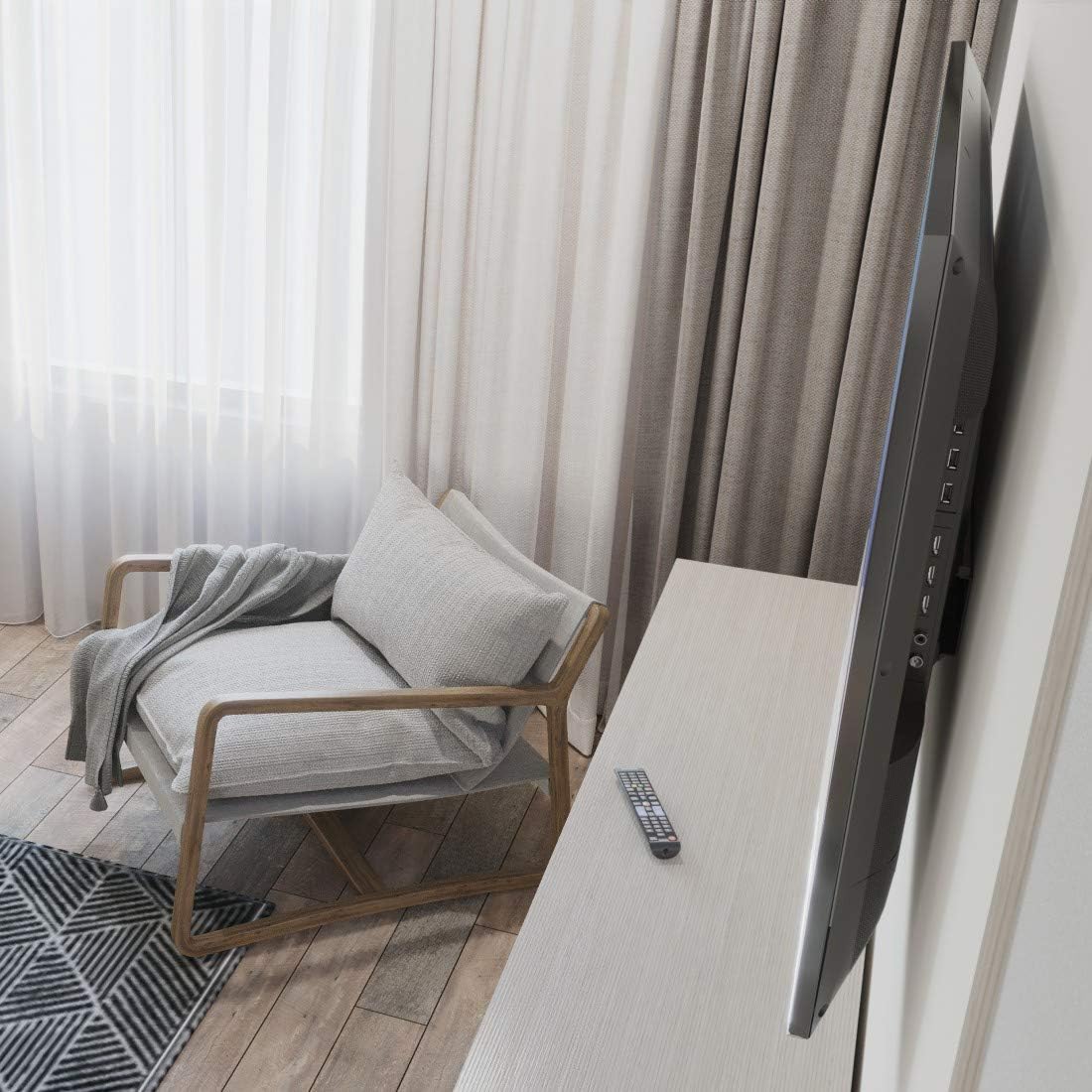
Nọmba 4.3: Apa view illustrating the minimal distance between the TV and the wall, highlighting the slim design of the Hama fixed mount.
5. Ṣiṣẹ
The Hama Fixed TV Wall Mount is designed for a permanent, static installation. Once the TV is securely mounted, no further operational adjustments are required. The TV will remain in its fixed position against the wall.
6. Itọju
- Ninu: Clean the wall mount with a soft, dry cloth. Do not use abrasive cleaners or solvents.
- Awọn ayẹwo igbakọọkan: Periodically check all screws and connections to ensure they remain tight and secure. Over time, vibrations or other factors may cause them to loosen.
- Bibajẹ: If any part of the wall mount appears damaged or worn, do not use it. Contact Hama customer support for assistance.
7. Laasigbotitusita
- TV kii ṣe ipele: Ensure the wall plate was installed perfectly level using the spirit level. If not, remove the TV, adjust the wall plate, and re-mount.
- Tẹlifíṣọ̀n dà bí ẹni pé kò dúró ṣinṣin: Double-check all mounting screws on both the TV brackets and the wall plate. Ensure they are tightened securely. Verify the wall anchors are appropriate for your wall type.
- Cannot attach TV to wall plate: Ensure the TV brackets are correctly oriented and aligned with the wall plate's rails. You may need to slightly lift or adjust the TV to engage the hooks.
- Awọn ẹya ti o padanu: If any parts are missing from the package, contact Hama customer support immediately.
8. Awọn pato
| Ẹya ara ẹrọ | Sipesifikesonu |
|---|---|
| Brand | Hama |
| Nọmba awoṣe | 00108770 |
| Compatible TV Screen Size | 32 - 56 inches (81 - 142 cm) |
| O pọju fifuye Agbara | 30 kg |
| VESA ibamu | Titi di 400x400 mm |
| Oke Iru | Ti o wa titi |
| Ohun elo | Alloy Irin |
| Àwọ̀ | Dudu |
| Ijinna lati odi | Isunmọ. 2.5 cm |
| Product Dimensions (Wall Plate) | 46.5 x 15.8 x 3.8 cm |
| Iwọn Nkan | 1.3 kg |
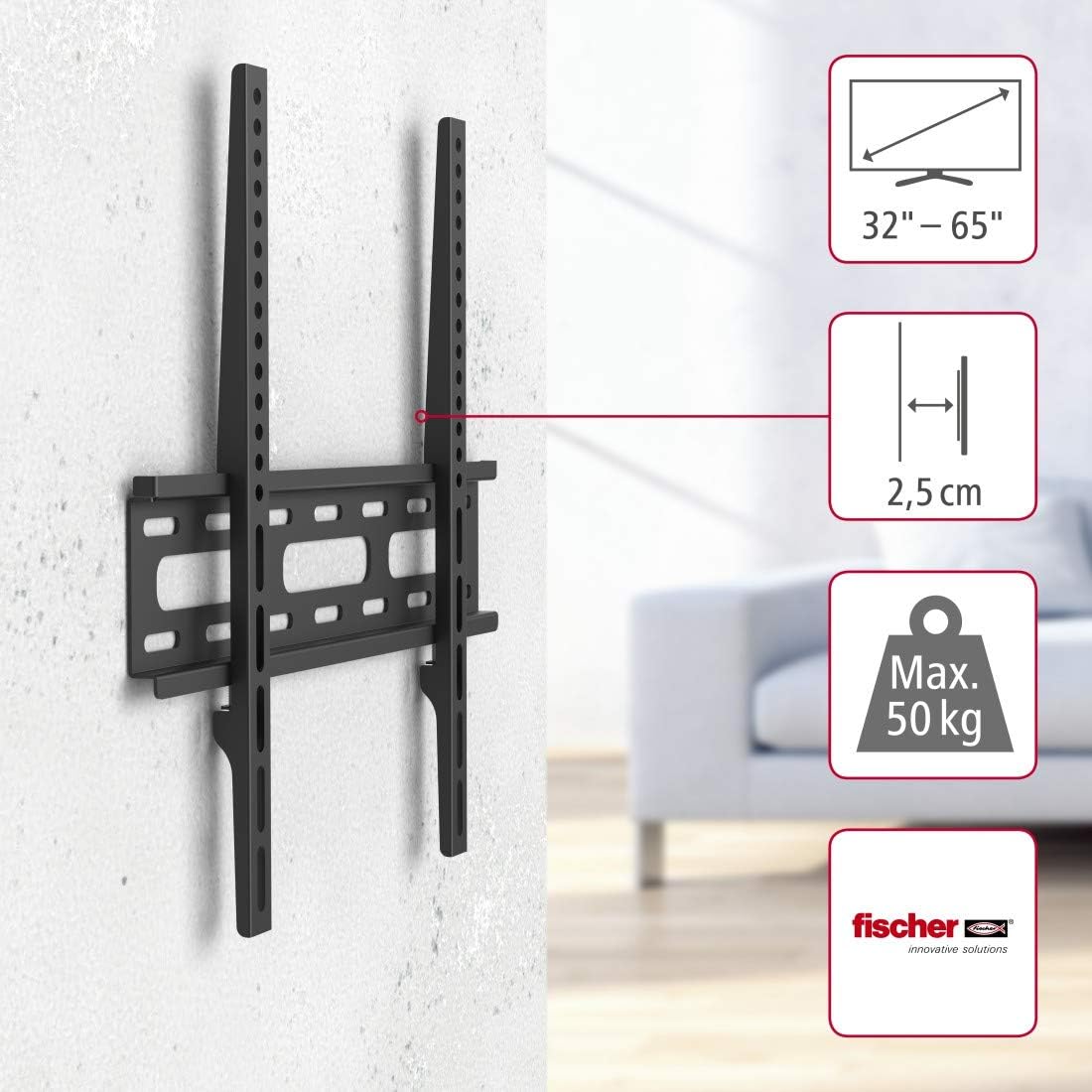
Nọmba 8.1: Pariview of key product specifications, including supported screen sizes (32-65 inches, though product description states 32-56 inches), minimal wall distance (2.5 cm), and maximum load capacity (50 kg, though product description states 30 kg - Note: Always adhere to the lower stated weight capacity for safety.).

Nọmba 8.2: Detailed dimensional drawing of the wall mount, showing measurements such as 44.5 cm width and 43 cm height for the main assembly.
9. Atilẹyin ọja ati Support
Awọn ọja Hama ni aabo nipasẹ atilẹyin ọja kan. Fun awọn ofin atilẹyin ọja kan pato, jọwọ tọka si kaadi atilẹyin ọja ti o wa pẹlu ọja rẹ tabi ṣabẹwo si Hama osise website. For technical support, troubleshooting assistance, or to inquire about replacement parts, please contact Hama customer service through their official webaaye tabi alaye olubasọrọ ti a pese ninu iwe ọja rẹ.
Atilẹyin Ayelujara: www.hama.com/service/support


