1. Ifihan
Thank you for choosing the TFA 30.5027.02 Digital Thermometer/Hygrometer. This device is designed to accurately measure and display indoor temperature and humidity, providing a clear indication of the comfort level in your environment. Its ultra-flat design and high-gloss surface make it a discreet and functional addition to any room. Please read this manual carefully to ensure proper setup and operation.
2. Alaye Aabo
- Jeki itọnisọna itọnisọna yii fun itọkasi ojo iwaju.
- Ẹrọ yii jẹ ipinnu fun lilo inu ile nikan.
- Do not expose the device to extreme temperatures, direct sunlight, moisture, or strong vibrations.
- Ma ṣe fi ẹrọ naa bọ omi tabi awọn olomi miiran.
- Do not attempt to open or modify the device. This will void the warranty.
- Jeki awọn batiri kuro ni arọwọto awọn ọmọde. Ti o ba gbe, wa itọju ilera lẹsẹkẹsẹ.
- Sọ awọn batiri ti a lo ni ibamu si awọn ilana agbegbe.
- Nu ẹrọ naa pẹlu asọ, damp asọ. Ma ṣe lo abrasive ose tabi epo.
3. Package Awọn akoonu
Jọwọ ṣayẹwo pe gbogbo awọn paati wa ati pe ko bajẹ:
- 1x TFA 30.5027.02 Digital Thermometer/Hygrometer
- 1x CR2 Lithium Battery (pre-installed or separate)
- 1x Ilana itọnisọna (iwe yii)
4. Ọja Ipariview
The TFA 30.5027.02 features a clear digital display showing current temperature and humidity. It also includes a comfort level indicator and a maximum/minimum value memory function.

Nọmba 1: Iwaju view of the TFA 30.5027.02 Digital Thermometer/Hygrometer. The display shows temperature in Celsius and relative humidity percentage, along with a comfort level icon.
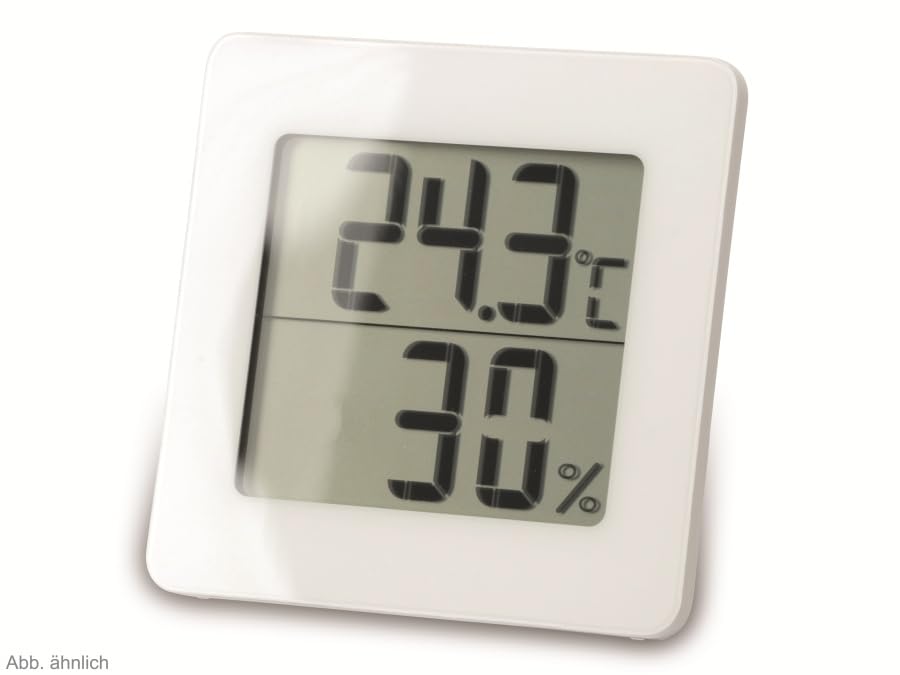
Nọmba 2: Omiiran view of the TFA 30.5027.02 showing different temperature and humidity readings, demonstrating the device's clear digital display.
Awọn ẹya pataki:
- Digital display for temperature (°C) and humidity (% RH)
- Ultra-flat design with high-gloss finish
- Comfort level indicator (smiley icon)
- Maximum and minimum value memory function
- Odi mountable
5. Eto
5.1 Fifi sori batiri
- Wa ideri iyẹwu batiri ni ẹhin ẹrọ naa.
- Yọ ideri naa kuro nipa sisa tabi fifi i silẹ ni rọra.
- Insert one CR2 Lithium battery, ensuring the correct polarity (+/-) as indicated inside the compartment.
- Rọpo ideri iyẹwu batiri ni aabo.
- The device display should activate, showing current temperature and humidity readings.
5.2 Ibẹrẹ Ibẹrẹ
For accurate readings, place the thermometer/hygrometer in a location free from direct sunlight, drafts, or heat sources. The device can be placed on a flat surface or mounted on a wall using the integrated mounting hole on the back.
- Iṣagbede ogiri: Use a small screw (not included) suitable for your wall type. Hang the device securely.
- Ibi Tabili: Ensure the device is stable on a flat, level surface.
6. Awọn ilana Iṣiṣẹ
6.1 Ifihan Loriview
The large digital display shows two main values:
- Ifihan oke: Current temperature in degrees Celsius (°C).
- Ifihan isalẹ: Current relative humidity in percentage (% RH).
- Atọka Ipele Itunu: A small icon (e.g., a smiley face) indicates the current indoor climate comfort level based on temperature and humidity.
6.2 Max / min Išė
The device records the maximum and minimum temperature and humidity values measured since the last reset. To access these values:
- Tẹ awọn MAX/MIN button (if present, typically on the back or side). The display will show the maximum recorded temperature and humidity.
- Tẹ awọn MAX/MIN bọtini lẹẹkansi lati view the minimum recorded temperature and humidity.
- Tẹ awọn MAX/MIN button a third time to return to current readings.
To reset the MAX/MIN values, press and hold the MAX/MIN button for a few seconds while viewing the MAX or MIN values. The memory will clear, and new maximum and minimum values will begin recording from that point.
6.3 Comfort Level Indicator
The comfort level indicator provides a quick visual reference for indoor climate conditions:
- Ojú Ayọ̀: Ó fi ìtùnú tó dára jùlọ hàn (fún àpẹẹrẹ, 20-25°C àti 40-70% RH).
- Ojú Dídúró: Ó fi hàn pé ó ṣeé gbà ṣùgbọ́n kì í ṣe àwọn ipò tó dára jùlọ.
- Ojú Ìbànújẹ́: Indicates uncomfortable conditions (e.g., too dry, too humid, too hot, or too cold).
Note: Specific ranges for comfort levels may vary slightly by model. Refer to the device's display for the exact icon representation.
7. Itọju
7.1 Ninu
Nu ẹrọ naa pẹlu asọ, die-die damp cloth. Do not use abrasive cleaning agents, solvents, or alcohol, as these can damage the surface and display.
7.2 Batiri Rirọpo
When the battery power is low, a low battery indicator (if available) will appear on the display. Replace the battery as follows:
- Ṣii ideri iyẹwu batiri ni ẹhin ẹrọ naa.
- Remove the old CR2 Lithium battery.
- Insert a new CR2 Lithium battery, observing the correct polarity (+/-).
- Pa ideri iyẹwu batiri naa.
Note: After battery replacement, the device may reset, and MAX/MIN values will be cleared.
8. Laasigbotitusita
| Isoro | Owun to le Fa | Ojutu |
|---|---|---|
| Ko si ifihan tabi ifihan arẹwẹsi | Batiri ti ku tabi fi sii lọna ti ko tọ. | Replace the battery with a new CR2 Lithium battery, ensuring correct polarity. |
| Awọn kika ti ko pe | Device is placed in an unsuitable location (e.g., near a window, heat source, or vent). | Relocate the device to a stable indoor environment away from direct influences. Allow 15-30 minutes for readings to stabilize. |
| Comfort indicator always shows the same face | Environmental conditions are consistently outside or within a specific comfort range. | This indicates the device is functioning correctly. Adjust your indoor environment if desired. |
9. Awọn pato
- Nọmba awoṣe: 30.5027.02
- Brand: TFA
- Àwọ̀: Funfun
- Awọn iwọn Ọja (L x W x H): 10 x 1.2 x 8.2 cm (3.94 x 0.47 x 3.23 inches)
- Ìwọ̀n Nkan: 70 Giramu (2.47 iwon)
- Batiri: 1 x Litiumu CR2 (tí ó wà pẹ̀lú rẹ̀)
- Iru fifi sori: Ògiri Ògiri
- Operational Humidity Range: 20% si 95% RH
- Upper Rated Temperature: 50°C (122°F)
- Yiye iwọn otutu: ±1°C
- Yiye kika iwọn otutu: ±1°C
10. Atilẹyin ọja ati Support
For warranty information and customer support, please refer to the terms and conditions provided by your retailer or contact the manufacturer directly. Keep your proof of purchase for any warranty claims.
Olupese: TFA Dostmann GmbH & KG
For further assistance, please visit the official TFA webojula tabi kan si wọn onibara iṣẹ Eka.


