Ọrọ Iṣaaju
This manual provides comprehensive instructions for the installation, operation, maintenance, and troubleshooting of the Copeland 985-0110-00 125V Demand Cooling Manual Reset Temperature Control. Please read this manual thoroughly before using the device to ensure safe and efficient operation.
Alaye Aabo
Nigbagbogbo ṣe akiyesi awọn iṣọra aabo wọnyi:
- Ewu Itanna: Ensure power is disconnected before installation or maintenance. This device operates at 125V.
- Oṣiṣẹ ti o peye: Àwọn òṣìṣẹ́ tó ní ìmọ̀ àti àṣẹ nìkan ló yẹ kí wọ́n fi sori ẹrọ àti ṣe iṣẹ́ náà.
- Lilo daradara: Use this control only for its intended purpose as a temperature control device in demand cooling applications.
- Atunto Afowoyi: The device features a manual reset function. Understand its operation before use.
- Awọn ipo Ayika: Do not expose the device to extreme temperatures, moisture, or corrosive environments beyond its specified operating conditions.
Ọja Pariview
The Copeland 985-0110-00 is a 125V temperature control unit designed for demand cooling systems, featuring a manual reset mechanism. It is categorized under Controls & Indicators, specifically for Temperature/Process Control applications.
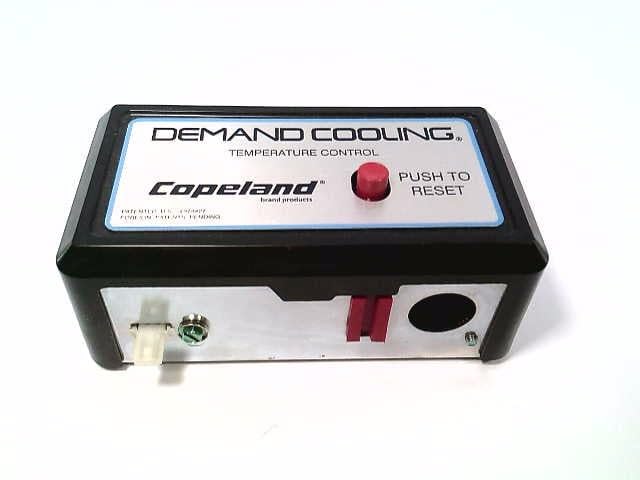
olusin 1: Iwaju view of the Copeland 985-0110-00 Temperature Control. This image shows the main control unit with its silver faceplate, clearly displaying the "DEMAND COOLING" and "TEMPERATURE CONTROL" labels, along with the red manual reset button.
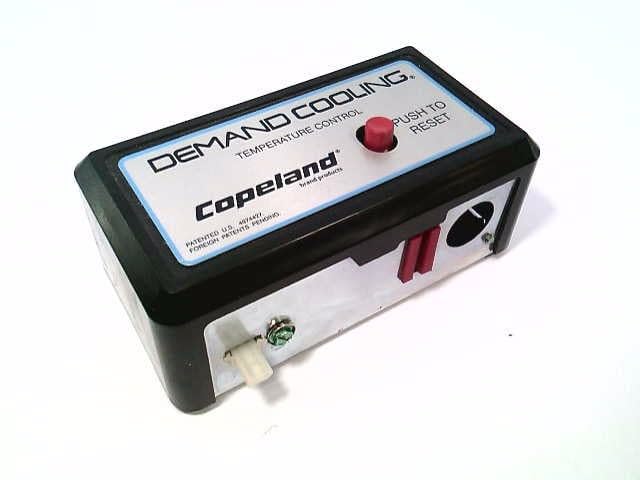
olusin 2: Angled view of the Copeland 985-0110-00, highlighting the side where electrical connections are made. This perspective provides a better understanding of the unit's physical dimensions and connection points.
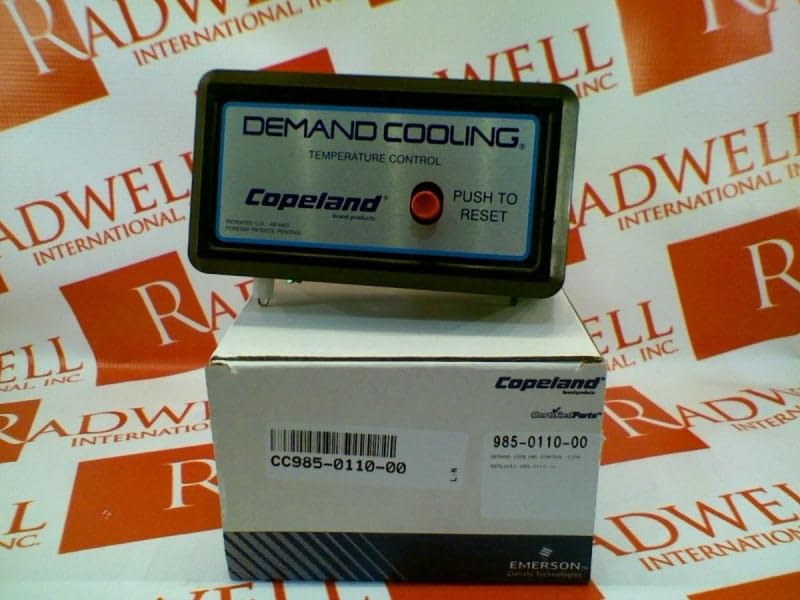
Figure 3: The Copeland 985-0110-00 unit shown with its original packaging. The packaging displays the Copeland brand and the part number, confirming the product's authenticity.
Eto ati fifi sori
Tẹle awọn igbesẹ wọnyi fun fifi sori ẹrọ to dara:
- Ge asopọ agbara: Ensure all power to the cooling system is completely disconnected at the main breaker before beginning installation.
- Iṣagbesori: Select a suitable location for mounting the control unit. It should be easily accessible for manual reset and away from excessive heat or moisture. Secure the unit using appropriate fasteners.
- Asopọmọra: Connect the 125V power supply to the designated terminals on the control unit. Refer to the wiring diagram provided with the product for specific terminal assignments. Ensure all connections are secure and insulated.
- Asopọ sensọ: Connect the temperature sensor (if external) to the appropriate input terminals. Ensure the sensor is placed in the area where temperature monitoring is required for demand cooling.
- Isopọpọ eto: Integrate the control unit into your demand cooling system's control circuit as per your system's design. This typically involves connecting the control's output to the cooling system's contactor or relay.
- Ṣayẹwo Ipari: Kí o tó dá agbára padà, ṣàyẹ̀wò gbogbo àwọn ìsopọ̀ wáyà lẹ́ẹ̀mejì fún òótọ́ àti ààbò.
Awọn ilana Iṣiṣẹ
The Copeland 985-0110-00 operates as a temperature control with a manual reset function.
- Agbara Tan: Once installed and wired correctly, restore power to the system. The control unit will power on.
- Abojuto iwọn otutu: The unit continuously monitors the temperature in its designated area.
- Demand Cooling Activation: When the monitored temperature exceeds a pre-set threshold (determined by the system it's integrated into), the control will activate the demand cooling mechanism.
- Atunto Afowoyi: In the event of an abnormal condition or a trip, the control unit will enter a tripped state, requiring a manual reset. To reset the unit, firmly press the red "PUSH TO RESET" button located on the front faceplate. The system will then attempt to resume normal operation.
- Akiyesi: A manual reset is required after a trip to ensure that the operator acknowledges the condition that caused the trip before restarting the cooling process.
Itoju
The Copeland 985-0110-00 is designed for minimal maintenance. However, periodic checks are recommended:
- Ayewo wiwo: Periodically inspect the unit for any signs of physical damage, loose connections, or corrosion.
- Iduroṣinṣin asopọ: Ensure all electrical connections remain tight and secure. Loose connections can lead to intermittent operation or electrical hazards.
- Ninu: If necessary, gently clean the exterior of the unit with a dry, soft cloth. Do not use abrasive cleaners or solvents.
- Idanwo Iṣẹ ṣiṣe: If possible and safe to do so, periodically test the manual reset function to ensure it operates correctly.
Laasigbotitusita
If you encounter issues with your Copeland 985-0110-00, refer to the following table:
| Isoro | Owun to le Fa | Ojutu |
|---|---|---|
| Ẹka ko ni agbara lori. | Ko si ipese agbara; Alailowaya onirin; Ti fẹ fiusi / tripped fifọ. | Check power source; Verify all wiring connections; Inspect and replace fuse or reset breaker. |
| Cooling system not activating. | Unit is in tripped state; Incorrect temperature setting; Faulty sensor; Wiring issue to cooling system. | Press the "PUSH TO RESET" button; Verify system temperature settings; Check sensor connection and functionality; Inspect wiring to cooling system. |
| Awọn irin-ajo ẹgbẹ nigbagbogbo. | Overheating; Sensor malfunction; System overload; Incorrect application. | Ensure proper ventilation; Check sensor accuracy; Reduce system load if possible; Confirm unit is suitable for the application. Consult a qualified technician if problem persists. |
| Manual reset button unresponsive. | Internal fault; Physical damage to button. | Disconnect power and inspect for physical damage. If no visible damage, the unit may require professional servicing or replacement. |
Ikilọ: Do not attempt to repair internal components. Contact qualified service personnel for assistance.
Awọn pato
| Iwa | Iye |
|---|---|
| Nọmba awoṣe | 985-0110-00 |
| Voltage | 125V |
| Išẹ | Demand Cooling, Manual Reset, Temperature Control |
| Ọja Mefa | 3 x 6 x 3 inches |
| Iwọn | 1 iwon |
| Olupese | COPELAND |
| Akọkọ Wa Ọjọ | Oṣu kọkanla ọjọ 15, ọdun 2017 |
Atilẹyin ọja ati Support
For warranty information and technical support regarding your Copeland 985-0110-00 temperature control, please refer to the official Copeland webojula tabi kan si wọn onibara iṣẹ taara. Tọju iwe-ẹri rira rẹ bi ẹri rira fun awọn iṣeduro atilẹyin ọja.
Akiyesi: Specific warranty terms and conditions may vary by region and distributor. Always consult the official manufacturer's documentation for the most accurate and up-to-date information.
Olupese: COPELAND
Webojula: www.copeland.com (Example link, please refer to actual manufacturer webojula fun support)


