1. Ifihan
This manual provides instructions for the proper use and care of your Maxell CD-RW 650MB 4x rewritable compact disc. This disc is designed for storing and rewriting digital data, audio, and video files.
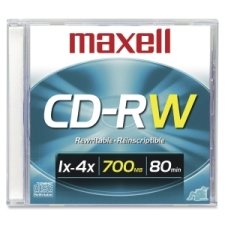
Image 1: Maxell CD-RW 650MB 4x Disc
2. Eto ati Igbaradi
Before using your Maxell CD-RW disc, ensure your CD/DVD drive is compatible with CD-RW media and supports 4x write speeds. Most modern drives are compatible.
- Yọ disiki naa kuro: Carefully remove the CD-RW disc from its packaging. Avoid touching the recording surface.
- Ṣayẹwo Disiki naa: Check for any visible damage, scratches, or dust on the disc surface. A clean disc ensures optimal performance.
- Insert into Drive: Gently place the disc into your computer's CD/DVD drive tray, label side up. Ensure it is seated correctly before closing the tray.
3. Awọn ilana Iṣiṣẹ
This section details how to write and rewrite data on your Maxell CD-RW disc.
3.1. Initial Data Writing
- Open Burning Software: Launch your preferred CD/DVD burning software (e.g., Windows Media Player, Nero, Roxio, or your operating system's built-in utility).
- Select Project Type: Choose the type of project you wish to create (e.g., Data Disc, Audio CD, Video CD).
- Fi kun Files: Drag and drop or select the files you want to write to the CD-RW disc. Ensure the total file size does not exceed 650MB.
- Start Burning: Initiate the burning process. The software will typically prompt you to confirm. The disc will be written at up to 4x speed.
- Kọ Disiki jade: Once the burning process is complete, the software will notify you. Eject the disc from the drive.
3.2. Rewriting Data (Erasing and Re-recording)
Advan bọtinitage of CD-RW discs is their reusability. You can erase existing data and write new data multiple times.
- Fi Disiki sii: Place the used CD-RW disc into your compatible CD/DVD drive.
- Open Burning Software: Launch your CD/DVD burning software.
- Select Erase Option: Look for an "Erase Disc" or "Format Disc" option within your software. There are usually two types of erase:
- Paarẹ kíákíá: This method quickly clears the disc's table of contents, making it appear blank. Data can potentially be recovered.
- Full Erase: This method overwrites the entire disc surface, making data recovery much more difficult. This process takes longer.
- Jẹrisi Parẹ: Confirm the erase operation.
- Write New Data: After the erase is complete, you can proceed to write new data to the disc following the steps in Section 3.1.
4. Itọju ati Itọju
Proper handling and storage will extend the life and reliability of your Maxell CD-RW discs.
- Mu nipasẹ Edges: Always hold the disc by its outer edges or the center hole to avoid touching the recording surface.
- Jeki mimọ: If the disc gets dirty, gently wipe it with a soft, lint-free cloth from the center outwards. Do not use abrasive materials or harsh chemicals.
- Yẹra fun Awọn idọti: Store discs in jewel cases, sleeves, or binders to prevent scratches.
- Iwọn otutu ati ọriniinitutu: Store discs in a cool, dry place away from direct sunlight, extreme temperatures, and high humidity.
- Do Not Bend: Avoid bending the disc, as this can cause irreparable damage.
5. Laasigbotitusita
If you encounter issues with your Maxell CD-RW disc, refer to the following common problems and solutions.
| Isoro | Owun to le Fa | Ojutu |
|---|---|---|
| Disc not recognized by drive. | Dirty disc, incompatible drive, or outdated drive firmware/drivers. | Clean the disc. Ensure your drive supports CD-RW. Update your drive's firmware or drivers. |
| Burning process fails or errors. | Scratched disc, insufficient drive buffer, or software conflict. | Use a clean, unscratched disc. Close other applications during burning. Try different burning software. |
| Cannot erase data from disc. | Disc is write-protected (unlikely for CD-RW), or software issue. | Ensure you are using compatible burning software with an erase function. Try a "Full Erase" option. |
| Data corruption after writing. | Poor quality burn, disc damage, or drive issues. | Try burning at a slower speed. Ensure the disc is clean and undamaged. Test with another CD-RW disc. |
6. Awọn pato
Detailed technical specifications for the Maxell CD-RW 650MB 4x disc.
- Brand: Maxell
- Nọmba awoṣe: LYSB009X6F5XO
- Ilana: CD-RW (Compact Disc Rewritable)
- Agbara Ibi ipamọ: 650 MB
- Agbara Gbigbasilẹ: Approximately 1.33 Hours (80 minutes) of audio
- Maximum Write Speed: 4x
- Awọn iwọn ọja: 5.5 x 4.9 x 0.3 inches (standard CD size)
- Ìwọ̀n Nkan: 1.92 iwon (isunmọ 0.12 lbs)
- UPC: 025215623608
7. Atilẹyin ọja ati Support
Maxell CD-RW discs are manufactured to high-quality standards. For specific warranty information or technical support, please refer to the official Maxell webojula tabi kan si wọn onibara iṣẹ taara. Tọju iwe-ẹri rira rẹ bi ẹri rira.
For further assistance, visit the official Maxell webojula: www.maxell.com


