Ọrọ Iṣaaju
The Keurig K75 Platinum Single-Cup Home-Brewing System is designed to provide a convenient and versatile brewing experience. This premium model allows you to brew a perfect cup of coffee, tea, hot cocoa, or iced beverage with ease. It features five cup size options, Auto On/Off functionality, a Digital Clock, and Adjustable Temperature Control. The 72 oz. removable water reservoir minimizes refilling, and the removable drip tray accommodates travel mugs for added convenience.

Image: The Keurig K75 Platinum Single-Cup Home-Brewing System in silver/platinum finish, showcasing its sleek design and water reservoir.
Awọn ilana iṣeto
Follow these steps for initial setup of your Keurig K75 Platinum brewer:
- Yọọ Brewer naa: Carefully remove all packaging materials from the brewer and its components.
- Gbe Brewer naa: Gbé ẹ̀rọ ìmutí náà sí orí ilẹ̀ tí ó dúró ṣinṣin, tí ó tẹ́jú.
- Mọ Ibi ipamọ Omi naa: Wash the removable water reservoir and its lid with warm, soapy water. Rinse thoroughly.
- Kun Apoti Omi: Fill the reservoir with fresh, filtered water up to the 'MAX' fill line.
- Insert Water Filter Kit: If included, install the water filter kit into the reservoir according to its separate instructions.
- Agbara Tan: So ẹ̀rọ ìmutí náà mọ́ ibi tí wọ́n ti yọ́ omi sí. Ẹ̀rọ ìmutí náà yóò máa ṣiṣẹ́ láìfọwọ́sí.
- Alapapo akọkọ: The brewer will begin heating the water. The red light next to 'HEATING' on the LCD Control Center will illuminate. This process takes approximately 4 minutes.
- Pọnti mimọ: Once the water is heated, the red light will turn off, and the 'Small Mug Button' will flash. Place a large mug on the drip tray and press the 'Small Mug Button' to start a cleansing brew. Discard the hot water into a sink.
- Ready to Brew: The one-time setup process is now complete. The brewer may take 15 seconds to reheat water between brews, during which the red light may illuminate.

Image: Close-up of the Keurig K75 Platinum showing the illuminated water reservoir, removable drip tray, and the five available cup size icons on the display.
Awọn ilana Iṣiṣẹ
Brewing a Beverage
- Ensure Water Level: Rí i dájú pé omi tó wà nínú ibi ìtọ́jú omi náà wà. Tún un kún un bí ó bá ṣe pàtàkì.
- Fi K-Cup Pod sii: Gbé ìdìmú náà sókè láti ṣí ìdìmú K-Cup náà. Fi ìdìmú K-Cup náà sínú ìdìmú náà. Sẹ́ ìdìmú náà sílẹ̀ dáadáa títí tí yóò fi tẹ ibi tí ó wà.
- Mug Ibi: Position your mug on the drip tray. For larger travel mugs, the drip tray can be removed.
- Yan Iwọn Cup: Use the control panel to select your desired cup size (4 oz., 6 oz., 8 oz., 10 oz., or 12 oz.). The digital display will indicate the selected size.
- Bẹrẹ Pipọnti: Press the 'BREW' button. The brewer will begin the brewing process.
- Gbadun: Your beverage will be ready in approximately one minute.
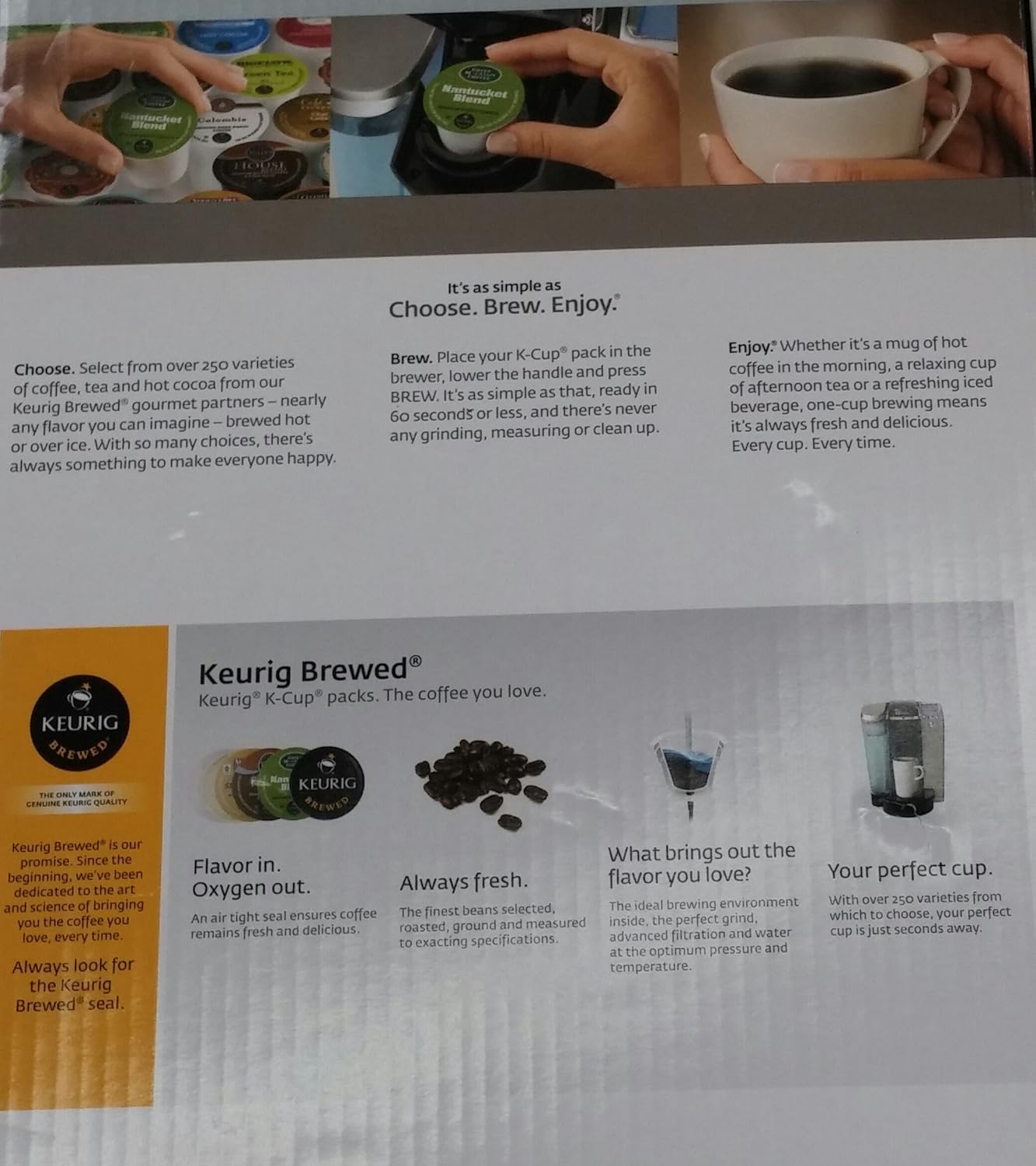
Image: A hand placing a K-Cup pod into the brewing chamber of the Keurig K75 Platinum system.
Pọnti Lori Ice
To brew an iced beverage, choose a K-Cup pod designed for brewing over ice. Place a plastic cup filled with ice on the drip tray, insert the K-Cup pod, and select your desired brew size. Press the 'BREW' button.
Adijositabulu Iṣakoso iwọn otutu
The Keurig K75 allows you to adjust the brewing temperature. Refer to the digital display menu for options to customize the temperature to your preference.

Image: A visual representation of various beverages, including coffee, tea, hot cocoa, and iced tea, that can be brewed with the Keurig K75 Platinum system.
Itoju
Ninu
- Drip Atẹ: The removable drip tray is dishwasher safe for easy cleaning.
- Òde: Fi ìpolówó nu ita ti ile-iṣẹ ọti naaamp asọ.
- K-Cup Pod dimu: Periodically remove and clean the K-Cup pod holder.
Epa
Over time, mineral deposits can build up in your brewer, affecting performance. Regular descaling is recommended. The owner's manual provides detailed instructions for the descaling process, which typically involves using a descaling solution or white vinegar.
Laasigbotitusita
If you encounter issues with your Keurig K75 Platinum brewer, consult the comprehensive troubleshooting section in the full owner's manual. Common issues and their solutions are typically covered, including:
- Brewer kò tan.
- Omi kii ṣe alapapo.
- Brewing incomplete or slow.
- Error messages on the digital display.
For persistent problems, contact Keurig customer support.
Awọn pato
| Brand | Keurig |
| Orukọ awoṣe | K75 |
| Àwọ̀ | Fadaka |
| Kofi Ẹlẹda Iru | Drip Coffee Machine, Single-Serve |
| Pataki Awọn ẹya ara ẹrọ | Adjustable Temperature Control, Digital Clock, Auto On/Off, Programmable, Water Filter Kit |
| Awọn irinše to wa | Keurig K75 Single-Cup Home-Brewing System, Water Filter Kit |
| Ipo Isẹ | Ni kikun Aifọwọyi |
| Agbara | 72 oz. (Water Reservoir) |
| Ọja Mefa | 14.9 x 16.8 x 12.2 inches |
| Iwọn Nkan | 12 iwon |
| Orisun agbara | AC ohun ti nmu badọgba |
| Kofi Input Iru | K-Cups and Ground Coffee (using a reusable filter) |
| Fifọ Ailewu Parts | Yes (Drip Tray) |
Atilẹyin ọja ati Support
For detailed warranty information, please refer to the documentation included with your Keurig K75 Platinum Single-Cup Home-Brewing System at the time of purchase. This typically includes specifics on coverage duration, terms, and conditions.
For customer support, product registration, or to purchase accessories, please visit the official Keurig website or contact their customer service department using the information provided in your product packaging.


