1. Ifihan
This manual provides essential instructions for the proper setup, operation, and maintenance of your Onkyo RC-487S Audio Remote Control. Please read this manual thoroughly before using the remote control to ensure correct usage and to maximize its lifespan. Keep this manual for future reference.
2. Ọja Ipariview
The Onkyo RC-487S is a dedicated audio remote control designed for use with compatible Onkyo audio components. It allows convenient control over various functions such as power, volume, input selection, and playback controls from a distance.

Nọmba 1: Iwaju view of the Onkyo RC-487S Audio Remote Control. This image displays the layout of the buttons and the overall design of the remote.
3. Eto
3.1 Fifi sori batiri
The RC-487S remote control requires two AA (1.5V) alkaline batteries for operation. Batteries are not included with the remote control.
- Wa ideri iyẹwu batiri ni ẹhin isakoṣo latọna jijin.
- Slide the battery compartment cover downwards or press the latch and lift to open it.

Nọmba 2: Pada view of the remote control with the battery compartment cover visible. This shows the location of the cover before opening.
- Insert two new AA (1.5V) alkaline batteries, ensuring the positive (+) and negative (-) terminals are aligned correctly according to the diagram inside the compartment.
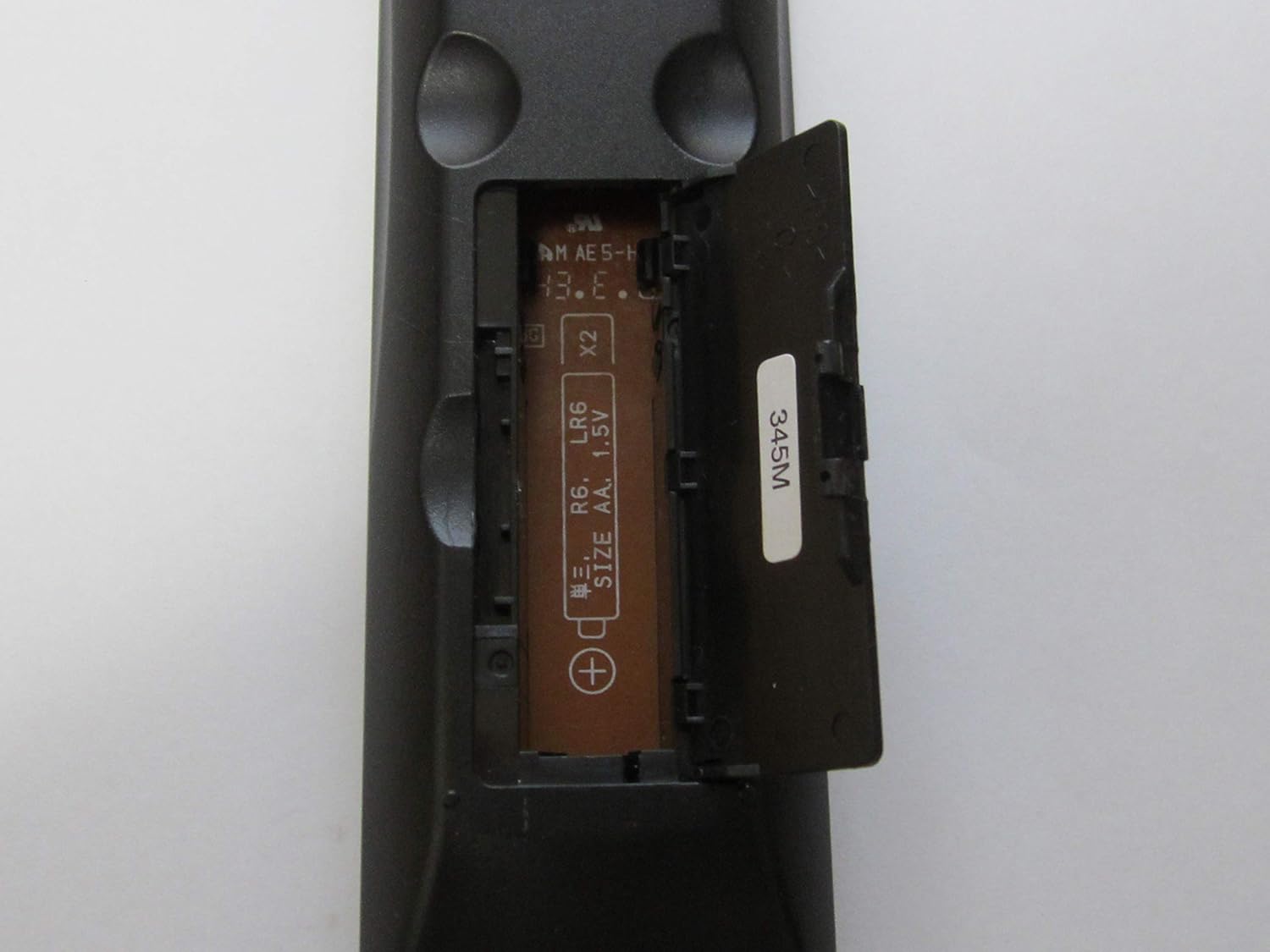
Nọmba 3: Remote control with the battery compartment open, revealing the slots for two AA batteries and polarity markings.
- Rọpo ideri iyẹwu batiri nipa gbigbe pada si aaye titi yoo fi tẹ ni aabo.
4. Awọn ilana Iṣiṣẹ
To operate your Onkyo audio component using the RC-487S remote control, point the remote directly at the component's infrared sensor. Ensure there are no obstructions between the remote and the component.
- Titan/Apapa: Tẹ awọn AGBARA button to turn the audio component on or off.
- Iṣakoso iwọn didun: Lo awọn Idibo + ati ÌWỌN - buttons to adjust the sound level.
- Aṣayan igbewọle: Press the designated input buttons (e.g., CD, DVD, TUNER, AUX) to switch between different audio sources.
- Awọn idari Sisisẹsẹhin: For compatible devices, use buttons such as ERE, DÁYÉ, DURO, SILE, ati SÍWÁJÚ/SÍWÁJÚ SÍWÁJÚ to control media playback.
Refer to your Onkyo audio component's specific instruction manual for detailed functions corresponding to each button on the RC-487S remote control.
5. Itọju
Proper maintenance ensures the longevity and reliable performance of your remote control.
- Ninu: Fi aṣọ rírọrùn, gbígbẹ, nu iṣakoso latọna jijin. Má ṣe lo àwọn ohun ìfọṣọ, epo-epo, tàbí àwọn ohun tí a fi ń yọ́ nǹkan.
- Rirọpo Batiri: Replace both batteries with new ones when the remote control's range decreases or it stops responding. Always replace both batteries at the same time and use the same type (AA alkaline).
- Ibi ipamọ: Ti iṣakoso latọna jijin kii yoo lo fun akoko ti o gbooro sii, yọ awọn batiri kuro lati yago fun jijo ati ibajẹ ti o pọju.
6. Laasigbotitusita
If you experience issues with your RC-487S remote control, refer to the following common solutions:
| Isoro | Ojutu |
|---|---|
| Isakoṣo latọna jijin ko ṣiṣẹ. |
|
| A ti dinku iwọn iṣakoso latọna jijin. |
|
7. Awọn pato
- Nọmba awoṣe: RC-487S
- Brand: Onkyo
- Àwọ̀: Silver metallic (Note: Product appearance may vary)
- Awọn iwọn (isunmọ): 19.2 x 7 x 3.3 cm
- Ìwọ̀n (isunmọ́): 74 g
- Orisun Agbara: 2 x AA (1.5V) Alkaline Batteries (not included)
8. Atilẹyin ọja ati Support
For warranty information and technical support, please refer to the documentation that came with your Onkyo audio component or visit the official Onkyo webojula. Tọju iwe-ẹri rira rẹ bi ẹri rira fun eyikeyi awọn ibeere atilẹyin ọja.
If you require further assistance, please contact Onkyo customer support.


