Ọrọ Iṣaaju
O ṣeun fun riraasing the iCES IBT-1 Portable Bluetooth Speaker. This manual provides essential information for setting up, operating, and maintaining your device. Please read it carefully before use to ensure optimal performance and longevity.
Package Awọn akoonu
Rii daju pe gbogbo awọn nkan wa ninu package:
- iCES IBT-1 Portable Bluetooth Speaker
- Okun gbigba agbara USB kekere
- Afowoyi Olumulo (iwe-ipamọ yii)
Ọja Pariview
The iCES IBT-1 is a compact and versatile portable speaker designed for wireless audio playback via Bluetooth. It also supports audio playback from Micro SD cards and external devices via its AUX input.

Image: Two iCES IBT-1 speakers, one red and one silver, highlighting the product's design and portability.
Idanimọ paati
Familiarize yourself with the speaker's various ports and controls:
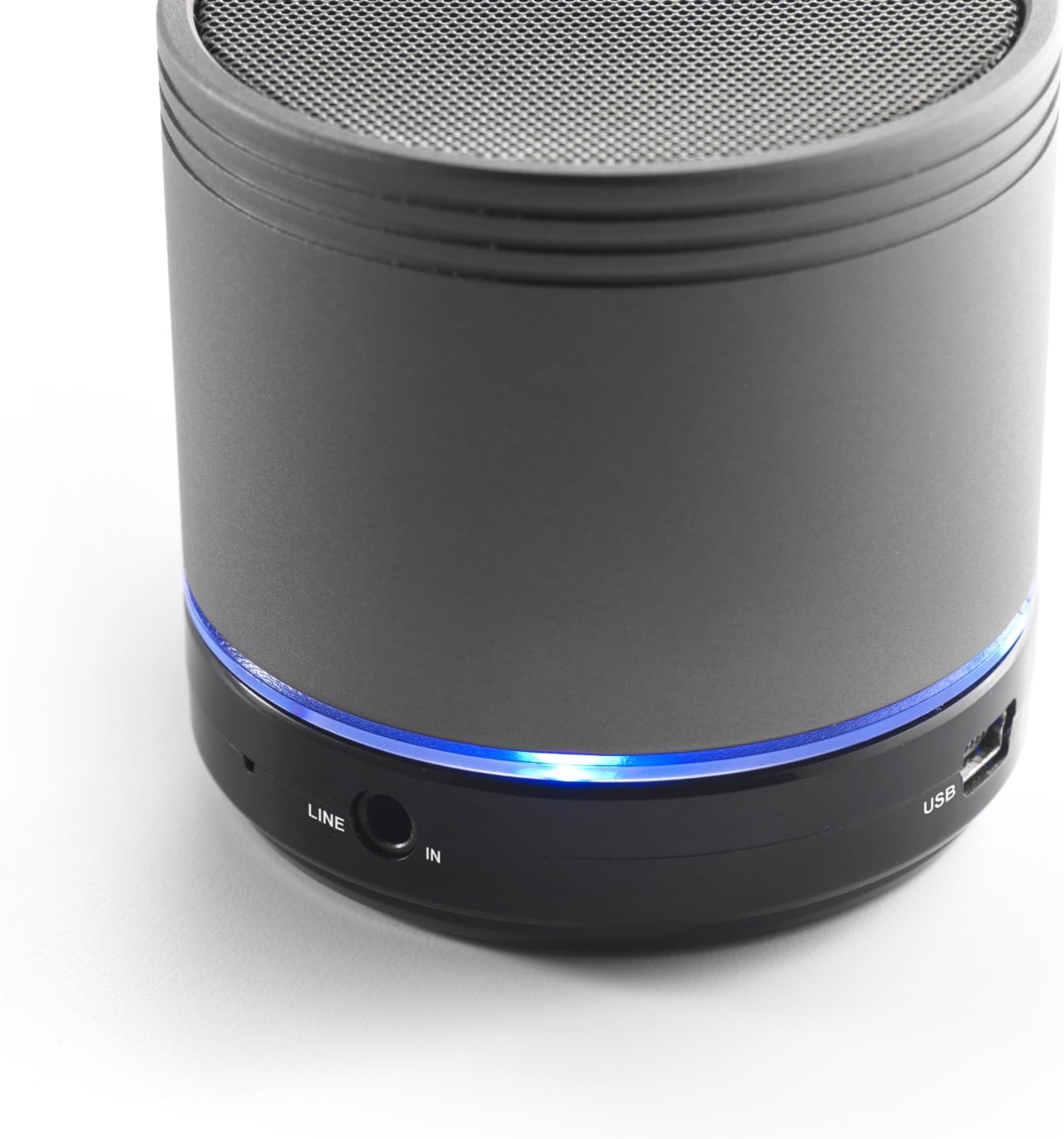
Image: Bottom section of the iCES IBT-1 speaker, displaying the LINE IN and USB ports, along with a glowing blue LED indicator.
- Ibudo USB: Fun gbigba agbara ti abẹnu batiri.
- ILA IN (AUX) Ibudo: For connecting external audio devices using a 3.5mm audio cable.
- Micro SD Kaadi Iho: Fun ohun afetigbọ files taara lati kaadi Micro SD kan.
- Agbara Yi pada: ON/OFF control for the speaker.
- Awọn bọtini Iṣakoso: Play/Pause, Volume Up/Next Track, Volume Down/Previous Track.
- Atọka LED: Fi ipo agbara, ipo gbigba agbara, ati ipo isopọ Bluetooth han.
Ṣeto
Ngba agbara si Batiri naa
Before first use, fully charge the speaker's internal battery. Use the provided Mini USB cable.
- Connect the Mini USB end of the cable to the USB port on the speaker.
- So opin USB boṣewa ti okun naa mọ adapter agbara USB (ko si ninu rẹ) tabi ibudo USB ti kọnputa kan.
- The LED indicator will illuminate to show charging status. It will change or turn off once fully charged.
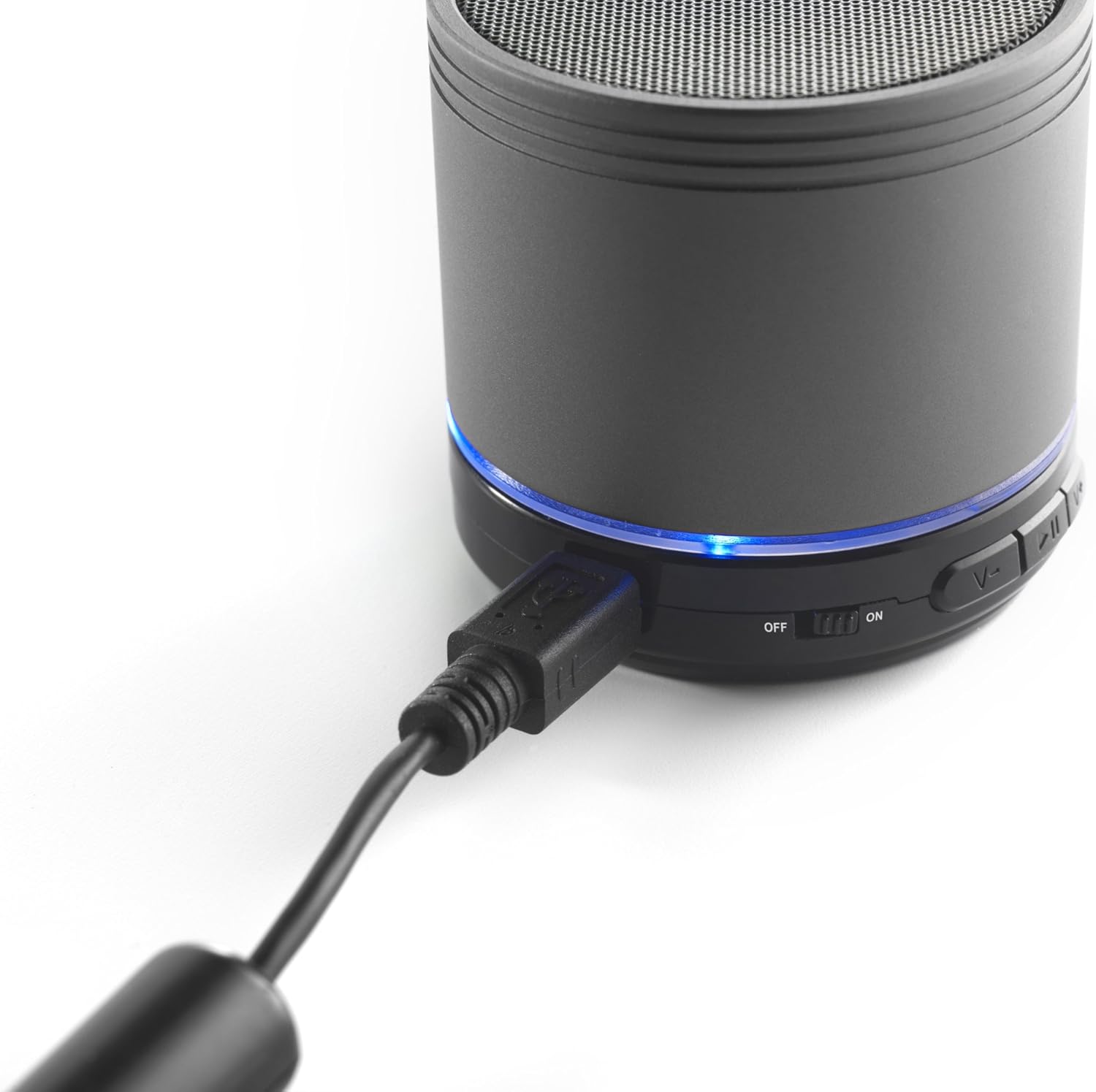
Image: The iCES IBT-1 speaker with the mini USB charging cable connected, illustrating the charging process.
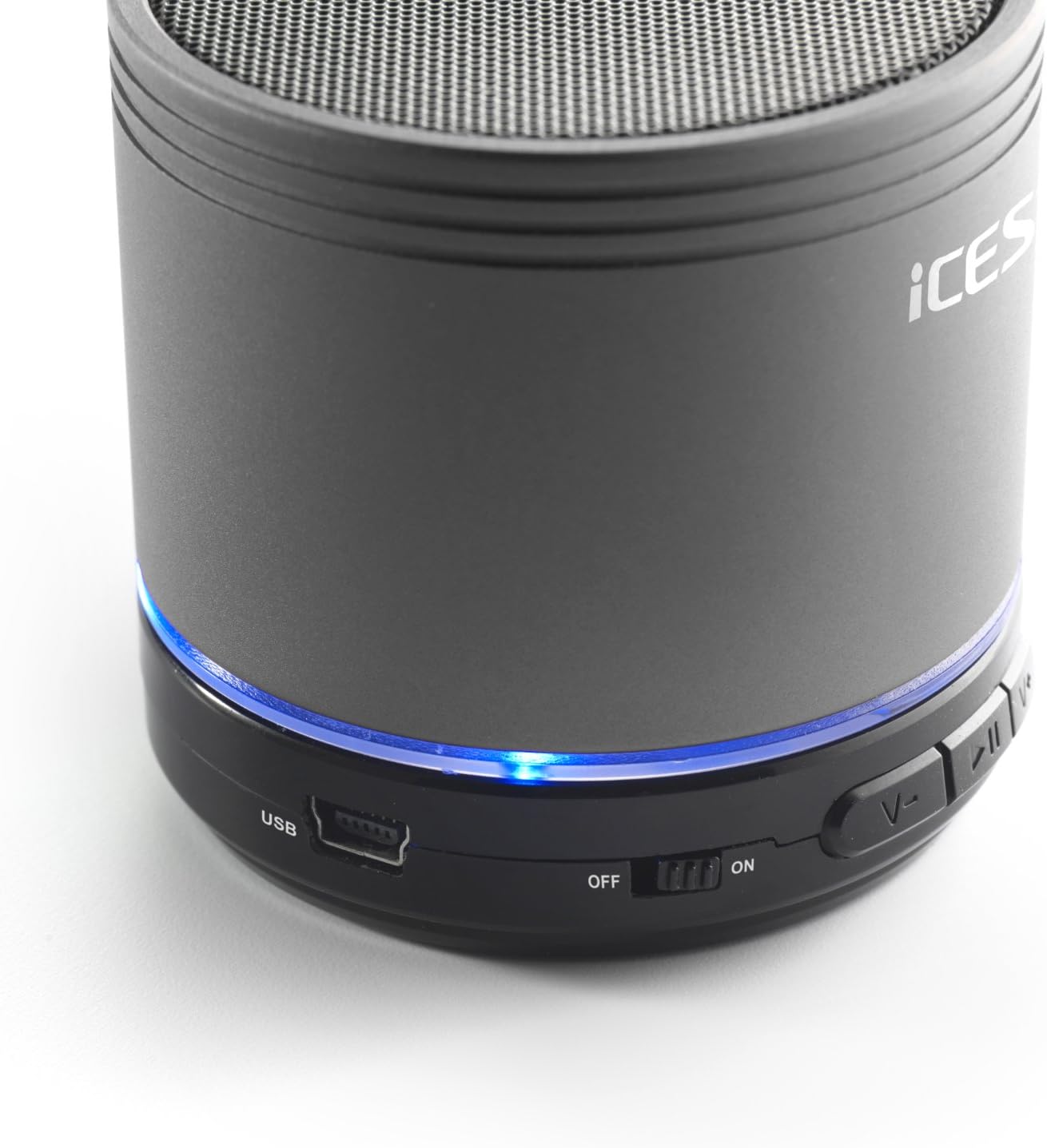
Image: The iCES IBT-1 speaker's base, highlighting the USB port and the power switch in the 'ON' position.
Awọn ilana Iṣiṣẹ
Titan / Pipa agbara
- To power on, slide the power switch to the "ON" position. The LED indicator will light up.
- To power off, slide the power switch to the "OFF" position. The LED indicator will turn off.
Bluetooth Asopọ
- Ensure the speaker is powered on. The LED indicator will flash, indicating it's in pairing mode.
- Lórí ẹ̀rọ Bluetooth rẹ (fóònù alágbèéká, tábìlẹ́ẹ̀tì, àti bẹ́ẹ̀ bẹ́ẹ̀ lọ), lọ sí àwọn ètò Bluetooth.
- Wa fun available devices. You should see "IBT-1" in the list.
- Select "IBT-1" to pair. Once connected, the LED indicator will stop flashing and remain solid.
- You can now play audio from your device through the iCES IBT-1 speaker.
Sisisẹsẹhin Kaadi Micro SD
The speaker supports Micro SD cards up to 32 GB.
- Fi kaadi Micro SD sii (pẹlu ohun orin) files) into the Micro SD card slot on the speaker.
- The speaker will automatically switch to Micro SD card mode and begin playing audio.
- Use the control buttons on the speaker to play/pause, skip tracks, or adjust volume.

Image: The iCES IBT-1 speaker's base, illustrating the Micro SD card slot and the LINE IN port.
AUX Input Playback
Connect external audio devices without Bluetooth capability.
- Connect one end of a 3.5mm audio cable (not included) to the LINE IN port on the speaker.
- Connect the other end of the 3.5mm audio cable to the headphone jack or audio output of your external device (e.g., MP3 player).
- Agbọrọsọ yoo yipada laifọwọyi si ipo AUX.
- Ṣakoso ṣiṣiṣẹsẹhin ati iwọn didun lati ẹrọ ita rẹ.
Awọn bọtini Iṣakoso
- Bọ́tìnnì Ṣíṣe/Sánu duro: Tẹ lẹẹkan lati mu ṣiṣẹ tabi da ohun duro duro.
- Iwọn didun Up / Bọtini orin atẹle:
- Tẹ kukuru: Mu iwọn didun pọ si.
- Long press: Skip to the next track.
- Iwọn didun isalẹ / Bọtini orin ti iṣaaju:
- Tẹ kukuru: Din iwọn didun ku.
- Long press: Go to the previous track.
Itoju
- Jeki agbọrọsọ gbẹ. Maṣe fi han si omi tabi ọrinrin pupọ.
- Sọ agbọrọsọ mọ pẹlu asọ asọ ti o gbẹ. Ma ṣe lo abrasive ose tabi epo.
- Avoid extreme temperatures. Store the speaker in a cool, dry place.
- Ma ṣe gbiyanju lati ṣajọ tabi tun agbọrọsọ naa ṣe funrararẹ. Eyi yoo sọ atilẹyin ọja di ofo.
- Gba agbara batiri nigbagbogbo, paapaa ti ko ba si ni lilo, lati ṣetọju ilera batiri.
Laasigbotitusita
| Isoro | Ojutu |
|---|---|
| Agbọrọsọ ko ni tan. | Rí i dájú pé batiri náà ti gba agbára. So agbọrọsọ náà mọ́ orísun agbára nípa lílo okùn USB. |
| Ko le so pọ nipasẹ Bluetooth. |
|
| Ko si ohun lati agbọrọsọ. |
|
| Didara ohun afetigbọ. |
|
Awọn pato
| Awoṣe | IBT-1 |
| Asopọmọra | Bluetooth, Micro SD Card, AUX Input (3.5mm) |
| Agbara Ijade | 3 Watti (RMS) |
| Batiri Iru | Integrated Lithium-Polymer |
| Agbara Batiri | 500 mAh |
| Ibi ti ina elekitiriki ti nwa | 5V / 1A (via Mini USB) |
| Awọn iwọn (L x W x H) | 60 x 60 x 58 mm |
| Iwọn | 180 g |
| Supported Micro SD Card Size | Titi di 32 GB |
Atilẹyin ọja ati Support
For warranty information and technical support, please refer to the documentation provided at the time of purchase or visit the official iCES webojula. Ma ṣe gbiyanju lati tun ẹrọ naa ṣe funrararẹ, nitori eyi le sọ atilẹyin ọja di ofo.