Ọrọ Iṣaaju
The Thrustmaster TX Racing Wheel Ferrari 458 Italia Edition is a high-performance racing simulator designed for Xbox Series X/S, Xbox One, and Windows PC. It features a Force Feedback wheel with a brushless industrial motor, a detachable wheel, and a metal pedal set, providing a realistic and immersive racing experience. This manual provides essential information for setting up, operating, and maintaining your racing wheel.
Key Awọn ẹya ara ẹrọ
- New dual-belt, friction-free optimized mechanism for smooth Force Feedback.
- High-precision racing wheel base with H.E.A.R.T Hall Effect AccuRate Technology.
- Detachable 7/10 scale replica of the Ferrari 458 Italia wheel with textured rubber grip.
- Two large, wheel-mounted sequential paddle shifters (100% metal).
- Comprehensive driving controls including 10 action buttons and a 2-position Manettino dial.
- Ferrari-style metal pedal set with progressive resistance on the brake pedal.
- Adjustable angle of rotation from 270° to 900°.
- Internal memory and upgradable firmware.
- Xbox Guide button and controller pairing LED for Kinect.
- Ecosystem-ready for compatibility with other Thrustmaster add-ons (sold separately).
Ṣeto
Package Awọn akoonu
Rii daju pe gbogbo awọn eroja wa:
- Thrustmaster TX Racing Wheel Base
- Ferrari 458 Italia Edition Detachable Wheel
- 2-Pedal Set (Accelerator and Brake)
- Agbara Ipese Unit
- Attachment System (Clampeto)
Nsopọ kẹkẹ-ije
Before connecting, ensure your console or PC is powered off. Connect the pedal set to the wheel base using the dedicated connector. Attach the Ferrari 458 Italia wheel to the wheel base by aligning the connectors and rotating the Thrustmaster Quick Release system until it locks securely. Connect the power supply to the wheel base and then to a power outlet. Finally, connect the USB cable from the wheel base to your Xbox or PC.
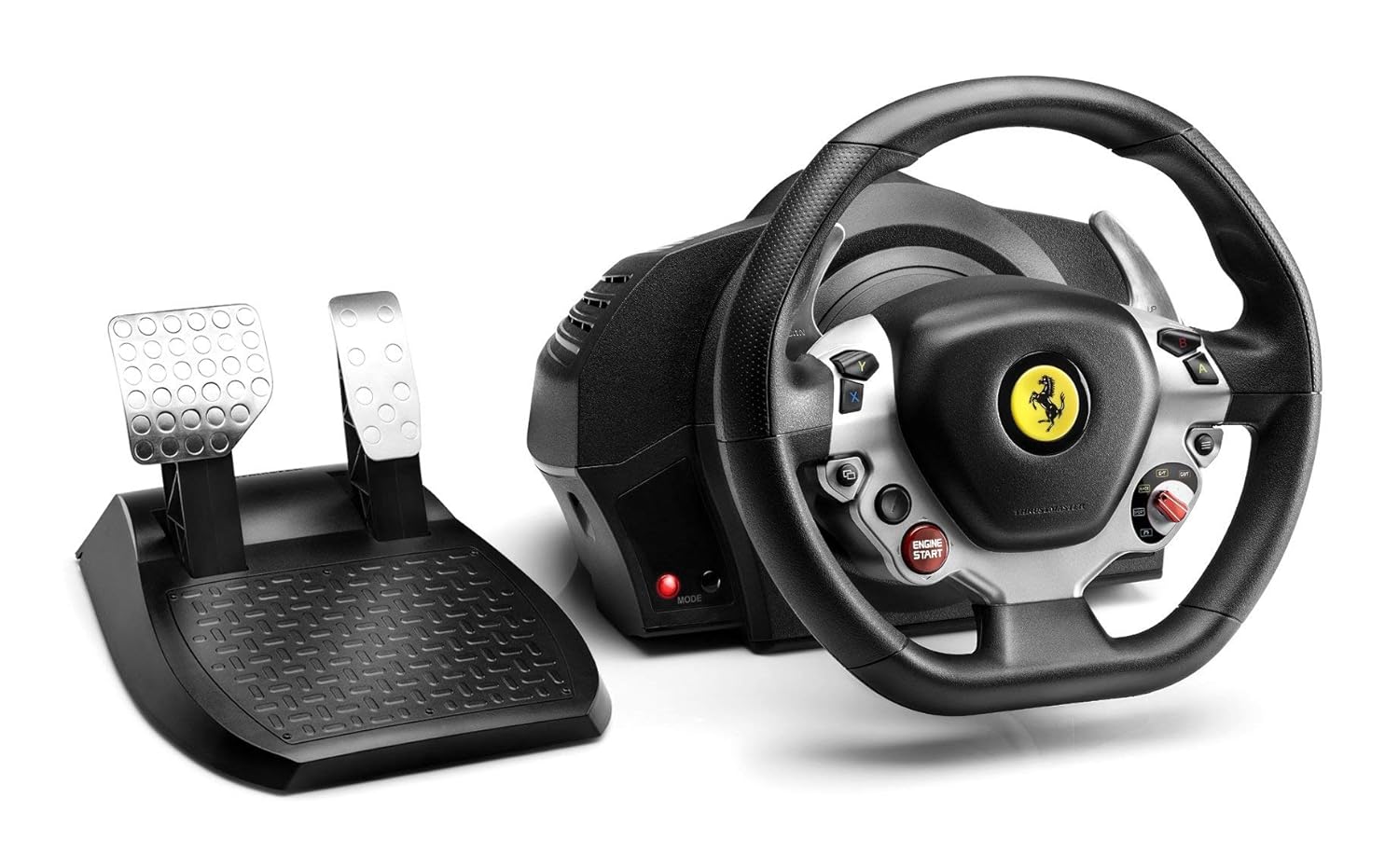
Image: The complete Thrustmaster TX Racing Wheel Ferrari 458 Italia Edition setup, including the wheel base, detachable wheel, and two-pedal set.
Driver Installation (PC)
For PC compatibility, download and install the latest drivers from the official Thrustmaster webAaye (ts.thrustmaster.com). This ensures optimal performance and access to the latest firmware updates for your racing wheel.
Mounting the Wheel
The racing wheel features a robust central clamping system for secure attachment to desks or tables. For more permanent setups, built-in screw threads allow for easy attachment to any racing cockpit.

Aworan: Apa view of the racing wheel, showing the robust base and attachment points.
Awọn ilana Iṣiṣẹ
Force Feedback System
The TX Racing Wheel utilizes a brushless industrial motor and a new optimized frictionless dual-belt mechanism to deliver ultra-smooth, super-responsive, and realistic Force Feedback effects without latency. This system provides detailed road feel, tire grip loss, braking, bumps, and impacts.

Image: An internal diagram illustrating the brushless motor and dual-belt mechanism responsible for the Force Feedback effects.
Adjustable Rotation Angle
The wheel's angle of rotation is adjustable from 270° to 900°, allowing you to fine-tune the steering sensitivity to match the specific car or game you are playing. Refer to your game's settings for optimal configuration.
Paddle Shifters and Controls
The wheel features two large, 10 cm tall, 100% metal sequential paddle shifters for quick and precise gear changes. The wheel also includes 10 action buttons, a 2-position Manettino dial, and an Engine Start D-Pad, replicating the controls found on the real Ferrari 458 Italia wheel.

Aworan: A alaye view of the racing wheel's face, highlighting the paddle shifters, buttons, and Ferrari emblem.
Efatelese Ṣeto
The included Ferrari-style pedal set features metal pedals with a long range of travel. The brake pedal is designed with progressive resistance, providing a more realistic braking feel.

Image: A close-up of the two-pedal set, showcasing the metal construction of the accelerator and brake pedals.
Ecosystem Compatibility
The TX Racing Wheel is ecosystem-ready, allowing for future upgrades and customization. It is compatible with other detachable Ferrari wheels (e.g., Ferrari F1 Wheel Add-On, Ferrari GTE Wheel Add-On), the T3PA pedal set (Thrustmaster 3 Pedals Add-on), and the TH8A shifter (Thrustmaster TH8 Add-on) for an enhanced racing setup. These add-ons are sold separately.
Official ọja Video
Fidio: Ifihan fidio ọja osise kanasing the features and functionality of the Thrustmaster TX Racing Wheel Ferrari 458 Italia Edition.
Itoju
- Keep the racing wheel and pedals clean using a soft, dry cloth. Avoid abrasive cleaners or solvents.
- Ensure proper ventilation around the wheel base during use to prevent overheating.
- Tọju ẹrọ naa ni itura, aye gbigbẹ nigbati o ko ba wa ni lilo.
- Regularly check all connections (USB, power, pedals) to ensure they are secure.
Laasigbotitusita
No Force Feedback or Wheel Not Responding
- Ensure the power supply is securely connected to both the wheel base and the power outlet.
- Verify the USB cable is firmly connected to your Xbox or PC.
- On PC, ensure the latest drivers are installed and the wheel is recognized in the Thrustmaster Control Panel.
- For Xbox, ensure the controller pairing LED on the wheel base is visible to the Kinect camera (if applicable) for proper detection.
- Try restarting your console or PC.
Wheel Calibration Issues
- When powering on, the wheel performs a self-calibration sequence (rotates fully left and right). Ensure there are no obstructions.
- If calibration fails, disconnect the power and USB, wait a few seconds, and reconnect.
Loose Power Connection
Some users have reported issues with the power cable connection to the wheel base becoming loose, leading to intermittent power loss. Ensure the power cable is fully inserted and consider securing it to prevent accidental disconnections during intense gameplay.
Awọn pato
| Ẹya ara ẹrọ | Ẹ̀kúnrẹ́rẹ́ |
|---|---|
| Nọmba awoṣe | 4469016 |
| Ibamu | Xbox Series X/S, Xbox One, Windows PC |
| Fi ipa mu esi | Brushless industrial motor, dual-belt mechanism |
| Steering Precision | H.E.A.R.T Hall Effect AccuRate Technology (16-bit resolution) |
| Igun Yiyi | 270° to 900° adjustable |
| Kẹkẹ opin | 28 cm (7/10 scale replica) |
| Paddle Shifters | 2 large, 100% metal sequential paddle shifters |
| Efatelese Ṣeto | Metal pedals with progressive brake resistance |
| Ọja Mefa | 17.5 x 13 x 12 inches |
| Iwọn Nkan | 16.31 iwon |
Atilẹyin ọja ati Support
For detailed warranty information and technical support, please refer to the official documents provided by Thrustmaster. You can find the Warranty document Nibi.
Additional support and resources, including the full User Manual, can be found on the Thrustmaster webojula: ts.thrustmaster.com.


