1. Ifihan
This manual provides comprehensive instructions for the installation, operation, and maintenance of your Defiant Hartford Aged Bronze Privacy Knob. Please read these instructions carefully before beginning installation to ensure proper function and longevity of your product. This privacy knob is designed for use on interior doors where a locking function is desired, such as bedrooms or bathrooms.
2. Alaye Aabo
- Always wear appropriate personal protective equipment, such as safety glasses, during installation.
- Use the correct tools for the job. Refer to the 'Tools Required' section.
- Pa awọn ẹya kekere kuro lọdọ awọn ọmọde lati yago fun awọn eewu gbigbọn.
- Do not force components during installation. If parts do not fit, re-check the instructions.
- Ensure the door is properly supported if removed from its hinges during installation.
3. Package Awọn akoonu
Verify that all components are present before beginning installation. If any parts are missing or damaged, do not proceed with installation and contact Defiant customer support.
- Exterior Knob Assembly
- Interior Knob Assembly
- Latch Mechanism
- Kọlu Awo
- Iṣagbesori skru
- Privacy Pin/Emergency Key
4. Eto (Fifi sori ẹrọ)
Follow these steps for a successful installation of your Defiant Hartford Aged Bronze Privacy Knob.
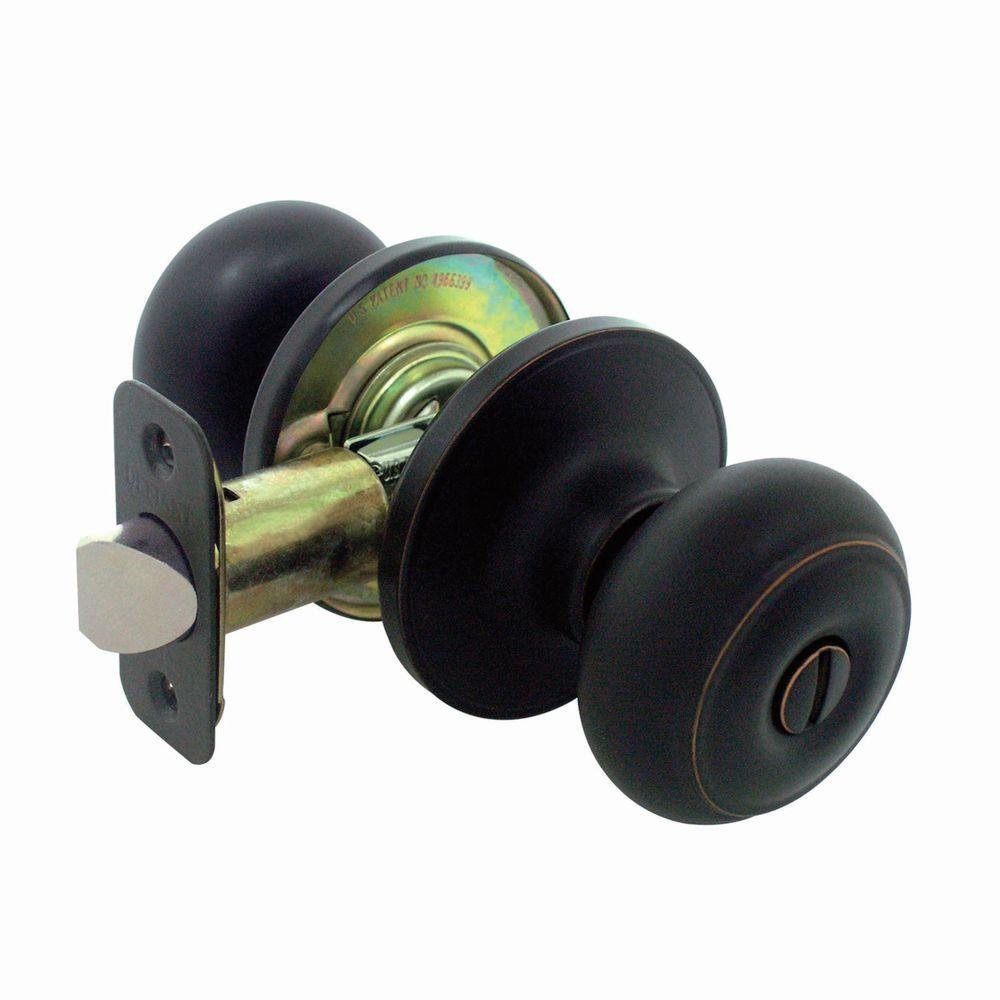
Figure 1: All components of the Defiant Hartford Aged Bronze Privacy Knob.
4.1. Awọn irinṣẹ ti a beere
- Phillips Head screwdriver
- Teepu Idiwon
- Ikọwe
- Chisel (optional, for strike plate)
4.2. Mura Ilekun
- Ensure your door has standard bore holes (typically 2-1/8 inches diameter for the knob and 1 inch diameter for the latch).
- Measure the backset (distance from the door edge to the center of the knob hole). This knob is designed for standard 2-3/8 inch or 2-3/4 inch backsets. Adjust the latch mechanism if necessary.
4.3. Install the Latch Mechanism
- Insert the latch mechanism into the hole on the edge of the door, ensuring the bevel of the latch bolt faces the door frame.
- Secure the latch mechanism with the two small screws provided. Ensure it is flush with the door edge.
4.4. Install the Exterior Knob
- Insert the spindle (the square shaft) of the exterior knob assembly through the square hole in the latch mechanism.
- Ensure the exterior knob is oriented correctly (e.g., the privacy pin hole on the interior side of the knob is facing the correct direction for the interior knob).
4.5. Install the Interior Knob
- Align the interior knob assembly with the exterior knob assembly, ensuring the posts from the exterior knob pass through the holes in the interior knob's mounting plate.
- Secure the interior knob assembly to the exterior knob assembly using the longer mounting screws. Tighten evenly until snug, but do not overtighten.
4.6. Fi Àwo Strike sori ẹrọ
- Close the door and mark the door frame where the latch bolt strikes.
- Chisel out a shallow recess in the door frame to allow the strike plate to sit flush.
- Secure the strike plate to the door frame with the remaining screws.
4.7. Igbeyewo isẹ
- Turn both knobs to ensure the latch retracts smoothly.
- Test the privacy locking function by pressing the button/pin on the interior knob. The exterior knob should lock.
- To unlock from the exterior, use the emergency key/pin provided to insert into the small hole on the exterior knob and push.
5. Operating the Privacy Knob
- Lati Tii: From the interior side, press the button or insert and turn the privacy pin on the center of the interior knob. This will prevent the exterior knob from turning.
- Lati Ṣii silẹ: From the interior side, simply turn the interior knob. This will automatically release the lock.
- Emergency Unlock (from exterior): In case of emergency or accidental lockout, insert the provided emergency key/pin into the small hole on the center of the exterior knob and push firmly to disengage the lock.
6. Itọju
Your Defiant Hartford Aged Bronze Privacy Knob requires minimal maintenance to ensure long-lasting performance.
- Ninu: Clean the knob surfaces with a soft, damp Aṣọ. Yẹra fún àwọn ohun ìfọṣọ, àwọn ohun tí a fi ń pa nǹkan, tàbí àwọn kẹ́míkà líle, nítorí pé àwọn wọ̀nyí lè ba ìparí rẹ̀ jẹ́.
- Lubrication: If the latch mechanism becomes stiff over time, a small amount of silicone-based lubricant can be applied to the moving parts of the latch bolt. Do not use oil-based lubricants as they can attract dust and grime.
- Awọn skru didi: Periodically check and tighten any loose mounting screws to ensure the knob remains securely attached to the door.
7. Laasigbotitusita
If you encounter issues with your privacy knob, refer to the following common problems and solutions:
| Isoro | Owun to le Fa | Ojutu |
|---|---|---|
| Knob is loose or wobbly. | Awọn skru iṣagbesori jẹ alaimuṣinṣin. | Tighten the mounting screws on the interior knob assembly. |
| Bọ́tìnì ìdènà kì í fà sẹ́yìn láìsí ìṣòro. | Dirt buildup or lack of lubrication. | Clean the latch mechanism and apply a silicone-based lubricant. |
| Ilẹ̀kùn kì í dí tàbí kí ó ti pa dáadáa. | Strike plate misalignment or incorrect installation. | Adjust the strike plate position on the door frame. Ensure the latch bolt is fully extending. |
| Títìpa ìpamọ́ kò ní fa ìkọ̀kọ̀/yọ kúrò. | Internal mechanism misalignment or damage. | Re-check installation steps. If issue persists, contact customer support. |
8. Awọn pato
| Ẹya ara ẹrọ | Ẹ̀kúnrẹ́rẹ́ |
|---|---|
| Nọmba awoṣe | TGX710 |
| Ohun elo | Idẹ |
| Awọ / Pari | Agbalagba Idẹ |
| Titiipa Iru | Privacy (Push-button/Pin Lock) |
| Awọn Lilo pato | Interior Doors (e.g., Bedroom, Bathroom) |
| Iwọn Nkan | 15.5 iwon (isunmọ.) |
| Olupese | Taiwan Fu Hsing Industrial Company |
| UPC | 050134109490 |
9. Atilẹyin ọja ati Support
For warranty information and customer support, please refer to the documentation included with your purchase or visit the official Defiant webojula. Jeki ẹri rira rẹ fun eyikeyi awọn ibeere atilẹyin ọja.
For further assistance, you may contact Defiant customer service directly through their official channels.


