1. Ọja Ipariview
The Intermatic TN111K is a premium indoor 24-hour plug-in mechanical timer designed for simple and efficient control of lamps and appliances. It allows users to schedule up to two ON/OFF events daily with 15-minute intervals, providing precise automation for various electrical devices. Its user-friendly design includes a manual override feature for immediate control without altering programmed settings.

Aworan: Iwaju view of the Intermatic TN111K Indoor Timer, showing the circular dial with AM/PM markings and red and green trippers.
2. Key Awọn ẹya ara ẹrọ
- Versatile Light Control: Manages LED, CFL lighting, and seasonal indoor lights, suitable for various lamps ati ohun elo.
- Iṣeto ti o rọrun: Offers up to two customizable ON/OFF settings per day, allowing precise control over a 24-hour period.
- User-Friendly Manual Override: Easily toggle between ON and OFF without affecting programmed settings.
- Single 2-Prong Design: Features a single 2-prong plug and receptacle for straightforward installation.
- Eto ti o rọrun: Simplifies scheduling with ON/OFF trippers that slot into desired time intervals.
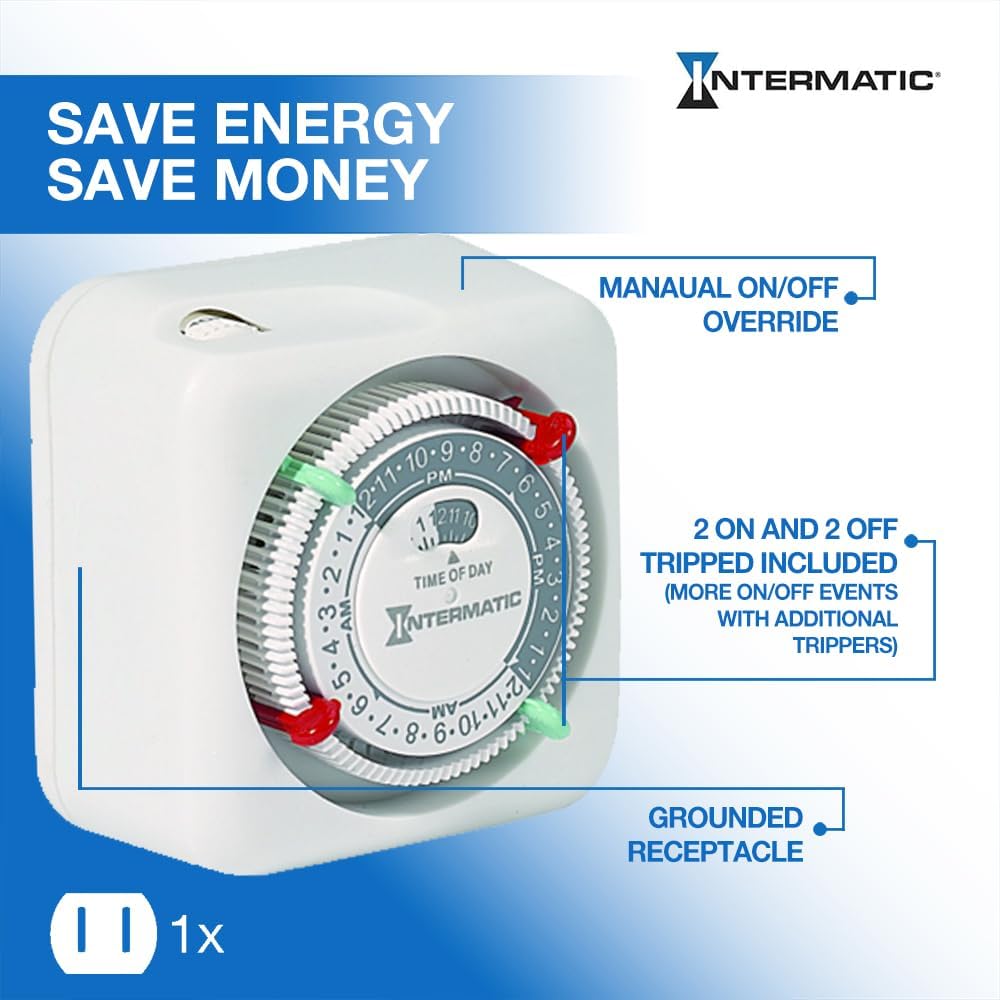
Image: A diagram highlighting the manual ON/OFF override, two ON and two OFF trippers included, and the grounded receptacle of the timer.
3. Awọn ilana iṣeto
- Ṣe idanimọ Awọn eroja: Locate the timer unit, which includes the main dial, the time of day indicator, and the ON (green) and OFF (red) trippers.
- Ṣeto Akoko lọwọlọwọ: Rotate the main dial clockwise until the arrow indicating "TIME OF DAY" points to the current time. Ensure you align AM/PM correctly.
- Insert ON Tripper: Push the green "ON" tripper into the dial slot corresponding to your desired start time for the connected device.
- Insert OFF Tripper: Push the red "OFF" tripper into the dial slot corresponding to your desired end time for the connected device.
- So sinu Odi: Insert the 2-prong plug of the TN111K timer into a standard 125VAC, 60Hz wall outlet.
- So ẹrọ pọ: Pulọọgi lamp or appliance you wish to control into the receptacle on the side of the timer.
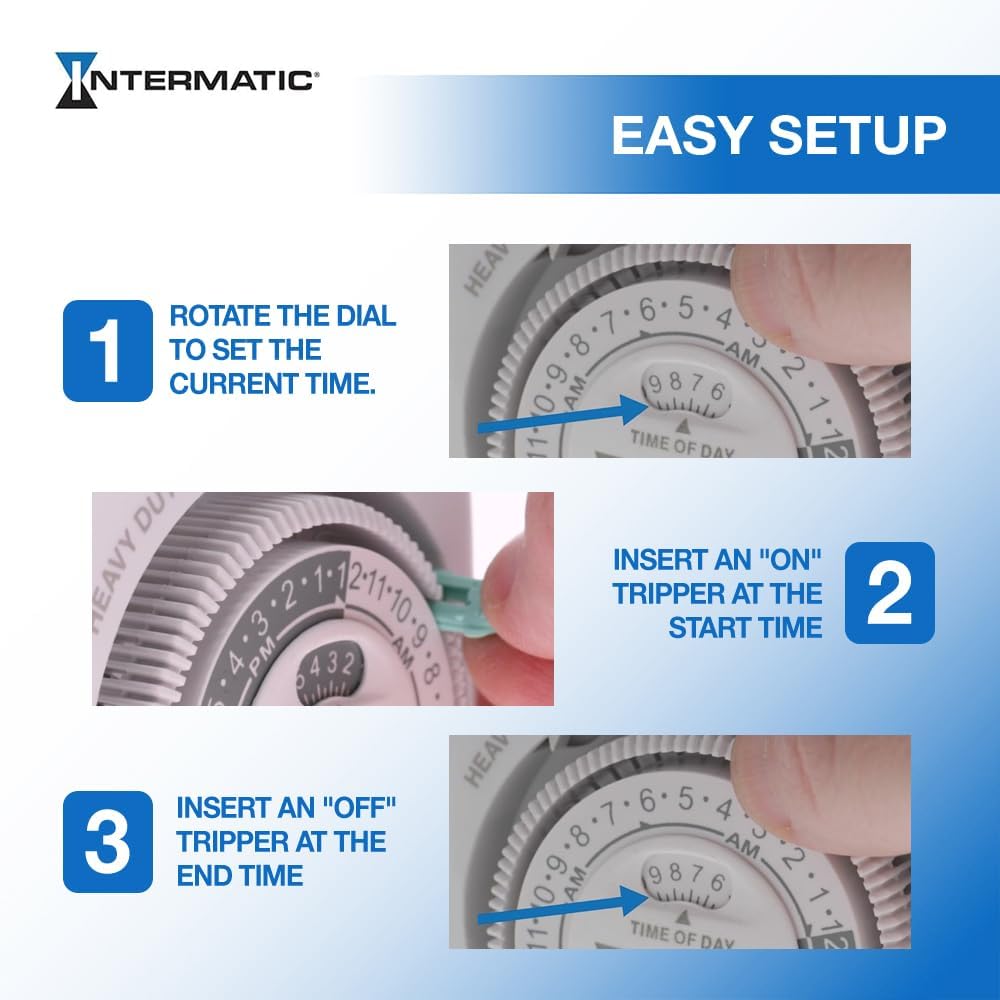
Image: A visual guide demonstrating how to rotate the dial to set the current time, insert an "ON" tripper at the start time, and insert an "OFF" tripper at the end time.
4. Awọn ilana Iṣiṣẹ
Once set up, the Intermatic TN111K timer will automatically turn your connected device ON and OFF according to the programmed schedule. The dial will continuously rotate, indicating the current time.
Yiyọ afọwọṣe:
The timer features a manual override switch located at the top. This allows you to temporarily turn the connected device ON or OFF without disturbing your pre-set program. Simply slide the switch to the desired position. The timer will resume its programmed schedule at the next ON/OFF event.
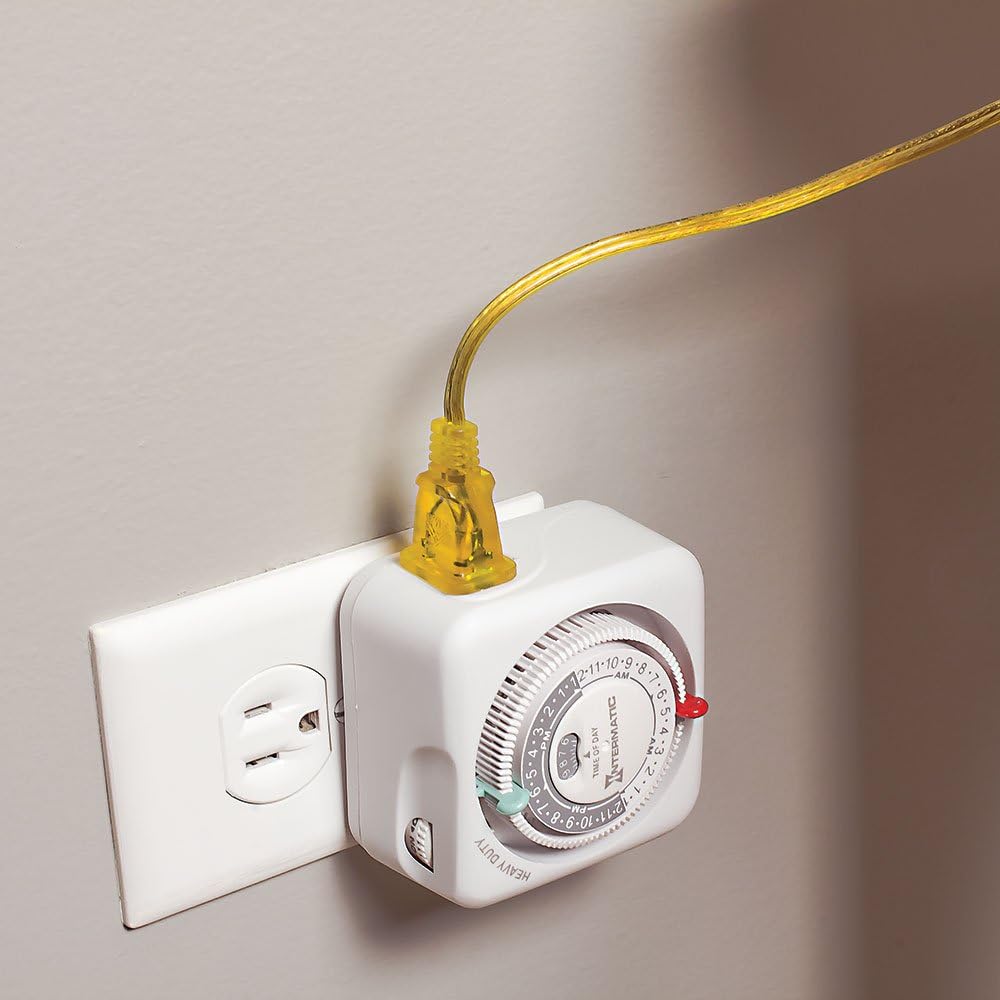
Image: The Intermatic TN111K timer plugged into a standard wall outlet, with a yellow power cord plugged into the timer's receptacle.
5. Itọju
The Intermatic TN111K timer requires minimal maintenance. To ensure optimal performance and longevity:
- Keep the timer clean and free from dust and debris. Use a soft, dry cloth for cleaning.
- Yẹra fún fífi aago náà sí ọrinrin tàbí ooru tó pọ̀ jù. A ṣe é fún lílo nínú ilé nìkan.
- Do not attempt to disassemble or repair the unit yourself. Refer to qualified service personnel if issues arise.
6. Laasigbotitusita
If your Intermatic TN111K timer is not functioning as expected, consider the following:
- Ẹ̀rọ náà kò tan/pa:
- Rí i dájú pé aago náà ti so mọ́ ibi tí a lè gbé e sí lórí ògiri.
- Verify that the device plugged into the timer is functioning correctly when plugged directly into a wall outlet.
- Check if the ON/OFF trippers are correctly inserted and aligned with the desired times on the dial.
- Confirm that the current time is accurately set on the dial.
- Dial Not Rotating:
- Ensure the timer is receiving power from the wall outlet.
- Check for any obstructions preventing the dial from rotating freely.
- Manual Override Not Working:
- Ensure the manual override switch is fully engaged in either the ON or OFF position.
If issues persist, contact Intermatic customer support for further assistance.
7. Awọn pato
| Iwa | Ẹ̀kúnrẹ́rẹ́ |
|---|---|
| Nọmba awoṣe | TN111K |
| Brand | Intermatic |
| Iru | Indoor 24-Hour Mechanical Plug-in Timer |
| Ampigba | 15A |
| Voltage | 125VAC |
| Igbohunsafẹfẹ | 60Hz |
| Nọmba ti Eto | 2 ON/OFF events per day (15-minute intervals) |
| Ọja Mefa | 2"D x 4"W x 4"H |
| Iwọn Nkan | 6.4 iwon |
| Ohun elo | Ṣiṣu |
| Àwọ̀ | Atilẹba |
| Awọn iwe-ẹri | CSA ifọwọsi |
| UPC | 078275143333, 785577044465, 801586649320 |
8. Atilẹyin ọja ati Support
For warranty information, technical support, or to purchase additional trippers, please visit the official Intermatic webojula tabi kan si wọn onibara iṣẹ Eka. Tọju iwe-ẹri rira rẹ fun awọn ẹtọ atilẹyin ọja.
Intermatic Official Webojula: www.intermatic.com
For product inquiries or assistance, refer to the contact information provided on the manufacturer's webaaye tabi apoti ọja.