Ọrọ Iṣaaju
The Superior Electronics Freedom 2in1 is a universal programmable remote control designed to operate up to two different audio/video devices. This manual provides comprehensive instructions for setup, operation, maintenance, and troubleshooting to ensure optimal performance and longevity of your device.
Alaye Aabo
- Má ṣe fi ohun èlò ìdarí latọna jijin sí ìmọ́lẹ̀ oòrùn, àwọn orísun ooru, tàbí àwọn igbóná tó le koko.
- Yago fun sisọ isakoṣo latọna jijin silẹ tabi fifisilẹ si awọn ipa to lagbara.
- Do not immerse the remote control in water or any other liquid.
- Jeki awọn batiri kuro ni arọwọto awọn ọmọde. Ti o ba gbe, wa itọju ilera lẹsẹkẹsẹ.
- Sọ awọn batiri ti a lo ni ibamu si awọn ilana agbegbe.
Package Awọn akoonu
Jọwọ rii daju pe gbogbo awọn nkan wa ninu package:
- Superior Electronics Freedom 2in1 Universal Remote Control
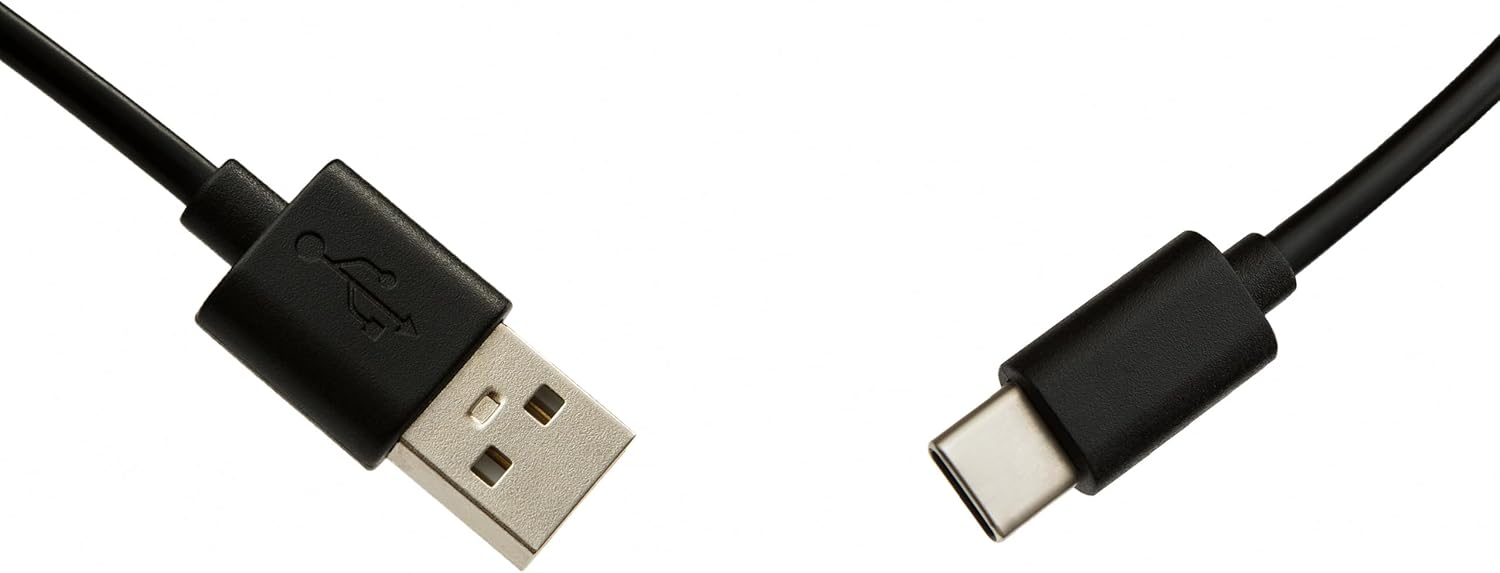
- USB-C Cable for programming
- Afowoyi Olumulo (iwe-ipamọ yii)
Ṣeto
1. Fifi sori batiri
Iṣakoso latọna jijin nilo awọn batiri AAA meji (ko si ninu rẹ). Lati fi sii:
- Ṣii ideri aporo batiri lori ẹhin iṣakoso latọna jijin.
- Fi awọn batiri AAA meji sii, ni idaniloju polarity ti o pe (+ ati -).
- Pa ideri batiri naa ni aabo.
2. Ṣíṣe ètò ìṣàkóso latọna jijin rẹ
The Superior Electronics Freedom 2in1 remote control is programmable via a computer using the included USB-C cable and Superior's dedicated software. This allows for quick and accurate setup for a wide range of devices.
- Ṣe igbasilẹ sọfitiwia: Visit the official Superior Electronics website to download the latest programming software for your Freedom 2in1 remote.
- Latọna jijin Sopọ: Connect the remote control to your computer using the provided USB-C cable.
- Sọfitiwia ifilọlẹ: Open the Superior programming software on your computer.
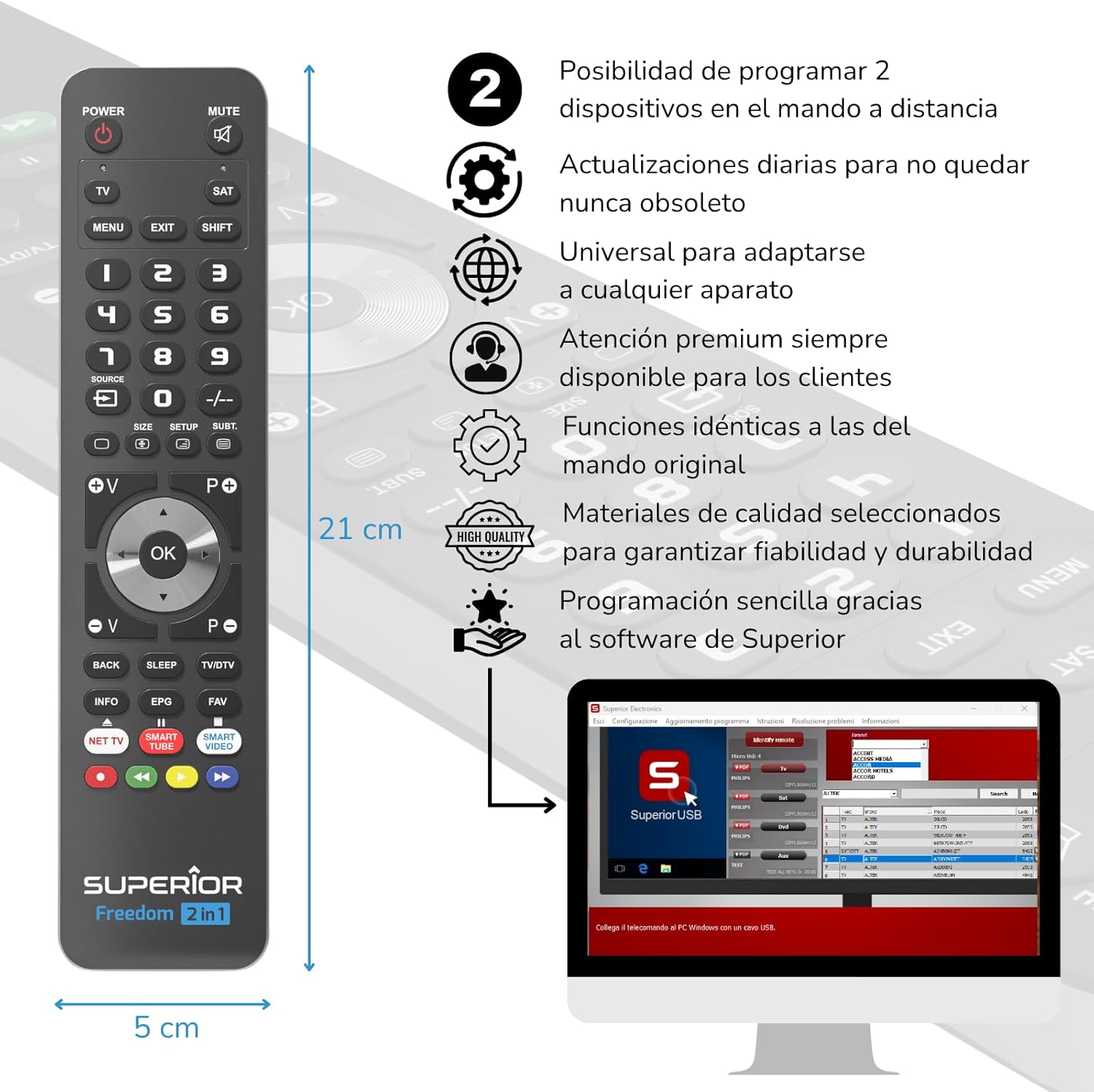
- Yan Ẹrọ: Follow the on-screen instructions to select the brand and model of the device you wish to control (e.g., TV, SAT, DVD, Soundbar). The software utilizes a leading European database with over 260,000 compatible devices.
- Eto: Initiate the programming process. Programming is typically completed in less than one minute by double-clicking the desired brand and model within the software.
- MAP Function: The dedicated MAP function allows you to recover the original remote control functions on the Superior Freedom keypad, ensuring all original functionalities are available.

Awọn ilana Iṣiṣẹ
Once programmed, your Superior Electronics Freedom 2in1 remote control is ready for use. It can control up to two devices, such as TVs, Smart TVs, decoders, DVD players, projectors, and soundbars.

Awọn iṣẹ bọtini Pariview:
- AGBARA: Tan ẹrọ ti o yan tan tabi pa.
- DÁKÚN: Mu ohun naa mu tabi mu ohun kuro.
- TV / SAT: Selects the device to be controlled (e.g., TV or Satellite receiver).
- MENU / EXIT: Accesses or exits the device's menu.
- Iyipada: Activates secondary functions of certain buttons.
- 0-9: Number buttons for direct channel input.
- ORISUN: Changes the input source on your TV.
- +/-: Adjusts channel up/down or navigates through menus.
- SIZE / SETUP / SUBT.: Specific functions depending on the device.
- Volume (V+/-) / Channel (P+/-): Ṣe atunṣe iwọn didun ati yi awọn ikanni pada.
- Lilọ kiri (Soke, Isalẹ, Osi, Ọtun, O DARA): Lilọ kiri nipasẹ awọn akojọ aṣayan ati jẹrisi awọn aṣayan.
- BACK / SLEEP / TV/DTV: Returns to previous screen, sets sleep timer, or switches between TV/Digital TV modes.
- INFO / EPG / FAV: Displays information, Electronic Program Guide, or Favorite channels.
- NET TV / SMART TUBE / SMART VIDEO: Dedicated buttons for smart TV applications.
- Awọn bọtini Awọ (Pupa, Alawọ ewe, Yellow, Blue): Used for specific functions within menus or smart TV apps.
The maximum operating range of the remote control is 10 meters.
Itoju
Ninu
To clean the remote control, use a soft, dry cloth. Do not use abrasive cleaners, solvents, or chemical agents, as these may damage the surface or internal components.
Batiri Rirọpo
When the remote control's performance diminishes or it stops responding, it is likely time to replace the batteries. Follow the battery installation steps outlined in the Setup section.
Laasigbotitusita
- Latọna jijin ko dahun: Ensure batteries are correctly inserted and not depleted. Replace batteries if necessary.
- Device not controlling: Verify that the remote is pointed directly at the device's IR receiver. Ensure there are no obstructions between the remote and the device.
- Incorrect functions: The remote may not be programmed correctly for your specific device model. Re-program the remote using the Superior Electronics software and ensure you select the correct brand and model.
- Limited functionality: If some functions are missing, use the MAP function in the programming software to ensure all original remote functions are mapped to the Freedom 2in1.
If issues persist after following these steps, please contact Superior Electronics customer support.
Awọn pato
| Nọmba awoṣe | SUPTUB002 |
| Brand | Awọn Itanna Itanna Giga |
| Awọn iwọn | 23 x 5 x 1.5 cm |
| Iwọn | 80 g |
| Awọn batiri ti a beere | 2 x AAA (ko si) |
| Asopọmọra | USB-C (for programming) |
| Maximum Devices Supported | 2 |
| Ibiti o pọju | 10 Mita |
| Awọn ẹrọ ibaramu | TVs, Smart TVs, Decoders, DVD players, Projectors, Soundbars, Hi-Fi systems |
Atilẹyin ọja ati Support
Superior Electronics is committed to providing high-quality products and excellent customer service.
- Awọn imudojuiwọn sọfitiwia: Enjoy free and constant updates for your remote control's programming database, ensuring compatibility with new devices.
- Iranlọwọ Onibara: Premium customer assistance is available 7 days a week to address any questions or issues you may encounter.
For further assistance, please visit the official Superior Electronics webaaye tabi kan si atilẹyin alabara wọn taara.


