
Ọrọ Iṣaaju
This manual provides essential information for the proper installation, operation, and maintenance of your HMF 49200-02 safe. Please read these instructions carefully before using the product to ensure secure and reliable performance. Keep this manual for future reference.

Iwaju view of the HMF 49200-02 safe, closed and locked, showing the keyhole and the HMF brand logo.
Alaye Aabo
- Always keep the keys in a secure location, separate from the safe itself, and away from unauthorized individuals.
- Do not store the keys inside the safe.
- Rí i dájú pé a gbé àpótí ààbò náà sí ibi ààbò náà láìsí ìyọkúrò láṣẹ.
- This safe is designed for securing cash, valuables, and documents. It is not fireproof or waterproof unless explicitly stated.
- Regularly check the locking mechanism for any signs of wear or damage.
Eto ati fifi sori
1. Unpacking
Carefully remove the safe from its packaging. Inspect the safe for any signs of damage that may have occurred during transit. Ensure all included components are present: the safe unit, two security keys, fixing screws, and dowels.

The HMF 49200-02 safe with its door open, revealing the interior compartment and the robust locking bolts.
2. Iṣagbesori Ailewu
The HMF 49200-02 safe is designed for secure wall or floor mounting. Pre-drilled holes are provided for this purpose, and mounting hardware (screws and dowels) is included for a simple and quick installation.
- Yan Ibi kan: Select a discreet and secure location for your safe, such as inside a cabinet, closet, or directly on a wall or floor.
- Samisi Awọn aaye Liluho: Position the safe in the desired location. Use the pre-drilled holes on the back or bottom of the safe as a template to mark the drilling points on the wall or floor.
- Awọn iho iho: Using an appropriate drill bit for your wall or floor material, drill holes at the marked points.
- Insert Dowels: Insert the provided dowels into the drilled holes.
- Ṣe aabo fun ibi aabo naa: Align the safe's holes with the inserted dowels. Use the provided screws to firmly attach the safe to the wall or floor. Ensure the safe is stable and cannot be easily removed.

Ẹyìn view of the HMF 49200-02 safe, highlighting the pre-drilled holes for secure wall or floor mounting.
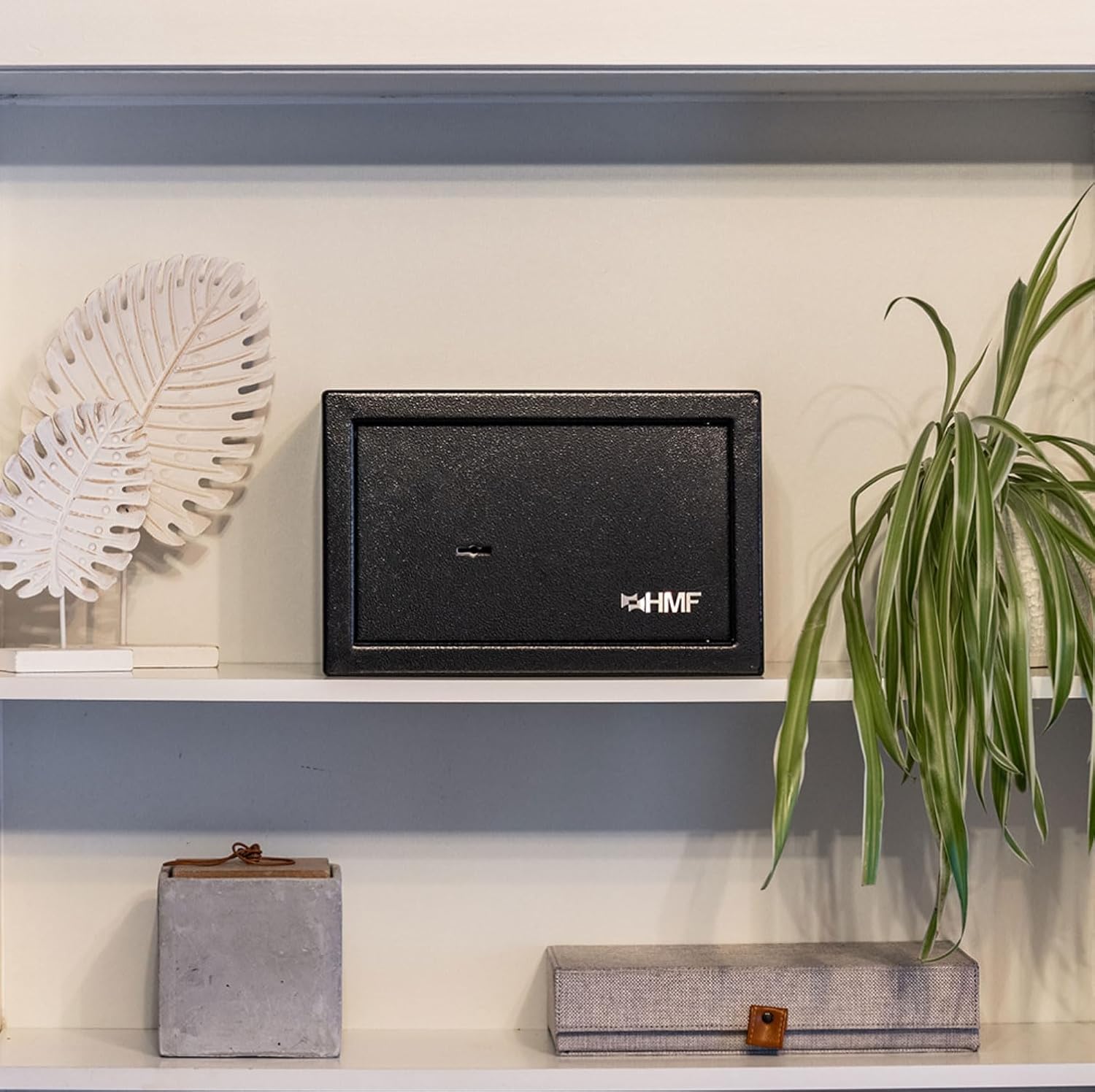
The HMF 49200-02 safe discreetly placed on a shelf, demonstrating its compact size and suitability for various environments.
Awọn ilana Iṣiṣẹ
1. Ṣíṣí Ààbò náà
- Insert one of the provided security keys into the keyhole on the safe door.
- Turn the key clockwise (or counter-clockwise, depending on the lock mechanism) until the locking bolts retract.
- Fa ẹnu-ọna ṣii.

Close-up image of a key inserted into the double-bit key lock of the HMF 49200-02 safe, ready for operation.
Alaye view of the robust three-bolt locking mechanism and the double-bit keyhole on the inside of the safe door.
2. Títì Ààbò
- Pa ẹnu-ọna ailewu duro.
- Fi bọtini sii sinu iho bọtini.
- Turn the key counter-clockwise (or clockwise) until the locking bolts extend and secure the door.
- Yọ kọ́kọ́rọ́ náà kúrò kí o sì tọ́jú rẹ̀ sí ibi tí ó ní ààbò, tí ó yàtọ̀.
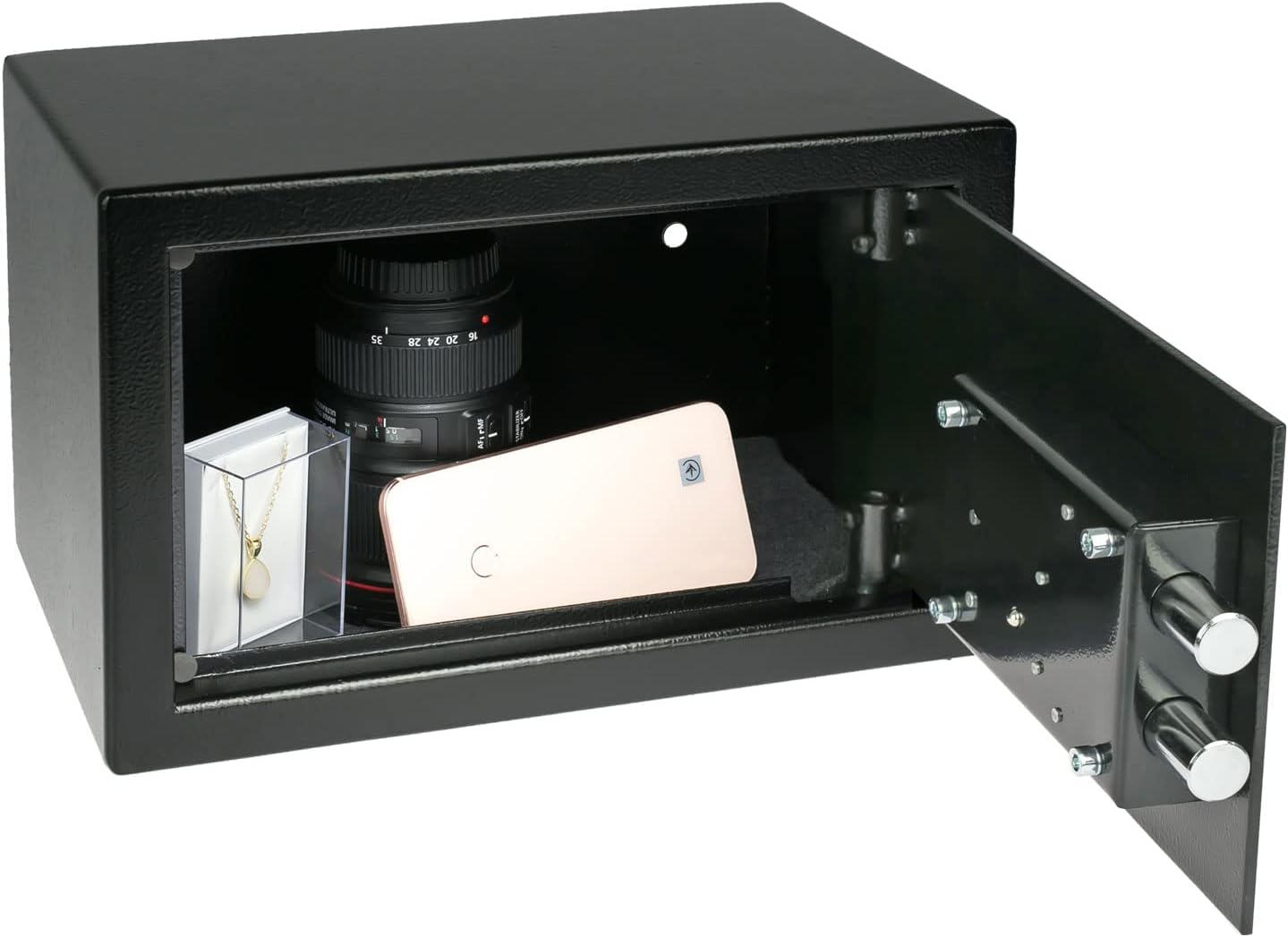
The HMF 49200-02 safe with its door open, displaying various valuables such as a camera lens, a smartphone, and jewelry stored inside.
Itoju
- Ninu: Mu ese ita ti ailewu pẹlu asọ, damp asọ. Yago fun lilo abrasive afọmọ tabi olomi ti o le ba awọn ipari.
- Titiipa Mechanism: Periodically check the lock for smooth operation. If the key feels stiff, a small amount of graphite lubricant can be applied to the key and inserted into the lock. Do not use oil-based lubricants.
- Abojuto bọtini: Handle keys with care. Avoid bending or damaging them. If a key is lost, contact HMF for assistance.
Laasigbotitusita
Key is difficult to turn or stuck:
- Rí i dájú pé a ti fi kọ́kọ́rọ́ náà sínú ihò kọ́kọ́rọ́ náà pátápátá.
- Apply a small amount of graphite lubricant to the key and reinsert it.
- Check for any obstructions around the keyhole or door mechanism.
Safe door does not close properly:
- Ensure no items inside the safe are obstructing the door's closure.
- Check if the locking bolts are fully retracted before attempting to close the door.
- Verify that the safe is mounted squarely and the door hinges are not misaligned.
Awọn pato
| Brand | HMF |
| Nọmba awoṣe | 49200-02 |
| Awọn iwọn ita (W x H x D) | 31 x 20 x 20 cm |
| Awọn iwọn inu (W x H x D) | 30.6 x 19.6 x 14.2 cm |
| Iwọn | 4.3 kg |
| Agbara | 8.5 liters |
| Ohun elo | Alloy Irin |
| Àwọ̀ | Dudu |
| Titiipa Iru | Double-bit Key Lock |
| Iṣagbesori Iru | Freestanding / Mountable (Wall or Floor) |
| Awọn irinše to wa | 2 Security Keys, Fixing Screws, Dowels |
Alaye atilẹyin ọja
For information regarding the product warranty, please refer to the documentation provided at the time of purchase or visit the official HMF webojula. Jeki ẹri rira rẹ fun awọn iṣeduro atilẹyin ọja.
Onibara Support
If you encounter any issues or have questions not covered in this manual, please contact HMF customer support. You can usually find contact information on the manufacturer's webaaye tabi lori apoti ọja.
HMF Official Webojula: www.hmf.de