Ọja Pariview
The SDC CB401-AU is a communicating bath push switch designed for secure access control in shared bathroom environments. This stainless steel switch is compatible with Emlock, Selectric, Electra, and Hi-Tower locking systems. It ensures that both doors of a communicating bathroom must be closed for the lock to engage, enhancing privacy and security. A visual indicator light confirms the locked status.
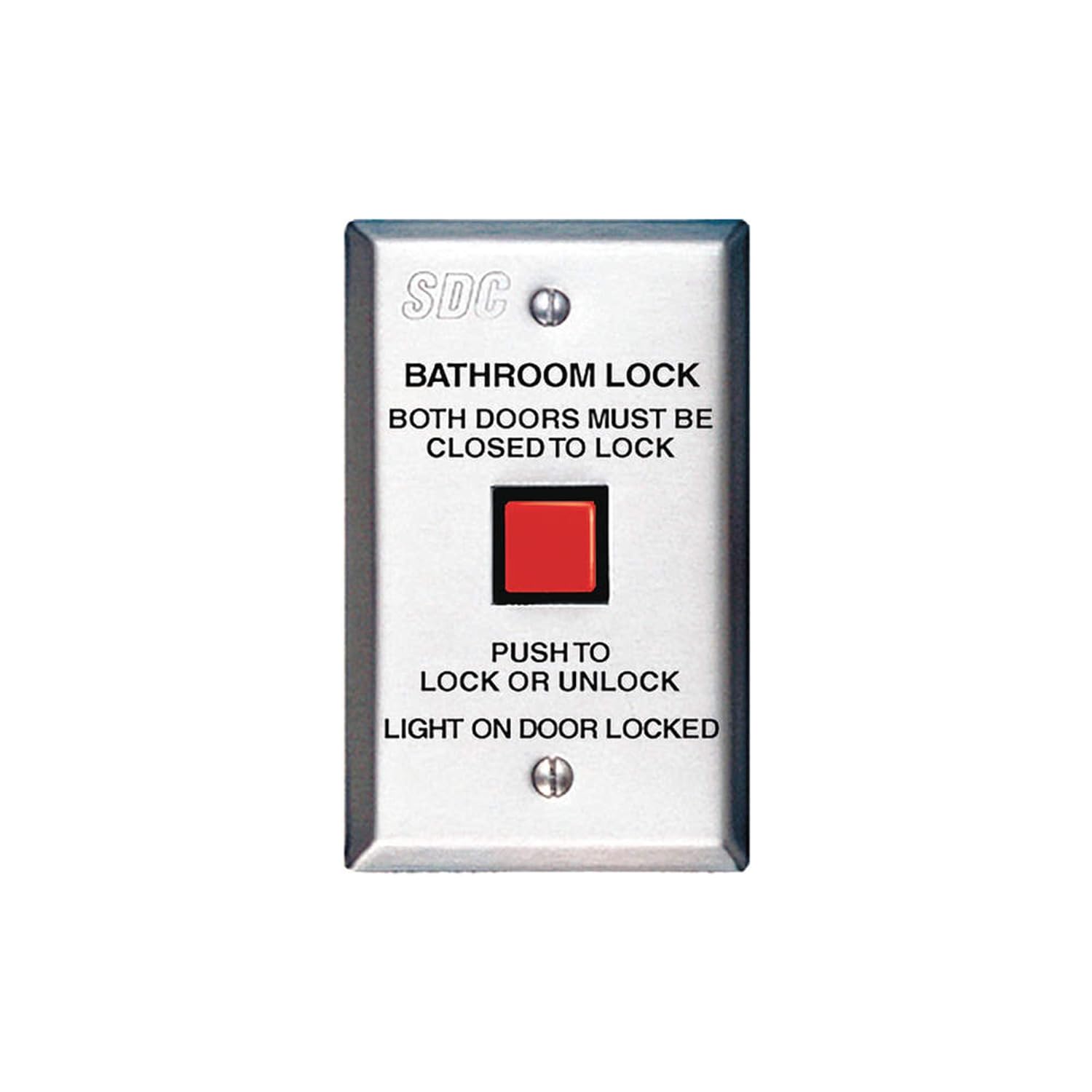
Figure 1: SDC CB401-AU Communicating Bath Push Switch. This image displays the front of the stainless steel switch, featuring a prominent red square push button. Above the button, text reads "BATHROOM LOCK" and "BOTH DOORS MUST BE CLOSED TO LOCK". Below the button, it states "PUSH TO LOCK OR UNLOCK" and "LIGHT ON DOOR LOCKED". The SDC logo is visible at the top.
Eto ati fifi sori
This section provides general guidelines for the installation of the CB401-AU switch. Professional installation is recommended to ensure proper functionality and compliance with local electrical codes.
Atokọ iṣaju fifi sori ẹrọ:
- Verify compatibility with your existing Emlock, Selectric, Electra, or Hi-Tower locking system.
- Ensure all necessary wiring and power sources are available and meet specifications.
- Confirm the mounting location inside the shared bathroom is suitable and accessible.
- Gather required tools (e.g., screwdriver, wire strippers, drill).
Awọn itọnisọna fifi sori ẹrọ:
- Pa agbara si agbegbe fifi sori ẹrọ ni ẹrọ fifọ.
- Carefully remove the existing switch plate, if applicable.
- Connect the wiring from the locking system to the appropriate terminals on the CB401-AU switch. Refer to the wiring diagram provided with your specific locking system for correct connections.
- Mount the switch securely to the wall box using the provided screws.
- So awọn oju awo.
- Mu agbara pada ki o si danwo iṣẹ naa.
Pataki: This switch requires both communicating bathroom doors to be closed for the lock to engage. Ensure the associated door sensors and wiring are correctly installed and functioning.
Awọn ilana Iṣiṣẹ
The SDC CB401-AU switch provides simple operation for securing a shared bathroom.
Locking the Bathroom:
- Ensure both communicating bathroom doors are fully closed.
- Press the red push button on the CB401-AU switch.
- The integrated light on the CB401-AU switch will illuminate, indicating that the doors are locked.
- Verify that both doors are securely locked from the outside.
Unlocking the Bathroom:
- Press the red push button on the CB401-AU switch again.
- The integrated light will turn off, indicating that the doors are unlocked.
- Verify that both doors can be opened.
Akiyesi: If the light does not illuminate when attempting to lock, ensure both doors are completely closed and the system is receiving power.
Itoju
The SDC CB401-AU switch is designed for durability and requires minimal maintenance.
- Ninu: Mu ese irin alagbara, irin dada pẹlu asọ, damp cloth. Avoid abrasive cleaners or solvents that could damage the finish or internal components.
- Ayewo: Periodically check the switch for any signs of physical damage, loose connections, or unusual operation.
- Idanwo Iṣẹ ṣiṣe: Regularly test the locking and unlocking function to ensure proper operation.
Do not attempt to disassemble the switch. Refer all internal repairs to qualified service personnel.
Laasigbotitusita
| Isoro | Owun to le Fa | Ojutu |
|---|---|---|
| Switch does not lock doors. |
|
|
| Light does not illuminate when locked. |
|
|
| Switch náà máa ń yọ́ tàbí ó máa ń mì tìtì. |
|
|
If you encounter problems not listed here or if the suggested solutions do not resolve the issue, please contact SDC customer support.
Awọn pato
| Ẹya ara ẹrọ | Ẹ̀kúnrẹ́rẹ́ |
|---|---|
| Nọmba awoṣe | CB401-AU |
| Ọja Mefa | 2 x 3 x 5 inches |
| Iwọn Nkan | 4.8 iwon |
| Ohun elo | Irin ti ko njepata |
| Ipo Isẹ | ON-NONE-OFF |
| Iṣagbesori Iru | Ògiri Ògiri |
| Actuator Iru | Titari Bọtini |
| International Idaabobo Rating | IP00 |
| Ọna Iṣakoso | App (Note: This specification from source data may refer to the overall system, not the switch itself. The switch is a physical push button.) |
| Ilana Asopọmọra | Wi-Fi (Note: This specification from source data may refer to the overall system, not the switch itself. The switch is a physical push button.) |
| Awọn ọna ṣiṣe ibaramu | Emlock, Selectric, Electra, Hi-Tower |
Akiyesi: Awọn alaye ni o wa labẹ iyipada laisi akiyesi.
Atilẹyin ọja ati Support
Alaye Atilẹyin ọja:
Specific warranty details for the SDC CB401-AU switch are typically provided with the product packaging or can be obtained directly from SDC. Generally, SDC products come with a limited warranty covering defects in materials and workmanship under normal use.
Jọwọ ṣe idaduro ẹri rira rẹ fun awọn iṣeduro atilẹyin ọja.
Atilẹyin Onibara:
For technical assistance, troubleshooting, or warranty inquiries, please contact SDC customer support. Contact information can usually be found on the SDC official webaaye tabi laarin awọn iwe aṣẹ ọja.
When contacting support, please have your product model number (CB401-AU) and purchase date available.


