Ọrọ Iṣaaju
O ṣeun fun riraasing the Coby CSBT-317-WHT Tune Box Portable Bluetooth Speaker. This device is designed to provide high-quality wireless audio from your Bluetooth-enabled devices, such as cell phones and computers. Its compact design and built-in features make it ideal for portable use. Please read this manual thoroughly before operating the speaker to ensure proper use and to maximize its performance.
Alaye Aabo
- Ma ṣe fi agbọrọsọ si awọn iwọn otutu to gaju, ọriniinitutu, tabi imọlẹ orun taara.
- Má ṣe tú agbọ́rọ̀sọ náà ká tàbí kí o ṣe àtúnṣe sí i. Èyí yóò sọ àtìlẹ́yìn náà di òfo, ó sì lè fa ìbàjẹ́.
- Pa agbohunsoke kuro lati omi ati awọn olomi miiran. Ọja yii kii ṣe mabomire.
- Lo okun gbigba agbara pato nikan ati oluyipada agbara.
- Yago fun gbigbọ ni awọn ipele iwọn didun giga fun awọn akoko gigun lati dena ibajẹ igbọran.
Package Awọn akoonu
Jọwọ ṣayẹwo package fun awọn nkan wọnyi:
- Coby CSBT-317-WHT Tune Box Portable Bluetooth Speaker
- Okun Ngba agbara USB
- 3.5mm Audio USB
- Itọsọna olumulo
Ọja Pariview
Familiarize yourself with the various parts of your Coby Tune Box speaker.

Nọmba 1: Iwaju ati Apa View. This image displays the speaker's main grille on the front face and a black carrying strap attached to the side.
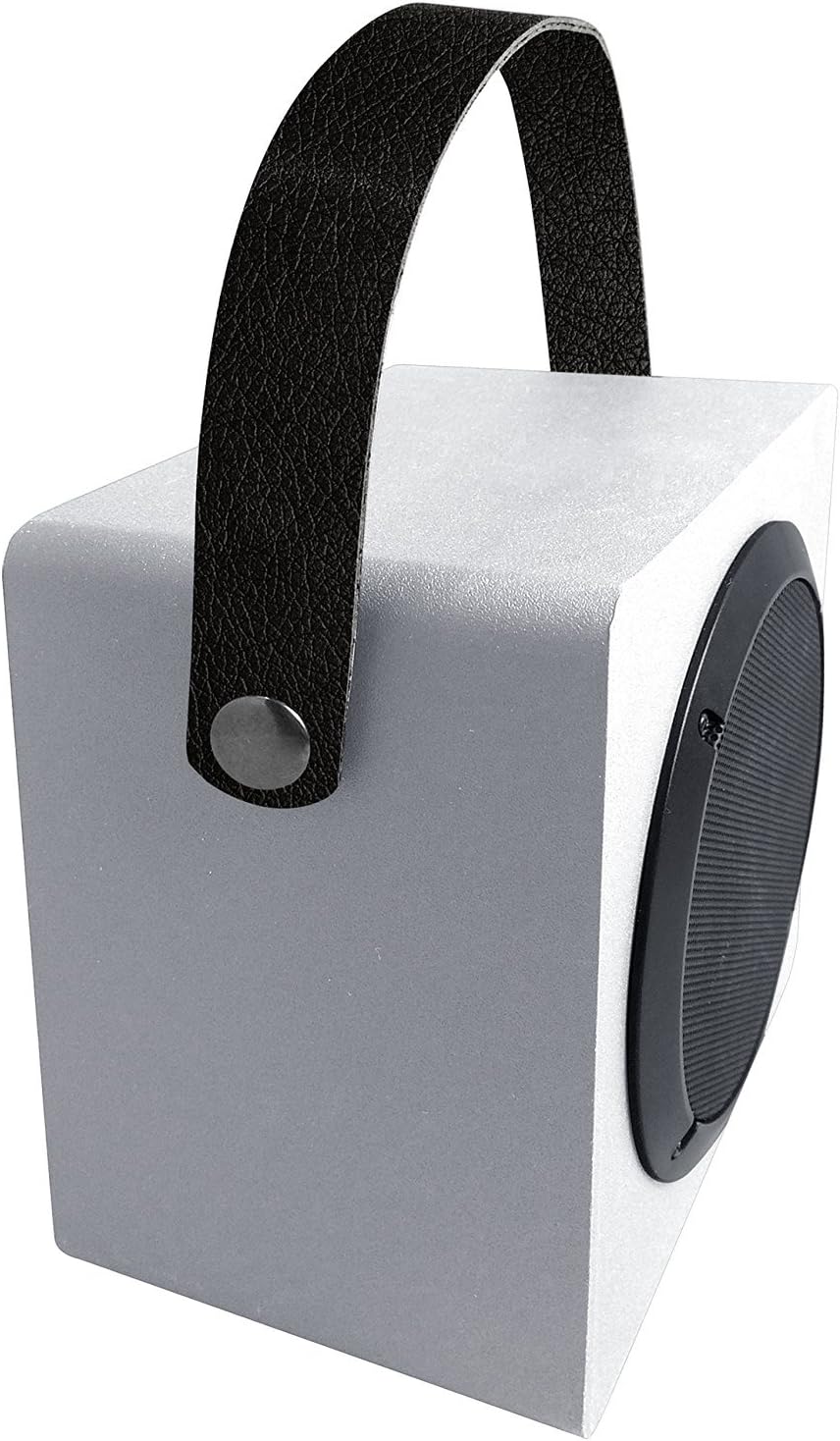
Nọmba 2: Oke ati Apa View with Handle. This image shows the speaker from an elevated angle, emphasizing the integrated carrying handle and the overall compact design.
Awọn eroja pataki:
- Agbọrọsọ Grille: Protects the speaker driver and allows sound to project.
- Ọwọ Gbigbe: Fun irọrun gbigbe.
- Ibi iwaju alabujuto: (Typically located on the side or back) Includes power button, volume controls, and mode selection.
- Ibudo gbigba agbara: Fun sisopọ okun gbigba agbara USB.
- Iṣawọle AUX: 3.5mm jack fun asopọ ohun onirin.
- Gbohungbohun ti a ṣe sinu: Fun ipe ti ko ni ọwọ.
Ṣeto
Gbigba agbara si Agbọrọsọ:
- So opin kekere ti okun gbigba agbara USB pọ mọ ibudo gbigba agbara lori agbọrọsọ naa.
- So opin nla okun gbigba agbara USB pọ mọ adapter agbara USB (ko si ninu rẹ) tabi ibudo USB kọmputa kan.
- The charging indicator light will illuminate, typically red, while charging.
- Once fully charged, the indicator light will change color or turn off. A full charge typically takes 2-3 hours.
Ṣiṣẹ
Titan/Apapa:
- Lati Fi agbara: Press and hold the Power button for approximately 3 seconds. You will hear an audible tone or voice prompt indicating the speaker is on.
- Lati Paarẹ: Press and hold the Power button for approximately 3 seconds. You will hear an audible tone or voice prompt indicating the speaker is off.
Mimuuṣiṣẹpọ Bluetooth:
- Rí i dájú pé a ti tan agbọrọsọ naa ati pe o wa ni ipo asopọ Bluetooth. Ina ifihan Bluetooth yoo maa tan imọlẹ ni kiakia.
- Lori ẹrọ Bluetooth ti o ṣiṣẹ (foonuiyara, tabulẹti, kọmputa), lọ si awọn eto Bluetooth.
- Wa fun available devices. You should see "Coby CSBT-317-WHT" or a similar name in the list.
- Yan agbọrọsọ lati inu atokọ lati bẹrẹ sisopọ.
- Once successfully paired, the Bluetooth indicator light will stop flashing and remain solid, and you will hear a confirmation tone.
- The speaker will automatically connect to the last paired device when powered on, if the device is within range and Bluetooth is enabled.
Connecting via AUX Input:
- So opin kan ti okun ohun afetigbọ 3.5mm si ibudo igbewọle AUX lori agbọrọsọ.
- Connect the other end of the 3.5mm audio cable to the headphone jack or audio output of your external device (e.g., MP3 player, non-Bluetooth computer).
- Agbọrọsọ yoo yipada laifọwọyi si ipo AUX.
Iṣakoso iwọn didun:
- Use the Volume Up (+) and Volume Down (-) buttons on the speaker to adjust the playback volume.
- You can also control the volume from your connected Bluetooth device or external audio source.
Making/Receiving Calls (Built-in Microphone):
- When connected via Bluetooth, incoming calls will be routed through the speaker.
- Press the Play/Pause button (often doubles as call answer/end) to answer an incoming call.
- Tẹ bọtini Play/Duro lẹẹkansi lati pari ipe kan.
- Lati kọ ipe ti nwọle, tẹ mọlẹ bọtini Dun/Sinmi.
Itoju
- Ninu: Use a soft, dry cloth to wipe the exterior of the speaker. Do not use liquid cleaners or abrasive materials.
- Ibi ipamọ: Nigbati o ko ba wa ni lilo fun awọn akoko ti o gbooro sii, tọju agbohunsoke si tutu, ibi gbigbẹ, kuro lati orun taara ati awọn iwọn otutu to gaju.
- Itọju Batiri: Lati pẹ aye batiri, yago fun gbigba agbara si batiri ni kikun nigbagbogbo. Gba agbara si agbọrọsọ nigbagbogbo, paapaa ti kii ṣe ni lilo.
Laasigbotitusita
| Isoro | Owun to le Fa | Ojutu |
|---|---|---|
| Agbọrọsọ ko ni agbara lori. | Batiri ti dinku. | Gba agbara fun agbọrọsọ naa fun o kere ju iṣẹju 30. |
| Ko le so pọ pẹlu ẹrọ Bluetooth. | Agbọrọsọ ko si ni ipo sisopọ. Device's Bluetooth is off. Speaker is already connected to another device. Ẹrọ naa ko si ni ibiti o ti le. | Ensure speaker is in pairing mode (flashing light). Tan Bluetooth lori ẹrọ rẹ. Disconnect from other devices or restart the speaker. Move device closer to the speaker (within 33ft/10m). |
| Ko si ohun tabi iwọn kekere. | Volume is too low on speaker or device. Ipo titẹ sii ti ko tọ ti yan. Audio cable not fully inserted (AUX mode). | Mu iwọn didun pọ si lori agbọrọsọ mejeeji ati ẹrọ ti a ti sopọ. Ensure correct mode (Bluetooth/AUX) is active. Check 3.5mm cable connection. |
| Iparun ohun. | Iwọn didun ga ju. Ẹ̀rọ náà jìnnà jù sí agbọ́hùnsọ̀. kikọlu. | Din iwọn didun silẹ. Move device closer. Gbe kuro lati awọn ẹrọ itanna miiran. |
Awọn pato
| Ẹya ara ẹrọ | Ẹ̀kúnrẹ́rẹ́ |
|---|---|
| Nọmba awoṣe | CSBT-317-WHT |
| Asopọmọra Technology | Bluetooth |
| Alailowaya Ibiti | Titi de 33 ẹsẹ (10 mita) |
| Orisun agbara | Agbara Batiri |
| Agbọrọsọ Iru | Agbọrọsọ Bluetooth to ṣee gbe |
| Pataki Awọn ẹya ara ẹrọ | Bass-boosting sound, Built-in microphone, Durable aluminum grill |
| Àwọ̀ | Funfun |
| Awọn iwọn Ọja (D x W x H) | 3.7" x 6.1" x 1.4" |
| Iwọn Nkan | 0.99 Poun (15.8 iwon) |
| Ohun elo | Aluminiomu |
| Olupese | Summit Electronics, US |
| UPC | 812180024789 |
Atilẹyin ọja ati Support
For warranty information or technical support, please refer to the warranty card included in your product packaging or visit the official Coby website. Please have your model number (CSBT-317-WHT) and proof of purchase ready when contacting support.
Olupese: Summit Electronics, US


