Awọn Itọsọna Aabo pataki
Please read and understand all safety instructions before operating this product. Retain these instructions for future reference.
- Orisun Agbara: Only connect the device to a power source as indicated in the specifications. Ensure the voltage tọ́ fún agbègbè rẹ.
- Afẹfẹ: Ma ṣe dina eyikeyi awọn ṣiṣi atẹgun. Fi sori ẹrọ ni ibamu pẹlu awọn ilana ti olupese.
- Omi ati Ọrinrin: Do not expose this apparatus to rain or moisture. Do not use near water.
- Ooru: Maṣe fi sori ẹrọ nitosi awọn orisun ooru gẹgẹbi awọn imooru, awọn iforukọsilẹ ooru, awọn adiro, tabi awọn ohun elo miiran (pẹlu ampliifiers) ti o gbe ooru jade.
- Ninu: Mọ pẹlu asọ gbigbẹ nikan.
- Ṣiṣẹ: Tọkasi gbogbo iṣẹ si awọn oṣiṣẹ iṣẹ ti o peye. Iṣẹ nilo nigbati ohun elo ba ti bajẹ ni ọna eyikeyi, gẹgẹbi okun ipese agbara tabi plug ti bajẹ, omi ti ta silẹ tabi awọn nkan ti ṣubu sinu ẹrọ, ohun elo naa ti farahan si ojo tabi ọrinrin, ko ṣiṣẹ deede. , tabi ti lọ silẹ.
Ọja Pariview
The Galaxy Audio LA4DPMW is a powered line array speaker designed for professional audio applications. It provides reliable sound reproduction and is suitable for various setups, including home theaters and surround sound systems. This unit features Bluetooth wireless communication technology and app control for enhanced user convenience.
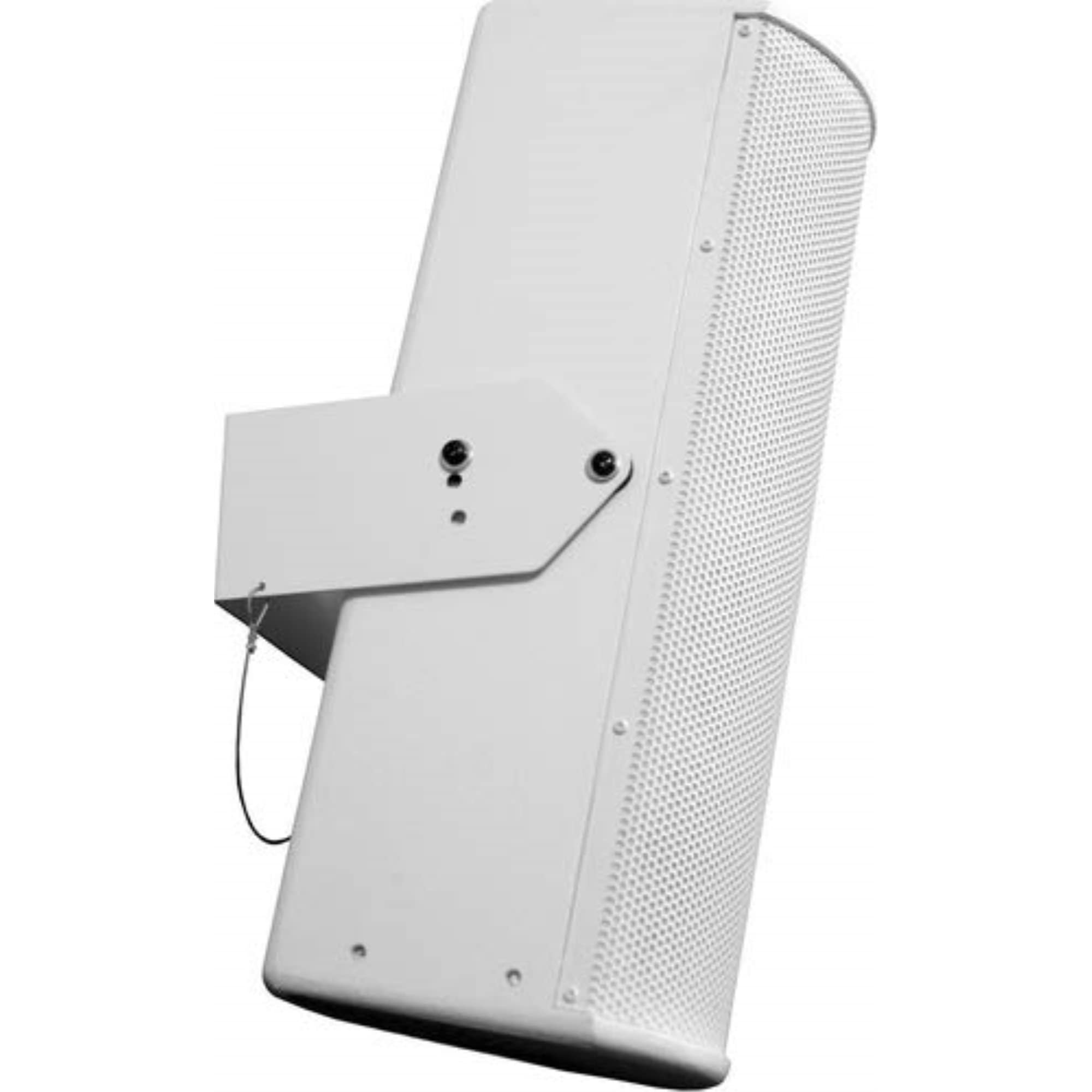
olusin 1: Iwaju view of the Galaxy Audio LA4DPMW Powered Line Array Speaker. This image shows the compact design of the speaker, suitable for various installations.
Awọn ẹya pataki:
- Integrated Bass Boost feature for enhanced low-frequency response.
- Wireless subwoofer connectivity for flexible setup.
- Bluetooth wireless communication for audio streaming.
- Iṣakoso ohun elo fun ṣiṣe irọrun.
- Compact dimensions: 1"D x 1"W x 1"H.
- Includes Power and Ground Cable.
Ṣeto
Ṣii silẹ:
Carefully remove the LA4DPMW speaker from its packaging. Verify that all included components are present:
- LA4DPMW Powered Line Array Speaker
- Okun agbara
- Ilẹ USB
Ibi:
Position the speaker in your desired location. For optimal sound, consider the acoustics of your room and the recommended uses for home theaters and surround sound systems. Ensure adequate ventilation around the unit.
Asopọ agbara:
- Connect the provided Power Cable to the LA4DPMW speaker's power input.
- Connect the other end of the Power Cable to a suitable electrical outlet.
- Connect the Ground Cable to the designated ground terminal on the speaker and to a proper ground source, if required by your installation.
Awọn isopọ Olohun:
The LA4DPMW supports wireless subwoofer connectivity and Bluetooth for audio input. Refer to the operating instructions for details on establishing these connections.
Awọn ilana Iṣiṣẹ
Titan / Pipa:
Locate the power switch on the unit. Press it to turn the speaker on. Press it again to turn the speaker off.
Mimuuṣiṣẹpọ Bluetooth:
- Ensure the LA4DPMW speaker is powered on.
- Mu Bluetooth ṣiṣẹ lori ẹrọ orisun rẹ (fun apẹẹrẹ, foonuiyara, tabulẹti).
- Wa fun available Bluetooth devices. The LA4DPMW should appear in the list.
- Select the LA4DPMW to pair. Once paired, you can stream audio wirelessly.
Ohun elo Iṣakoso:
Download the official Galaxy Audio control app from your device's app store. Follow the in-app instructions to connect to your LA4DPMW speaker. The app allows for remote control of various functions, including volume, input selection, and activation of the Bass Boost feature.
Wireless Subwoofer Connectivity:
The LA4DPMW supports wireless connection to compatible subwoofers. Refer to your subwoofer's manual for specific pairing instructions. Ensure both devices are in pairing mode to establish a connection.
Ipo Ijade Ohun:
The speaker operates in Stereo Audio Output Mode. Ensure your audio source is configured for stereo output for optimal performance.
Itoju
Ninu:
Always disconnect the power before cleaning. Use a soft, dry cloth to wipe the exterior of the speaker. Do not use liquid cleaners, aerosols, or solvents, as these may damage the finish or internal components.
Ibi ipamọ:
If storing the unit for an extended period, ensure it is powered off and disconnected from the power source. Store in a cool, dry place away from direct sunlight and extreme temperatures.
Laasigbotitusita
Ko si Agbara:
- Check if the power cable is securely connected to both the speaker and the electrical outlet.
- Rí i dájú pé ibi tí iná mànàmáná náà ti ń ṣiṣẹ́ nípa fífi ẹ̀rọ mìíràn sí i.
- Ensure the power switch on the speaker is in the "On" position.
Ko si Ohun:
- Confirm the speaker is powered on and connected to a power source.
- Check the volume level on both the speaker (via app control) and your audio source device.
- If using Bluetooth, ensure the speaker is correctly paired with your device and that the device is playing audio.
- If using a wireless subwoofer, ensure it is properly paired and powered on.
Awọn oran Asopọ Bluetooth:
- Ensure the speaker is within the effective range of your Bluetooth device (typically 10 meters/30 feet).
- Gbiyanju lati yọ agbọrọsọ kuro ki o si tun so pọ mọ ẹrọ rẹ.
- Pa ati tun-ṣiṣẹ Bluetooth lori ẹrọ orisun rẹ.
- Ensure no other devices are actively connected to the speaker via Bluetooth.
If you continue to experience issues, please contact Galaxy Audio customer support.
Awọn pato
| Ẹya ara ẹrọ | Ẹ̀kúnrẹ́rẹ́ |
|---|---|
| Orukọ awoṣe | LA4DPMW |
| Brand | Galaxy Audio |
| Ọja Iru | Powered Line Array Speaker (Sound And Recording Equipment) |
| Agbọrọsọ Iru | Subwoofer |
| Iwọn Agbọrọsọ | 2 inches |
| Agbọrọsọ Agbara Ijade ti o pọju | 180 Wattis |
| Agbọrọsọ Amplification Iru | Palolo |
| Ipo Ijade Ohun | Sitẹrio |
| Pataki Ẹya | Bass didn |
| Niyanju Lilo | For Home Theaters, For Surround Sound Systems |
| Awọn ẹrọ ibaramu | Ile Itage |
| Kakiri Ohun ikanni iṣeto ni | 2.0 |
| Awọn irinše to wa | Power and Ground Cable |
| Awọn iwọn Ọja (D x W x H) | 1"D x 1"W x 1"H |
| Iwọn Nkan | 14.37 iwon |
| Se mabomire | ERO |
| Ọna Iṣakoso | App |
| Imọ-ẹrọ Ibaraẹnisọrọ Alailowaya | Bluetooth |
| Orisun agbara | Okun Itanna |
| Subwoofer Asopọmọra Technology | Ailokun |
| UPC | 691281006791 |
| ASIN | B01MDOMJ5R |
| Ilu isenbale | China |
Note: Some specifications may vary slightly. For the most accurate and up-to-date information, please refer to the official product page or contact Galaxy Audio support. There is a discrepancy between the product title ("POWERED") and the "Speaker Amplification Type" specification ("Passive"), and also between the product title ("LINE ARRAY") and "Speaker Type" ("Subwoofer"). This manual uses the provided specifications.
Atilẹyin ọja ati Support
Galaxy Audio is committed to providing quality, reliable products and exceptional service. While specific warranty details are not provided in this manual, Galaxy Audio typically offers excellent warranties and dedicated support for its products.
For warranty information, technical assistance, or service inquiries, please visit the official Galaxy Audio webaaye tabi kan si atilẹyin alabara wọn taara. Tọju iwe-ẹri rira rẹ bi ẹri rira.
Olupese: Galaxy Audio
Webojula: www.galaxyaudio.com (Akiyesi: Eyi jẹ aaye ibi URL bi ko si atilẹyin pato URL was provided in the input. Users should verify the correct official webojula.)


