1. Ifihan
This manual provides detailed instructions for the safe and efficient use of your Crivit Silvercrest FM Scan Radio, Model 43142. Please read this manual thoroughly before operating the device and retain it for future reference. This portable radio features automatic station search, 10 station memory presets, a digital display for frequency and time, and alarm, snooze, and sleep functions.
2. Package Awọn akoonu
Rii daju pe gbogbo awọn nkan wa lori ṣiṣi silẹ:
- Crivit Silvercrest FM Scan Radio (Model 43142)
- Awọn agbekọri
- Okun Ọwọ
- Batteries (if included in your specific package)
3. Ọja Ipariview
Mọ ara rẹ pẹ̀lú àwọn èròjà àti àwọn ìṣàkóso rédíò náà.
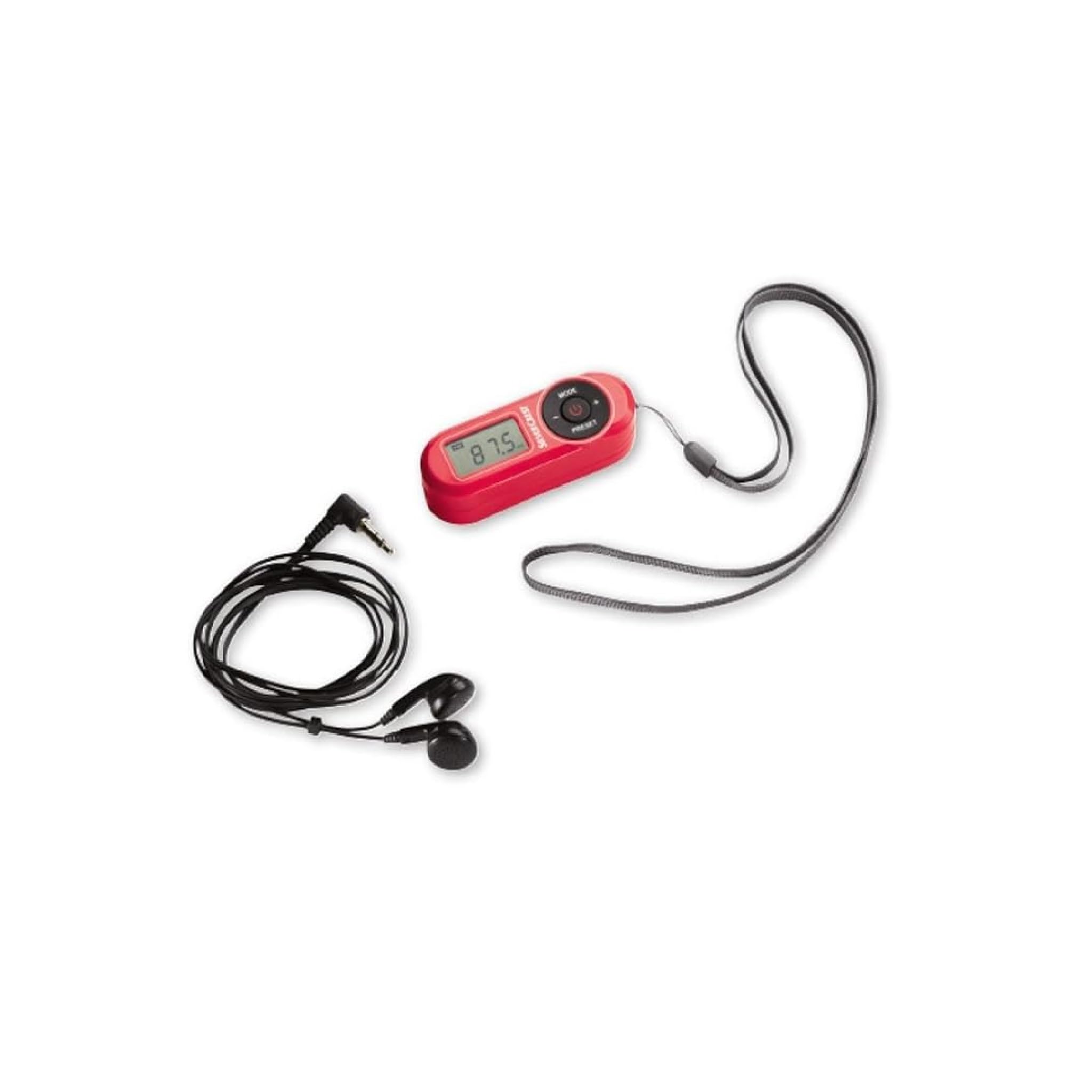
Nọmba 1: Iwaju view of the Crivit Silvercrest FM Scan Radio, showing the digital display, control buttons, and included accessories (earphones and wrist strap).
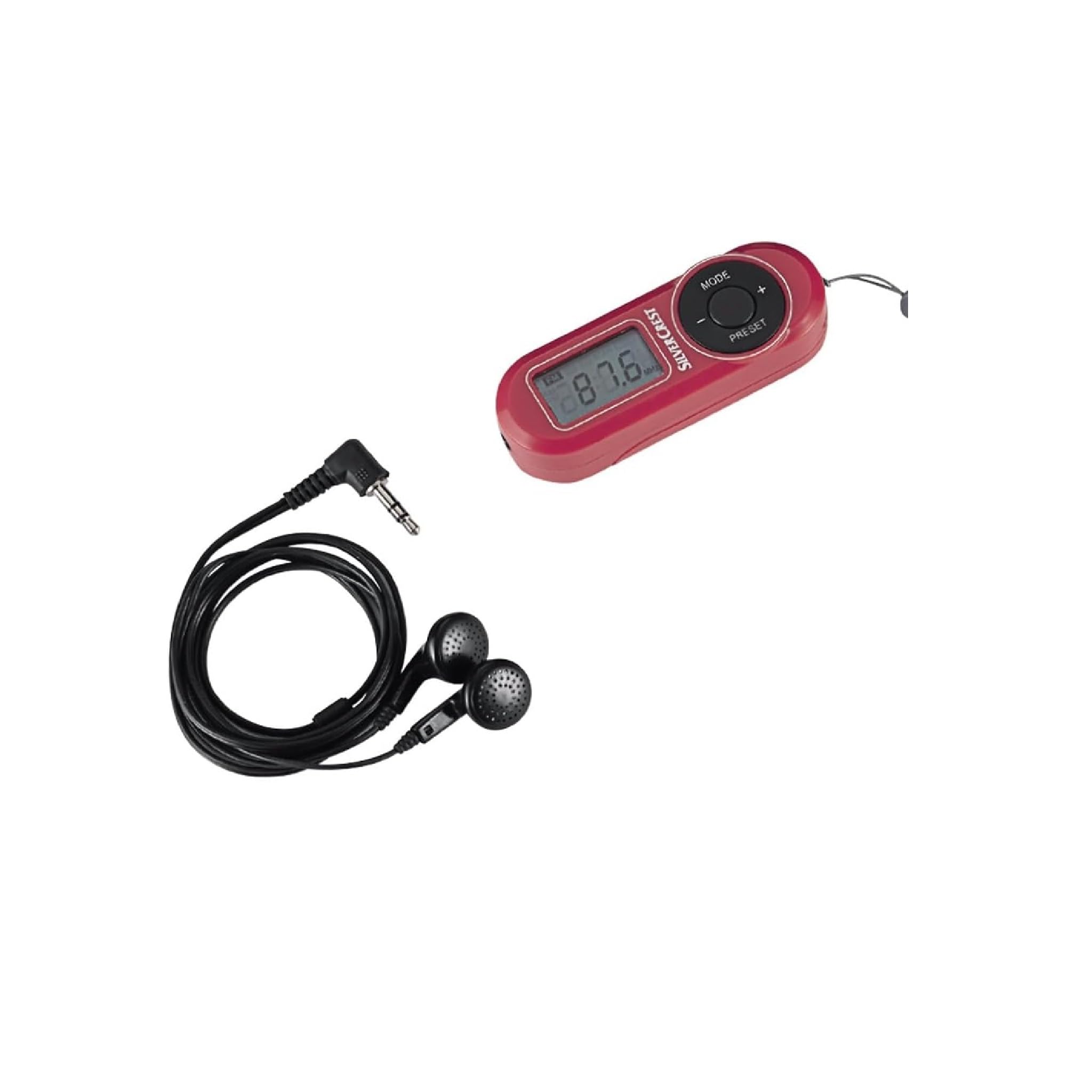
Nọmba 2: Sun mo tipetipe view of the radio's control panel, highlighting the MODE, PRESET, and volume buttons, along with the Silvercrest branding.
Awọn iṣakoso ati Ifihan:
- Digital LC-Display: Shows frequency, time, and alarm status.
- Bọtini MODE: Switches between functions (e.g., radio, time setting).
- +/- Awọn bọtini: Adjusts volume, tunes frequency, or navigates menu options.
- Bọtini TITẸ: Accesses and saves radio station presets.
- Bọtini agbara: Yi redio si tan/pa.
- Jack agbekari: 3.5 mm audio output for earphones.
4. Eto
4.1 Fifi sori batiri
- Wa ideri iyẹwu batiri ni ẹhin redio naa.
- Gbe tabi gbe ideri soke lati ṣii.
- Insert the required batteries (e.g., AAA, as specified in the battery compartment) ensuring correct polarity (+/-).
- Pa ideri batiri naa ni aabo.
4.2 Nsopọ Awọn agbekọri
The included earphones serve as the radio's antenna. For optimal reception, ensure they are fully plugged in.
- Insert the 3.5 mm jack of the earphones into the headphone port on the radio.
- Adjust the earphone cable for best reception.
5. Awọn ilana Iṣiṣẹ
5.1 Agbara Tan / Pa
- To turn on the radio, press and hold the Agbara bọtini.
- Lati paa redio, tẹ mọlẹ Agbara bọtini lẹẹkansi.
5.2 Automatic Station Search
The radio features an automatic station search function to find available FM stations.
- With the radio powered on, press the MODE button until the radio function is active.
- Tẹ mọlẹ TẸTẸ button (or a specific scan button if available) to initiate an automatic scan. The radio will scan and store available stations into memory presets.
5.3 Nfipamọ ati Awọn Tito Tito Npe
Redio le fipamọ to awọn ibudo FM 10.
- Láti fipamọ́ Ibùdó kan: Tẹ̀ sí ibùdó tí o fẹ́. Tẹ̀ kí o sì di mú TẸTẸ button until a preset number flashes on the display. Use the +/- buttons to select a preset number (P1-P10), then press TẸTẸ lẹẹkansi lati jẹrisi.
- Láti rántí Ibùdó kan: Ni soki tẹ awọn TẸTẸ button to cycle through the stored stations.
5.4 iwọn didun tolesese
Lo awọn +/- buttons to increase or decrease the volume level during playback.
5.5 Alarm, Snooze, and Sleep Functions
The radio includes an alarm clock with snooze and sleep timer features.
- Ṣiṣeto Itaniji: Ní ipò ìfihàn àkókò, tẹ kí o sì di mọ́lẹ̀ MODE button until the alarm time flashes. Use the +/- buttons to set the hour and minute, pressing MODE to confirm each.
- Iṣẹ́ lẹ́ẹ̀kọ̀ọ̀kan: When the alarm sounds, press any button (except power off) to activate snooze. The alarm will sound again after a short interval.
- Iṣẹ́ oorun: Lati ṣeto aago oorun, tẹ awọn MODE button repeatedly until the sleep timer option appears. Use the +/- buttons to select the desired sleep duration (e.g., 15, 30, 60 minutes). The radio will automatically turn off after the set time.
6. Itọju
6.1 Ninu
To clean the radio, use a soft, dry cloth. Do not use abrasive cleaners, solvents, or strong chemicals, as these can damage the surface.
6.2 Ibi ipamọ
When not in use for extended periods, remove the batteries to prevent leakage and store the radio in a cool, dry place away from direct sunlight and extreme temperatures.
7. Laasigbotitusita
| Isoro | Owun to le Fa | Ojutu |
|---|---|---|
| No power/Radio does not turn on | Awọn batiri ti dinku tabi fi sii lọna ti ko tọ. | Rọpo awọn batiri pẹlu awọn tuntun, ni idaniloju polarity ti o pe. |
| Gbigba redio ti ko dara | Earphones not fully plugged in or poor signal area. | Ensure earphones are fully inserted. Adjust earphone cable position. Move to an area with better signal. |
| Ko si ohun lati earphones | Volume too low or earphones faulty. | Increase volume. Test with another pair of earphones. |
| Ifihan ti ṣofo tabi yiyi | Agbara batiri kekere. | Rọpo awọn batiri. |
8. Awọn pato
| Ẹya ara ẹrọ | Ẹ̀kúnrẹ́rẹ́ |
|---|---|
| Brand | Crivit |
| Nọmba awoṣe | 43142 |
| Tuner Technology | FM |
| Awọn ẹgbẹ Redio Atilẹyin | FM (87.5 - 108 MHz) |
| Ni wiwo Hardware | 3.5 mm Audio |
| Awọn ẹrọ ibaramu | Awọn agbekọri |
| Pataki Awọn ẹya ara ẹrọ | Portable, Automatic Station Search, 10 Presets, Alarm, Snooze, Sleep Function |
| Awọn irinše to wa | Earphones, Wrist Strap, Batteries (if applicable) |
| Orisun agbara | Batiri-Agbara |
| Ọja Mefa | 10 x 5 x 2 cm |
| Àwọ̀ | Pupa |
| Asopọmọra Technology | Bluetooth (Note: This may refer to internal components or a miscategorization, primary audio output is 3.5mm jack) |
| Niyanju Lilo | Personal use, Music, Travel |
9. Atilẹyin ọja ati Support
For warranty information and customer support, please refer to the documentation provided at the time of purchase or contact the retailer. Keep your proof of purchase for any warranty claims.


