1. Ifihan
This manual provides comprehensive instructions for the setup, operation, and maintenance of your Anderic RR7096T Thermostatic Remote Control. This remote is designed as a direct replacement for original Hampton Bay and Harbor Breeze ceiling fan remotes, specifically those with FCC IDs such as CHQ7096T, UC7096T, CHQ8BF7096T, and CHQ8BT7096T.
The RR7096T offers control over fan speeds, light functions (including dimming), and thermostatic settings. It is important to note that this remote operates only the down-lights of a ceiling fan and does not include a 'Reverse' key for fan direction. For proper light dimming functionality, incandescent bulbs are required.
2. Alaye Aabo
- Jeki awọn batiri kuro ni arọwọto awọn ọmọde.
- Maṣe dapọ atijọ ati awọn batiri titun, tabi awọn oriṣiriṣi awọn batiri.
- Sọ awọn batiri ti a lo ni ibamu si awọn ilana agbegbe.
- Avoid exposing the remote control to extreme temperatures, moisture, or direct sunlight.
3. Package Awọn akoonu
Jẹrisi pe package rẹ ni awọn nkan wọnyi ninu:
- Anderic RR7096T Thermostatic Remote Control
- Odi òke akọmọ
- Two screws for wall mount installation
4. Eto
4.1. Fifi sori batiri
- Yọ ideri iyẹwu batiri kuro ni ẹhin isakoṣo latọna jijin.
- Fi awọn batiri AAA mẹrin (4) sii, ki o rii daju pe polarity ti o tọ (+/-).
- Rọpo ideri iyẹwu batiri.
4.2. Dip-Switch Matching
The RR7096T remote control operates by matching its dip-switch settings to those of your ceiling fan's receiver. This is the primary method of pairing the remote with your fan.
- Locate the dip-switches inside the battery compartment of your new RR7096T remote.
- Identify the dip-switches on your existing ceiling fan receiver or original remote control. The receiver is typically located in the ceiling fan's canopy.
- Carefully match the position of the dip-switches (ON/OFF or UP/DOWN) on the new RR7096T remote to the exact pattern of your fan's receiver or original remote.
- Once the dip-switches are matched, the remote should operate your ceiling fan without further programming.

Nọmba 1: Back of the Anderic RR7096T remote control, illustrating the battery compartment and the internal dip-switches that must be matched to your ceiling fan receiver for proper operation.
4.3. Wall Mount fifi sori
The included wall mount bracket allows for convenient storage of your remote control.
- Yan ibi ti o yẹ lori ogiri, kuro ninu ooru taara tabi ọrinrin.
- Use the two provided screws to securely attach the wall mount bracket to the wall.
- Slide the remote control into the bracket for storage.
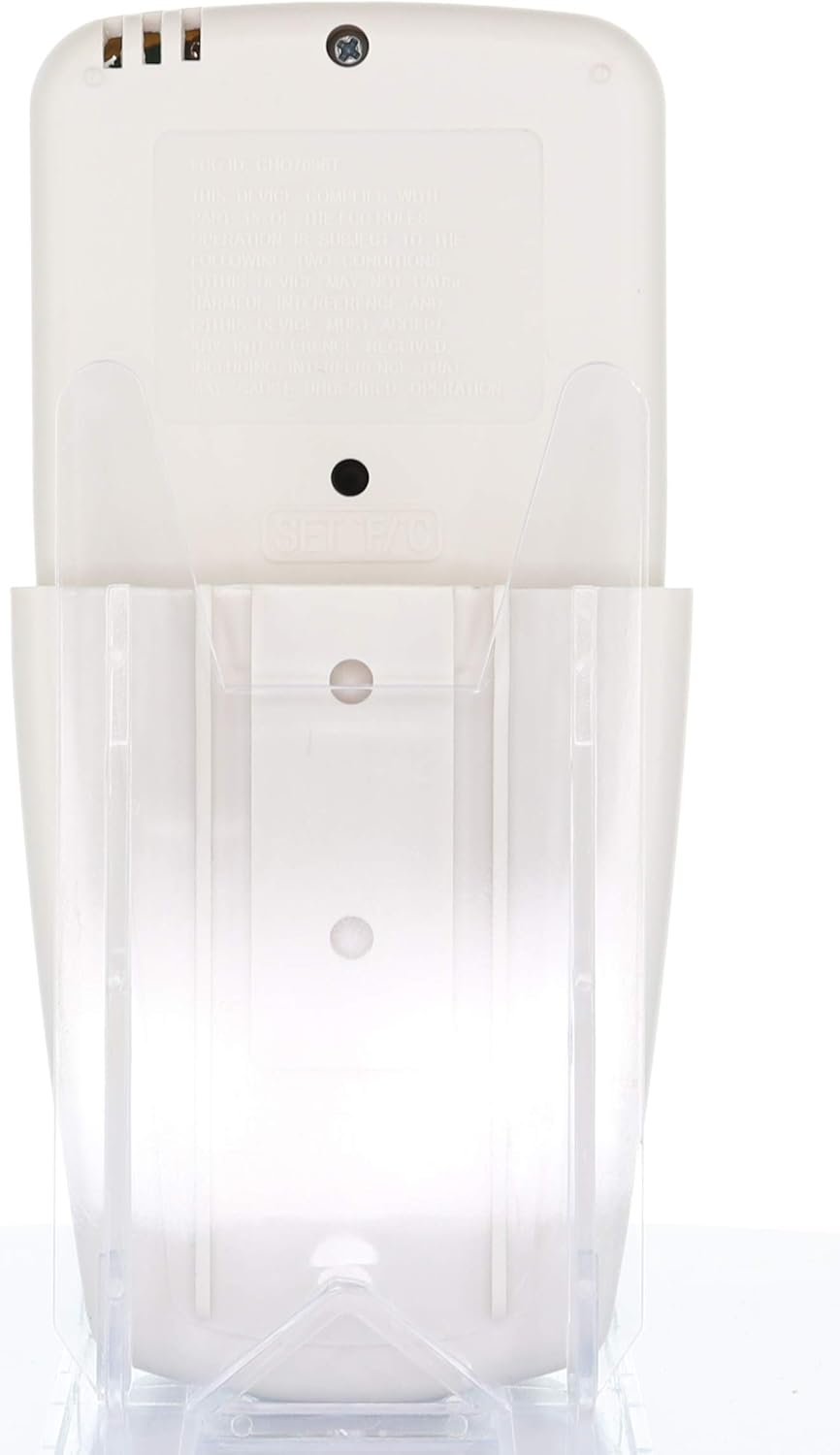
Nọmba 2: The Anderic RR7096T remote control securely placed in its transparent wall mount bracket, demonstrating how it can be stored when not in use.
5. Awọn ilana Iṣiṣẹ
The Anderic RR7096T remote control features a clear LCD display and dedicated buttons for various functions. Refer to the image below for button identification.

Nọmba 3: Iwaju view of the Anderic RR7096T remote control, displaying its LCD screen and various control buttons for fan and light functions.
5.1. Iṣakoso àìpẹ
- Fan Tan/Pa a: Press the blue fan button to cycle through fan speeds (Low, Medium, High) and turn the fan off.
- FAN AUTO: Activates the thermostatic fan control. The fan will automatically adjust its speed based on the room temperature and your set temperature.
- Aago FAN: Sets a timer for the fan to operate for a specified duration.
- TEMP./SET HOUR (Up/Down Arrows): Adjusts the desired temperature for FAN AUTO mode or sets the hour for timer functions.
5.2. Iṣakoso ina
- Tan-an/Pa/Dimming: Press the yellow light button to turn the down-lights on or off. Hold the button to dim or brighten the lights.
- LIGHT TIMER: Sets a timer for the light to turn off after a specified duration.
- LIGHT DELAY: Activates a delay for the light to turn off, allowing time to exit the room.
Akiyesi pataki: This remote control is designed to operate only the down-lights of your ceiling fan. It will not control separate up-lights if your fan is equipped with them. For proper dimming functionality, ensure your fan uses incandescent bulbs.
6. Itọju
6.1. Batiri Rirọpo
When the remote's display becomes dim or its response time slows, it is time to replace the batteries. Follow the battery installation steps in Section 4.1.
6.2. Ninu
Fi aṣọ rírọrùn, gbígbẹ, nu iṣakoso latọna jijin. Má ṣe lo àwọn ohun ìfọmọ́ra tàbí kí o fi omi tẹ ẹrọ latọna jijin náà.
7. Laasigbotitusita
- Latọna jijin ko dahun:
- Ṣayẹwo awọn ipele batiri ki o rọpo ti o ba jẹ dandan.
- Verify that the dip-switches in the remote match the settings of your ceiling fan receiver (refer to Section 4.2).
- Rii daju pe ko si awọn idena laarin isakoṣo latọna jijin ati olugba afẹfẹ.
- Lights not dimming properly:
- Confirm that your ceiling fan uses incandescent bulbs. LED or CFL bulbs may not dim correctly with this remote.
- Fan not operating at desired speed in AUTO mode:
- Check the set temperature on the remote's display and adjust using the TEMP./SET HOUR buttons.
8. Awọn pato
| Orukọ awoṣe | RR7096T |
| Brand | Anderiki |
| Àwọ̀ | Eyo |
| Orisun agbara | Agbara Batiri (batiri AAA 4 nilo) |
| Ọja Mefa | 1"D x 3"W x 6"H |
| Iwọn Nkan | 4.8 iwon |
| Ọna Iṣakoso | Latọna jijin |
| Compatible FCC IDs | CHQ7096T, UC7096T, CHQ8BF7096T, CHQ8BT7096T |
| Awọn irinše to wa | Remote control, Wall mount bracket (with two screws) |
9. atilẹyin ọja Information
The Anderic RR7096T Thermostatic Remote Control comes with a Atilẹyin ọja Rirọpo Ọdun 1. Please retain your proof of purchase for warranty claims. For details on how to claim your warranty, refer to the manufacturer's official webaaye tabi kan si atilẹyin alabara wọn.
10. Atilẹyin
For further assistance, troubleshooting tips, or to inquire about compatible receivers (such as UC7067FCRX or UC70960TX if needed), please visit the official Anderic website or contact their customer support department. Contact information can typically be found on the product packaging or the manufacturer's webojula.


