1. Ifihan
Welcome to the Carrera RC 162108 Mario Kart Yoshi Race Kart instruction manual. This guide provides essential information for the safe and optimal use of your new remote control vehicle. Get ready for countless hours of racing fun with your officially licensed Mario Kart character!
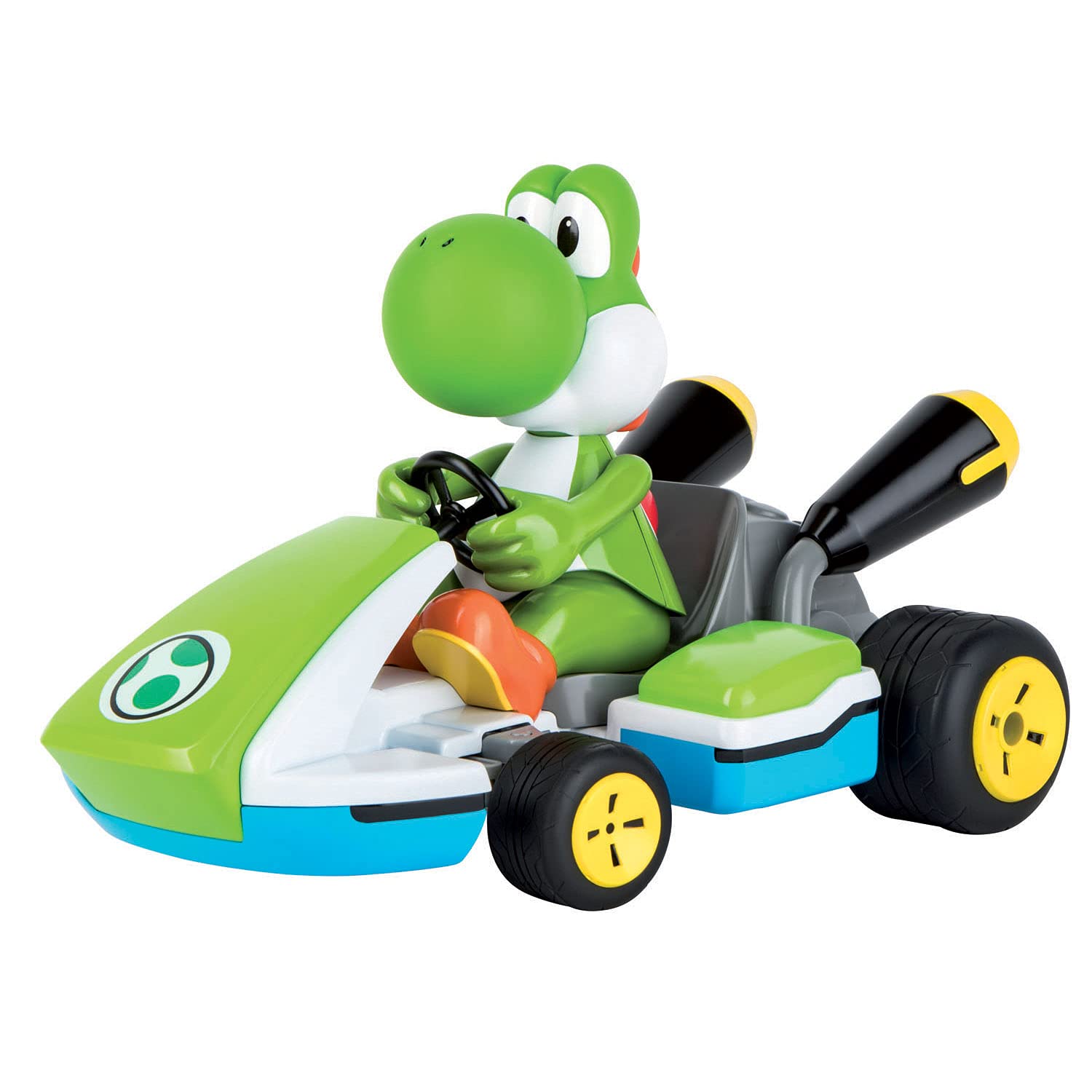
Image: The Carrera RC Mario Kart Yoshi Race Kart, featuring Yoshi in his green and white kart, ready for action.
2. Alaye Aabo
Please read all safety warnings and instructions carefully before operating the vehicle to prevent injury or damage.
- Ko dara fun awọn ọmọde labẹ ọdun 6.
- Jeki ọwọ, irun, ati awọn aṣọ alaimuṣinṣin kuro lati awọn ẹya gbigbe.
- Do not operate near people, animals, or obstacles.
- Yẹra fún ṣíṣiṣẹ́ ní ojú ọ̀nà tí ó rọ̀ tàbí ní ojú ọ̀nà gbogbogbòò.
- Always use fresh batteries for the remote control and dispose of all batteries responsibly.
3. Ohun ti o wa ninu Apoti
- Carrera RC Mario Kart Yoshi Race Kart Vehicle
- Rechargeable Battery for Vehicle
- Certified Turbo Charger
- 2.4 GHz Isakoṣo latọna jijin
- 2x AAA Batteries (for remote control, non-rechargeable)
- Ọja Afowoyi
4. Eto
4.1 Gbigba agbara batiri ọkọ ayọkẹlẹ
The vehicle comes with a rechargeable battery. Use the included certified turbo charger to fully charge the battery. A full charge takes approximately 80 minutes and provides up to 40 minutes of drive time.
4.2 Fifi awọn batiri Iṣakoso latọna jijin
The 2.4 GHz remote control requires 2x AAA batteries (non-rechargeable), which are included. Open the battery compartment on the remote control, insert the batteries ensuring correct polarity, and close the compartment securely.

Image: The black Carrera RC remote control with red joysticks and buttons.
5. Awọn ilana Iṣiṣẹ
5.1 Agbara Lori ati Sisopọ
Ensure both the vehicle and the remote control have charged batteries. Turn on the vehicle using the switch located on its underside. Then, turn on the remote control. The 2.4 GHz digital frequency control system will automatically pair, allowing operation of up to 16 remote control vehicles simultaneously without interference.
5.2 Wíwakọ̀ ọkọ̀ ayọ́kẹ́lẹ́
Use the joysticks on the remote control to maneuver the Yoshi Race Kart. The controls allow for full-power acceleration and precise steering. The vehicle can reach speeds of up to 13 mph.
5.3 Pataki Awọn ẹya ara ẹrọ
- Asesejade-Imudaniloju Apẹrẹ: The vehicle features a splash-proof, water-resistant body, allowing operation on wet, slippery surfaces.
- Awọn ipa ohun: Turn on the sound feature to hear life-like racing noises.
- Body Tilting Action: Yoshi leans to the side as you take turns, adding realism to the driving experience.
- Iṣakoso Imudara: Differential gear, pneumatic tires, and a full-spring suspension provide improved handling and stability.
6. Itọju
- Regularly clean the vehicle to remove dirt and debris, especially from the wheels and chassis. Use a soft, dry cloth.
- Store the vehicle and remote control in a dry, cool place away from direct sunlight and extreme temperatures when not in use.
- Remove batteries from the remote control if storing for extended periods to prevent potential leakage and damage.
- Inspect tires for wear and tear and ensure they are free from embedded objects.
7. Laasigbotitusita
- Ọkọ ayọkẹlẹ ko dahun: Ensure both the vehicle and remote control are powered on. Check that the vehicle's rechargeable battery is fully charged and correctly installed. Verify the AAA batteries in the remote control are fresh and properly inserted.
- Ibiti ko dara tabi idamu: While the 2.4 GHz system minimizes interference, ensure no other strong radio signals or large metallic objects are nearby that could disrupt the connection.
- Vehicle not moving straight: If the vehicle veers to one side, check for a steering trim adjustment on the remote control (if available) or inspect the steering mechanism for any obstructions or damage.
8. Awọn pato
| Ẹya ara ẹrọ | Ẹ̀kúnrẹ́rẹ́ |
|---|---|
| Ọja Mefa | 19.29 x 11.61 x 11.41 inches |
| Iwọn Nkan | 4.62 iwon |
| Nọmba Awoṣe Nkan | 370162108 |
| Olupese niyanju ori | 6 ọdun ati si oke |
| Batiri ọkọ | Gbigba agbara (pẹlu) |
| Awọn batiri Iṣakoso latọna jijin | 2x AAA (non-rechargeable, included) |
| Olupese | Carrera |
| Iwọn | 1:16 |
| Igbohunsafẹfẹ | 2.4 GHz |
| Iyara ti o pọju | Titi di 13 mph |
| Akoko gbigba agbara | Isunmọ. 80 iṣẹju |
| Wakọ Time | Titi di iṣẹju 40 |
9. Atilẹyin ọja ati Support
For detailed warranty information, product registration, or technical support, please refer to the documentation included in your product packaging. You may also visit the official Carrera website for further assistance. Specific warranty terms and support options may vary by region and retailer.


