Ọrọ Iṣaaju
This manual provides instructions for the safe and effective use of your Tzumi AquaBoost Boom Waterproof Bluetooth Speaker. Please read this manual thoroughly before operating the device and retain it for future reference.
Package Awọn akoonu
- Tzumi AquaBoost Boom Bluetooth Speaker
- Micro-USB Ngba agbara USB
- Auxiliary (AUX) Audio Cable
Ọja Awọn ẹya ara ẹrọ
- IP68 Certified Waterproof: Designed to be fully impervious to sand and water.
- Bluetooth 4.2 Asopọmọra: Wireless streaming up to 33 feet (10 meters).
- Ikole ti o tọ: Shockproof silicone shell and dust-resistant design.
- Igbesi aye batiri gigun: Up to 5 hours of continuous play on a full charge.
- Awọn iṣakoso ogbon: Four control buttons with LED indicator lights for easy operation.
- Agbara Aifọwọyi Paa: Conserves battery by powering off after 10 minutes of idle time.
- Awọn aṣayan Asopọmọra pupọ: Bluetooth and Auxiliary input.

Image: The AquaBoost Boom speaker is designed to float and continue playing music even when submerged, making it suitable for pool use.
Ṣeto
1. Gbigba agbara Agbọrọsọ
Before first use, fully charge the speaker. Connect the supplied Micro-USB cable to the charging port on the speaker and the other end to a USB power adapter (not included) or a computer's USB port. The LED indicator will show charging status.
- Aago gbigba agbara: O fẹrẹ to awọn wakati 3.
- Battery Life: Up to 5 hours of playback.
2. Agbara lori / Paa
- Láti Tan-an: Tẹ bọtini agbara ki o si di mu titi ti ifihan LED yoo fi tan-an.
- Láti Pa Agbára: Tẹ bọtini Agbára náà kí o sì di í mú títí tí àmì LED yóò fi pa á.
3. Sisopọ Bluetooth
- Ensure the speaker is powered on and within 33 feet (10 meters) of your Bluetooth-enabled device.
- The speaker will automatically enter pairing mode, indicated by a blinking LED light.
- Lori ẹrọ rẹ, mu Bluetooth ṣiṣẹ ki o wa awọn ẹrọ to wa.
- Select "AquaBoost Boom" from the list of devices.
- Once paired, the LED indicator will become solid, and you will hear an audible confirmation.
- Agbọrọsọ yoo tun sopọ laifọwọyi si ẹrọ ti o so pọ to kẹhin nigbati o ba wa ni tan, ti o ba wa.

Image: The AquaBoost Boom speaker is designed for outdoor use, including sandy environments like beaches, due to its dust-resistant and shockproof construction.
4. Iranlọwọ (AUX) Asopọ
To connect a device without Bluetooth, use the supplied 3.5mm auxiliary cable. Insert one end into the speaker's AUX input port and the other end into your device's audio output jack. The speaker will automatically switch to AUX mode.
Awọn ilana Iṣiṣẹ
Awọn bọtini Iṣakoso
The AquaBoost Boom features four control buttons for managing playback and calls:
- Bọtini agbara: Tẹ mọlẹ lati fi agbara tan/pa a.
- Bọ́tìnnì Ṣíṣe/Sánu duro: Press to play or pause music. Press to answer or end a call.
- Iwọn didun soke (+): Tẹ lati mu iwọn didun pọ si. Tẹ mọlẹ fun orin atẹle.
- Iwọn didun isalẹ (-): Tẹ lati dinku iwọn didun. Tẹ mọlẹ fun orin iṣaaju.
Agbara Aifọwọyi Pa a
Láti fi batiri pamọ́, agbọ́hùnsọ̀ náà yóò pa láìfọwọ́sí lẹ́yìn ìṣẹ́jú 10 tí a kò bá ṣiṣẹ́ (kò sí ìṣiṣẹ́ ohùn tàbí ìsopọ̀ Bluetooth).
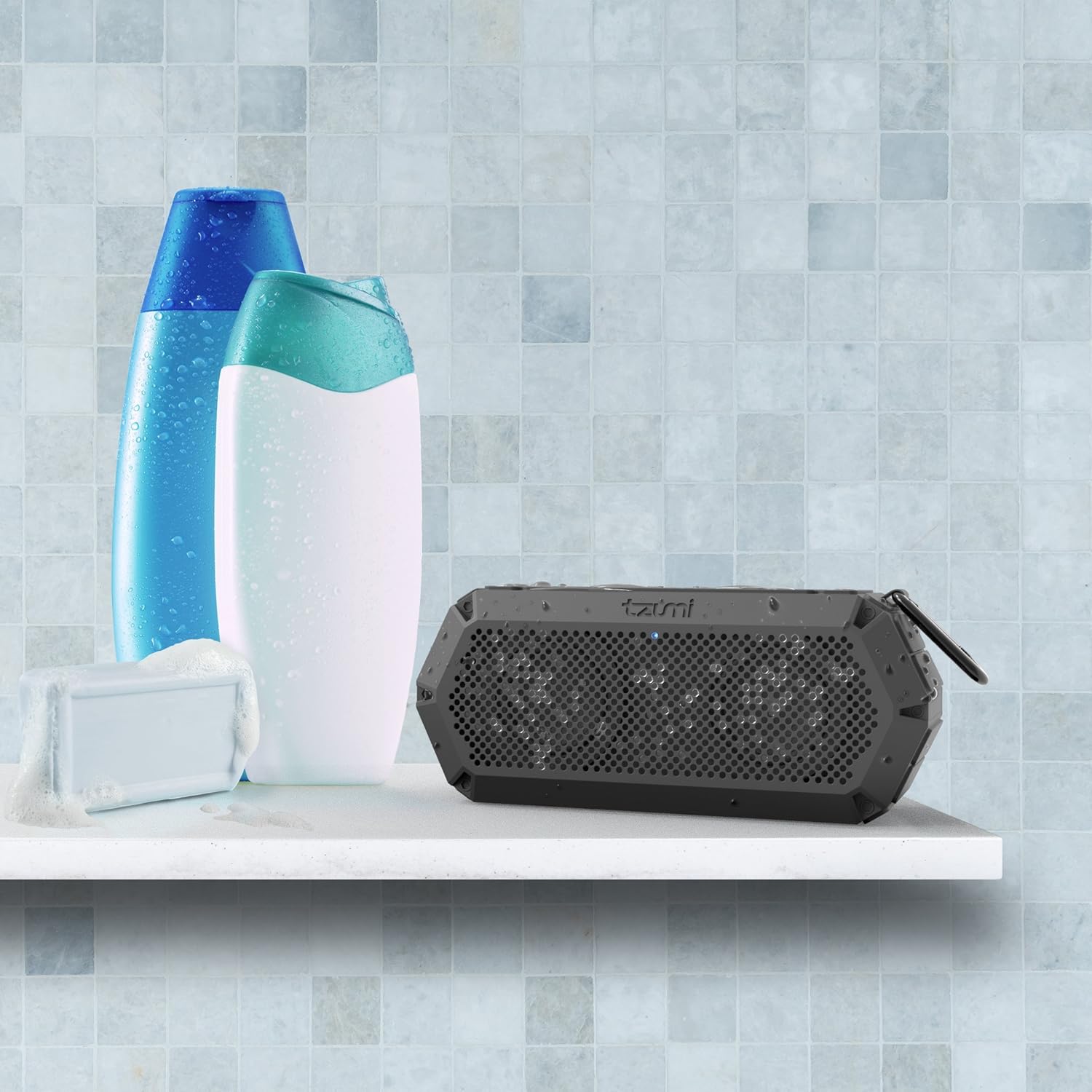
Image: The IP68 waterproof rating makes the AquaBoost Boom suitable for use in wet environments such as showers or bathrooms.
Itoju
Ninu
Nu agbọrọsọ nu pẹlu asọ, damp cloth. Do not use abrasive cleaners or solvents. Ensure all ports are dry before charging.
Ibi ipamọ
Tọju agbohunsoke ni itura, aye gbigbẹ kuro lati orun taara ati awọn iwọn otutu to gaju. Ti o ba tọju fun akoko ti o gbooro sii, gba agbara si batiri lorekore lati ṣetọju iye akoko rẹ.
Laasigbotitusita
| Isoro | Owun to le Fa | Ojutu |
|---|---|---|
| Agbọrọsọ ko ni agbara lori. | Batiri kekere. | Gba agbara si agbọrọsọ ni kikun. |
| Ko le so pọ nipasẹ Bluetooth. | Agbọrọsọ kii ṣe ni ipo sisopọ; Bluetooth ẹrọ pa; ju jina lati agbọrọsọ. | Ensure speaker is on and LED is blinking. Turn device Bluetooth off/on. Move device closer to speaker. |
| Ko si ohun. | Iwọn ti o kere ju; Ipo titẹ sii ti ko tọ; ẹrọ ko dun. | Increase speaker and device volume. Check if AUX cable is connected (switches to AUX mode). Ensure music is playing on the device. |
| Iparun ohun. | Volume too high; device too far from speaker. | Dín ohùn tó wà lórí agbọ́hùnsọ àti ẹ̀rọ kù. Gbé ẹ̀rọ náà sún mọ́ agbọ́hùnsọ. |
Awọn pato
- Awoṣe: 5311AMZ
- Ẹya Bluetooth: 4.2
- Iwọn Alailowaya: Titi de 33 ẹsẹ (10 mita)
- Idiwon ti ko ni omi: IP68
- Agbara Batiri: Provides up to 5 hours of playback
- Akoko gbigba agbara: O fẹrẹ to awọn wakati 3
- Ijade agbara: 8 Wattis
- Awọn iwọn: 2.9 x 5 x 7.9 inches
- Ìwúwo: 14.4 iwon
- Asopọmọra: Bluetooth, Auxiliary (3.5mm), Micro-USB for charging
- Awọn eroja to wa: Bluetooth Speaker, Micro-USB Cable, AUX Cable
Atilẹyin ọja ati Support
Tzumi products are designed for reliability and performance. If you encounter any issues or require assistance with your AquaBoost Boom speaker, please contact Tzumi customer support directly for assistance.
For support, visit the official Tzumi webaaye tabi tọka si alaye olubasọrọ ti a pese pẹlu apoti ọja rẹ.


