1. Ifihan
The HyperX Cloud Flight is a wireless gaming headset designed for extended use and immersive audio experiences. It features a robust 2.4GHz wireless connection, a long-lasting battery, and comfortable memory foam earcups. This manual provides essential information for setting up, operating, and maintaining your headset.
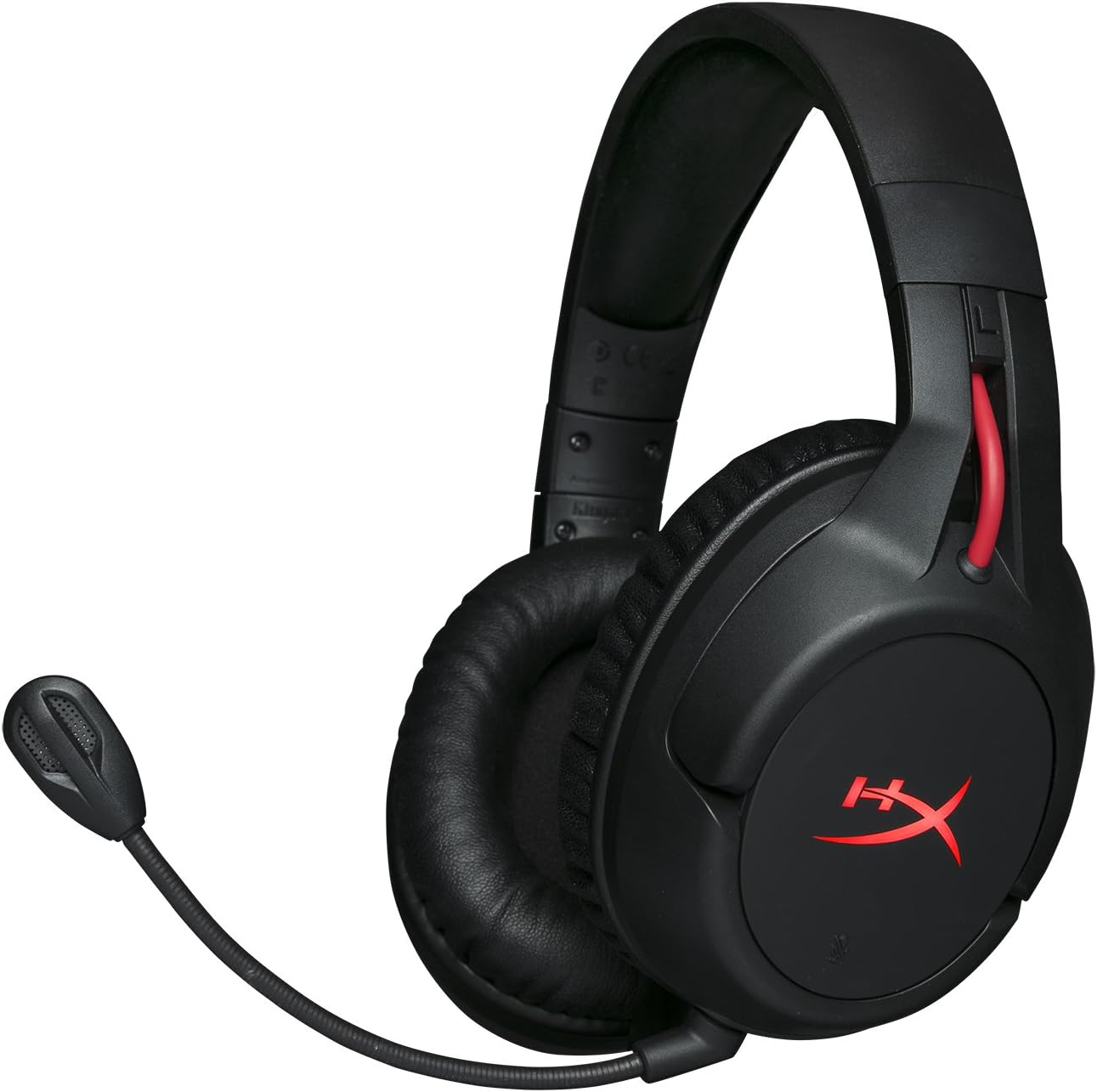
Figure 1.1: HyperX Cloud Flight Wireless Gaming Headset.
2. Package Awọn akoonu
Rii daju pe gbogbo awọn nkan wa ninu package:
- HyperX Cloud Flight Headset
- Ariwo-Fagilee Gbohungbohun
- Okun Ngba agbara USB
- Adapter Alailowaya USB
- Itọsọna olumulo

Figure 2.1: Included components of the HyperX Cloud Flight headset.
3. Awọn ẹya Ọja
- Gaming-Grade Wireless: Utilizes a stable 2.4GHz wireless connection for reliable audio transmission.
- Igbesi aye batiri ti o gbooro sii: Up to 30 hours of battery life with LED lights off, allowing for prolonged gaming sessions.
- Signature HyperX Comfort: Features comfortable memory foam earcups and a durable, adjustable steel slider for a secure and pleasant fit.
- Ibamu Olona Platform: Compatible with PC, PlayStation 4, and PlayStation 5.
- Rotating Ear Cups: Ear cups rotate 90 degrees for comfortable resting around your neck and feature LED lighting effects.
- Intuitive On-Board Controls: Convenient controls for LED effects, microphone mute, power, and volume are located on the ear cups.
- Detachable Noise-Cancelling Microphone: Ensures clear communication and can be removed when not needed. The microphone functions only in wireless mode and is compatible with PC and PS4.
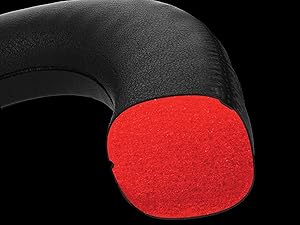
Figure 3.1: Headset designed for comfort during extended use.

Figure 3.2: Durable steel slider for adjustability and longevity.
4. Awọn ilana iṣeto
- Gba agbara si Agbekọri: Before first use, fully charge the headset using the provided USB charging cable. Connect the micro-USB end to the headset and the USB-A end to a powered USB port.
- Connect USB Wireless Adapter: Insert the USB wireless adapter into an available USB port on your PC, PS4, or PS5.
- Agbekọri Agbara Lori: Press and hold the power button on the left earcup for 3-5 seconds until the LED indicator lights up. The headset will automatically pair with the USB adapter.
- So gbohungbohun pọ mọ: Insert the detachable noise-cancelling microphone into the port on the left earcup. Ensure it clicks securely into place.
- Adjust Settings (PC/PS4/PS5):
- PC: Go to Sound Settings and select "HyperX Cloud Flight" as the default playback and recording device.
- PS4/PS5: Go to Sound/Audio Devices settings and ensure "HyperX Cloud Flight" is selected for both input and output.
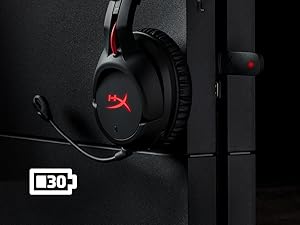
Figure 4.1: Connecting the USB adapter to a console for wireless operation.
5. Awọn ilana Iṣiṣẹ
- Titan/Apapa: Press and hold the power button on the left earcup for 3-5 seconds.
- Iṣakoso iwọn didun: Use the volume wheel located on the bottom of the right earcup to adjust audio output.
- Pa gbohungbohun: Press the button on the left earcup to mute/unmute the microphone. An audible indicator will confirm the status.
- Awọn ipa LED: Briefly press the power button to cycle through LED lighting effects (Solid LED, Breathing LED, LED Off).
- Chat Mixer (PC/PS4): The headset features a chat mixer on the left earcup. The front button prioritizes game volume, while the rear button prioritizes chat volume.
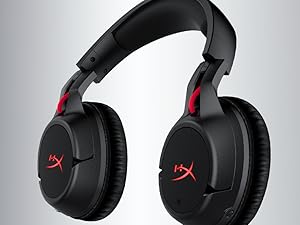
Figure 5.1: On-board controls for volume and microphone mute.
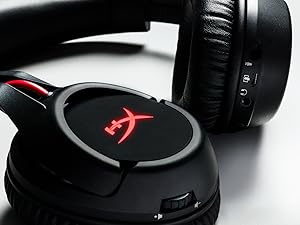
Figure 5.2: Detachable microphone for clear voice communication.
6. Gbigba agbara ati batiri Life
The HyperX Cloud Flight headset offers impressive battery performance:
- LED Paa: Titi di wakati 30
- LED mimi: Titi di wakati 18
- Ri to LED: Titi di wakati 13
Battery life is tested at 50% headset volume. Audible indicators will notify you of low battery status. Use the provided USB charging cable to recharge the headset.
Fidio 6.1: Ọja Pariview ifihanasing features including battery life.
7. Itọju ati Itọju
- Tọ́jú agbekọri naa si ibi ti o mọ ati ti o gbẹ nigbati o ko ba lo o.
- Clean earcups and headband with a soft, damp asọ. Yago fun awọn kẹmika lile.
- Ma ṣe fi agbekari han si awọn iwọn otutu to gaju tabi imọlẹ orun taara.
- Yago fun sisọ tabi tẹri agbekari si awọn ipa to lagbara.
8. Laasigbotitusita
- No Audio/Microphone:
- Rii daju pe agbekari wa ni titan ati gbigba agbara ni kikun.
- Verify the USB wireless adapter is securely connected to your device.
- Check your device's sound settings to ensure "HyperX Cloud Flight" is selected as the default audio input/output.
- Confirm the microphone is properly attached and not muted.
- Poor Wireless Connection:
- Ensure the headset is within the 20-meter wireless range of the USB adapter.
- Minimize obstructions between the headset and the adapter.
- Avoid interference from other 2.4GHz devices.
- Agbekọri Ko Ngba agbara:
- Verify the USB charging cable is correctly connected to both the headset and a powered USB port.
- Gbiyanju ibudo USB ti o yatọ tabi okun gbigba agbara.
9. Awọn pato
| Ẹya ara ẹrọ | Ẹ̀kúnrẹ́rẹ́ |
|---|---|
| Orukọ awoṣe | Cloud Flight |
| Asopọmọra Technology | Alailowaya (2.4GHz) |
| Alailowaya Ibiti | Ti o to awọn mita 20 |
| Awọn ẹrọ ibaramu | PC, PS4, PS5 |
| Awakọ | Yiyi, 50mm pẹlu neodymium oofa |
| Agbekọri Iru | Circumaural, Ti pa pada |
| Idahun Igbohunsafẹfẹ | 20Hz - 20,000Hz |
| Ipalara | 32 ohms |
| Ipele Ipa Ohun | 106 dBSPL/mW at 1kHz |
| THD | <2% |
| Iwọn agbekọri | 300g (315g pẹlu gbohungbohun) |
| Gbohungbohun Ano | Electret condenser gbohungbohun |
| gbohungbohun Pola Àpẹẹrẹ | Ifagile ariwo |
| Idahun Igbohunsafẹfẹ Gbohungbohun | 100Hz - 7000Hz |
| Ifamọ Gbohungbohun | -45dBV (0dB=1V/Pa, 1kHz) |
| Battery Life (LED off) | wakati meji 30 |
| Battery Life (Breathing LED) | wakati meji 18 |
| Battery Life (Solid LED) | wakati meji 13 |
| Ohun elo | Memory Foam, Premium Leatherette, Steel |
| Awọn iwọn Nkan (LxWxH) | 7.48 x 3.43 x 7.36 inches |
| UPC | 196188048207 |
10. Atilẹyin ọja ati Support
The HyperX Cloud Flight headset typically comes with a 2-year manufacturer's warranty. For technical support, warranty claims, or additional product information, please visit the official HyperX support webojula tabi kan si wọn onibara iṣẹ.
O le wa alaye diẹ sii ati awọn orisun atilẹyin ni aaye naa Ile itaja HyperX lori Amazon.


