Ọrọ Iṣaaju
This manual provides detailed instructions for the GE 4-in-1 LED Power Failure Night Light, Model 29679. This versatile device functions as a power failure light, a night light, a task light, and a portable flashlight. It features a built-in dusk-to-dawn sensor and a rechargeable battery for reliable illumination.

Image: The GE 4-in-1 LED Power Failure Night Light, showing the device and its retail packaging, highlighting its multi-functionality and light sensing feature.
Alaye Aabo
- Lilo inu ile Nikan: A ṣe apẹrẹ ọja yii fun lilo ninu ile ni awọn aaye gbigbẹ. Maṣe fi si omi tabi ọrinrin.
- Itanna Itanna: Ensure the product is plugged into a standard 120-volt AC outlet.
- Ninu: Disconnect from power before cleaning. Wipe with a soft, dry cloth. Do not use liquid cleaners.
- Ko si Awọn apakan Iṣẹ Olumulo: Má ṣe gbìyànjú láti ṣí tàbí tún ẹ̀rọ náà ṣe. Tọ́ka gbogbo iṣẹ́ ìtọ́jú náà sí àwọn òṣìṣẹ́ iṣẹ́ tó péye.
- Aabo Batiri: The unit contains a non-replaceable rechargeable battery. Do not dispose of the unit in fire or expose to excessive heat.
Package Awọn akoonu
- 1 x GE 4-in-1 LED Power Failure Night Light (Model 29679)
Ọja Awọn ẹya ara ẹrọ
- 4-in-1 Iṣẹ-ṣiṣe: Operates as a night light, power failure light, task light, and flashlight.
- Sensọ Oru-si-Owurọ: Automatically turns the night light on when the room is dark and off when the room is lit.
- Batiri gbigba agbara: Integrated battery charges when plugged into an outlet and powers the light during outages or as a portable flashlight.
- Plugi ti o le ṣe pọ: Allows for compact storage and comfortable handheld use as a flashlight.
- Illumination Levels: Provides 40 lumens as a flashlight, 20 lumens as a tabletop light, 10 lumens as a night light, and 5 lumens as an emergency light.
Ṣeto
- Yọọ kuro: Fara yọ ina alẹ kuro ninu apoti rẹ.
- Wọle: Extend the foldable plug and insert the night light into a standard 120-volt AC wall outlet. Ensure it is securely seated.
- Idiyele Ibẹrẹ: Allow the unit to charge for several hours upon first use to ensure the internal battery is fully charged. The night light will function while charging.

Image: The night light plugged into a wall outlet, illustrating its light sensing capability, turning off at dawn/when room is lit and on at dusk/when room is dark.
Awọn ilana Iṣiṣẹ
Ipo Imọlẹ Alẹ
- When plugged into an outlet, the built-in light sensor will automatically turn the LED panel on at dusk or when the room becomes dark, and off at dawn or when the room is lit.
- To adjust the brightness of the night light, press the side button. This cycles through different brightness levels.
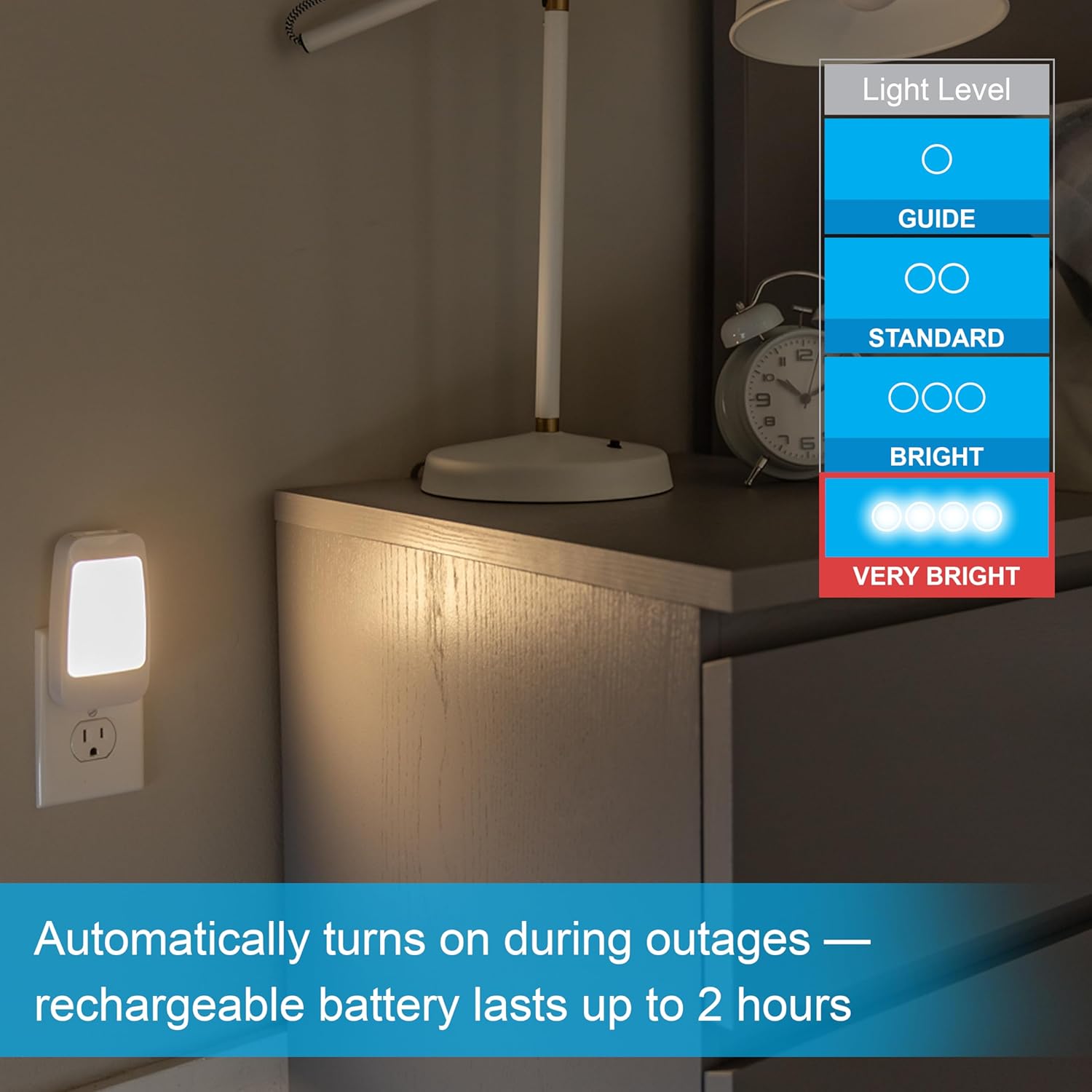
Image: The night light plugged into a wall outlet, with an overlay indicating various light level settings from 'Guide' to 'Very Bright'.
Power Failure Light Mode
- Ti agbara ba watage occurs while the unit is plugged into an active outlet, the LED panel will automatically illuminate to provide emergency lighting.
- The rechargeable battery provides power for this mode.

Image: The night light plugged into an outlet, with text indicating it automatically turns on during outages and the rechargeable battery lasts up to 2 hours.
Ògùṣọ̀ Ipo
- Unplug the night light from the wall outlet.
- Fold the electrical plug into the unit for comfortable handheld use.
- Press the side button twice to activate the flashlight.
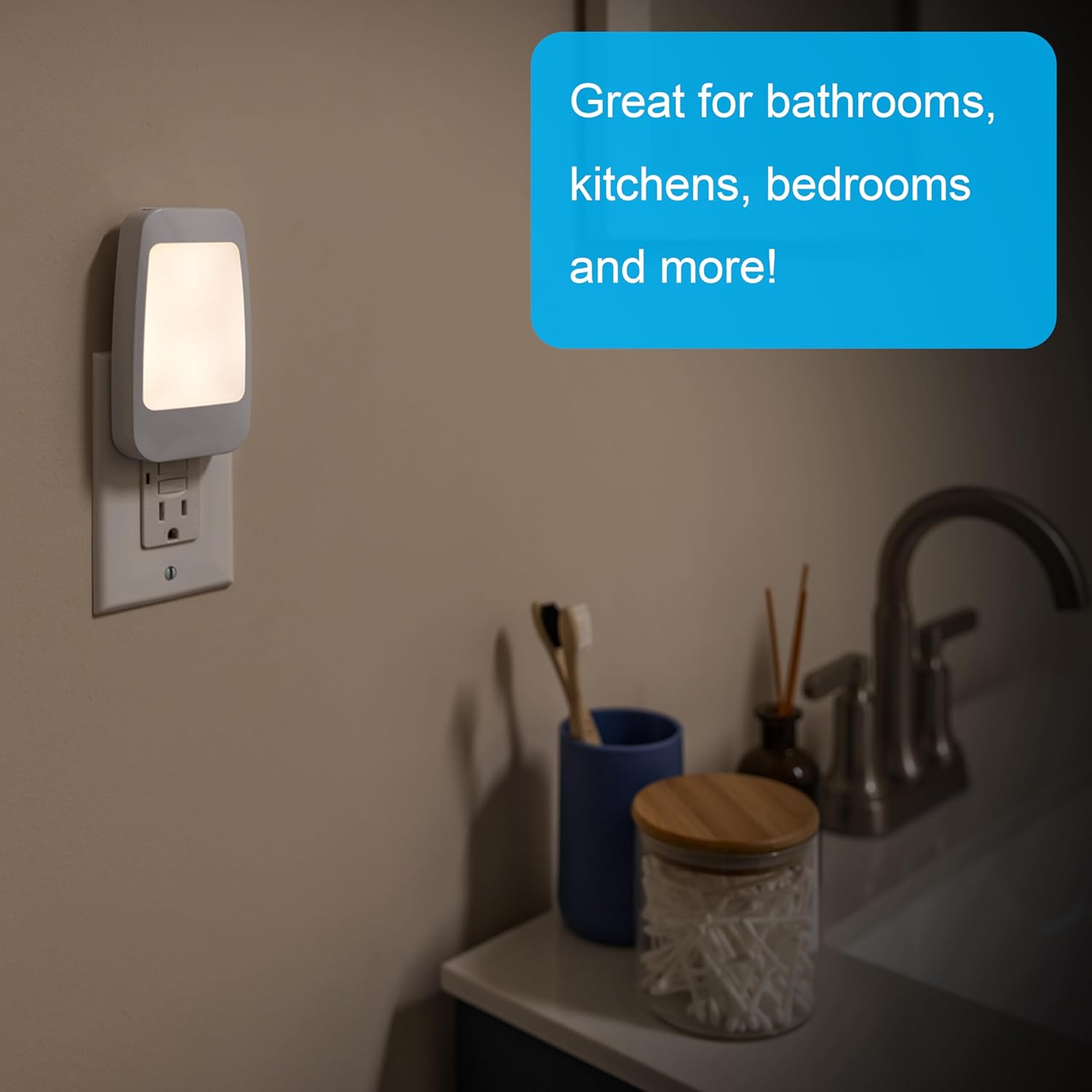
Image: A hand holding the night light as a flashlight, illuminating a circuit breaker panel, demonstrating its handheld mode and foldable plug.
Tabletop Light Mode
- While in flashlight mode, press the side button one more time to switch to the low-level panel light illumination, suitable for tabletop use.
Itoju
- Ninu: To clean the night light, ensure it is unplugged from the wall outlet. Use a soft, dry cloth to wipe the exterior. Do not use abrasive cleaners, solvents, or immerse the unit in water.
- Itọju Batiri: The internal rechargeable battery is designed for long-term use. Keep the unit plugged in when not in portable use to maintain battery charge.
Laasigbotitusita
| Isoro | Owun to le Fa | Ojutu |
|---|---|---|
| Night light does not turn on at dusk. | Room is too bright; unit is not plugged in; sensor is obstructed. | Ensure the room is sufficiently dark. Verify the unit is securely plugged into a working outlet. Check that the light sensor is not covered. |
| Light does not turn on during a power outage. | Battery is not charged; unit is not plugged in. | Ensure the unit has been plugged into an outlet to charge its internal battery. Verify the outlet is functional. |
| Flashlight/Tabletop light is dim or does not turn on. | Batiri naa kere tabi ti dinku. | Plug the unit into a wall outlet and allow it to charge for several hours. |
Awọn pato
- Nọmba awoṣe: 29679
- Brand: Gbogbogbo Electric
- Awọn iwọn (LxWxH): 4.76" x 2.64" x 1.55"
- Ìwọ̀n Nkan: 3.2 iwon
- Orisun Imọlẹ Imọlẹ: LED
- Wattage: 1 watt
- Voltage: 120 Volts
- Imọlẹ: Up to 40 Lumens (Flashlight Mode)
- Orisun Agbara: Batiri Agbara (Agba agbara)
- Ohun elo: Ṣiṣu
- Lilo inu ile/ita gbangba: Ninu ile Nikan
- Awọn ẹya pataki: Portable, Rechargeable, Dusk-to-Dawn Sensor, Power Failure Auto-On
- UPC: 030878296793
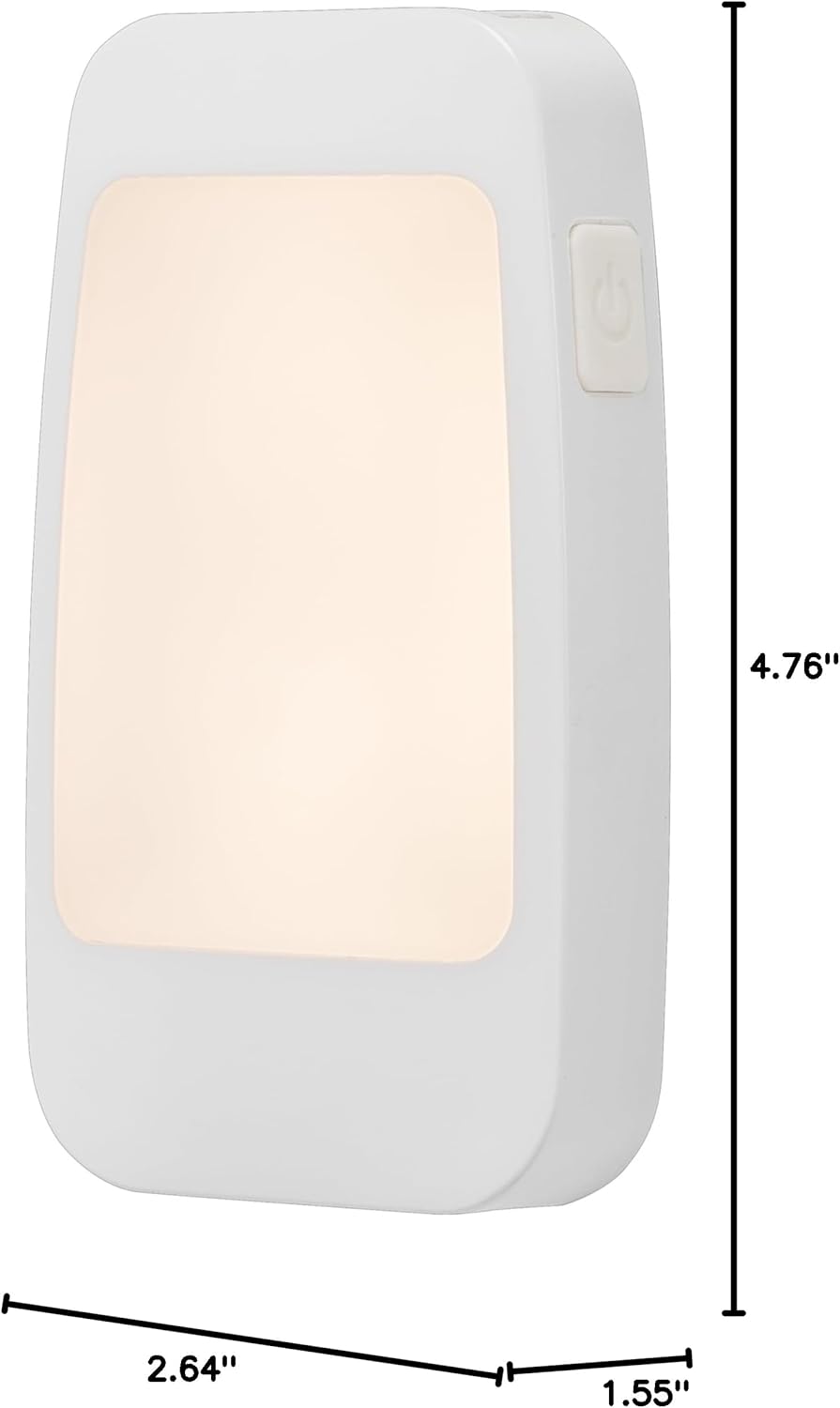
Image: A diagram showing the dimensions of the GE 4-in-1 LED Power Failure Night Light: 4.76 inches in height, 2.64 inches in width, and 1.55 inches in depth.
Atilẹyin ọja ati Support
Atilẹyin ọja: This product is covered by a Limited-Lifetime Warranty. For specific details regarding warranty coverage, please refer to the documentation included with your purchase or contact customer support.
Atilẹyin: For further assistance, product information, or to view other GE products, please visit the official GE store on Amazon: Ile itaja Awọn Ohun elo GE.


