1. Ifihan ati Loriview
The LeapFrog Learning Friends 100 Words Book is an interactive educational toy designed to introduce new vocabulary to young children. Featuring animal friends Turtle, Tiger, and Monkey, this book helps children explore over 100 age-appropriate words across various categories. It supports bilingual learning in both English and Spanish, offers fun facts, sound effects, and engaging learning songs.
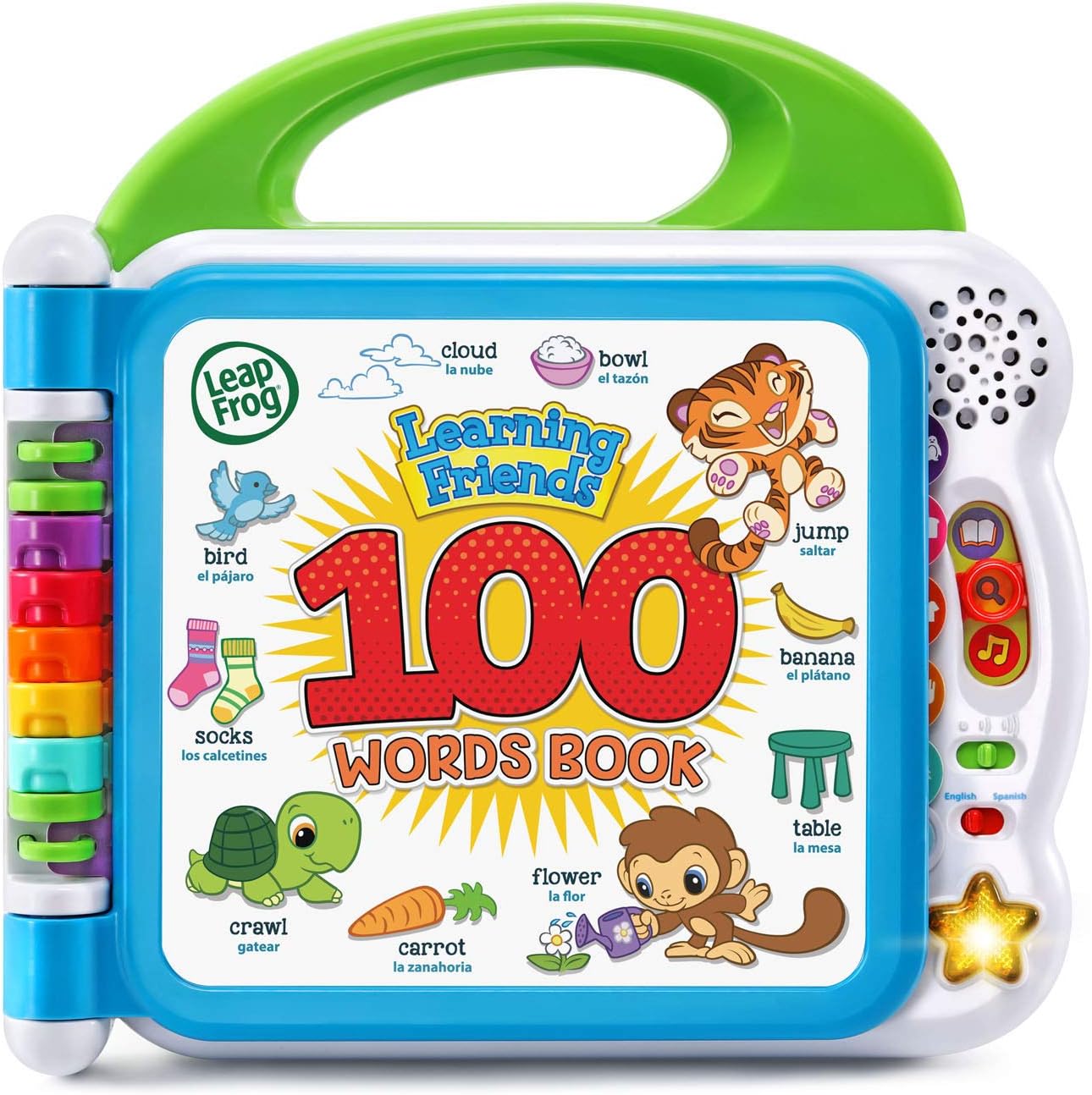
Aworan: Iwaju view of the LeapFrog Learning Friends 100 Words Book.
2. Eto
2.1 Fifi sori batiri
The Learning Friends 100 Words Book requires 2 AA batteries for operation. Batteries included are for demo purposes only; new batteries are recommended for regular use. To install or replace batteries:
- Locate the battery compartment on the back of the book.
- Use a Phillips head screwdriver to open the battery compartment cover.
- Fi awọn batiri AA tuntun 2 sii, ni idaniloju polarity ti o pe (+/-).
- Rọpo ideri ki o ni aabo pẹlu dabaru.

Aworan: Ẹyin view of the book, highlighting the battery compartment.
2.2 Agbara Tan / Pa
To power on the device, slide the power switch located on the side of the book. To power off, slide the switch to the 'Off' position.
3. Awọn ilana Iṣiṣẹ
3.1 Language Yiyan
The book supports both English and Spanish. Use the language switch on the side panel to select your preferred language for words, songs, and instructions.
3.2 Iṣakoso iwọn didun
Adjust the volume using the volume control switch located next to the language switch on the side panel.
3.3 Aṣayan ipo
Three interactive modes are available, selected via buttons on the right-hand side of the book:
- Words Mode: Touch any picture on the page to hear the word and its pronunciation.
- Fun Facts Mode: Touch pictures to hear interesting facts related to the image.
- Fun Sounds Mode: Touch pictures to hear silly sound effects.
3.4 Interacting with Pages
Open the book to any of the colorful pages. Each page features various categories such as pets, animals, food, mealtime, colors, activities, opposites, and outdoor scenes. Simply touch the pictures on the pages to activate the selected mode's audio responses.

Image: The book open to pages displaying various pets and animals.
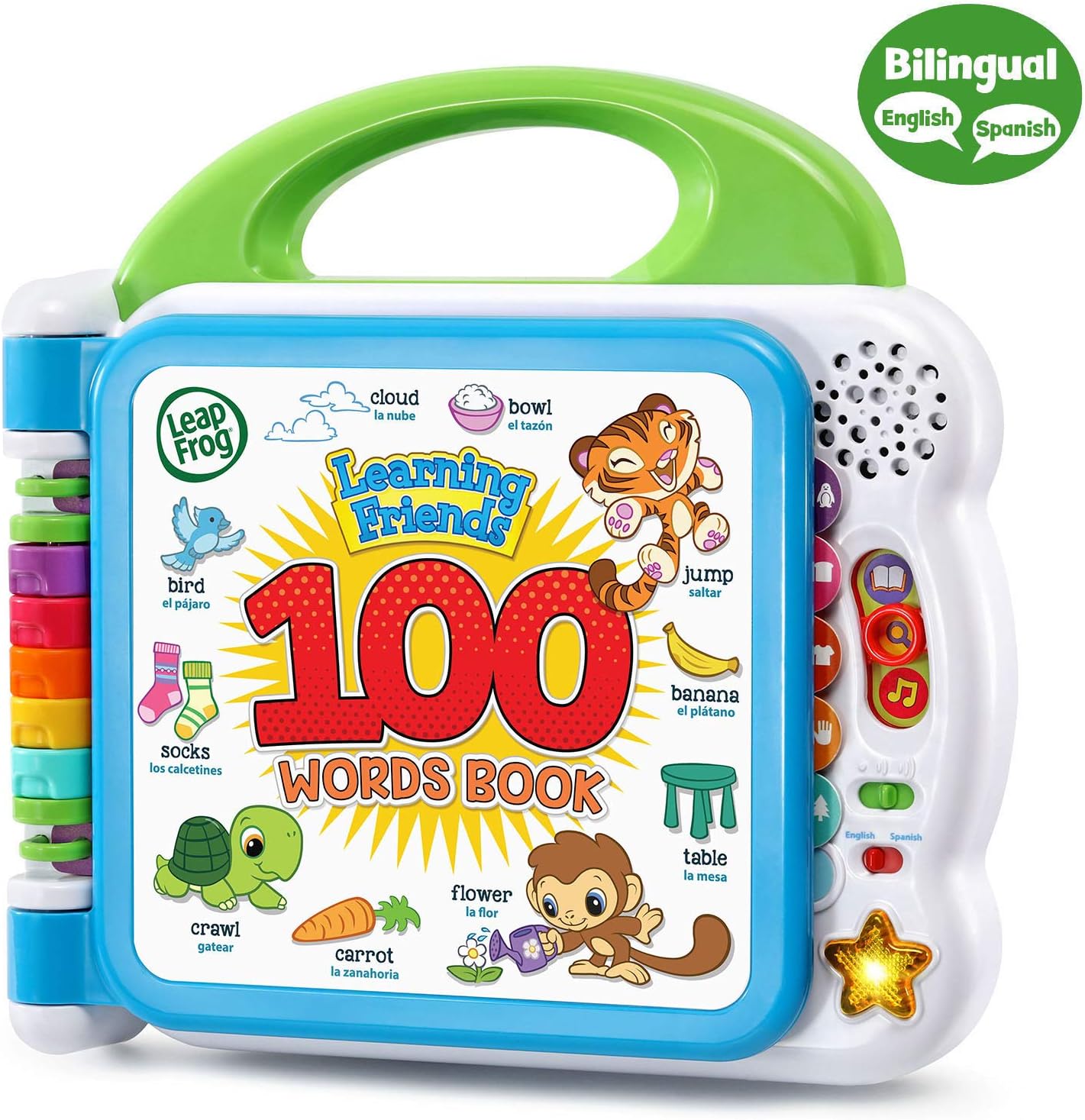
Image: The book open to pages displaying various fruits and food items.
3.5 Learning Songs
Press the light-up star button on the right side of the book to hear two engaging learning songs.
Video: A seller's review demonstrating the features and sounds of the LeapFrog Learning Friends 100 Words Book.
4. Awọn ẹya ara ẹrọ
- Ẹkọ Ibanisọrọpọ: Meet learning friends Turtle, Tiger and Monkey who introduce over 100 age-appropriate words chosen by learning experts.
- Category Exploration: Includes word categories such as pets, animals, food, mealtime, colors, activities, opposites, and outdoor themes.
- Sound Engagement: Touch words to hear new vocabulary, sound effects, and fun facts.
- Bilingual Support: Words, songs, and instructions are available in both English and Spanish to promote language skills.
- Idaraya Orin: Press the light-up star button to hear two learning songs.
5. Itọju
5.1 Ninu
To clean the book, wipe the surfaces with a soft, damp cloth. Do not immerse the book in water or use harsh cleaning agents.
5.2 batiri Itọju
Yọ awọn batiri kuro ti wọn ko ba lo ohun isere naa fun igba pipẹ lati dena jijo. Pa awọn batiri ti a ti lo mọ daradara.
6. Laasigbotitusita
- Ko si Ohun/Ohùn Idilọwọ: Check if the power switch is in the 'On' position and if the volume is turned up. Replace batteries if necessary.
- Incorrect Responses: Ensure the mode selector is set to the desired learning mode (Words, Fun Facts, or Fun Sounds).
- Ẹrọ Ko Dahun: Turn the unit off and then on again. If the issue persists, replace the batteries.
7. Awọn pato
- Awọn iwọn ọja: 9.17 x 9.37 x 1.89 inches
- Ìwọ̀n Nkan: 1.51 iwon
- Nọmba Awoṣe Nkan: 80-601541
- Ọjọ ori Ti a ṣeduro Olupese: 18 osu - 4 ọdun
- Awọn batiri: 2 AA batteries required (included for demo purposes)
- Ojo ifisile: Oṣu Kẹta Ọjọ 11, Ọdun 2018
- Olupese: VTech
8. Ohun ti o wa ninu Apoti
- LeapFrog Learning Friends 100 Words Book (Frustration Free Packaging), Green
9. Atilẹyin ọja ati Support
Fun alaye atilẹyin ọja ati atilẹyin alabara, jọwọ tọka si oṣiṣẹ ti olupese webojula tabi kan si wọn onibara iṣẹ taara. Tọju iwe-ẹri rira fun eyikeyi awọn ibeere atilẹyin ọja.


