1. Ọja Ipariview
The Secukey D3 is a standalone RFID and PIN-code access control system designed for both indoor and outdoor use. It features a wireless keypad, a wireless lock unit, and two remote controls, offering a convenient and secure solution for access management. The system is battery-operated, eliminating the need for complex wiring, and boasts an IP66 rating for weather resistance.

Figure 1: The complete Secukey D3 system, including the wireless lock unit, the numeric keypad, and two remote control fobs.
2. Package Awọn akoonu
Jọwọ rii daju pe gbogbo awọn nkan ti a ṣe akojọ rẹ si isalẹ wa ninu package rẹ:
- 1 x Secukey D3 RFID/PIN Standalone Access Detector (Wireless Keypad)
- 1 x Wireless Lock Unit
- 2 x Awọn iṣakoso latọna jijin
- 5 x RFID Key Fobs
- 1 x Itọsọna olumulo (iwe yii)
3. Eto ati fifi sori
The Secukey D3 system is designed for easy, DIY wireless installation. No complex wiring is required, making setup straightforward.
3.1. Mounting the Wireless Lock Unit
The wireless lock unit is typically mounted on the inside of the door frame. Ensure the mounting surface is clean and stable.
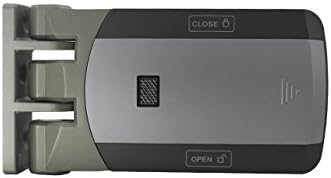
Figure 2: Installation steps for the wireless lock unit. The process involves marking, drilling, and securing the unit to the door frame.
3.2. Positioning the Wireless Keypad
The wireless keypad can be placed at a convenient location near the door, typically on the outside. Its wireless nature allows for flexible placement without the need for power cables.

Figure 3: The wireless design of the Secukey D3 system simplifies installation, allowing components to be placed without extensive wiring.
3.3. Ibiti ibaraẹnisọrọ
The system maintains a reliable wireless connection between the keypad, lock, and remote controls. The maximum communication distance is approximately 50 meters, depending on environmental factors and obstacles.
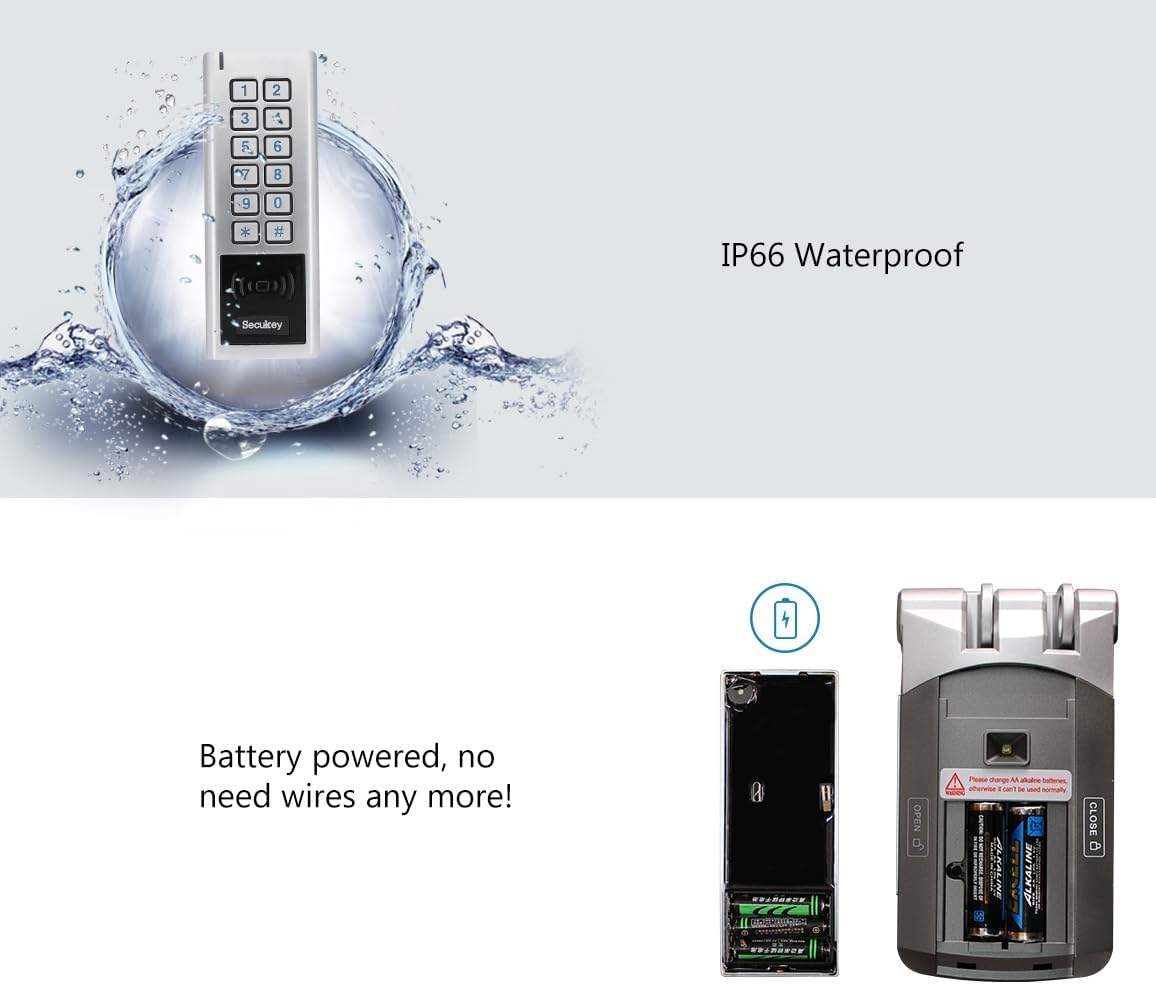
Figure 4: The system supports a maximum communication distance of 50 meters between the keypad/remotes and the lock unit.
4. Awọn ilana Iṣiṣẹ
The Secukey D3 offers multiple methods for access control: RFID card, PIN code, and remote control.
4.1. Accessing with RFID Card/Key Fob
- Present an authorized RFID card or key fob to the RFID reader area on the keypad.
- The lock will disengage, allowing access.
4.2. Accessing with PIN Code
- Enter your authorized PIN code on the keypad.
- Tẹ bọtini '#' lati jẹrisi.
- The lock will disengage, allowing access.
4.3. Using Remote Controls
The included remote controls provide convenient access from a distance.

Figure 5: Operating the wireless lock unit using one of the provided remote controls.
- Press the 'Open' button on the remote control to disengage the lock.
- Press the 'Close' button to engage the lock.
5. Itọju
Regular maintenance ensures the longevity and optimal performance of your Secukey D3 system.
5.1. Batiri Rirọpo
The Secukey D3 system is battery-powered. When the battery level is low, the system will provide an indication (e.g., a warning light or sound). Replace batteries promptly to ensure continuous operation.
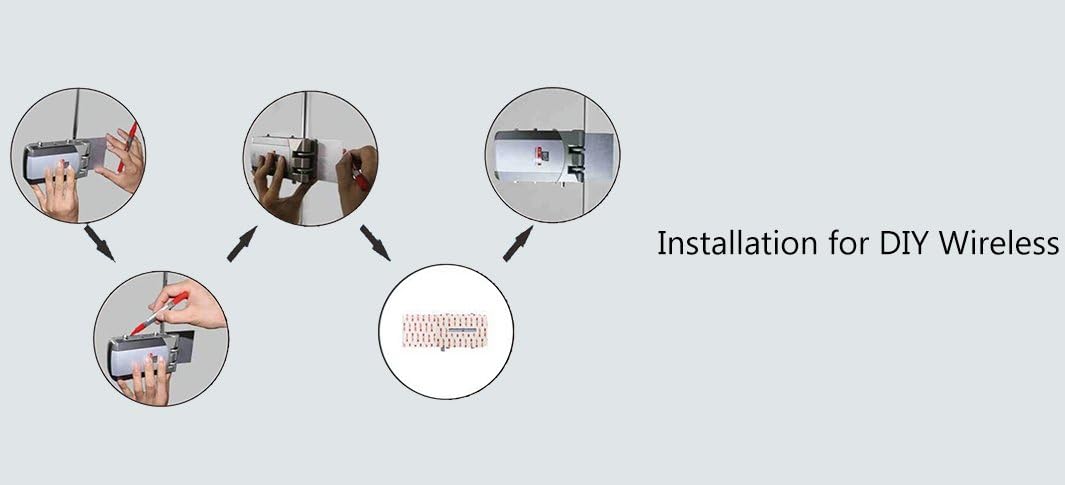
Figure 6: The battery compartment of the wireless lock unit. Ensure correct battery polarity when replacing.
5.2. Weather Resistance (IP66)
The Secukey D3 is rated IP66, meaning it is protected against dust ingress and powerful water jets. This makes it suitable for outdoor use. However, avoid submerging the device in water.

Figure 7: The IP66 rating ensures the device is protected against dust and water splashes, making it suitable for outdoor environments.
5.3. Ninu
Clean the device surfaces with a soft, damp asọ. Ma ṣe lo abrasive ose tabi epo.
6. Laasigbotitusita
If you encounter issues with your Secukey D3 system, refer to the following common problems and solutions:
| Isoro | Owun to le Fa | Ojutu |
|---|---|---|
| Lock does not respond to keypad/remote. | Low batteries in lock or keypad; out of communication range; interference. | Replace batteries in both units. Ensure units are within 50m range. Check for strong interference sources. |
| RFID card/PIN not recognized. | Card/PIN not programmed; incorrect entry. | Ensure the card/PIN is correctly programmed into the system. Re-enter PIN carefully. |
| Isakoṣo latọna jijin ko ṣiṣẹ. | Remote battery low; remote not paired. | Replace remote control battery. Re-pair the remote control with the system according to programming instructions. |
7. Imọ ni pato
| Ẹya ara ẹrọ | Sipesifikesonu |
|---|---|
| Nọmba awoṣe | D3 |
| Olupese | Secukey |
| Awọn iwọn (Ẹka Titiipa) | 5.6 x 2.25 x 14.8 cm |
| Iwọn | 1.1 Kilograms (total package) |
| Àwọ̀ | Fadaka / Dudu |
| Orisun agbara | Battery (Batteries not included) |
| Awọn ọna Wiwọle | RFID, PIN Code, Remote Control |
| Idaabobo Rating | IP66 (Dust tight, protected against powerful water jets) |
| Ijinna ibaraẹnisọrọ | Max 50 meters (line of sight) |
| Akọkọ Wa Ọjọ | Oṣu Kẹrin Ọjọ 22, Ọdun 2018 |
8. Atilẹyin ọja ati Support
Secukey products are manufactured to high-quality standards. For warranty information, please refer to the documentation provided at the time of purchase or contact your retailer. For technical support or further assistance, please reach out to Secukey customer service through their official webojula tabi olubasọrọ awọn ikanni.


