Ọrọ Iṣaaju
This manual provides comprehensive instructions for the setup, operation, and maintenance of your Pro-Ject Primary E turntable. Please read this manual carefully before using the product to ensure proper function and longevity. Keep this manual for future reference.
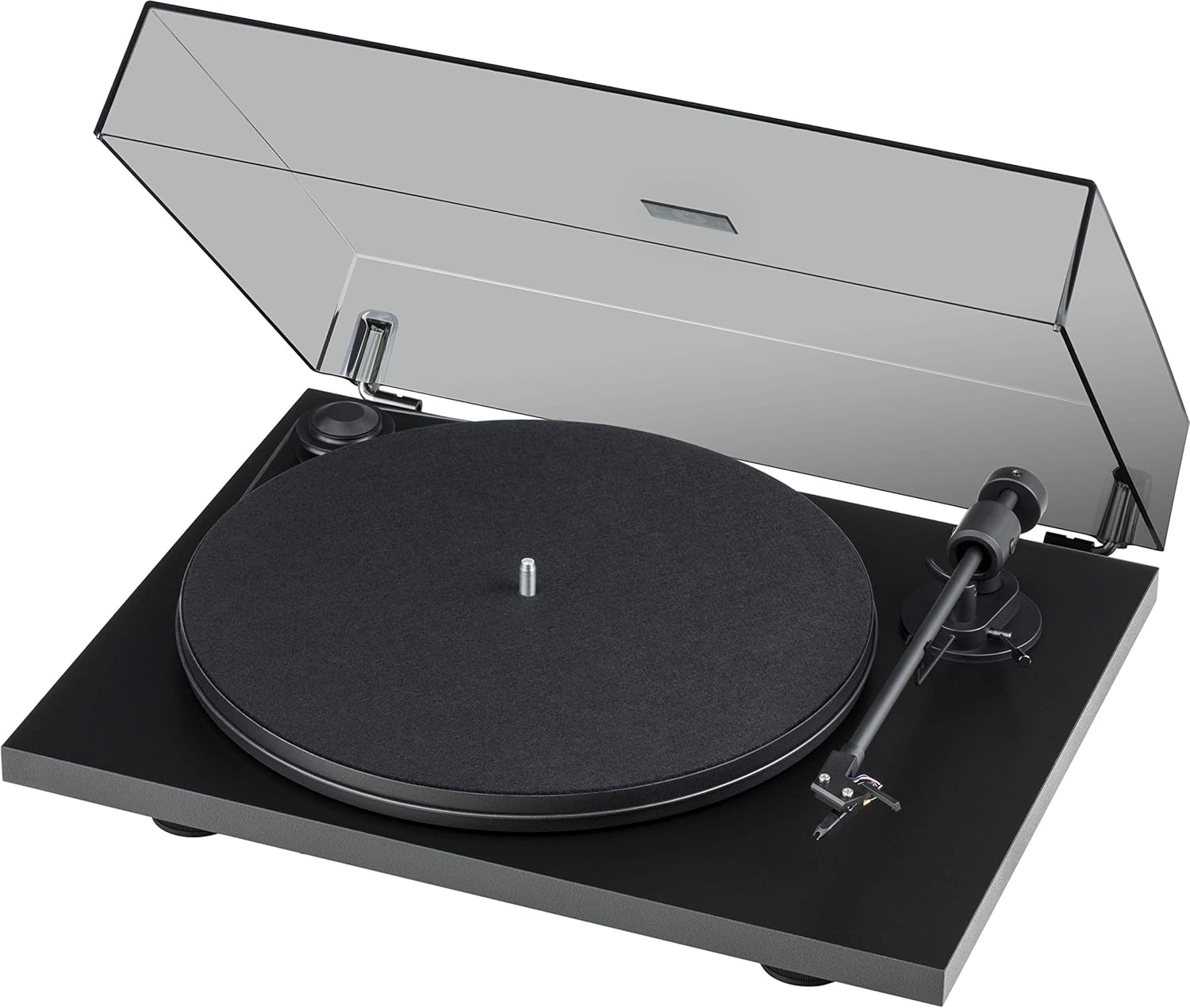
Figure 1: Pro-Ject Primary E Turntable with dust cover open, showcasing its matte black finish and minimalist design.
Awọn Itọsọna Aabo pataki
- Ka awọn ilana wọnyi.
- Pa awọn ilana wọnyi.
- Tẹtisi gbogbo awọn ikilọ.
- Tẹle gbogbo awọn ilana.
- Maṣe lo ohun elo yii nitosi omi.
- Mọ pẹlu asọ gbigbẹ nikan.
- Ma ṣe dina eyikeyi awọn ṣiṣi atẹgun. Fi sori ẹrọ ni ibamu pẹlu awọn ilana ti olupese.
- Maṣe fi sori ẹrọ nitosi awọn orisun ooru gẹgẹbi awọn imooru, awọn iforukọsilẹ ooru, awọn adiro, tabi awọn ohun elo miiran (pẹlu ampliifiers) ti o gbe ooru jade.
- Dabobo okun agbara lati ma rin lori tabi pin, ni pataki ni awọn pilogi, awọn ohun elo irọrun, ati aaye nibiti wọn ti jade kuro ninu ohun elo naa.
- Lo awọn asomọ/awọn ẹya ara ẹrọ ti olupese pato.
- Yọọ ohun elo yi nigba iji manamana tabi nigba lilo fun igba pipẹ.
- Tọkasi gbogbo iṣẹ si awọn oṣiṣẹ iṣẹ ti o peye. Iṣẹ nilo nigbati ohun elo ba ti bajẹ ni ọna eyikeyi, gẹgẹbi okun ipese agbara tabi plug ti bajẹ, omi ti ta silẹ tabi awọn nkan ti ṣubu sinu ẹrọ, ohun elo naa ti farahan si ojo tabi ọrinrin, ko ṣiṣẹ deede. , tabi ti lọ silẹ.
Ṣeto
1. Unpacking ati awọn akoonu ijerisi
Carefully unpack all components from the packaging. Retain the packaging for future transport or storage. Verify that all items listed below are present:
- Primary E Phono turntable with Ortofon OM cartridge
- Gold-plated RCA Phono Cable
- Di akete
- Ideri eruku
- Adapter for 7-inch singles
- Ibi ti ina elekitiriki ti nwa
- Allen bọtini
- Iwọn titẹ Stylus
2. Ifiweranṣẹ
Place the turntable on a stable, level surface, away from direct sunlight, heat sources, and excessive vibration. Ensure adequate ventilation around the unit.
3. Apejọ
- Fifi sori ẹrọ awo ati igbanu:
Carefully place the platter onto the spindle. Locate the drive belt and stretch it around the motor pulley and the outer rim of the platter. Ensure the belt is seated correctly and not twisted.

Nọmba 2: Alaye view of the belt drive system, showing the belt correctly positioned around the motor pulley and platter.
- Cartridge and Tonearm Setup:
The Ortofon OM NN cartridge is pre-mounted and aligned. Ensure the stylus guard is removed before operation. The tonearm features an 8.6-inch aluminum design with sapphire bearings.

Figure 3: Close-up of the pre-mounted Ortofon OM NN cartridge and the tonearm, ready for playback.

Nọmba 4: View of the tonearm base, showing the cueing lever and anti-skate mechanism.
- Fifi sori ẹrọ ideri eruku:
Attach the dust cover to the hinges at the rear of the turntable. The hinges are adjustable.

Figure 5: The turntable base without the dust cover, illustrating the points where the dust cover hinges attach.
4. Awọn isopọ
- Asopọ ohun: Connect the supplied gold-plated RCA phono cable from the turntable's output to the phono input of your amplifier tabi phono preamplifier. Rí i dájú pé àwọn ìsopọ̀ tó tọ́ sí ọ̀nà òsì àti ọ̀tún.
- Asopọ agbara: Connect the power supply to the DC input on the turntable and then plug it into a suitable wall outlet.
Awọn ilana Iṣiṣẹ
1. Agbara Tan / Paa
The turntable is powered on by connecting the power supply. There is no separate power switch. To turn off, disconnect the power supply.
2. Iyara Aṣayan
The Primary E supports 33 1/3 and 45 RPM playback. To change speed, manually move the drive belt to the appropriate step on the motor pulley. The larger diameter step is for 33 1/3 RPM, and the smaller diameter step is for 45 RPM.
3. Ti ndun a Gba
- Place a record on the platter, ensuring it is centered.
- If using a 7-inch single, place the adapter on the spindle first.
- Gbe apa ohun orin soke nipa lilo lefa ika.
- Carefully position the tonearm over the desired starting groove of the record.
- Rọra sọ apa ohun orin silẹ nipa lilo lefa ika. Awọn stylus yoo sọkalẹ sori igbasilẹ ati ṣiṣiṣẹsẹhin yoo bẹrẹ.
4. Idaduro Sisisẹsẹhin
- Gbe apa ohun orin soke nipa lilo lefa ika.
- Return the tonearm to its rest.
- Gently lower the cueing lever to secure the tonearm.
- Yọ igbasilẹ naa kuro ninu apẹrẹ.
Itoju
1. Ninu
- Ideri Ekuru: Clean the dust cover with a soft, damp asọ. Yago fun abrasive ose.
- Turntable Chassis: Wipe the matte black chassis with a soft, dry cloth. Do not use chemical cleaners.
- Stylus: Use a dedicated stylus brush to gently clean the stylus from back to front. Clean regularly to prevent debris buildup.
- Awọn akosile: Keep your records clean using a record brush or cleaning solution to minimize dust and static.
2. Belt Replacement
Over time, the drive belt may stretch or degrade, affecting speed stability. If you notice inconsistent speed or the belt slipping, it may be time for a replacement. Contact Pro-Ject support or an authorized dealer for genuine replacement belts.
3. Cartridge and Stylus Care
The stylus is a delicate component. Avoid touching it with your fingers. If the stylus becomes bent or damaged, it will need to be replaced. The Ortofon OM NN cartridge allows for stylus replacement without replacing the entire cartridge body.
Laasigbotitusita
If you encounter issues with your turntable, consult the following table before contacting support.
| Isoro | Owun to le Fa | Ojutu |
|---|---|---|
| No sound from one or both channels. |
|
|
| Ohùn tí kò ṣe kedere tàbí tí kò ṣe kedere. |
|
|
| Turntable speed is incorrect (too fast/slow). |
|
|
| Record skipping. |
|
|
Awọn pato
- Awoṣe: Primary E (OM NN) - Matte Black
- Brand: Pro-Ject
- Awọn iwọn ọja: 16.54 x 12.99 x 4.41 inches (42 x 33 x 11.2 cm)
- Ìwọ̀n Nkan: 11.5 poun (5.2 kg)
- Ohun elo: Composite Fiber, Stainless Steel, Brass, Aluminum
- Ohun orin: 8.6-inch aluminum tonearm with sapphire bearings
- Eto Wakọ: Belt-drive with synchronous motor
- Katiriji: Ortofon OM NN phono cartridge (pre-mounted)
- Awọn iyara: 33 1/3, 45 RPM (manual speed change)
- Awọn ẹya: Vibration absorbing feet, machined special composite fiber chassis, elegant dust cover with adjustable hinges.
- Lilo Agbara (Lórí-ipò): 4.50 watt
- Awọn eroja to wa: Primary E Phono with Ortofon OM cartridge, Gold-plated RCA Phono Cable, Felt mat, Dust cover, Adapter for 7-inch singles, Power supply, Allen key, Stylus pressure gauge.
Atilẹyin ọja ati Support
Alaye atilẹyin ọja
Pro-Ject Audio Systems products are manufactured to the highest quality standards. For specific warranty terms and conditions, please refer to the warranty card included with your product or visit the official Pro-Ject Audio Systems webojula. Jeki ẹri rira rẹ fun awọn iṣeduro atilẹyin ọja.
Onibara Support
For technical assistance, troubleshooting beyond this manual, or inquiries about replacement parts, please contact Pro-Ject Audio Systems customer support or your authorized dealer. You can find more information and contact details on the official Pro-Ject webojula: Visit the Pro-Ject Store on Amazon or search for the official Pro-Ject Audio Systems webojula.


