1. Ifihan
This manual provides essential information for setting up, operating, and maintaining your Amazon Echo Dot (3rd Generation) smart speaker. The Echo Dot is a voice-controlled smart speaker with Alexa, designed to integrate seamlessly into your daily life, offering assistance with tasks, entertainment, and smart home control.
Please read this manual thoroughly to ensure proper use and to maximize your device's capabilities.
2. Ọja Ipariview
The Echo Dot (3rd Generation) is a compact smart speaker featuring a fabric design and improved sound quality. It connects to the Alexa voice service to play music, answer questions, make calls, send messages, provide information, news, sports scores, weather, and more.
2.1 Device irinše
- Bọtini Iṣe: Activates Alexa without using the wake word.
- Gbohungbohun Pa Bọtini: Disables the microphones for privacy. The light ring will turn red when microphones are off.
- Iwọn didun Up / isalẹ Awọn bọtini: Ṣe atunṣe iwọn didun agbọrọsọ.
- Oruka Ina: Provides visual feedback on device status (e.g., blue for listening, red for mic off, orange for setup).
- Ibudo Agbara: Connects the device to a power outlet using the included adapter.
- 3.5mm Ijade ohun: Allows connection to external speakers.

olusin 1: Iwaju view of the Echo Dot (3rd Generation) showing its compact design and fabric finish.

Figure 2: The Echo Dot (3rd Generation) highlighting its various functionalities such as music playback, setting timers, smart home control, providing information, intercom features, and news updates.

Figure 3: The top view of the Echo Dot (3rd Generation) showing the microphone off button. Pressing this button disconnects the microphones, indicated by a red light ring, ensuring privacy.
3. Eto
3.1 Kini ni Apoti
- Dot Amazon Echo (Iran 3rd)
- Adaparọ agbara (15W)
- Quick Bẹrẹ Itọsọna
3.2 Ni ibẹrẹ Oṣo
- Pulọọgi sinu Echo Dot rẹ: Connect the included power adapter to your Echo Dot and then to a power outlet. The light ring will turn blue, then orange, indicating it's ready for setup.
- Ṣe igbasilẹ ohun elo Alexa: On your smartphone or tablet, download the Amazon Alexa app from your device's app store (iOS App Store or Google Play Store).
- Set Up Your Echo Dot:
- Open the Alexa app and sign in with your Amazon account.
- Tap the 'Devices' icon in the bottom right corner.
- Tap the '+' icon in the top right corner, then select 'Add Device'.
- Choose 'Amazon Echo', then 'Echo Dot', and select '3rd Generation'.
- Follow the on-screen instructions to connect your Echo Dot to your Wi-Fi network. The Echo Dot supports dual-band Wi-Fi (2.4 GHz and 5 GHz).
- Ṣe akanṣe Eto: Once connected, you can customize settings such as device name, location, and preferred music services within the Alexa app.
4. Awọn ilana Iṣiṣẹ
The Echo Dot is primarily controlled by voice commands using the wake word "Alexa."
4.1 Àwọn Àṣẹ Ohùn Pàtàkì
To activate Alexa, simply say "Alexa," followed by your command. The light ring will turn blue when Alexa is listening.
- "Alexa, kini oju ojo?"
- "Alexa, ṣeto aago kan fun awọn iṣẹju 10."
- "Alexa, tell me a joke."
- "Alexa, what's the news?"
4.2 Orin àti Ohùn
You can stream music from various services or connect via Bluetooth.
- Awọn iṣẹ ṣiṣanwọle: "Alexa, play music by [artist] on Amazon Music/Spotify/Apple Music."
- Bluetooth: "Alexa, pair Bluetooth." Then connect from your device's Bluetooth settings. "Alexa, connect to my phone."
- Awọn Agbọrọsọ ita: Connect your Echo Dot to external speakers using a 3.5mm audio cable for enhanced sound.
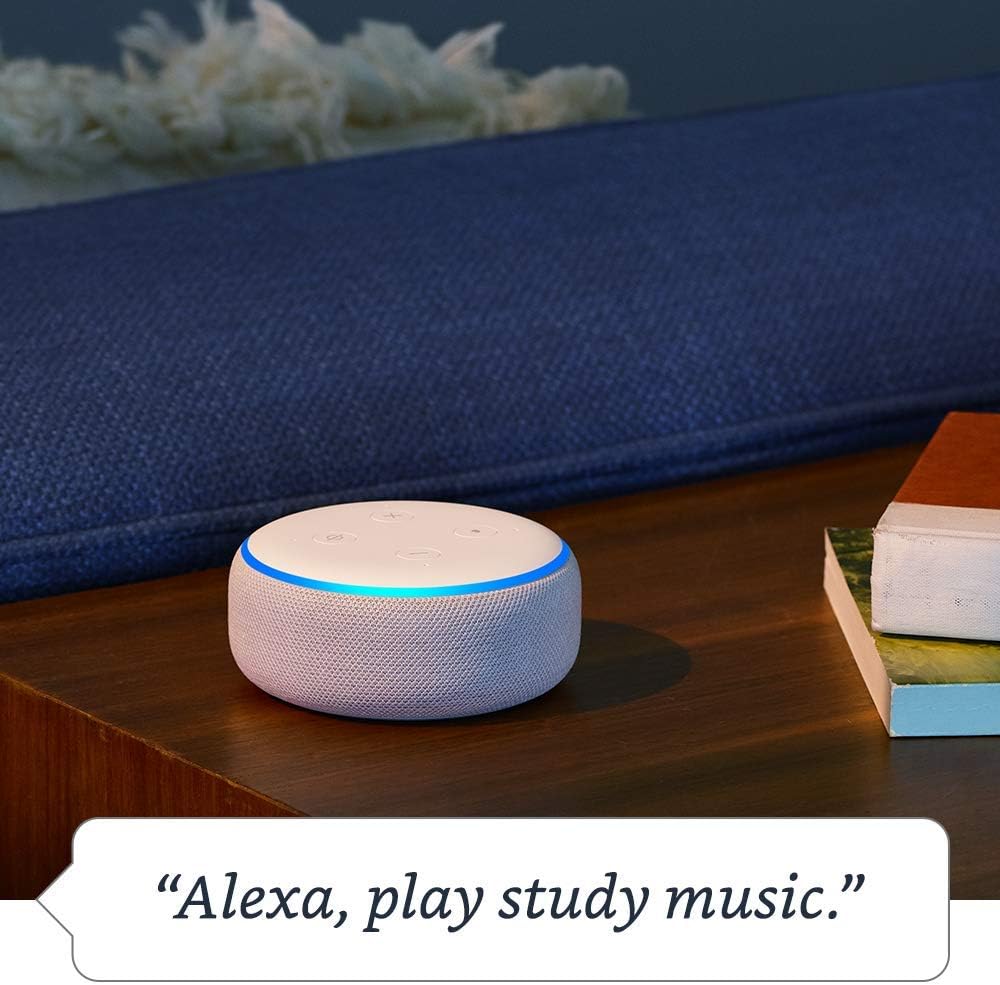
Figure 4: The Echo Dot (3rd Generation) responding to a voice command to play music, demonstrating its audio playback capabilities.
4.3 Smart Home Iṣakoso
Control compatible smart home devices with your voice.
- "Alexa, tan awọn ina yara gbigbe."
- "Alexa, ṣeto thermostat si iwọn 72."
- "Alexa, show me the front door camera." (Requires compatible Echo device with screen)

Figure 5: The Echo Dot (3rd Generation) demonstrating smart home integration by controlling a lamp pẹ̀lú àṣẹ ohùn kan.
4.4 ibaraẹnisọrọ
Use your Echo Dot to connect with others.
- Npe: "Alexa, call Mom." (Requires contacts synced in Alexa app)
- Drop In: "Alexa, drop in on the kitchen Echo." (Allows instant two-way communication with other Echo devices)
- Awọn ikede: "Alexa, announce dinner's ready." (Broadcasts a message to all Echo devices in your home)

Figure 6: The Echo Dot (3rd Generation) being used for household announcements, simplifying communication within the home.
4.5 Privacy Controls
Amazon Echo devices are designed with multiple layers of privacy protection.
- Gbohungbohun Pa Bọtini: Press the microphone off button on top of the device to electronically disconnect the microphones. The light ring will turn red.
- Itan ohun: O le tunview and delete your voice recordings in the Alexa app or at amazon.com/alexaprivacy.
4.6 Wiwọle Awọn ẹya ara ẹrọ
The Echo Dot includes various accessibility features configurable through the Alexa app (Settings → Accessibility).
- Gbigbọ Imudaramu: Provides more time to speak before Alexa responds.
- Oṣuwọn Ọrọ ti o fẹ: Adjust Alexa's speaking speed (e.g., "Alexa, speak slower").
- Beere Ohun: Plays an audible tone when Alexa starts listening.
- Kindu Ka soke: Alexa le ka awọn iwe Kindu rẹ ni ariwo.
4.7 Amazon Sidewalk
Amazon Sidewalk is a shared network that helps compatible devices work better at home and beyond. It uses a small portion of your internet bandwidth to provide benefits to you and your neighbors via Sidewalk Bridges (participating Echo and Ring devices). Sidewalk is turned on by default but can be turned off at any time in the Alexa app settings.
5. Itọju
5.1 Ninu
To clean your Echo Dot, unplug the device and wipe it with a soft, lint-free cloth. Do not use abrasive cleaners or sprays. Keep the device dry and away from liquids.
5.2 Software imudojuiwọn
Dot Echo rẹ gba awọn imudojuiwọn sọfitiwia laifọwọyi lori Wi-Fi. Rii daju pe ẹrọ rẹ ti sopọ si intanẹẹti lati gba awọn ẹya tuntun ati awọn imudara aabo.
6. Laasigbotitusita
- Echo Dot is not responding:
- Rii daju pe gbohungbohun ko dakẹ (oruka ina pupa).
- Check if the device is plugged in and has power.
- Verify Wi-Fi connectivity in the Alexa app.
- Try restarting the device by unplugging it for 30 seconds and plugging it back in.
- Ko le sopọ si Wi-Fi:
- Rii daju pe ọrọ igbaniwọle Wi-Fi rẹ tọ.
- Move the Echo Dot closer to your Wi-Fi router.
- Tun olulana ati modẹmu bẹrẹ.
- Confirm your network is 802.11 a/b/g/n/ac (2.4 or 5 GHz) and not an ad-hoc network.
- Poor audio quality or no sound:
- Adjust the volume using the buttons on the device or via voice command.
- If connected to external speakers, ensure they are powered on and connected correctly.
- If using Bluetooth, ensure the Bluetooth device is connected and within range.
For more detailed troubleshooting, refer to the help section within the Amazon Alexa app or visit Amazon's support webojula.
7. Awọn pato
| Ẹya ara ẹrọ | Apejuwe |
|---|---|
| Iwọn | 3.9" x 3.9" x 1.7" (99 mm x 99 mm x 43 mm) |
| Iwọn | 10.6 iwon. (300 giramu) |
| Wi-Fi Asopọmọra | Dual-band Wi-Fi supports 802.11 a/b/g/n/ac (2.4 and 5 GHz) networks. Does not support ad-hoc (peer-to-peer) networks. |
| Bluetooth Asopọmọra | To ti ni ilọsiwaju Audio pinpin Profile (A2DP) for audio streaming. Audio/Video Remote Control Profile (AVRCP) for voice control of connected mobile devices. Bluetooth speakers requiring PIN codes are not supported. |
| Smart Home Device Compatibility | WiFi, Bluetooth Low Energy Mesh, and Matter. |
| Awọn imudojuiwọn Aabo Software | Automatic updates provided. |
| Wiwọle Awọn ẹya ara ẹrọ | Adaptive Listening, Preferred Speaking Rate, Request Sound, Kindle Read Aloud, Notify When Nearby, and other settings for vision, hearing, mobility, and speech. |
| Amazon Sidewalk | Shared network for compatible devices, uses a small portion of internet bandwidth. User-configurable. |
8. Atilẹyin ọja ati Support
8.1 Atilẹyin ọja
Information regarding the limited warranty for your Amazon Echo Dot (3rd Generation) can be found in the original product packaging or on the Amazon webojula. Jọwọ ṣe idaduro ẹri rira rẹ fun awọn iṣeduro atilẹyin ọja.
8.2 Onibara Support
For further assistance, technical support, or warranty inquiries, please contact Amazon Customer Service through the Alexa app or by visiting the Amazon support webAaye (amazon.com/devicesupport).


