Ọrọ Iṣaaju
This manual provides instructions for the assembly, operation, and maintenance of your Yamaha L121B Wooden Furniture Stand. This stand is specifically designed to complement the Yamaha P121B Digital Piano, offering a stable and aesthetically pleasing foundation for your instrument. It is also compatible with the Yamaha LP1B 3-Pedal Unit.
Please read these instructions carefully before assembly and use to ensure proper setup and long-term enjoyment of your product.
Package Awọn akoonu
Before beginning assembly, verify that all parts are present. The package should contain:
- Stand components (legs, crossbars, top panel)
- Assembly hardware (screws, washers, Allen wrench if required)
- Ìwé ìtọ́ni (ìwé yìí)
Note: Hardware, particularly screws, may be securely packaged within styrofoam or other packing materials. Please check all packaging thoroughly before discarding.
Eto ati Apejọ
Assembly of the Yamaha L121B stand is designed to be straightforward. It typically requires a Phillips head screwdriver (not included) and the provided Allen wrench (if applicable).
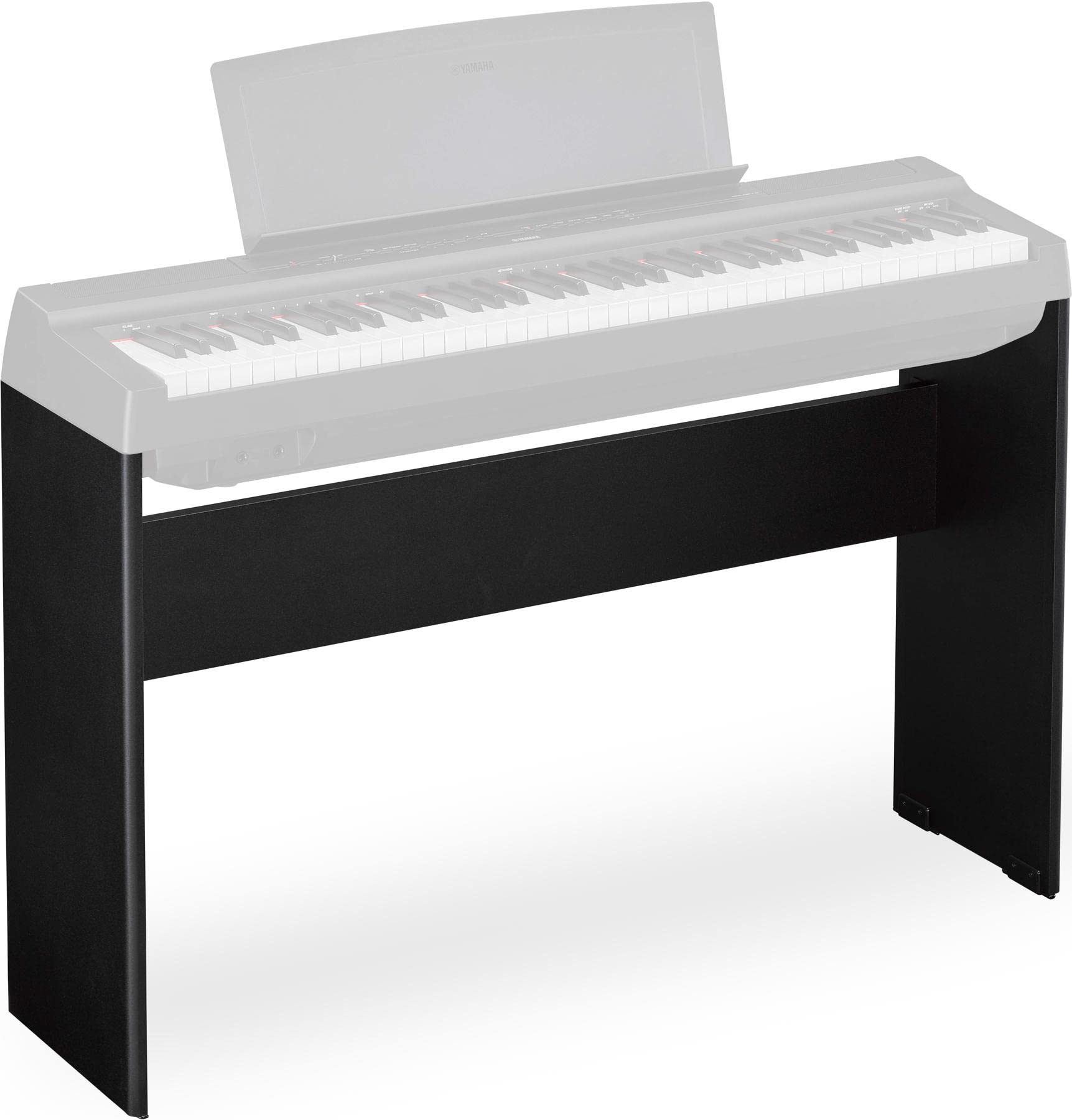
Image: The Yamaha L121B Wooden Furniture Stand in black, shown fully assembled. This image illustrates the stand's design, featuring sturdy wooden legs and crossbars, providing a stable base for a digital piano. The top surface is flat, designed to securely hold the Yamaha P121B digital piano.
- Yọ awọn ohun elo kuro: Fara yọ gbogbo awọn ẹya kuro ninu apoti. Gbe wọn si ori rirọ, dada ti o mọ lati ṣe idiwọ awọn nkan.
- Ṣe idanimọ Awọn apakan: Refer to the included diagram (if available) to identify each component: side panels, crossbars, and the top panel.
- Ṣepọ Awọn Paneli ẹgbẹ: Attach the crossbars to the side panels using the provided screws. Ensure all connections are snug but do not overtighten.
- So Igbimo Oke: Secure the assembled frame to the underside of the top panel using the remaining screws.
- Place Digital Piano: Carefully lift your Yamaha P121B Digital Piano and place it onto the assembled stand. Align the piano with the pre-drilled holes on the stand's top surface.
- Secure Piano: Use the four Phillips head screws (typically provided with the stand or piano) to firmly attach the P121B Digital Piano to the stand. This ensures stability during use.
- Install Pedal Unit (Optional): If using the Yamaha LP1B 3-Pedal Unit, follow its specific instructions for attachment to the L121B stand. The stand is designed with mounting points for this accessory.
Important: Ensure all screws are tightened securely before using the stand. An improperly assembled stand can be unstable and may cause damage to your instrument or injury.
Awọn ilana Iṣiṣẹ
Once assembled and the P121B Digital Piano is securely mounted, the L121B stand provides a stable platform for playing. No specific operational steps are required for the stand itself beyond proper assembly.
- Ensure the stand is placed on a flat, level surface to prevent wobbling.
- Verify that the digital piano is firmly attached to the stand using all designated screws.
- If an LP1B pedal unit is installed, ensure its connections are secure and cables are routed safely to avoid tripping hazards.
Itọju ati Itọju
To maintain the appearance and longevity of your Yamaha L121B Wooden Furniture Stand, follow these care guidelines:
- Ninu: Wipe the stand regularly with a soft, dry cloth to remove dust. For smudges or fingerprints, use a slightly damp cloth and immediately dry with a clean, soft cloth. Avoid abrasive cleaners or solvents, which can damage the finish.
- Yago fun Ọrinrin: Do not expose the stand to excessive moisture or humidity, as this can cause warping or damage to the wood.
- Ifojusi Imọlẹ Oorun: Prolonged exposure to direct sunlight can cause fading or discoloration of the wood finish. Position the stand away from direct sunlight if possible.
- Awọn ayẹwo igbakọọkan: Máa ṣàyẹ̀wò gbogbo àwọn skru àti àwọn ìsopọ̀ láti rí i dájú pé wọ́n wà ní ìdúró. Tún di mọ́ ọn tí ó bá pọndandan, ṣùgbọ́n má ṣe di mọ́ ọn jù.
Laasigbotitusita
If you encounter issues with your L121B stand, consider the following:
- Stand Instability/Wobbling:
- Rí i dájú pé a gbé àpótí náà sí orí ilẹ̀ tí ó tẹ́jú pátápátá tí ó sì tẹ́jú.
- Verify that all assembly screws are securely tightened. Loose connections can lead to instability.
- Confirm that the digital piano is properly secured to the stand with all four designated screws.
- Difficulty with Music Rest:
- The design of the L121B stand, when combined with the P121B's music rest, may limit how close the piano can be placed against a wall. If the music rest interferes with wall placement or causes instability, consider adjusting the stand's position or using an alternative music rest solution if available.
- Ibamu ti ko tọ:
- The L121B stand is specifically designed for the Yamaha P121B Digital Piano. If you are attempting to use it with a different model, it may not fit correctly or provide adequate stability. Always verify compatibility.
Awọn pato
| Nọmba awoṣe | L121B |
| Awọn ẹrọ ibaramu | Yamaha P121B Digital Piano, Yamaha LP1B 3-Pedal Unit |
| Àwọ̀ | Dudu |
| Iwọn Nkan | 15 poun (6.8 kg) |
| Ọja Mefa | Nǹkan bí 9.1 x 9.1 x 9.1 inches (23.1 x 23.1 x 23.1 cm) - Note: These dimensions appear to be packaging dimensions. Actual assembled dimensions will be larger and match the P121B piano. |
| Ohun elo | Igi |
| Ilu isenbale | CHINA |
Atilẹyin ọja ati Support
For detailed warranty information, please refer to the warranty card included with your product packaging or visit the official Yamaha website. Yamaha provides customer support for product inquiries, technical assistance, and warranty claims.
You can typically find support contact information on the Yamaha official website or through your local authorized Yamaha dealer.
Awọn orisun Ayelujara:


