Ọrọ Iṣaaju
This manual provides essential instructions for the safe and efficient use of your itel it2160 dual SIM mobile phone. Please read this guide thoroughly before operating the device and retain it for future reference.
Package Awọn akoonu
Daju pe gbogbo awọn ohun kan wa ninu akopọ ọja rẹ:
- itel it2160 Mobile Phone
- Batiri
- Ṣaja
- Afowoyi Olumulo (iwe-ipamọ yii)
Ifilelẹ ẹrọ
Familiarize yourself with the key components of your itel it2160 phone.

Aworan: Iwaju view of the itel it2160 mobile phone, showing the display, keypad, and navigation buttons.
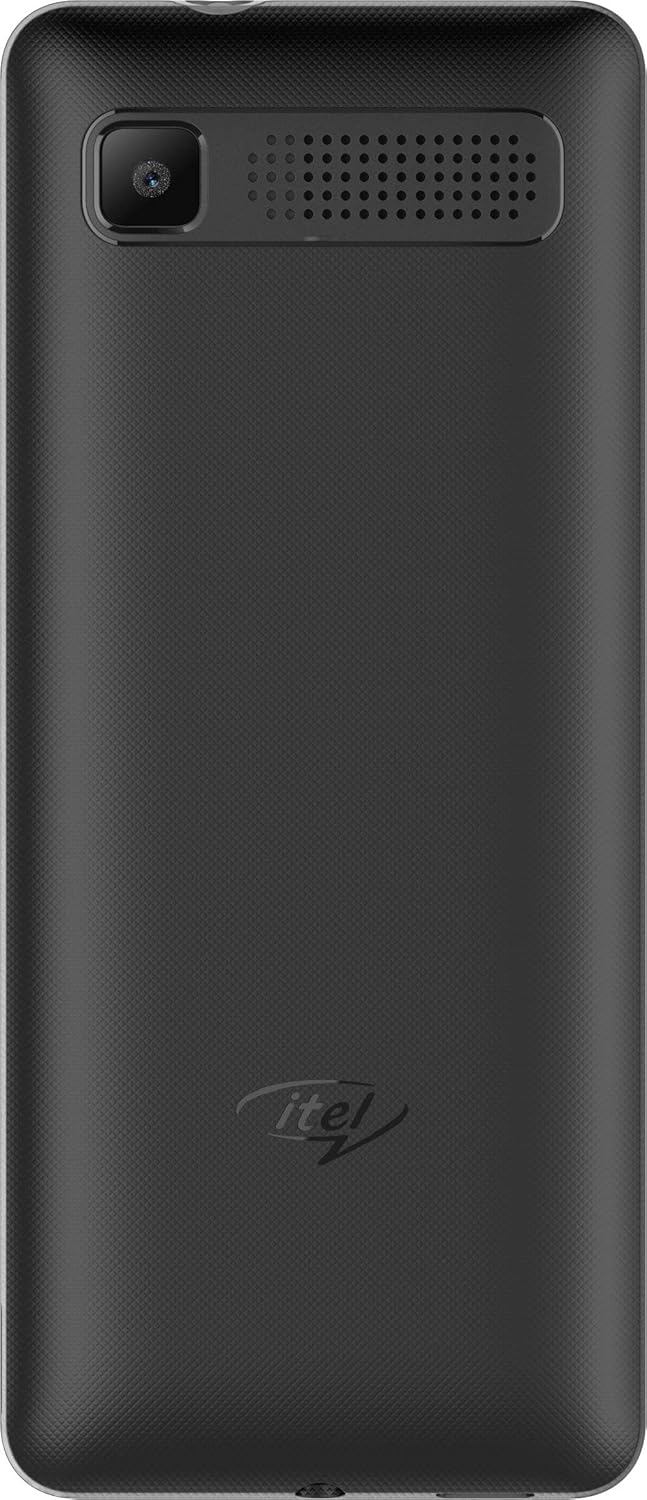
Aworan: Ẹyìn view of the itel it2160 mobile phone, showing the camera and speaker grille.
- Ifihan: Iboju 1.77-inch fun viewalaye ifitonileti.
- Bọtini foonu: Alphanumeric keys for dialing and text input.
- Awọn bọtini lilọ kiri: Fun lilọ kiri akojọ aṣayan ati yiyan.
- Call/End Keys: To initiate and terminate calls.
- Kamẹra Tẹhin: Located on the back for capturing photos.
- Agbọrọsọ: Fun igbejade ohun.
Ṣeto
1. Installing SIM Cards and Battery
- Yọ ideri foonu kuro nipa titẹ rọra si i lati ogbontarigi.
- Insert your SIM card(s) into the designated SIM slots. Ensure the gold contacts face downwards. This phone supports dual SIM cards.
- Ti o ba wulo, fi kaadi microSD sii sinu iho kaadi iranti fun ibi ipamọ ti o gbooro sii.
- Insert the battery, aligning the contacts correctly.
- Rọpo ideri ẹhin titi ti o fi tẹ ni aabo sinu aaye.
2. Ngba agbara si Batiri naa
- So ṣaja naa pọ mọ ibudo gbigba agbara lori foonu rẹ.
- Pulọọgi ṣaja sinu iṣan agbara kan.
- Jẹ́ kí fóònù náà gba agbára pátápátá kí ó tó bẹ̀rẹ̀ lílò. Àmì bátìrì tó wà lórí ìbòjú náà yóò fi ipò agbára hàn.
3. Agbara lori / Paa
- Lati Fi agbara: Tẹ bọtini Power/End ki o si di mu titi iboju yoo fi tan imọlẹ.
- Lati Paarẹ: Press and hold the Power/End key until the power-off options appear, then select "Power off".
Awọn ilana Iṣiṣẹ
1. Ṣiṣe ati Gbigba awọn ipe
- Lati Ṣe Ipe: Enter the phone number using the keypad and press the Call key. If using dual SIM, select the desired SIM for the call.
- Lati Gba Ipe kan: Tẹ bọtini ipe nigbati foonu ba dun.
- Lati Pari Ipe kan: Tẹ bọtini Ipari.
2. Fifiranṣẹ ati Gbigba SMS
- To Send SMS: Go to "Menu" > "Messages" > "Write message". Enter your message and the recipient's number, then send.
- To Read SMS: New messages will be indicated on the screen. Go to "Menu" > "Messages" > "Inbox" to view.
3. Lilo Kamẹra
- Navigate to "Menu" > "Camera".
- Ṣe fireemu ibọn rẹ nipa lilo ifihan.
- Press the center navigation key or a designated camera key to capture the image.
4. Redio FM
- Connect headphones to the phone's audio jack (headphones act as an antenna).
- Go to "Menu" > "FM Radio".
- Lo awọn bọtini lilọ kiri lati ṣe ayẹwo fun awọn ibudo tabi ṣatunṣe pẹlu ọwọ.
Itoju
- Itọju Batiri:
- Yago fun awọn iwọn otutu to gaju.
- Má ṣe gba agbára jù tàbí kí o má ṣe fa omi kúrò pátápátá nígbàkúgbà.
- Use only the original charger provided with the device.
- Ninu:
- Wipe the phone with a soft, dry cloth.
- Avoid using liquid cleaners or aerosols.
- Ibi ipamọ:
- Store the phone in a cool, dry place away from direct sunlight.
- Jeki kuro ni arọwọto awọn ọmọde ati awọn ohun ọsin.
Laasigbotitusita
| Isoro | Owun to le Solusan |
|---|---|
| Foonu ko ṣiṣẹ. | Rii daju pe o ti fi batiri sii daradara ati gbigba agbara. So ṣaja pọ ki o tun gbiyanju lẹẹkansi. |
| Ko si ifihan nẹtiwọki. | Check if SIM cards are properly inserted. Move to an area with better network coverage. Contact your service provider. |
| Ko le ṣe tabi gba awọn ipe wọle. | Verify network signal. Check if call barring is active. Ensure sufficient balance on your SIM card. |
| Batiri n ṣan ni kiakia. | Reduce screen brightness. Close unused applications. Limit background activities. |
Awọn pato
| Ẹya ara ẹrọ | Ẹ̀kúnrẹ́rẹ́ |
|---|---|
| Orukọ awoṣe | IT2160 |
| Iwọn Ifihan | 1.77 inches |
| Ipinnu Ifihan | 128 x 160 awọn piksẹli |
| Kamẹra ẹhin | 1.3 Megapiksẹli |
| Kamẹra iwaju | Ko si |
| Ramu eto | 4 Megabytes |
| Agbara ipamọ | 256 Gigabytes (Expandable) |
| Eto isesise | Proprietary Feature Phone OS |
| Sipiyu Awoṣe | Basic Feature Phone Processor |
| Sipiyu Iyara | 260 MHz |
| Ọja Mefa | 11.2 x 4.8 x 1.43 cm; 80 giramu |
Alaye atilẹyin ọja
Your itel it2160 mobile phone comes with a warranty. Please review awọn ipo wọnyi:
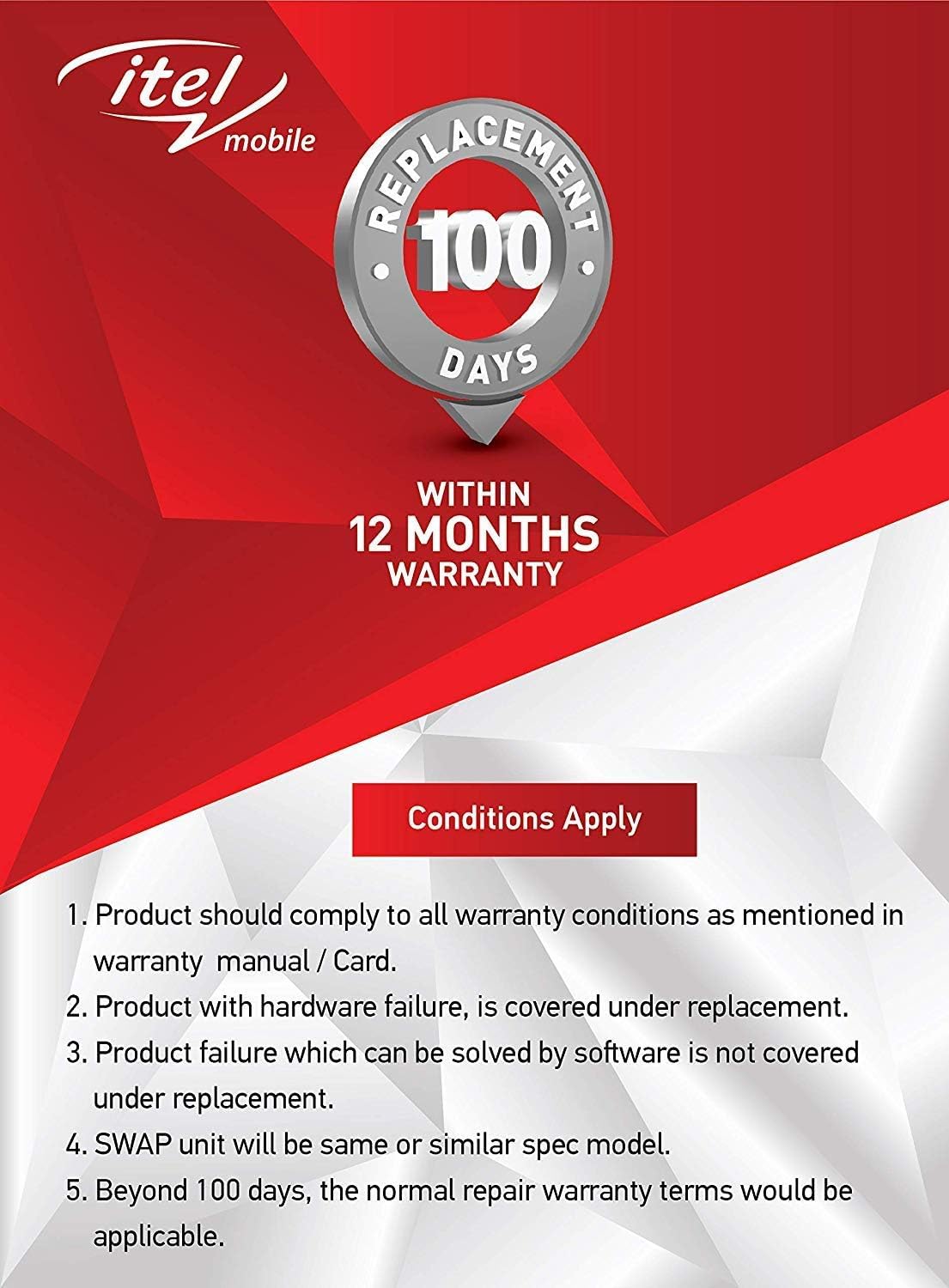
Aworan: Warranty details for itel mobile products, indicating 100 days replacement and 12 months warranty.
- Product must comply with all warranty conditions as mentioned in the warranty manual/card.
- Product with hardware failure is covered under replacement.
- Product failure which can be solved by software is not covered under replacement.
- A SWAP unit will be the same or a similar spec model.
- Beyond 100 days, the normal repair warranty terms would be applicable.
- The warranty period is typically 12 months from the date of purchase.
For detailed warranty terms and conditions, refer to the warranty card included in your package or contact itel customer support.
Atilẹyin
For further assistance, technical support, or service inquiries, please contact itel customer service. Contact details can typically be found on the official itel webojula tabi lori kaadi atilẹyin ọja rẹ.
Awọn orisun Ayelujara: You may find additional support and FAQs on the official itel brand store.


