1. Ifihan
This manual provides essential information for the proper use and maintenance of your Speedlink Competition Pro Extra USB Joystick (Model SL-650212-BKRD). This joystick is designed for use with PCs and Android devices, offering a retro arcade gaming experience. Please read these instructions carefully before using the product.
2. Awọn Ilana Aabo pataki
Failure to observe these instructions can cause product damage, explosion, fire, and/or electric shock.
- Use this device only as indicated in the user guide. Do not open or repair it.
- Ma ṣe fi ẹrọ naa han si olomi, ooru, tabi otutu.
- Maṣe lo ẹrọ ni ipolowoamp ayika.
- Nu ẹrọ naa pẹlu asọ ti o gbẹ.
- Jeki ẹrọ naa ati gbogbo awọn ẹya alaimuṣinṣin kuro lọdọ awọn ọmọde, ohun ọsin, ati awọn eniyan laigba aṣẹ.
- Use only with the appropriate provided accessories/cables.
- Disconnect the charging cable from the device if it will not be used for a long time. When disconnecting the cable, don't pull on the cable but on the plug.
- Don't use the cables in any way other than mentioned in the user guide; don't bend, cut, extend, or knot up them.
- Ma ṣe fi ohun ajeji eyikeyi sinu awọn ṣiṣi ti ẹrọ naa.
- Ti ẹrọ ba bajẹ ni ọna eyikeyi tabi ti o gbona ju, da lilo rẹ duro lẹsẹkẹsẹ.
- Take caution when using the device if you have a pacemaker or are dependent on other sensitive electronic aids, as the device emits radio signals.
Safety instructions in further languages can be found at www.speedlink.com.
3. Package Awọn akoonu
The Speedlink Competition Pro Extra USB Joystick package includes:
- Speedlink Competition Pro Extra USB Joystick (Model SL-650212-BKRD)
- Ese okun USB
- Information on how to download the included 20 retro games
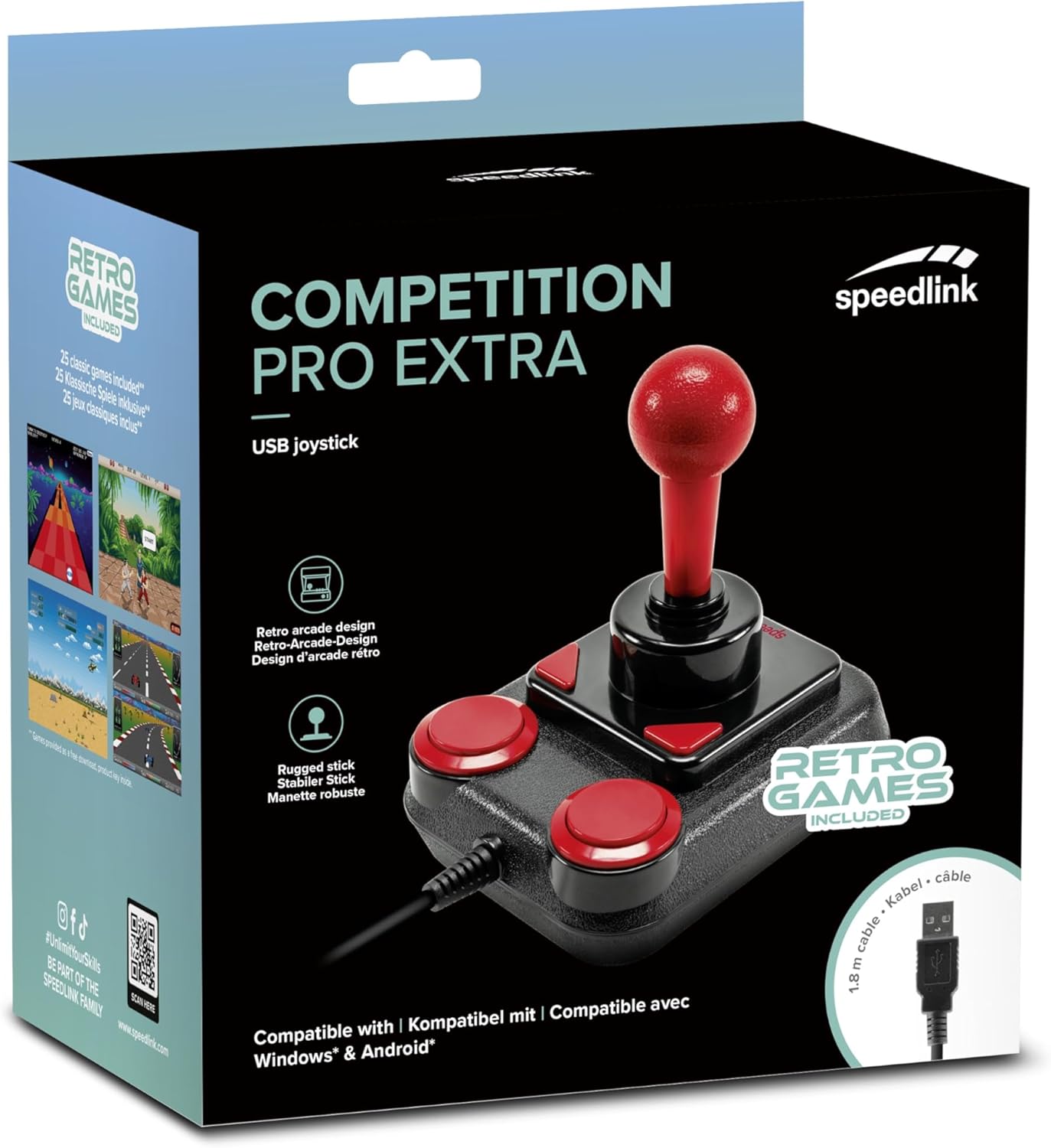
Image: Retail packaging for the Speedlink Competition Pro Extra USB Joystick, showing the product and "Retro Games Included" label.
4. Ọja Ipariview
The Competition Pro Extra USB Joystick features a classic arcade design with a robust stick and responsive buttons.

Aworan: Oke-isalẹ view of the joystick, highlighting the red ball-top stick and red circular fire buttons.

Aworan: Angled view showing the joystick's main stick, two circular fire buttons, and two triangular fire buttons.
The joystick includes:
- Arcade Stick: A classic red ball-top joystick for directional control.
- Fire Buttons: Two large circular red buttons and two smaller triangular red buttons for in-game actions.
- Rapid-Fire Switch: A switch located on the underside of the joystick to enable or disable rapid-fire functionality for the main fire buttons.

Image: Underside of the joystick, showing the "ON" and "OFF" positions for the rapid-fire switch.
5. Eto
5.1 Nsopọ si PC kan
- Wa ibudo USB ti o wa lori kọnputa rẹ.
- Plug the USB connector of the Competition Pro Extra joystick into the USB port.
- The operating system (Windows 7 or later) will automatically detect and install the necessary drivers. No manual driver installation is typically required.
- Once installed, the joystick is ready for use with compatible games and emulators. You may need to configure joystick settings within individual game or emulator software.
5.2 Connecting to an Android Device
For Android devices, an OTG (On-The-Go) adapter is required (not included).
- Connect the USB connector of the joystick to an OTG adapter.
- Plug the OTG adapter into the USB port of your Android device.
- The Android device should recognize the joystick. Compatibility may vary depending on the Android device and game/application.
6. Awọn ilana Iṣiṣẹ
6.1 Ipilẹ Iṣakoso
- Joysticks: Use the main stick for directional movement (up, down, left, right, and diagonals).
- Fire Buttons: Press any of the four red buttons to perform in-game actions such as firing, jumping, or selecting.
6.2 Rapid-Fire Mode
The joystick features a rapid-fire function for enhanced gameplay in certain titles.
- To activate rapid-fire, locate the switch on the underside of the joystick and slide it to the "ON" position.
- To deactivate rapid-fire, slide the switch to the "OFF" position.
6.3 Included Games
The Anniversary Edition includes a collection of 20 retro games available for download. Refer to the instructions provided with your product for details on how to access and download these games.

Image: Screenshot of the game launcher interface, displaying a list of classic games such as Bomberwarrior, Summer Games, and River Attack.
7. Itọju
- Ninu: Use a soft, dry cloth to clean the surface of the joystick. Do not use liquid cleaners or abrasive materials.
- Ibi ipamọ: Store the joystick in a dry place away from direct sunlight and extreme temperatures.
- Itọju USB: Avoid bending or twisting the USB cable excessively. Do not pull on the cable to disconnect it; always grasp the plug.
8. Laasigbotitusita
- Joystick not recognized by PC:
- Rii daju pe okun USB ti wa ni edidi ni aabo sinu ibudo USB ti n ṣiṣẹ.
- Gbiyanju ibudo USB ti o yatọ.
- Tun kọmputa rẹ bẹrẹ.
- Check Device Manager (Windows) to see if the device is listed and if there are any driver issues.
- Joystick not recognized by Android device:
- Ensure your Android device supports USB OTG functionality.
- Verify the OTG adapter is functioning correctly.
- Try a different OTG adapter or Android device if possible.
- Buttons or stick unresponsive:
- Ensure the joystick is properly connected.
- Test the joystick in a different game or application to rule out software-specific issues.
- Calibrate the joystick through your operating system's game controller settings if available.
- Rapid-fire not working:
- Check that the rapid-fire switch on the underside of the joystick is set to "ON".
9. Awọn pato
| Ẹya ara ẹrọ | Ẹ̀kúnrẹ́rẹ́ |
|---|---|
| Orukọ awoṣe | SL-650212-BKRD |
| Brand | Speedlink |
| Asopọmọra Technology | USB |
| Awọn ẹrọ ibaramu | PC (Windows 7 or later), Android (via OTG adapter) |
| Adarí Iru | Joystick |
| Àwọ̀ | Dudu, Pupa |
| Iwọn Nkan | 3.53 iwon (isunmọ 100g) |
| Awọn iwọn Ọja (LxWxH) | 4.65 x 3.78 x 5.12 inches (iwọn 11.8 x 9.6 x 13 cm) |
| Orisun agbara | Ina okun ti o ni okun (agbara USB) |
| Voltage | 5 Volts |
10. Alaye ibamu
10.1 FCC Gbólóhùn
Ẹrọ yii ni ibamu pẹlu Apá 15 ti Awọn ofin FCC. Isẹ jẹ koko ọrọ si awọn ipo meji wọnyi: (1) Ẹrọ yii le ma fa kikọlu ipalara, ati (2) ẹrọ yii gbọdọ gba kikọlu eyikeyi ti o gba, pẹlu kikọlu ti o le fa iṣẹ ti ko fẹ.
Ohun elo yii ti ni idanwo ati rii lati ni ibamu pẹlu awọn opin fun ẹrọ oni nọmba Kilasi B, ni ibamu si apakan 15 ti Awọn ofin FCC. Awọn opin wọnyi jẹ apẹrẹ lati pese aabo to tọ si kikọlu ipalara ni fifi sori ibugbe kan. Ẹrọ yii n ṣe ipilẹṣẹ, nlo ati pe o le tan agbara ipo igbohunsafẹfẹ redio ati, ti ko ba fi sii ati lo ni ibamu pẹlu awọn ilana, o le fa kikọlu ipalara si awọn ibaraẹnisọrọ redio. Sibẹsibẹ, ko si iṣeduro pe kikọlu ko ni waye ni fifi sori ẹrọ kan pato. Ti ohun elo yii ba fa kikọlu ipalara si redio tabi gbigba tẹlifisiọnu, eyiti o le pinnu nipasẹ titan ohun elo naa ni pipa ati tan, a gba olumulo niyanju lati gbiyanju lati ṣatunṣe kikọlu naa nipasẹ ọkan tabi diẹ ẹ sii ti awọn iwọn wọnyi:
- Reorient tabi tun eriali gbigba pada.
- Mu iyatọ pọ si laarin ẹrọ ati olugba.
- So ẹrọ pọ si ohun iṣan lori kan Circuit yatọ si lati eyi ti awọn olugba ti a ti sopọ.
- Kan si alagbawo oniṣowo tabi redio ti o ni iriri / onimọ-ẹrọ TV fun iranlọwọ.
Note: Modifications to this product will void the user's authority to operate this equipment.
10.2 CE, UKCA, EAC Compliance
Ọja naa ni ibamu pẹlu awọn itọsọna wọnyi:
- EMC: 2014/30 / EU
- RoHS: 2011/65/EU
Fun ikede ni kikun ti ibamu, itọsọna olumulo tuntun, FAQ, tabi alaye siwaju sii, jọwọ ṣabẹwo www.speedlink.com.

Image: Excerpt from the product manual showing safety instructions, warnings, FCC statement, and conformity information in multiple languages.
11. Atilẹyin ọja ati Support
For warranty information, technical support, and frequently asked questions, please visit the official Speedlink webojula:
Jọwọ ṣe idaduro alaye yii fun itọkasi ọjọ iwaju.


