Ọrọ Iṣaaju
O ṣeun fun riraasing the Paladone Pacman Pixelated Light. This manual provides essential information for the safe and efficient use of your new light. Please read these instructions carefully before use and retain them for future reference.
Alaye Aabo pataki
- Ọja yii kii ṣe nkan isere. Jeki kuro ni arọwọto awọn ọmọde kekere.
- Fún lílo nínú ilé nìkan. Má ṣe fi ara rẹ hàn sí omi tàbí ọrinrin.
- Use only with the provided USB cable or a compatible USB power source.
- Ma ṣe gbiyanju lati ṣaito tabi tun ọja naa pada.
- Yago fun awọn iwọn otutu to gaju.
Ṣeto
Package Awọn akoonu
- 1 x Paladone Pacman Pixelated Light
- 1 x USB Agbara Agbara
Agbara ẹrọ naa
The Pacman Pixelated Light is primarily powered via USB. It can also operate using 3 AAA batteries (not included) for portable use, though it is not explicitly designed for battery operation based on available information. For optimal performance and sound features, USB power is recommended.
- Locate the USB port on the back of the Pacman light.
- Insert the small end of the provided USB cable into the light's USB port.
- Insert the larger end of the USB cable into a compatible USB power source (e.g., computer, USB wall adapter, power bank).

Image: Connecting the USB cable to the back of the Pacman light.

Aworan: Ẹyin view of the Pacman light, highlighting the USB port and power switch.
Awọn ilana Iṣiṣẹ
Turning On/Off and Activating Sounds
The Pacman Pixelated Light features a touch-activated control for illumination and sound effects.
- Ensure the light is connected to a power source via USB.
- Locate the power switch on the back of the unit and slide it to the 'ON' position.
- To turn the light on or off, gently tap the top of the Pacman unit.
- The light is designed to play official Pac-Man sounds upon touch activation, providing a nostalgic experience.

Image: Activating the Pacman light by touching its top surface.
Ohun Awọn ẹya ara ẹrọ
The light includes touch-activated Pac-Man sounds. These sounds are an integral part of the product's interactive design.
Visual Awọn ẹya ara ẹrọ
The light emits a yellow glow, characteristic of the Pac-Man character. It serves as a decorative item and a night light.
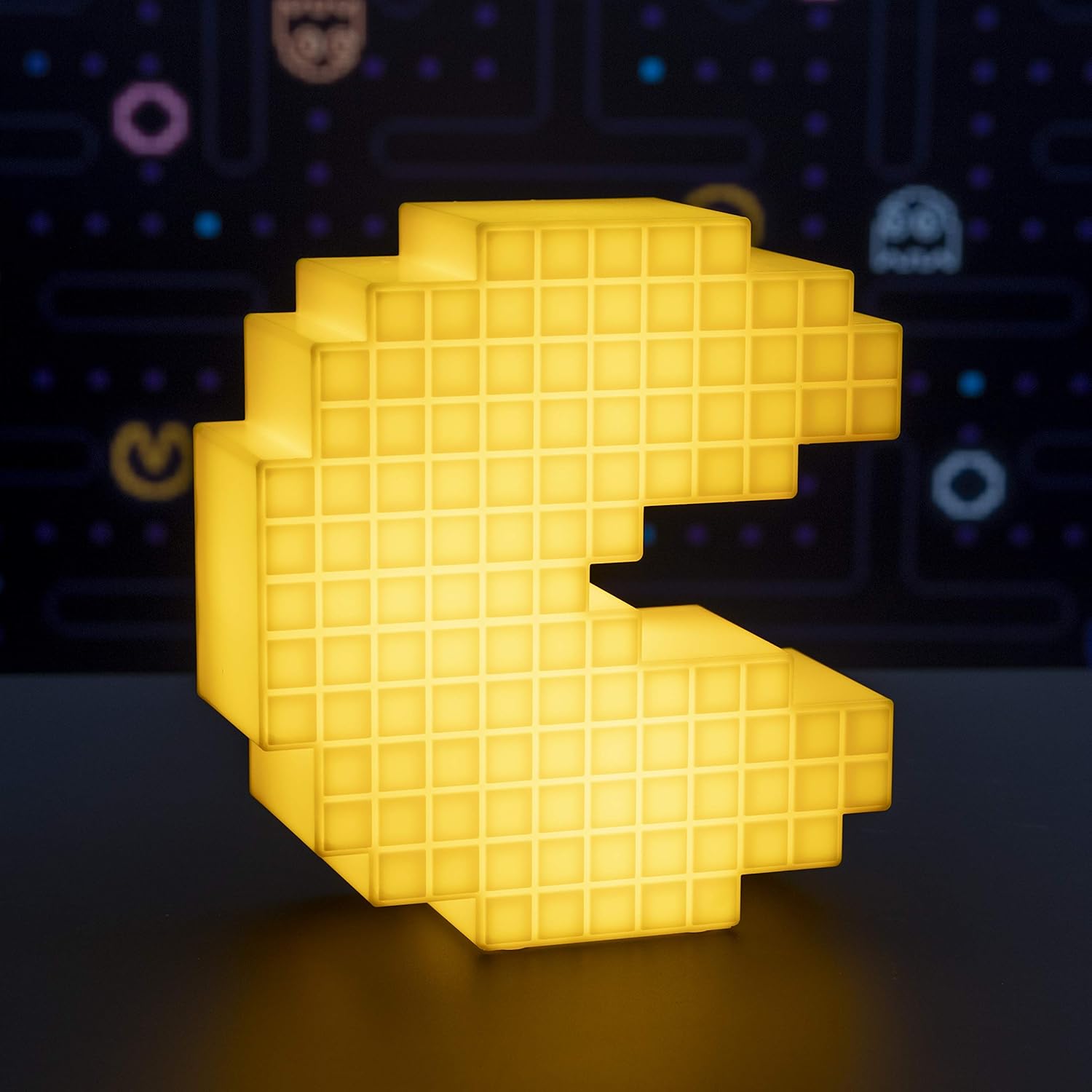
Image: The Pacman Pixelated Light illuminated, showcasing its yellow glow.
Video: Official demonstration of the Pacman Pixelated Light, showing its illumination and sound features.
Itoju
Ninu
To maintain the appearance of your Pacman Pixelated Light:
- Ensure the device is unplugged from its power source before cleaning.
- Pa dada nu pẹlu asọ ti o gbẹ.
- Ma ṣe lo awọn olutọpa abrasive, awọn nkanmimu, tabi awọn kẹmika lile, nitori iwọnyi le ba ipari jẹ.
Laasigbotitusita
Ina Ko Tan-an
- Ṣayẹwo Asopọ agbara: Rii daju pe okun USB ti sopọ ni aabo si ina ati orisun agbara.
- Jẹrisi Orisun Agbara: Try plugging the USB cable into a different USB port or wall adapter to rule out a faulty power source.
- Agbara Yi pada: Confirm the power switch on the back of the unit is in the 'ON' position.
- Ṣiṣẹ Fi ọwọ kan: Gently tap the top of the Pacman unit to activate the light.
Ko si Ohun
- Ṣiṣẹ Fi ọwọ kan: Ensure you are tapping the top of the unit to trigger the sound effects.
- Orisun Agbara: Verify the unit is receiving adequate power via USB.
Awọn pato
| Ẹya ara ẹrọ | Ẹ̀kúnrẹ́rẹ́ |
|---|---|
| Nọmba awoṣe | PP4900PM |
| Brand | Paladone |
| Awọn iwọn Ọja (W x H) | 6.7 inches (17 cm) x 7.5 inches (19 cm) |
| Iwọn Nkan | 0.25 kilogram (8.8 iwon) |
| Ohun elo | Ṣiṣu |
| Orisun agbara | USB Powered (3 AAA batteries required for optional use, not included) |
| Imọlẹ Orisun Orisun | LED |
| Ọna Iṣakoso | Fọwọkan |
| Awọ Imọlẹ | Yellow |
| Awọn irinše to wa | okun USB |

Image: Visual representation of the light's dimensions (Width: 6.7 inches, Height: 7.5 inches).
Atilẹyin ọja ati Support
Specific warranty information for the Paladone Pacman Pixelated Light is not provided in the product details. For warranty claims or technical support, please contact Paladone directly through their official webaaye tabi alagbata ti o ti ra ọja naa.


