1. Ifihan
Thank you for choosing the TIGERKING 1.2 Cu Ft LK-WHITE Digital Security Safe Box. This safe is designed to provide secure storage for your valuables, documents, and personal items. It features a robust construction with an electronic combination lock, dual anti-theft locking bolts, and a removable shelf for organized storage. Please read this manual carefully before operating your safe to ensure proper setup and usage.
Text Description: This video provides a general overview of the TIGERKING Digital Security Safe Box, highlighting its features and design.
2. Alaye Aabo
- Má ṣe fi àwọn kọ́kọ́rọ́ pajawiri pamọ́ sínú àpótí ààbò. Pa wọ́n mọ́ sí ibi ààbò tí ó yàtọ̀.
- Ensure the safe is mounted securely to prevent unauthorized removal.
- Keep the safe away from moisture and direct sunlight.
- Rọpo awọn batiri ni kiakia nigbati atọka batiri kekere ba han lati rii daju pe iṣiṣẹ lemọlemọfún.
- This safe is not fireproof or waterproof. Do not store items that require fire or water protection.
3. Package Awọn akoonu
Daju pe gbogbo awọn ohun kan wa ninu package rẹ:
- 1 x TIGERKING 1.2 Cu Ft Digital Security Safe Box
- 2 x Awọn bọtini pajawiri
- 4 x Awọn boluti Imugboroosi (fun iṣagbesori)
- 1 x Apoti Batiri Ita
- 1 x Itọsọna olumulo

Text Description: An image showing all components included with the TIGERKING safe: the safe itself, a user manual, an emergency battery box, two emergency keys, and four expansion bolts for installation.
4. Awọn pato
| Ẹya ara ẹrọ | Ẹ̀kúnrẹ́rẹ́ |
|---|---|
| Brand | TIGERKING |
| Nọmba awoṣe | E25LK |
| Ọja Mefa | 9.9"D x 13.8"W x 9.9"H |
| Agbara | 1.2 Onigun Ẹsẹ |
| Titiipa Iru | Titiipa Apapo Itanna |
| Ohun elo | Alloy Irin |
| Pataki Awọn ẹya ara ẹrọ | Alarm System, Anti-Theft, Combination Lock, Removable Shelf, Sensor Light |
| Iṣagbesori Iru | Ògiri Ògiri |
| Iwọn Nkan | 20.1 iwon |
| Omi Resistance Ipele | Ko Omi Resistant |
Text Description: A visual representation of the safe's exterior and interior dimensions, highlighting its 1.2 cubic feet capacity.
5. Eto
5.1 Ìṣíṣí àkọ́kọ́ pẹ̀lú Kọ́kọ́rọ́ Pajawiri
- Locate the emergency lock cover on the front panel.
- Remove the cover to reveal the keyhole.
- Fi ọ̀kan lára àwọn kọ́kọ́rọ́ pajawiri náà sí i kí o sì yí i padà sí ọ̀nà òdìkejì.
- While holding the key turned, rotate the handle clockwise to open the safe door.
- Once the safe is open, remove the emergency key and store it in a safe place outside the safe.
Text Description: This video demonstrates the first-time operation of the safe using the emergency keys to open the door.
5.2 Fifi sori batiri
The safe requires 4 x AA batteries (not included) for the electronic keypad to function.
- Open the safe door using the emergency key (if not already open).
- Wa yara batiri si inu ẹnu-ọna ailewu.
- Insert 4 x AA batteries, ensuring correct polarity (+/-).
- Pa ideri iyẹwu batiri naa.

Text Description: A detailed view of the safe's digital keypad and the internal battery compartment, illustrating where to insert the AA batteries.
5.3 Iṣagbesori Safe
For enhanced security, the safe can be mounted to a wall or floor.
- Yan ipo ti o dara fun iṣagbesori.
- The safe has 4 pre-drilled holes on the back and bottom.
- Position the safe and mark the drilling points on the wall or floor.
- Lilu ihò ni samisi ojuami.
- Align the safe with the drilled holes and secure it using the provided expansion bolts.

Text Description: A step-by-step visual guide on how to install the safe by mounting it to a wall, showing the drilling and securing process.
5.4 Setting User Code
You can set a personal user code (1 to 8 digits) for daily access.
- Nígbà tí ilẹ̀kùn ààbò bá ṣí sílẹ̀, tẹ bọ́tìnì àtúnṣe pupa tó wà ní inú ilẹ̀kùn náà.
- The yellow indicator light on the keypad will flash, and you will hear a beep.
- Enter your desired user code (1-8 digits) on the keypad.
- Press the "#" button to confirm. The safe will emit 2 beeps, and the yellow light will turn off.
Text Description: This video demonstrates the first method to set up a user code for the digital safe, guiding through the steps of pressing the reset button and entering a new code.
Text Description: This video illustrates a second method for setting up a user code on the digital safe, providing an alternative approach to programming your personal access code.
5.5 Setting Master Code
A master code provides an additional layer of security and can be used to open the safe or reset user codes.
- With the safe door open, press the "0" button twice, then press the red reset button.
- The yellow indicator light will flash, and you will hear a beep.
- Enter your desired master code (1-8 digits) on the keypad.
- Press the "#" button to confirm. The safe will emit 2 beeps, and the yellow light will turn off.
Text Description: This video demonstrates the first method to set up a master code for the digital safe, guiding through the steps of pressing specific buttons and entering a new master code.
Text Description: This video illustrates a second method for setting up a master code on the digital safe, providing an alternative approach to programming your master access code.
6. Awọn ilana Iṣiṣẹ
6.1 Opening the Safe with Code
- Enter your user code or master code on the keypad.
- Press the "#" button to confirm.
- The green indicator light will illuminate, and you will hear a beep.
- Within 5 seconds, rotate the handle clockwise to open the door.
Text Description: This video demonstrates how to open the TIGERKING safe using a programmed code on the digital keypad.
6.2 Opening the Safe with Emergency Key
Follow the steps in section 5.1 if the batteries are dead or you forget your code.
6.3 Dual Alarm System
Ailewu naa ni ipese pẹlu eto itaniji meji fun aabo imudara:
- Incorrect Entry Alarm: If an incorrect code is entered three consecutive times, the alarm will sound for 20 seconds, and the keypad will lock for 3 minutes.
- Itaniji gbigbọn: If the safe experiences violent vibration or tampering, the alarm will sound.

Text Description: A visual explanation of the safe's dual warning system, illustrating how the alarm activates upon violent vibration or multiple incorrect code entries.
6.4 Ipo ipalọlọ
For discreet access, the safe features a silent mode:
- To activate silent mode, press the "*" button before entering your code.
- The safe will operate without sound, allowing for quiet access when needed.
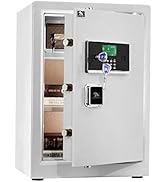
Text Description: A visual guide to the safe's alarm and silent mode features, showing how to activate silent mode for discreet operation.
6.5 Selifu yiyọ
The interior of the safe includes a removable shelf to customize storage space.
- To remove the shelf, simply lift it from its supports.
- To re-install, align the shelf with the desired supports and lower it into place.

Text Description: A visual demonstration of the safe's removable shelf, highlighting its flexibility for organizing various items.
7. Itọju
7.1 Batiri Rirọpo
When the batteries are low, the keypad indicator light will flash red. Replace all four AA batteries promptly.
- Ṣii ilẹkun ailewu.
- Yọ ideri iyẹwu batiri kuro.
- Replace old batteries with new 4 x AA batteries, observing correct polarity.
- Pa ideri iyẹwu batiri naa.
7.2 Ninu
Fọ ìta ààbò náà pẹ̀lú asọ, damp asọ. Yago fun lilo abrasive afọmọ tabi olomi ti o le ba awọn ipari.
8. Laasigbotitusita
| Isoro | Owun to le Fa | Ojutu |
|---|---|---|
| Ailewu ko ṣii pẹlu koodu. | Incorrect code entered; low batteries. | Re-enter correct code; replace batteries; use emergency key. |
| Bọtini foonu ko ṣe idahun. | Awọn batiri ti o ku. | Use the external battery box or emergency key to open, then replace internal batteries. |
| Itaniji n dun lairotẹlẹ. | Tampering detected; multiple incorrect entries. | Ensure safe is stable; enter correct code to disarm. |
9. Atilẹyin ọja & Atilẹyin
TIGERKING offers a 1-year warranty on this product against defects in materials and workmanship. For customer service, technical support, or warranty claims, please contact TIGERKING customer service. Our responsive customer service team is available to assist you.
- Iṣẹ onibara: Refer to the contact information provided in your purchase documentation or visit the official TIGERKING webojula.
- Ẹri itelorun: Your satisfaction is important to us. If you encounter any issues, please reach out for assistance.
Awọn iwe aṣẹ ti o jọmọ - E25LK
 |
TIGERKING E-LK Series Afowoyi olumulo - Ile & Ailewu Ọfiisi Iwe afọwọkọ olumulo pipe fun TIGERKING E-LK Series Home & Ailewu Ọfiisi. Pẹlu iṣeto, iṣẹ ṣiṣe, awọn ẹya aabo, awọn ilana iṣagbesori, ati alaye atilẹyin alabara. |
 |
TigerKing XH-1 Home / Office Ailewu olumulo Afowoyi Itọsọna olumulo fun TigerKing XH-1 Ile/Ofiisi Ailewu, eto ibora, atokọ iṣakojọpọ, awọn ilana ṣiṣi, eto koodu, eto ọjọ, ṣiṣe ayẹwo igbasilẹ, awọn eto itaniji, iṣagbesori, ati iṣẹ alabara. |
 |
Tigerking FPSD Series Fireproof Safe User Manual - FPSD40, FPSD50, FPSD66 Comprehensive user manual for the Tigerking FPSD Series fireproof safes (models FPSD40, FPSD50, FPSD66), detailing setup, operation, security features, alarm system, and customer support. |
 |
TigerKing XH-1 Home / Office Ailewu olumulo Afowoyi Itọsọna olumulo fun TigerKing XH-1 Ile/Ofiisi Ailewu, eto ibora, atokọ iṣakojọpọ, awọn ilana ṣiṣi, eto koodu, pipade, eto ọjọ, ṣiṣe ayẹwo igbasilẹ, awọn eto itaniji, iṣagbesori, ati iṣẹ alabara. |
 |
TigerKing E-FED Afọwọṣe Olumulo Ailewu: Isẹ ati Itọsọna Iṣagbesori Iwe afọwọkọ olumulo pipe fun TigerKing E-FED Aabo jara, ibora ṣiṣi akọkọ, fifi sori batiri, itẹka ati siseto koodu, iṣẹ ailewu, awọn ilana iṣagbesori, ati alaye iṣẹ alabara. |
 |
TigerKing FPSD96-PULS Atọka Olumulo Ailewu Ile ati Itọsọna Iṣiṣẹ Itọsọna yii n pese awọn ilana alaye fun sisẹ, fifi sori ẹrọ, ati mimu TigerKing FPSD96-PULS aabo ile ti ko ni aabo. Kọ ẹkọ nipa awọn ẹya rẹ, awọn eto aabo, ati atilẹyin alabara. |