Ọrọ Iṣaaju
The Yamazaki TOWER 4348 Printer Station is a minimalist and functional storage solution designed to organize your workspace. This steel unit provides dedicated space for your printer and essential office supplies, helping to maintain a tidy and efficient environment. It can be used on a desktop or on the floor, offering flexibility to suit your needs.
This manual provides detailed instructions for the setup, operation, and maintenance of your printer station, along with important specifications and troubleshooting tips.
Awọn ilana iṣeto
Your Yamazaki TOWER 4348 Printer Station is designed for straightforward assembly. Follow these steps to set up your unit:
- Yọ awọn ohun elo kuro: Carefully remove all parts from the packaging. Verify that all components are present, including the main frame, shelves, and casters (if applicable).
- Caster Installation (Optional): If you intend to use the printer station with casters for mobility, attach them to the designated holes on the bottom of the unit. Ensure each caster is securely fastened. Press firmly until they click into place or screw them in if threaded.
- Ipo: Place the assembled printer station on a flat, stable surface, either on your desk or on the floor. Ensure the chosen location can support the weight of the station and its contents.
- Ibi atẹwe: Carefully place your printer on the top surface of the station. Ensure it is centered and stable.
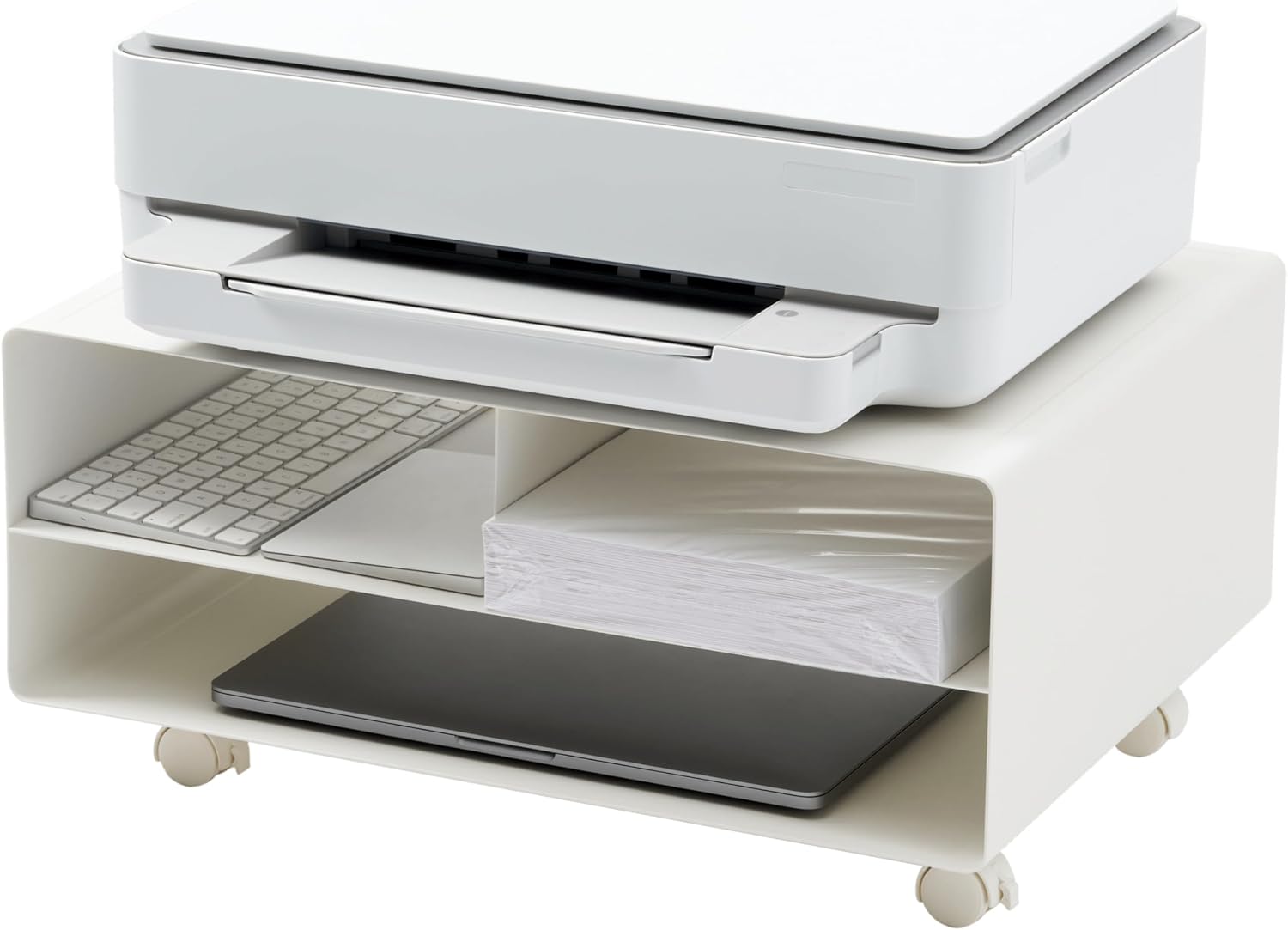
Image: Assembled Yamazaki TOWER 4348 Printer Station with a printer on top and supplies in the shelves.
Awọn ilana Iṣiṣẹ
The Yamazaki TOWER 4348 Printer Station is designed for intuitive use. Here are guidelines for optimal operation:
- Lilo Ibi ipamọ: The station features multiple compartments for organizing office supplies. The top surface is intended for your printer. The internal shelves are suitable for storing paper reams, ink cartridges, and other small office items.
- Agbara iwuwo: Adhere to the following weight limits to ensure stability and product longevity:
- Top surface: Up to 8.9 kg (20 lbs)
- Each middle compartment: Up to 5.9 kg (6.6 lbs)
- Bottom shelf: Up to 5.9 kg (13.2 lbs)
- Gbigbe: If casters are installed, the station can be easily moved to different locations. Ensure the path is clear of obstructions. For stationary use, engage the caster locks if available to prevent unintended movement.

Image: Yamazaki TOWER 4348 Printer Station in use, with a printer on the top surface and paper and ink cartridges stored in the lower compartments.

Aworan: Isunmọ view of the storage compartments, showing a ream of paper and ink cartridges neatly organized.
Itoju
Proper care will ensure the longevity and appearance of your printer station:
- Ninu: Mu awọn oju ilẹ pẹlu asọ, damp cloth. For stubborn marks, a mild soap solution can be used, followed by wiping with a clean, dry cloth.
- Yago fun Kemikali lile: Má ṣe lo àwọn ohun ìfọṣọ, àwọn ohun olómi, tàbí àwọn kẹ́míkà líle, nítorí pé wọ́n lè ba ìrísí tí a fi lulú bò jẹ́.
- Yiyọ eruku kuro: Regularly dust the unit, especially in the storage compartments, to prevent accumulation.
- Caster Check: If equipped with casters, periodically check them for debris or hair that might impede smooth movement. Clean as necessary.
Laasigbotitusita
If you encounter any issues with your printer station, consider the following common solutions:
- Aiduroṣinṣin: If the station feels wobbly or unstable, ensure it is placed on a completely flat and level surface. Verify that all casters (if installed) or feet are making full contact with the floor. Re-check any assembly points to ensure they are tightened securely.
- Difficulty Moving (with casters): Check if the caster locks are engaged. Ensure there are no obstructions (e.g., carpet edges, debris) preventing the casters from rolling freely. Clean any accumulated dirt or hair from the caster wheels.
- Oju ti o bajẹ: For minor scratches or chips in the powder coating, touch-up paint designed for metal surfaces may be used. Consult a professional for significant damage.
Awọn pato
| Nọmba awoṣe | 4348 |
| Brand | YAMAZAKI |
| Ohun elo | Alloy Irin |
| Àwọ̀ | Funfun |
| Awọn iwọn (L x W x H) | 48 x 37 x 19 cm (18.88" x 14.5" x 7.48") |
| Top Dada iwuwo Agbara | 8.9 kg (20 lbs) |
| Middle Compartment Weight Capacity (each) | 5.9 kg (6.6 lbs) |
| Isalẹ Selifu Àdánù Agbara | 5.9 kg (13.2 lbs) |
| Pataki Ẹya | 360-degree rotation (casters) |
| Pari Iru | Aso lulú |
| Awọn ẹrọ ibaramu | Itẹwe |
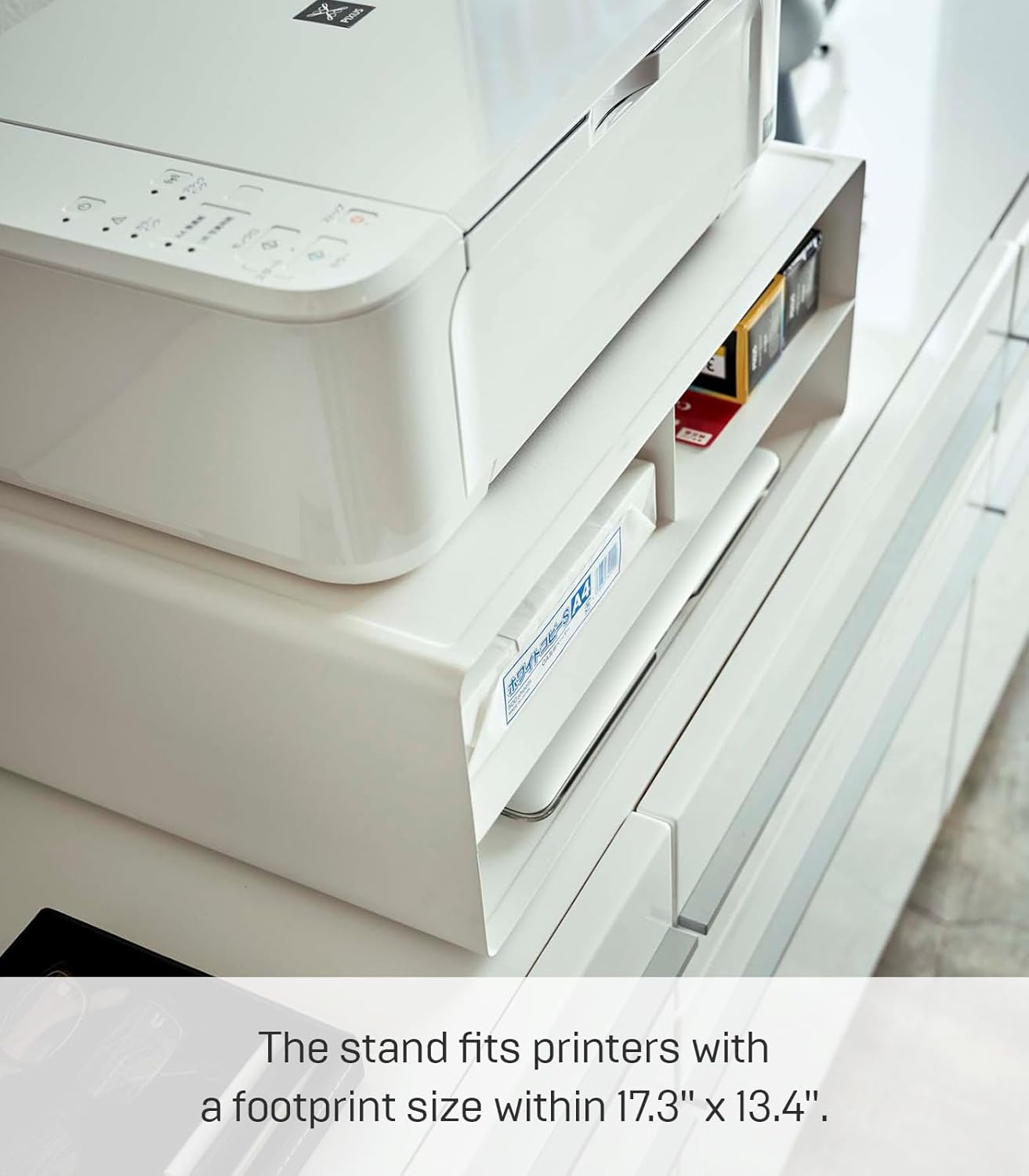
Image: Diagram showing the dimensions of the Yamazaki TOWER 4348 Printer Station, including shelf heights and overall footprint.
Atilẹyin ọja ati Support
Specific warranty information for the Yamazaki TOWER 4348 Printer Station is not provided in the product details. For any warranty claims, product support, or inquiries, please refer to the official YAMAZAKI webojula tabi kan si wọn onibara iṣẹ taara. Tọju iwe-ẹri rira rẹ bi ẹri rira.
You can typically find contact information and support resources on the manufacturer's official webojula: YAMAZAKI Home Official Webojula


