Ọrọ Iṣaaju
This manual provides detailed instructions for the Superior Electronics Ready5 Smart Universal Remote Control, Model SUPTRB019. This remote is designed for immediate use with a wide range of LG, Samsung, Sony, Philips, and Panasonic televisions, eliminating the need for complex programming.
Awọn ẹya pataki pẹlu:
- Universal compatibility with major TV brands (LG, Samsung, Sony, Philips, Panasonic).
- Ready-to-use functionality; no programming required.
- Full Smart TV compatibility for enhanced control.
- Dedicated quick access buttons for popular streaming services like Netflix and Prime Video.
- Ergonomic design with intuitive button layout for comfortable and immediate operation.
- Ti a ṣe lati awọn ohun elo ti o tọ fun iṣẹ ṣiṣe pipẹ.

Image: The Superior Electronics Ready5 Smart Universal Remote Control shown in its retail packaging, highlighting its "Ready to Use" feature and compatibility with various TV brands.
Ṣeto
1. Fifi awọn batiri sii
The remote control requires two (2) AAA batteries (not included). Follow these steps to insert them correctly:
- Wa ideri iyẹwu batiri ni ẹhin isakoṣo latọna jijin.
- Gbe ideri si isalẹ tabi tẹ latch (ti o ba wa) lati ṣii yara naa.
- Insert two AAA batteries, ensuring that the positive (+) and negative (-) terminals align with the indicators inside the compartment. Incorrect polarity can prevent the remote from functioning.
- Gbe ideri iyẹwu batiri pada si aaye titi yoo fi tẹ ni aabo.

Aworan: Ẹyin view of the remote control, illustrating the location of the battery compartment for easy access and battery insertion.
2. Lilo akọkọ
The Superior Electronics Ready5 Smart remote control is designed for immediate use with compatible LG, Samsung, Sony, Philips, and Panasonic TVs. Once the batteries are correctly inserted, the remote is ready to operate your television without any additional programming or setup. Simply point the remote at your TV and begin using its functions.
Awọn ilana Iṣiṣẹ
This section details the primary functions of the buttons on your Ready5 Smart remote control.

Aworan: Iwaju view of the Superior Electronics Ready5 Smart remote control, displaying all buttons and their layout for easy identification.
Awọn iṣẹ bọtini Pariview
| Bọtini | Išẹ |
|---|---|
| Agbara (●) | Tan TV si tan tabi paa. |
| Iṣawọle | Yan orisun titẹ sii (HDMI, AV, ati bẹbẹ lọ). |
| Smart Video / NET.TV | Direct access to Smart TV features or specific streaming apps. |
| 3D | Activates or deactivates 3D mode (if supported by TV). |
| Itọsọna | Ṣe afihan itọnisọna eto itanna. |
| Akojọ aṣyn | Ṣii akojọ aṣayan akọkọ ti TV. |
| Subt. | Yipada awọn atunkọ si tan tabi pa. |
| Ayanfẹ | Wọle si atokọ awọn ikanni ayanfẹ. |
| Alaye | Ṣe afihan alaye nipa eto lọwọlọwọ tabi titẹ sii. |
| Lilọ kiri (Soke, Isalẹ, Osi, Ọtun, O DARA) | Lilọ kiri nipasẹ awọn akojọ aṣayan ati jẹrisi awọn aṣayan. |
| Pada | Pada si iboju iṣaaju tabi akojọ aṣayan. |
| Jade | Jade kuro ni akojọ aṣayan lọwọlọwọ tabi ohun elo. |
| Vol +/- | Ṣe atunṣe iwọn didun soke tabi isalẹ. |
| Pa ẹnu mọ́ | Pa tabi mu ohun TV kuro. |
| Ch +/- | Iyipada ikanni soke tabi isalẹ. |
| Paadi Nọmba (0-9) | Directly enters channel numbers or numerical inputs. |
| Akojọ | Ṣe afihan akojọ awọn ikanni tabi media. |
| Netflix | Directly launches the Netflix application. |
| Fidio akọkọ | Directly launches the Amazon Prime Video application. |
| Àwọn Bọ́tìnì Àwọ̀ (Pupa, Àwọ̀ Ewé, Yẹ́lò, Àwọ̀ Búlúù) | Functions vary depending on the TV model and current menu/application. |
| Media Control (Play, Pause, Stop, Rewind, Fast Forward, Record) | Ó ń ṣàkóso ìṣíṣẹ́ orin (fún àpẹẹrẹ, USB, àwọn ohun èlò ìṣàn-ṣíṣẹ́). |
Smart TV and Streaming Access
The Ready5 Smart remote is designed to seamlessly integrate with your Smart TV's functionalities. Use the navigation buttons to browse Smart TV menus and applications. The dedicated Netflix and Prime Video buttons provide instant access to these popular streaming platforms, allowing you to start watching your favorite content with a single press.
Itoju
Ninu Iṣakoso Latọna jijin
To ensure optimal performance and longevity of your remote control, follow these cleaning guidelines:
- Nigbagbogbo yọ awọn batiri ṣaaju ki o to nu.
- Lo asọ ti o rọ, ti o gbẹ lati nu dada ti isakoṣo latọna jijin.
- Fun idoti alagidi, die-die dampen asọ pẹlu omi tabi a ìwọnba, ti kii-abrasive regede. Yago fun ọrinrin pupọ.
- Maṣe lo awọn kẹmika ti o lewu, awọn afọmọ abrasive, tabi awọn nkanmimu, nitori iwọnyi le ba ipari latọna jijin tabi awọn paati inu.
- Ensure the remote is completely dry before reinserting batteries.
Itọju Batiri ati Rirọpo
Replace batteries when the remote's response becomes sluggish or it stops functioning. Always replace both batteries at the same time with new AAA batteries. Do not mix old and new batteries, or different types of batteries. Dispose of used batteries responsibly according to local regulations.
Laasigbotitusita
If you encounter issues with your Ready5 Smart remote control, refer to the following common problems and solutions:
Latọna jijin Ko Dahun
- Ṣayẹwo awọn batiri: Rí i dájú pé àwọn bátìrì náà wà ní ìtẹ̀síwájú pẹ̀lú polarity tó tọ́ (+/-) àti pé wọn kò ti tán. Fi àwọn bátìrì AAA tuntun rọ́pò rẹ̀ tí ó bá pọndandan.
- Laini Oju: Make sure there are no obstructions between the remote control and the TV's infrared receiver. Point the remote directly at the TV.
- Ijinna: Ensure you are within the effective operating range (up to 10 meters).
- Agbara TV: Confirm that your TV is powered on and not in standby mode.
Awọn bọtini kan pato ti ko ṣiṣẹ
- Iṣẹ ṣiṣe gbogbogbo: If most buttons work but a few do not, it might indicate a specific TV model's lack of support for that particular function via universal remote, or a dirty contact under the button.
- Smart TV/Streaming Buttons: Ensure your TV is a Smart TV and has the respective applications (Netflix, Prime Video) installed and updated.
Awọn ọrọ ibamu
The Ready5 Smart remote is pre-programmed for LG, Samsung, Sony, Philips, and Panasonic TVs manufactured from 2000 onwards. If your TV is from a different brand or an older model, full functionality may not be guaranteed. No programming is required for the listed compatible brands.
Awọn pato
| Ẹya ara ẹrọ | Ẹ̀kúnrẹ́rẹ́ |
|---|---|
| Orukọ awoṣe | Ready5 Smart |
| Nọmba awoṣe | SUPTRB019 |
| Brand | Awọn Itanna Itanna Giga |
| Awọn ẹrọ ibaramu | LG, Samsung, Sony, Philips, Panasonic Televisions (models from 2000 onwards) |
| Asopọmọra Technology | Infurarẹẹdi (IR) |
| Orisun agbara | Awọn batiri 2 x AAA (kii ṣe pẹlu) |
| Ibiti o pọju | Awọn mita 10 (isunmọ 33 ẹsẹ) |
| Ọja Mefa | 5 x 1.5 x 19 cm (isunmọ. 1.97 x 0.59 x 7.48 inches) |
| Iwọn | 100 giramu (nǹkan bíi 3.53 ounces) |
| Àwọ̀ | Dudu |
| Pataki Ẹya | Universal, immediately ready for use (no programming) |
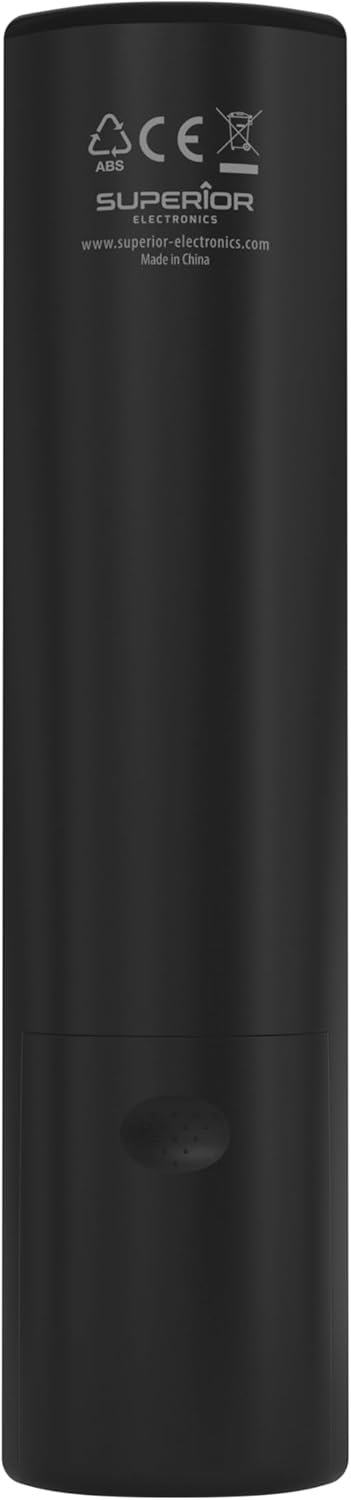
Image: The remote control with its approximate dimensions (4.8 cm width, 19.5 cm length) highlighted for reference.
Alaye atilẹyin ọja
Specific warranty details for the Superior Electronics Ready5 Smart Universal Remote Control are typically provided with your purchase documentation or can be found on the official Superior Electronics website. Please refer to these resources for comprehensive information regarding warranty coverage, terms, and conditions.
Atilẹyin
For further assistance, technical support, or additional product information, please visit the official Superior Electronics website or contact their customer service department. Contact details are usually available on the product packaging or the manufacturer's webojula.
Manufacturer: Superior Electronics
Fun alaye siwaju sii, o le ṣàbẹwò awọn Superior Electronics Store on Amazon.


