1. Ifihan
O ṣeun fun riraasing the 2BOOM BX390 Bass King Wireless Bluetooth Boombox Stereo Speaker. This manual provides essential information for setting up, operating, and maintaining your speaker to ensure optimal performance and longevity. Please read this manual thoroughly before using the product.

Image 1.1: The 2BOOM BX390 Bass King Wireless Bluetooth Boombox Stereo Speaker.
This image shows the 2BOOM BX390 Bass King speaker in blue, featuring a cylindrical design with a handle/strap attached. The front panel displays the control interface and speaker grille.
2. Package Awọn akoonu
Jọwọ ṣayẹwo package fun awọn nkan wọnyi:
- 1 x 2BOOM BX390 Bass King Speaker
- 1 x 3.5mm Aux Cable
- 1 x Okun Ngba agbara USB
- 1 x Itọsọna olumulo (iwe yii)
- 1 x Attachable Shoulder Strap

Image 2.1: The 2BOOM BX390 speaker shown with its detachable shoulder strap, 3.5mm Aux cable, and USB charging cable.
This image displays the blue 2BOOM BX390 speaker from an angled perspective, highlighting the included shoulder strap attached to its side rings. The USB charging cable and 3.5mm Aux cable are visible in the foreground.
3. Awọn ẹya Ọja
- Powerful Bass Sound: Equipped with 4-inch subwoofers and vibrating disks for crisp, clear, loud sound, booming low tones, and dynamic sound effects.
- Asopọmọra Bluetooth: Connects wirelessly to smartphones, tablets, and other Bluetooth-enabled devices up to 33 ft.
- Gbohungbohun ti a ṣe sinu: Supports hands-free calls.
- Apẹrẹ ti o tọ ati gbigbe: Features a rugged, rubberized exterior and an attachable strap for easy carrying.
- Awọn aṣayan Iṣawọle Ọpọ: Includes FM Radio, Aux-in Line, USB port, and SD Card slot.
- Igbimo Iṣakoso Iṣọkan: Direct control over volume, bass, and sound equalizer.

Image 3.1: The 2BOOM BX390 speaker with visual callouts for Deep Digital Bass, FM Radio, Long-Lasting Battery, and Straps Included.
This image shows the blue 2BOOM BX390 speaker from the front, with graphic overlays pointing out its key features: deep digital bass, FM radio capability, long-lasting battery, and the inclusion of straps for portability.
4. Awọn iṣakoso ati awọn ibudo
Familiarize yourself with the control panel and input ports of your BX390 speaker:

Image 4.1: Detailed diagram of the 2BOOM BX390 control panel and input ports.
Aworan yii pese isunmọ view of the speaker's front panel, clearly labeling each button, port, and indicator. Labels include USB, DC 5V (charging), AUX, Previous, Play/Pause, Next, Mode, EQ, SD card slot, LED display, Power ON/OFF switch, Volume controls, and Bass controls.
- Ibudo USB: Fun ṣiṣiṣẹsẹhin drive USB.
- DC 5V (Charging Port): Connect the USB charging cable here to charge the speaker.
- Iṣawọle AUX: 3.5mm jack for connecting external audio devices via an Aux cable.
- Previous / Volume -: Short press for previous track; long press to decrease volume.
- Ṣiṣẹ/Daduro: Press to play or pause audio. In FM mode, short press to auto-scan.
- Next / Volume +: Short press for next track; long press to increase volume.
- Ipo: Press to switch between Bluetooth, FM Radio, USB, SD Card, and AUX modes.
- EQ (Onisọgba): Press to cycle through different equalizer presets.
- Iho kaadi SD: Insert an SD card for audio playback.
- Ifihan LED: Ṣe afihan ipo lọwọlọwọ, nọmba orin, tabi igbohunsafẹfẹ FM.
- Agbara PA / PA Yipada: Slide to turn the speaker on or off.
- Iwọn didun +/-: Awọn bọtini lati mu iwọn didun pọ si tabi dinku.
- Bass +/-: Buttons to increase or decrease the bass level.
5. Eto
5.1 Gbigba agbara si Agbọrọsọ
Before first use, fully charge the speaker. Connect the supplied USB charging cable to the DC 5V port on the speaker and the other end to a USB power adapter (not included) or a computer's USB port. The LED display may indicate charging status.
- Akoko gbigba agbara le yatọ.
- Ge asopọ ṣaja naa nigbati o ba ti gba agbara patapata lati pa agbara batiri mọ.
5.2 Titan / Pa a
Láti yí agbọ̀rọ̀sọ náà padà ON, slide the Power ON/OFF switch to the 'ON' position. You will hear an audible prompt, and the LED display will light up.
Láti yí agbọ̀rọ̀sọ náà padà PAA, slide the Power ON/OFF switch to the 'OFF' position.
6. Awọn ilana Iṣiṣẹ
6.1 Ipo Bluetooth
The speaker automatically enters Bluetooth pairing mode when powered on if no other input source is connected, or after pressing the MODE button until "Bluetooth" is indicated.
- Rii daju pe agbọrọsọ ti wa ni titan.
- Lori ẹrọ Bluetooth ti o ṣiṣẹ (foonuiyara, tabulẹti, ati bẹbẹ lọ), mu Bluetooth ṣiṣẹ ki o wa awọn ẹrọ to wa.
- Yan"2BOOM BX390" or similar from the list.
- Once paired, the speaker will confirm with an audible prompt.
- O le mu ohun ṣiṣẹ bayi lati ẹrọ rẹ nipasẹ agbọrọsọ.
Akiyesi: The speaker will automatically reconnect to the last paired device if it's within range and Bluetooth is enabled.
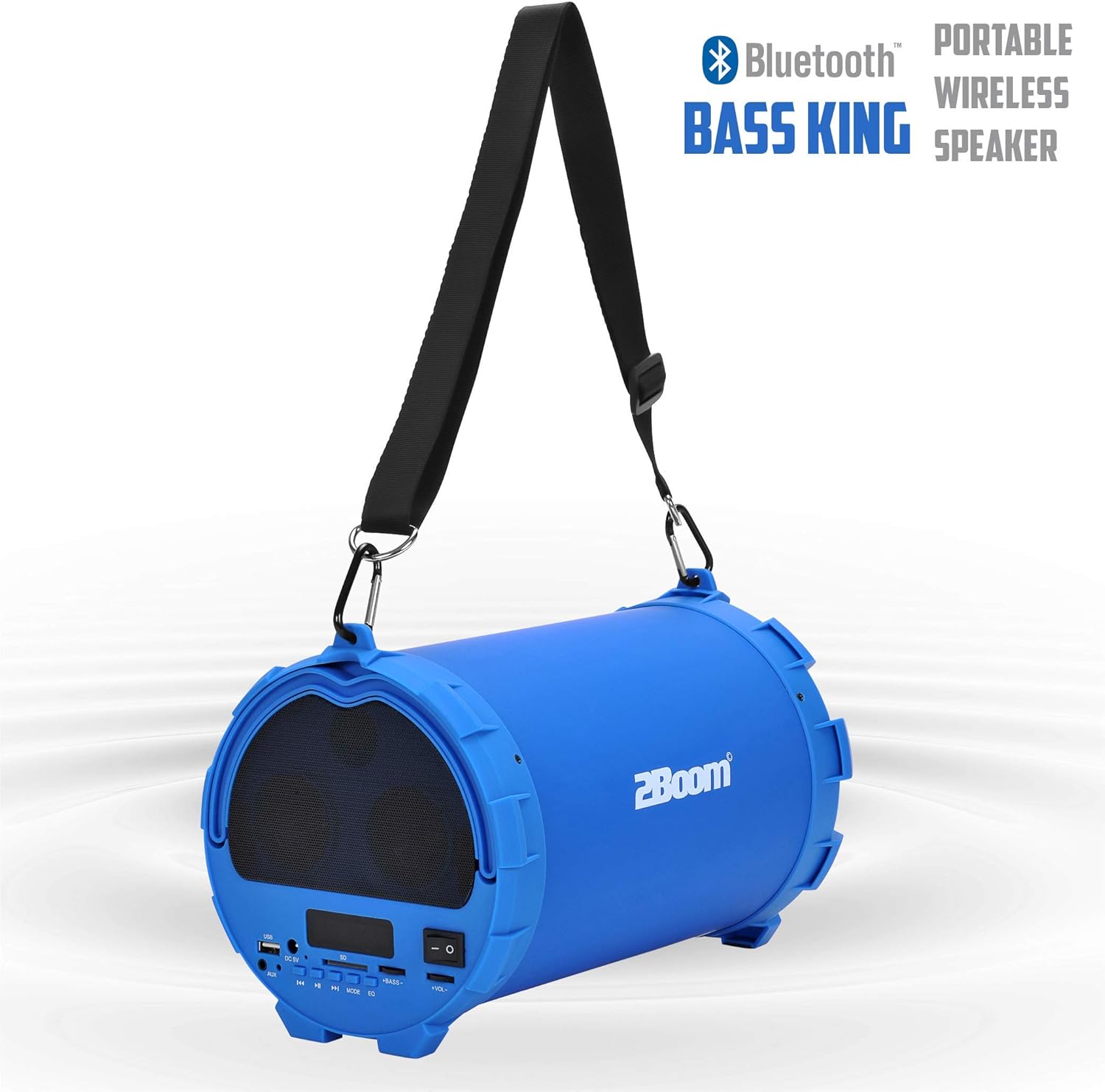
Image 6.1: The 2BOOM BX390 speaker highlighting its Bluetooth connectivity.
This image shows the blue 2BOOM BX390 speaker with a prominent "Bluetooth" logo and "PORTABLE WIRELESS BASS KING SPEAKER" text, emphasizing its wireless audio capabilities.
6.2 FM Redio Ipo
To switch to FM Radio mode, press the MODE button until "FM" or the radio frequency is displayed.
- In FM mode, short press the Ṣiṣẹ / Sinmi button to automatically scan and save available FM stations. The speaker will cycle through frequencies and store them.
- Lo awọn Ti tẹlẹ ati Itele awọn bọtini lati lilö kiri laarin awọn ibudo ti a fipamọ.
- For better reception, extend the antenna (if applicable, or reposition the speaker).
6.3 USB / SD Card Mode
Agbọrọsọ naa ṣe atilẹyin fun ṣiṣiṣẹsẹhin ohun lati awọn awakọ filasi USB ati awọn kaadi SD.
- Fi okun filasi USB sinu Ibudo USB tabi kaadi SD kan sinu SD kaadi Iho.
- The speaker will automatically switch to the corresponding mode (USB or SD) and begin playing audio files. Tí kò bá rí bẹ́ẹ̀, tẹ MODE bọtini lati yan.
- Lo awọn Ti tẹlẹ, Ṣiṣẹ / Sinmi, ati Itele awọn bọtini lati ṣakoso ṣiṣiṣẹsẹhin.
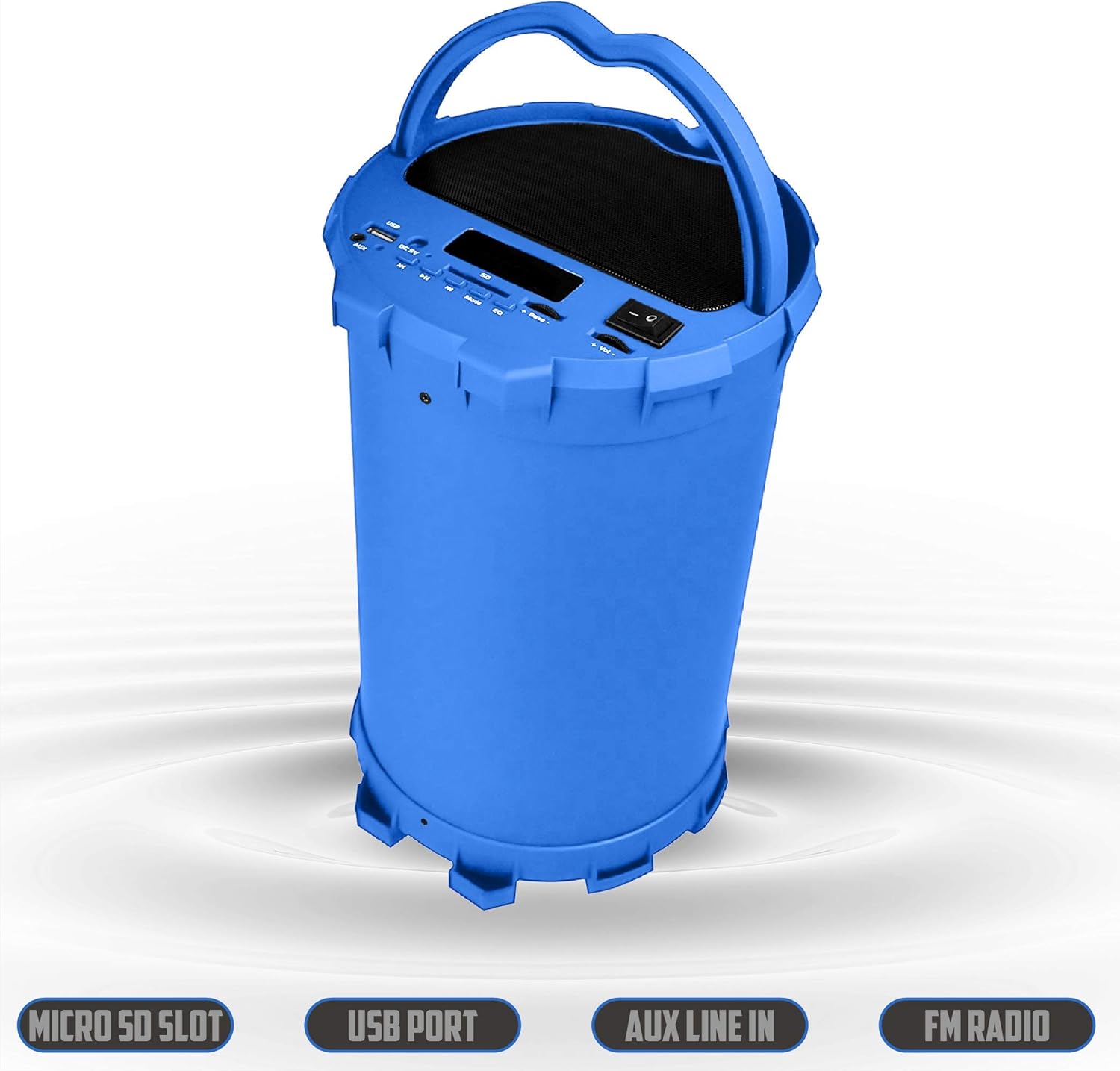
Image 6.2: The 2BOOM BX390 speaker shown upright, emphasizing the Micro SD Slot, USB Port, Aux Line In, and FM Radio capabilities.
This image displays the blue 2BOOM BX390 speaker in an upright position, with graphic overlays highlighting the Micro SD Slot, USB Port, Aux Line In, and FM Radio features on its control panel.
6.4 Ipo Input AUX
Connect external audio devices (e.g., MP3 players, computers) using the supplied 3.5mm Aux cable.
- Connect one end of the 3.5mm Aux cable to the Apọju AX ibudo lori agbọrọsọ.
- So awọn miiran opin si awọn iwe o wu Jack ti rẹ ita ẹrọ.
- Agbọrọsọ yoo yipada laifọwọyi si ipo AUX. Ti kii ba ṣe bẹ, tẹ bọtini naa MODE bọtini lati yan.
- Ṣakoso ṣiṣiṣẹsẹhin lati ẹrọ ita rẹ.
6.5 Adjusting Volume, Bass, and Equalizer
- Iwọn didun: Lo awọn Iwọn didun +/- buttons (long press Previous/Next) to increase or decrease the overall volume.
- Bass: Lo awọn Baasi +/- buttons to adjust the bass level to your preference.
- Oluṣatunṣe (EQ): Tẹ awọn EQ button to cycle through various preset equalizer modes (e.g., Pop, Rock, Jazz, Classical, Normal) to optimize sound for different music genres.
7. Itọju
- Ninu: Lo asọ ti o rọ, ti o gbẹ lati nu ita ti agbọrọsọ. Ma ṣe lo abrasive ose tabi epo.
- Ibi ipamọ: Tọju agbohunsoke ni itura, aye gbigbẹ kuro lati orun taara ati awọn iwọn otutu ti o pọju nigbati o ko ba wa ni lilo fun awọn akoko ti o gbooro sii.
- Itọju Batiri: Lati pẹ aye batiri, yago fun gbigba agbara si batiri ni kikun nigbagbogbo. Gba agbara si agbọrọsọ nigbagbogbo, paapaa ti kii ṣe ni lilo.
- Omi Resistance: Agbọrọsọ yii kii ṣe omi ti o n da omi duro. Yẹra fun fifi omi si tabi ọrinrin ti o pọ ju.
8. Laasigbotitusita
| Isoro | Owun to le Fa | Ojutu |
|---|---|---|
| Ko si agbara | Batiri naa kere tabi ti ku. | Gba agbara gbohungbohun naa patapata nipa lilo okun USB ti a pese. |
| Ko si ohun | Iwọn didun kere ju; ipo ti ko tọ ti yan; ẹrọ ko sopọ mọ daradara. | Increase volume on speaker and connected device. Press MODE to select correct input. Reconnect Bluetooth or Aux cable. |
| Sisopọ Bluetooth kuna | Agbọrọsọ kii ṣe ni ipo sisopọ; ẹrọ jina ju; kikọlu. | Ensure speaker is in Bluetooth mode. Move device closer to speaker. Turn off other Bluetooth devices. Forget "2BOOM BX390" on your device and re-pair. |
| Gbigba FM ti ko dara | Weak signal; speaker position. | Reposition the speaker. Try auto-scanning again. |
| USB/SD kaadi ko dun | Ti ko ni atilẹyin file ìṣètò; a kò fi káàdì/wakọ̀ sí i dáadáa; ó bàjẹ́ files. | Rii daju files are in a supported format (e.g., MP3). Reinsert the USB drive/SD card. Try a different drive/card. |
9. Awọn pato
| Ẹya ara ẹrọ | Ẹ̀kúnrẹ́rẹ́ |
|---|---|
| Brand | 2BOOM |
| Awoṣe | BX390 Bass King |
| Asopọmọra Technology | Iranlọwọ, Bluetooth, USB |
| Agbọrọsọ Iru | Sitẹrio |
| Awọn ẹrọ ibaramu | Kọǹpútà alágbèéká, Foonuiyara, Tabulẹti |
| Subwoofers | 4-inch (Quantity not specified, but implied by "subwoofers" and "dual subwoofers" in image) |
| Bluetooth Ibiti | Titi de 33ft (mita 10) |
| Awọn ibudo igbewọle | USB, SD Card, 3.5mm AUX |
| Redio | Redio FM |
10. Atilẹyin ọja ati Support
The 2BOOM BX390 Bass King speaker comes with an UNLIMITED 2BOOM WARRANTY.
For warranty claims or technical support, please contact 2BOOM customer service. Refer to the product packaging or 2BOOM's official webojula fun alaye olubasọrọ.
Jọwọ ṣe idaduro ẹri rira rẹ fun awọn idi atilẹyin ọja.


