Ọrọ Iṣaaju
The Blackstar AP2FLYGTR is a compact and portable headphone amplifier designed specifically for electric guitars. It features a fully analog circuit for authentic tone, multiple channels, built-in effects, and an auxiliary input for practicing along with external audio. This manual provides essential instructions for the setup, operation, and maintenance of your AP2FLYGTR to ensure optimal performance and longevity.
Ṣeto
1. Fifi sori batiri
The AP2FLYGTR requires two AAA batteries (included). To install the batteries:
- Wa yara batiri ni ẹhin ẹyọ naa.
- Ṣii ideri iyẹwu naa.
- Insert two AAA batteries, ensuring correct polarity (positive and negative terminals align as indicated).
- Pa ideri batiri naa ni aabo.
2. Sísopọ̀ mọ́ gítà rẹ
The AP2FLYGTR features an innovative folding plug mechanism that rotates 180 degrees, allowing for a perfect fit with various guitar output jack placements.
- Rotate the integrated 1/4-inch jack to align with your guitar's output jack.
- Insert the AP2FLYGTR firmly into your guitar's output jack.

Image: The Blackstar AP2FLYGTR headphone amplifier connected to an electric guitar, demonstrating its compact size and direct plug-in design.
3. Nsopọ Awọn agbekọri
Connect your headphones to the 3.5mm headphone output jack located on the side of the unit.
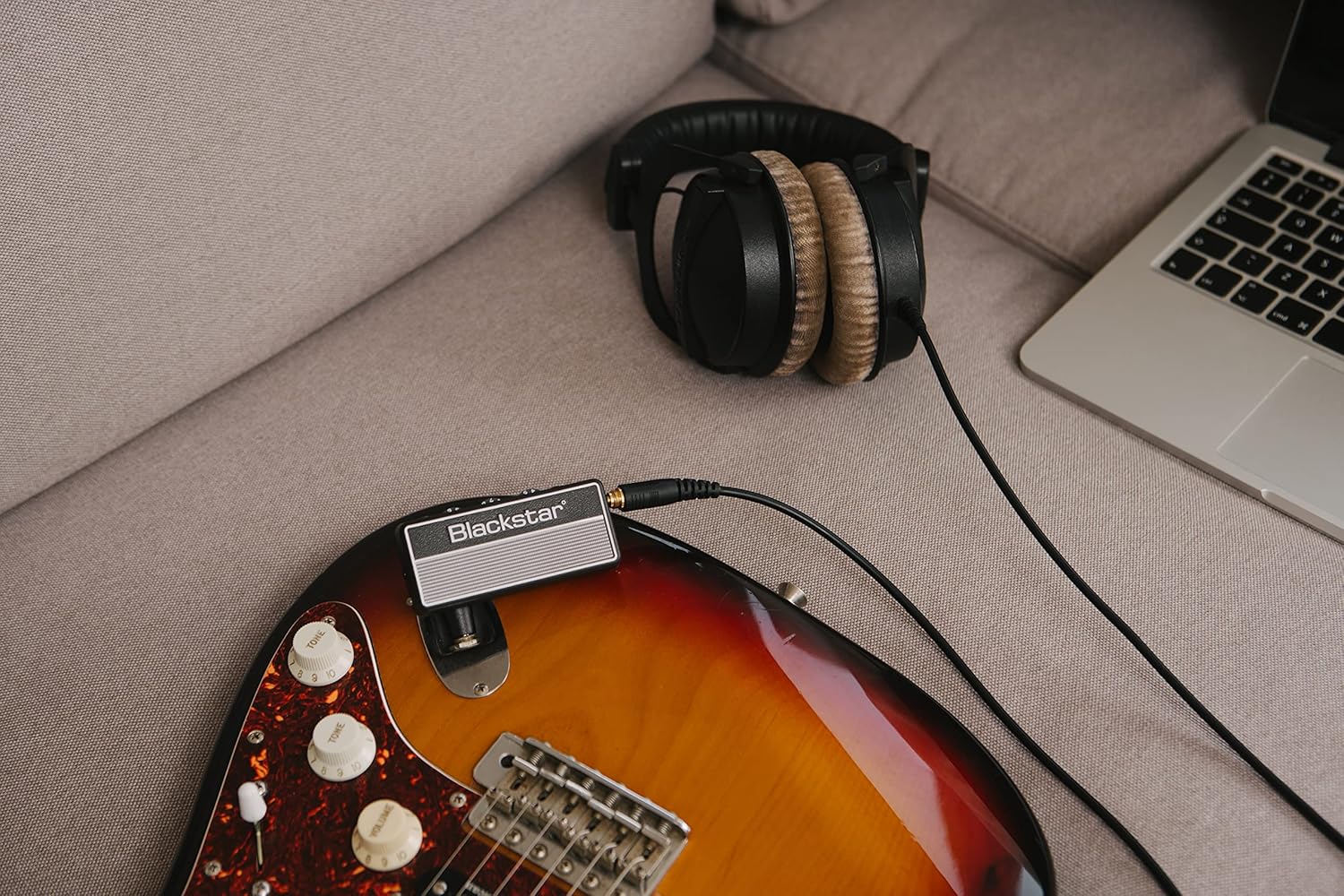
Image: The Blackstar AP2FLYGTR plugged into an electric guitar, with headphones connected to the amplifier's output jack, ready for private practice.
4. Connecting an External Audio Source (Aux In)
To play along with backing tracks or music, connect an external audio device (e.g., smartphone, MP3 player) to the 3.5mm Aux In jack using a stereo audio cable.
Awọn ilana Iṣiṣẹ
1. Agbara Tan / Paa
To power on the unit, ensure it is securely plugged into your guitar and headphones are connected. The power indicator LED will illuminate. The unit will automatically power off after 30 minutes of inactivity to conserve battery life.

Image: A close-up of the Blackstar AP2FLYGTR, showing the green power indicator light on the left side, indicating the unit is active.
2. Awọn iṣakoso
The AP2FLYGTR features three main control knobs and an FX button:

Aworan: Oke view of the Blackstar AP2FLYGTR, highlighting the control knobs for Gain, ISF, and Volume, along with the Aux input and FX button.
- Anfani: Adjusts the input gain and distortion level.
- ISF (Ẹ̀yà Àwòrán Aláìlópin): This patented control allows you to infinitely adjust the tone from a classic British sound (counter-clockwise) to a modern American sound (clockwise).
- IDAGBASOKE: Controls the overall output volume to your headphones.
- Bọtini FX: Cycles through the built-in effects and their variations.
3. Aṣayan ikanni
The AP2FLYGTR offers three distinct channels:
- Mọ: Provides a clear, uncolored guitar tone.
- Ìrora: Delivers a classic overdriven sound.
- Asiwaju: Offers a high-gain, saturated tone for solos and heavy riffs.
Tọkasi itọsọna ibẹrẹ ọja ni iyara tabi ti olupese website for specific instructions on how to switch between these channels, as it typically involves a combination of button presses.
4. Effects (FX)
The unit includes nine built-in effects: Chorus, Delay, and Reverb, each with three variations. Press the FX button to cycle through the effects. The LED indicator will change color or blink pattern to indicate the selected effect and its variation.
- Egbe: Adds depth and modulation to your sound.
- Idaduro: Creates echo effects.
- Itumọ: Simulates acoustic spaces.
Key Awọn ẹya ara ẹrọ
- Compact and portable headphone amplifier for electric guitar with powerful sound.
- Fully-analog circuitry provides exceptional clarity and tonal richness.
- Features Clean, Crunch, and Lead channels with patented ISF control for versatility.
- Nine built-in effects, including Chorus, Delay, and Reverb, for creative sound shaping.
- Innovative folding plug mechanism rotates 180 degrees for a perfect fit in any guitar.
- Up to 17 hours of continuous play time powered by two AAA batteries for longevity.
- Auto power-off function saves battery life by shutting down after 30 minutes of inactivity.
- Lightweight and travel-friendly, making it ideal for musicians on the go.
- Built-in headphone jack allows for private practice without disturbing others.
- Aux In jack lets you jam along with your favorite tracks for added enjoyment.
Itoju
Ninu
Wipe the unit with a soft, dry cloth. Do not use abrasive cleaners or solvents, as these can damage the finish or internal components.
Batiri Rirọpo
When the sound quality degrades or the unit fails to power on, it is likely time to replace the AAA batteries. Always use fresh batteries and dispose of old ones responsibly according to local regulations.
Ibi ipamọ
If storing the unit for an extended period (e.g., several weeks or months), remove the batteries to prevent potential leakage and damage to the device.
Laasigbotitusita
- Ko si Ohun:
- Ensure the unit is powered on (check the LED indicator).
- Verify batteries are correctly installed and not depleted.
- Check that the AP2FLYGTR is fully inserted into your guitar's output jack.
- Ensure headphones are securely plugged into the headphone jack.
- Increase the VOLUME control on the AP2FLYGTR and your guitar's volume.
- Test with different headphones to rule out headphone issues.
- Didara Ohun Didara tabi Ko dara:
- Check battery level; low batteries can significantly affect sound quality.
- Adjust GAIN and VOLUME controls to prevent signal clipping.
- Ensure your headphones are suitable for guitar amplification and can handle the frequency range, especially bass frequencies.
- Adjust the ISF control to find a suitable tone for your preference.
- Humming or Noise:
- This can sometimes occur with higher gain settings. Try reducing the GAIN.
- Slightly rolling back your guitar's volume pot can sometimes reduce hum, especially with single-coil pickups.
- Ensure no other electronic devices are causing interference nearby.
- Unit Not Powering Off Automatically:
- The auto power-off function activates after 30 minutes of inactivity. Ensure no audio signal is being processed or input is active.
Awọn pato
| Ẹya ara ẹrọ | Ẹ̀kúnrẹ́rẹ́ |
|---|---|
| Awoṣe | AP2FLYGTR |
| Orisun agbara | Agbara Batiri (awọn batiri AAA 2 x) |
| Igbesi aye batiri | Titi di wakati 17 (isunmọ) |
| Aifọwọyi Agbara-Paa | Lẹhin iṣẹju 30 ti aiṣiṣẹ |
| Awọn ikanni | Clean, Crunch, Lead |
| Awọn ipa | 9 (Chorus x3, Delay x3, Reverb x3) |
| Awọn iṣakoso | Gain, ISF, Volume, FX button |
| Iṣawọle | 1/4-inch instrument jack (folding), 3.5mm Aux In jack |
| Abajade | 3.5mm Agbekọri Jack |
| Awọn iwọn | 1 x 2 x 3 inches (isunmọ) |
| Iwọn | 0.004 iwon (isunmọ) |


