1. Ifihan
This manual provides detailed instructions for the safe and effective operation of your KAIWEETS KT360A Self-Leveling 3D Laser Level. Please read this manual thoroughly before using the device and retain it for future reference.
The KAIWEETS KT360A is a versatile 3D laser level designed for various construction and alignment tasks, featuring three 360-degree laser planes (one horizontal, two vertical) for comprehensive coverage.
2. Alaye Aabo
IKILO: This device emits laser radiation. Avoid direct eye exposure to the laser beam. Staring directly into the laser beam can cause eye injury.
- Do not disassemble the laser level. Repairs should only be performed by authorized service personnel.
- Ma ṣe ṣiṣẹ ẹrọ naa ni awọn bugbamu bugbamu, gẹgẹbi niwaju awọn olomi ina, gaasi, tabi eruku.
- Jeki ẹrọ naa kuro ni arọwọto awọn ọmọde.
- Lo awọn batiri ati awọn ohun elo gbigba agbara ti a sọ pato nikan.
- Ensure the device is stable before operation to prevent accidental movement.
3. Package Awọn akoonu
Daju pe gbogbo awọn nkan wa ninu apo rẹ:
- KAIWEETS KT360A Laser Level
- Lithium-ion Rechargeable Battery (installed)
- Lesa Àkọlé Awo
- Baagi Aṣọ
- Itọsọna olumulo
- Iduro oofa
- USB Iru-C Ngba agbara USB
- Adapter agbara

Image: KAIWEETS KT360A Laser Level and its included accessories: laser unit, rechargeable battery, power adapter, USB-C charging cable, laser target plate, and a fabric carrying bag.
4. Awọn ẹya Ọja
- 3 x 360° Laser Lines: One horizontal and two vertical 360-degree laser planes for comprehensive leveling and alignment.
- Green Laser Technology: Offers 4 times better visibility and increased accuracy compared to red lasers.
- Iṣe Ipele-ara-ẹni: Automatically levels within ±4 degrees. Ensures fast and error-free work.
- Ipo afọwọṣe: Allows locking the pendulum for projecting lines at any angle.
- Ipo Pulse: Extends the working range up to 196ft/60m with a laser detector (not included) under 20000lux illuminance.
- Igbesi aye batiri gigun: Equipped with a 3.7V x 7.5Ah (27.75Whr) lithium-ion rechargeable battery, providing over 20 hours of continuous operation.
- Apẹrẹ ti o lagbara: IP54 waterproof and dustproof housing for durability in various working conditions.
- Magnetic Stand: Includes a 360° rotating magnetic bracket for versatile mounting options.

Image: The KAIWEETS KT360A laser level projecting bright green 360-degree laser lines, highlighting its visibility and comprehensive coverage.

Aworan: An loriview of the KAIWEETS KT360A's key features, including its 3D green rotary laser, 4X visibility compared to red lasers, three 360-degree laser planes, 20-hour battery life, and IP54 rating for dust and water resistance.
5. Eto
5.1 Batiri sori ati gbigba agbara
- The lithium-ion battery is typically pre-installed. If not, open the battery compartment and insert the battery, ensuring correct polarity.
- To charge the battery, connect the USB Type-C charging cable to the laser level and a compatible power adapter.
- The smart LED indicator on the battery will show the charging status. All four lights indicate a full charge.

Aworan: Isunmọ view of the KAIWEETS KT360A's battery, highlighting its waterproof design, smart LED charge indicator, and Type-C charging port with 5V/2A input specifications.
5.2 iṣagbesori Aw
- Magnetic Stand: Attach the laser level to the included magnetic stand. The stand allows 360° rotation and can be securely fastened to metal surfaces.
- Igbesoke Tripod: The device features a standard tripod thread at its base, allowing it to be mounted onto a compatible tripod (tripod not included).

Image: Demonstrates multiple ways of placing the KAIWEETS KT360A laser level, including mounting on its 360° rotating magnetic bracket and attaching it to a tripod.
6. Awọn ilana Iṣiṣẹ
6.1 Yiyan Tan/Pa ati Ipo Agbara
- Agbara Tan: Slide the pendulum lock switch to the unlocked position (SISI icon). The device will power on and enter self-leveling mode, projecting horizontal and vertical lines.
- Ipo Ipele-ara-ẹni: When the pendulum is unlocked, the device automatically self-levels within ±4°. If the tilt exceeds this range, the laser lines will flash rapidly to indicate an out-of-level condition. Adjust the device's position until the lines stabilize.
- Ipo afọwọṣe (Ipo Titiipa): To use the device for projecting lines at an angle, slide the pendulum lock switch to the locked position (Titiipa icon) while the device is off. Then press the power button. The laser lines will be projected, and the self-leveling function will be disabled, allowing for angled lines. The laser lines may flash slowly in this mode to indicate it is not self-leveling.
- Switching Laser Planes: Use the dedicated button(s) on the device to cycle through different laser line combinations (e.g., horizontal only, vertical only, all lines).
- Ipo Pulse: Press the pulse mode button (often indicated by a 'P' or receiver icon) to activate pulse mode. This mode is used with a laser detector (receiver) for outdoor use or in bright conditions to extend the working range.
- Agbara Pa: Slide the pendulum lock switch to the locked position (Titiipa icon). This secures the pendulum for transport and storage.

Image: A close-up of the control panel indicators, showing symbols for battery status, self-leveling mode, and manual mode (locked pendulum).

Image: A close-up of the control panel, specifically highlighting the pulse mode indicator, which is used when pairing with a laser receiver.

Image: Illustrates the two main operating modes: Manual Mode for fixed, angled lines, and Self-Leveling Mode for automatic leveling within ±4 degrees.
6.2 Ohun elo Examples

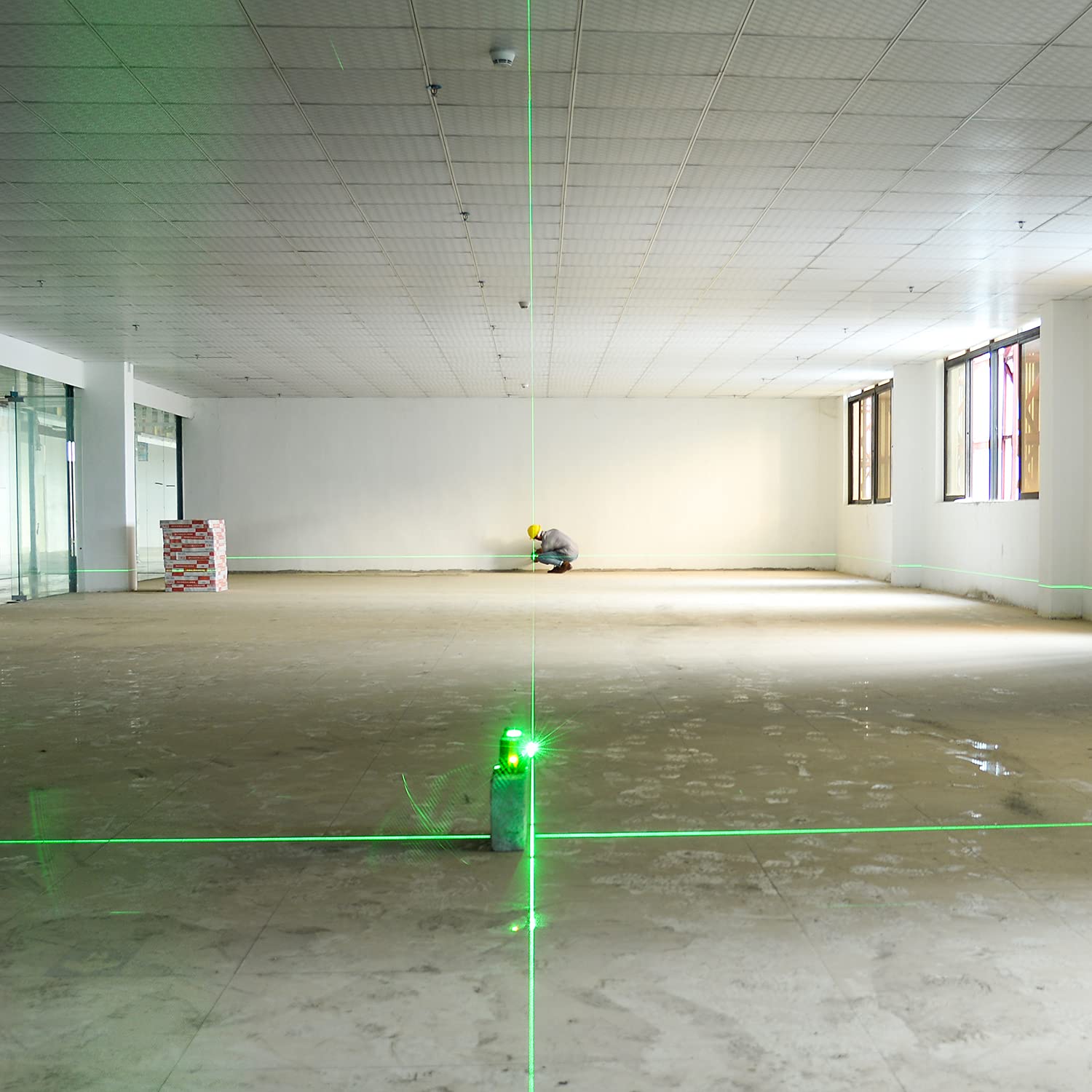
7. Itọju
- Ninu: Lo asọ, damp asọ lati nu ẹrọ. Ma ṣe lo abrasive ose tabi epo.
- Ibi ipamọ: When not in use, store the laser level in its fabric bag with the pendulum locked. Store in a dry, cool place, away from direct sunlight.
- Itọju Batiri: Charge the battery regularly, even if the device is not in frequent use, to maintain battery health. Avoid fully discharging the battery for extended periods.
- Ṣayẹwo iwọntunwọnsi: Periodically check the accuracy of the laser level. Refer to professional calibration services if accuracy deviates significantly.
8. Laasigbotitusita
| Isoro | Owun to le Fa | Ojutu |
|---|---|---|
| Àwọn ìlà lésà ń tàn kánkán. | Device is out of its self-leveling range (±4°). | Place the device on a more level surface or adjust its position until the lines stabilize. |
| Laser lines are dim or not visible outdoors. | Bright ambient light or device is not in pulse mode. | Activate pulse mode and use a laser detector (receiver) for improved visibility and range. |
| Ẹrọ naa ko ṣiṣẹ. | Low battery or pendulum is locked. | Charge the battery. Ensure the pendulum lock switch is in the unlocked position. |
| Àwọn ìlà lésà kò tọ́ tàbí pé kò péye. | Device is in manual mode or requires calibration. | Ensure the device is in self-leveling mode (pendulum unlocked). If issues persist, contact customer support for calibration. |
9. Awọn pato
| Ẹya ara ẹrọ | Ẹ̀kúnrẹ́rẹ́ |
|---|---|
| Brand | KAIWEETS |
| Nọmba awoṣe | KT360A |
| Lesa Awọ | Alawọ ewe |
| Laser Configuration | 3 x 360° (1 Horizontal, 2 Vertical) |
| Ara-ni ipele Range | ±4° |
| Ipele Yiye | ±3mm / 10m |
| Working Range (with detector) | Up to 196ft / 60m (under 20000lux illuminance) |
| Batiri Iru | 3.7V x 7.5Ah (27.75Whr) Lithium-ion |
| Akoko Iṣiṣẹ | Diẹ sii ju Awọn wakati 20 lọ |
| IP Rating | IP54 (Mabomire ati eruku) |
| Ohun elo | Acrylonitrile Butadiene Styrene |
| Awọn iwọn Ọja (Isunmọ.) | 13.9L x 9.9W x 11.8H cm (5.47L x 3.89W x 4.64H inches) |
| Iwọn Nkan | 1.05 kilo (1050 giramu) |
| UPC | 780007466879 |

Image: Dimensions of the KAIWEETS KT360A laser level, showing its length as 5.47 inches, width as 3.89 inches, and height as 4.64 inches.
10. Atilẹyin ọja ati Support
The KAIWEETS KT360A Laser Level comes with a 3-year service warranty as stated in the product features. For technical support, warranty claims, or service inquiries, please contact KAIWEETS customer service through their official channels or the retailer where the product was purchased.
Jọwọ ṣe idaduro ẹri rira rẹ fun ijẹrisi atilẹyin ọja.


