1. Ifihan
The NEDIS VEXT3470AT HDMI Audio Extractor allows you to separate audio signals from an HDMI source and output them to an audio system, while simultaneously passing the video signal to a display. This device is designed to integrate modern HDMI sources with audio systems that may not have HDMI inputs, providing both digital (Toslink) and analog (L/R stereo) audio outputs.
It supports 3D video and amplifies the digital video signal for reliable transmission.
2. Alaye Aabo
- Ka awọn itọnisọna wọnyi daradara ṣaaju lilo.
- Jeki ẹrọ naa kuro ni omi, ọrinrin, ati awọn iwọn otutu to gaju.
- Ma ṣe gbiyanju lati ṣii tabi tun ẹrọ naa funrararẹ. Tọkasi gbogbo iṣẹ si oṣiṣẹ oṣiṣẹ.
- Use only the provided power adapter. Using an incorrect adapter may damage the device and void the warranty.
- Rii daju pe fentilesonu to dara ni ayika ẹrọ lati ṣe idiwọ igbona.
- Yọ adapter agbara kuro lakoko iji manamana tabi nigbati a ko ba lo fun igba pipẹ.
3. Package Awọn akoonu
Jọwọ ṣayẹwo akoonu inu apoti naa lati rii daju pe gbogbo awọn ohun kan wa nibẹ ati pe o wa ni ipo ti o dara:
- NEDIS VEXT3470AT HDMI Audio Extractor
- Adapter agbara
- Afowoyi Olumulo (iwe-ipamọ yii)
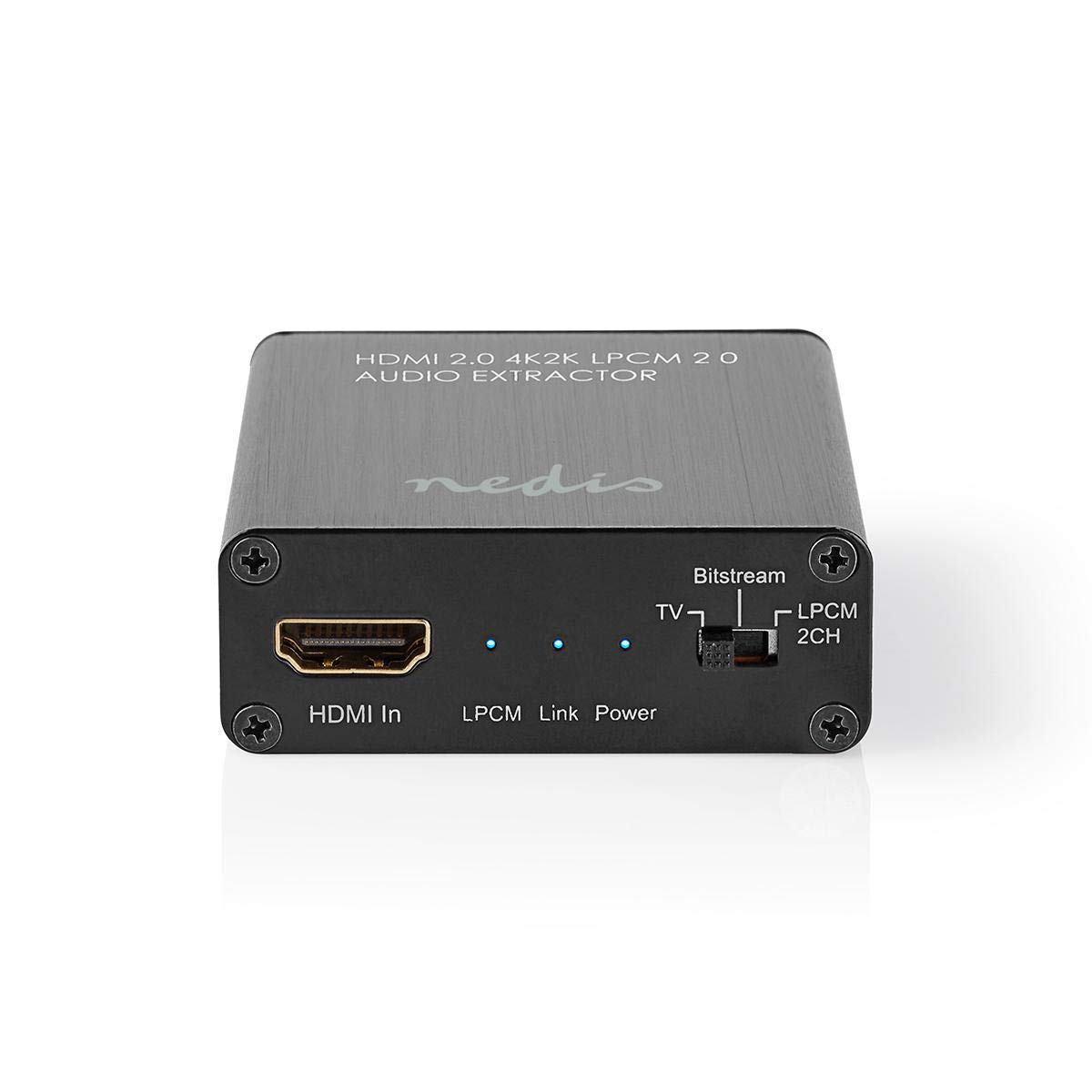
Image: The NEDIS VEXT3470AT HDMI Audio Extractor unit shown alongside its power adapter.
4. Ọja Ipariview
Familiarize yourself with the ports and indicators on the HDMI Audio Extractor:
4.1 Input Side
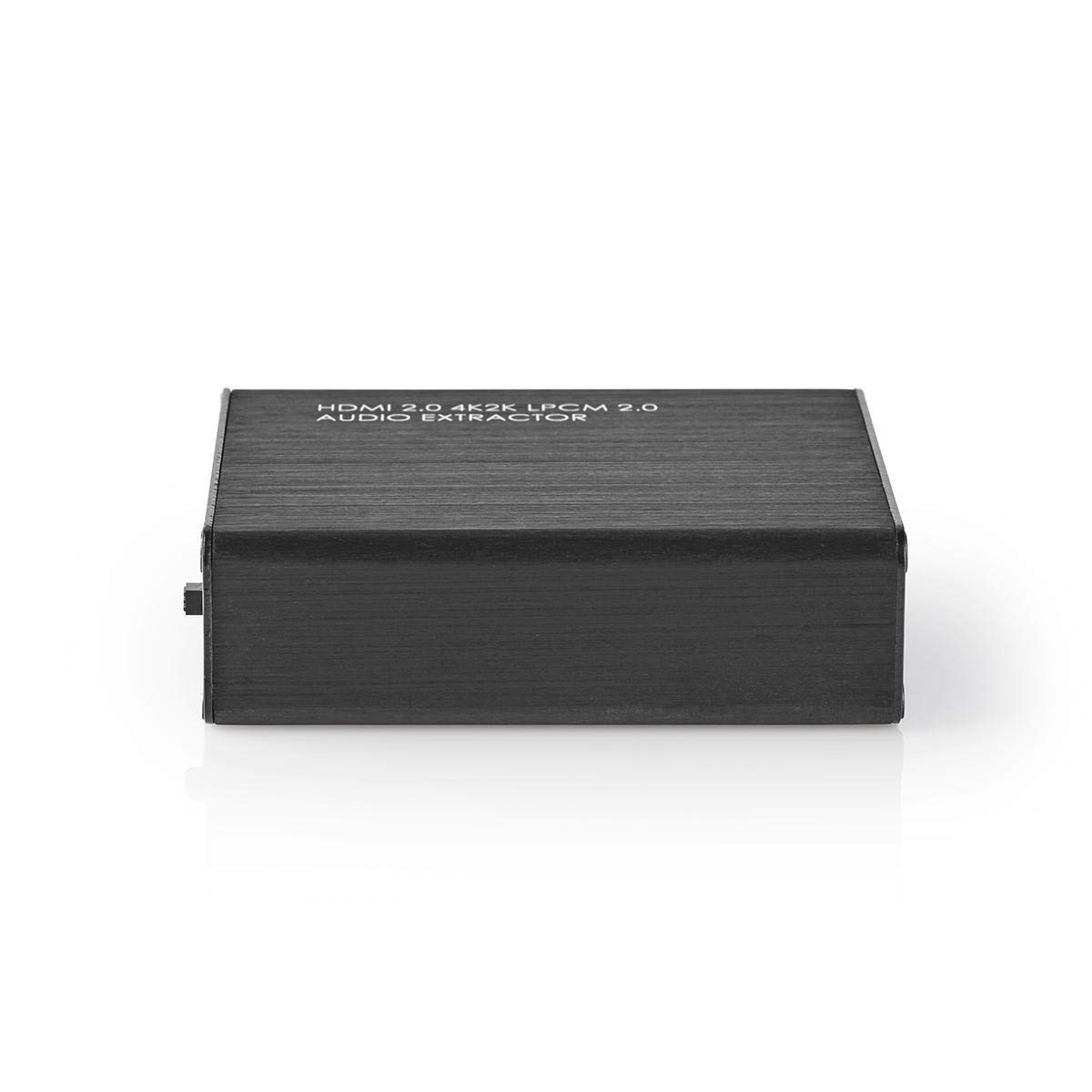
Image: Close-up of the input side of the audio extractor, showing the HDMI In port, LPCM, Link, and Power indicator LEDs, and the Audio Mode Switch.
- HDMI Ni: Connect your HDMI source device (e.g., DVD/Blu-ray player, game console).
- LPCM LED: Indicates when LPCM audio format is detected.
- Ọna asopọ LED: Indicates an active HDMI connection.
- LED agbara: Ṣe itanna nigbati ẹrọ ba wa ni titan.
- Audio Mode Switch:
- Bitstream: For multi-channel audio formats like Dolby Digital or DTS.
- TV: Passes audio directly from the HDMI source to the TV.
- LPCM 2CH: For 2-channel stereo audio output via L/R analog and Toslink.
4.2 Output Side

Image: Close-up of the output side of the audio extractor, showing the 5V/DC power input, Optical (Toslink) audio output, HDMI Out port, and L/R analog audio outputs.
- 5V/DC: Ibudo titẹ agbara. So ohun ti nmu badọgba agbara ti a pese nibi.
- Ojú: Digital audio output (Toslink). Connect to an audio receiver or soundbar.
- HDMI Jade: Connect to your TV or display.
- L/R: Analog stereo audio output. Connect to an amplifier or stereo system using RCA cables.
5. Awọn ilana iṣeto
Follow these steps to connect your HDMI Audio Extractor:
- Paa awọn ẹrọ: Ensure all devices (HDMI source, TV, audio system) are powered off before making connections.
- So HDMI Orisun: Connect an HDMI cable from your source device (e.g., Blu-ray player) to the HDMI Ni ibudo lori ohun extractor.
- Asopọmọra Ifihan: Connect another HDMI cable from the HDMI Jade port on the audio extractor to your TV or display.
- Connect Audio System:
- For digital audio, connect an optical Toslink cable from the Opitika port on the extractor to your audio receiver or soundbar.
- For analog stereo audio, connect RCA cables from the L/R ports on the extractor to your stereo amplifier tabi ti nṣiṣe lọwọ agbohunsoke.
- So agbara: Plug the provided power adapter into the 5V/DC port on the extractor, then plug the adapter into a power outlet. The Power LED should illuminate.
- Agbara Lori Awọn ẹrọ: Power on your TV/display, audio system, and then your HDMI source device.
6. Awọn ilana Iṣiṣẹ
Once connected, operate the device as follows:
- Yan Ipo Olohun: Lo awọn Iyipada Ipo Audio on the input side to select the desired audio output format:
- Bitstream: For multi-channel audio (e.g., Dolby Digital, DTS) to be passed through the Optical output. Your audio receiver must support these formats.
- TV: Passes the audio directly to the TV via HDMI. Audio extraction via Optical/L/R may be limited or unavailable in this mode, depending on the source and TV capabilities.
- LPCM 2CH: Converts multi-channel audio to 2-channel LPCM for output via Optical and L/R analog ports. This is suitable for stereo systems or when your receiver does not support Bitstream formats.
- Jẹrisi Awọn Atọka:
- Awọn LED Agbara yẹ ki o wa lori.
- Awọn Ọna asopọ LED should be on when an active HDMI signal is detected from the source.
- Awọn LPCM LED will illuminate if the audio signal is in LPCM format.
- Adjust Audio System: Ensure your audio receiver or soundbar is set to the correct input (Optical or Analog L/R) and volume.
7. Itọju
To ensure the longevity and optimal performance of your HDMI Audio Extractor:
- Ninu: Lo asọ asọ ti o gbẹ lati nu ẹrọ naa. Maṣe lo awọn olutọpa olomi tabi awọn aerosols.
- Ibi ipamọ: Tọju ẹrọ naa ni itura, aye gbigbẹ nigbati o ko ba wa ni lilo.
- Mimu: Yago fun sisọ silẹ tabi tẹriba ẹrọ si awọn ipa to lagbara.
8. Laasigbotitusita
If you encounter issues, refer to the following troubleshooting guide:
| Isoro | Owun to le Fa / Solusan |
|---|---|
| Ko si Ijade fidio |
|
| Ko si Ijade ohun |
|
| LED agbara ti wa ni pipa |
|
| Intermittent Audio/Video |
|
9. Awọn pato
Key technical specifications for the NEDIS VEXT3470AT HDMI Audio Extractor:
- Nọmba awoṣe: VEXT3470AT
- Brand: NEDIS
- Iṣawọle: 1x HDMI
- Abajade: 1x HDMI, 1x Optical (Toslink), 1x L/R Stereo (RCA)
- Ẹya HDMI: Compatible with HDMI 2.0 (implied by 4K2K support in product name)
- Ipinnu fidio: Up to 4K (4K2K)
- Atilẹyin 3D: Bẹẹni
- Awọn ọna kika ohun: LPCM 2.0, Bitstream (Dolby Digital, DTS pass-through)
- Ibi ti ina elekitiriki ti nwa: 5V DC (nipasẹ adapter ti a fi kun)
- Awọn iwọn (L x W x H): Isunmọ 7.7 x 6.4 x 2.3 cm
- Ìwúwo: 240 giramu
- Àwọ̀: Anthracite (Black)
- Ilu isenbale: China
10. Atilẹyin ọja ati Support
NEDIS products are manufactured to high quality standards. In the unlikely event of a defect during the warranty period, please contact your retailer for support. The warranty period is subject to local consumer laws and regulations.
For technical assistance or further inquiries, please refer to the support information provided by your retailer or visit the official NEDIS webojula.


