Ọrọ Iṣaaju
Welcome to the user manual for your Soundcore Anker Liberty Neo True Wireless Earbuds. These earbuds are designed to provide a high-quality audio experience with features tailored for active lifestyles. This manual will guide you through the setup, operation, maintenance, and troubleshooting of your device to ensure optimal performance.

Figure 1: Soundcore Anker Liberty Neo True Wireless Earbuds in their charging case.
Ohun ti o wa ninu Apoti
Your Soundcore Anker Liberty Neo True Wireless Earbuds package includes the following items:
- Ngba agbara Case
- Afowoyi Olumulo (iwe-ipamọ yii)
- Okun Ngba agbara USB
- Multiple sizes of EarTips and WingTips for a secure fit

Figure 2: Included accessories with the Soundcore Anker Liberty Neo Earbuds.
Ṣeto
1. Charging Your Earbuds and Case
Ṣaaju lilo akọkọ, gba agbara ni kikun mejeeji awọn agbekọri ati apoti gbigba agbara.
- Place the earbuds into the charging case. Ensure they are correctly seated; the LED indicators on the earbuds will light up to confirm charging.
- Connect the provided USB charging cable to the charging port on the case and to a power source. The LED indicators on the charging case will show the charging status.
- Once fully charged, the LED indicators will turn solid or off, depending on the model.

Figure 3: Earbuds placed in the charging case.
2. Sisopọ pẹlu Ẹrọ Rẹ
The Liberty Neo earbuds feature one-step pairing for convenience.
- Open the charging case. The earbuds will automatically enter pairing mode, and their LED indicators will flash white.
- Lori ẹrọ rẹ (foonuiyara, tabulẹti, ati be be lo), jeki Bluetooth.
- Wa fun "Soundcore Liberty Neo" in the list of available Bluetooth devices and select it to connect.
- Once connected, the LED indicators on the earbuds will turn solid white or off, indicating successful pairing.
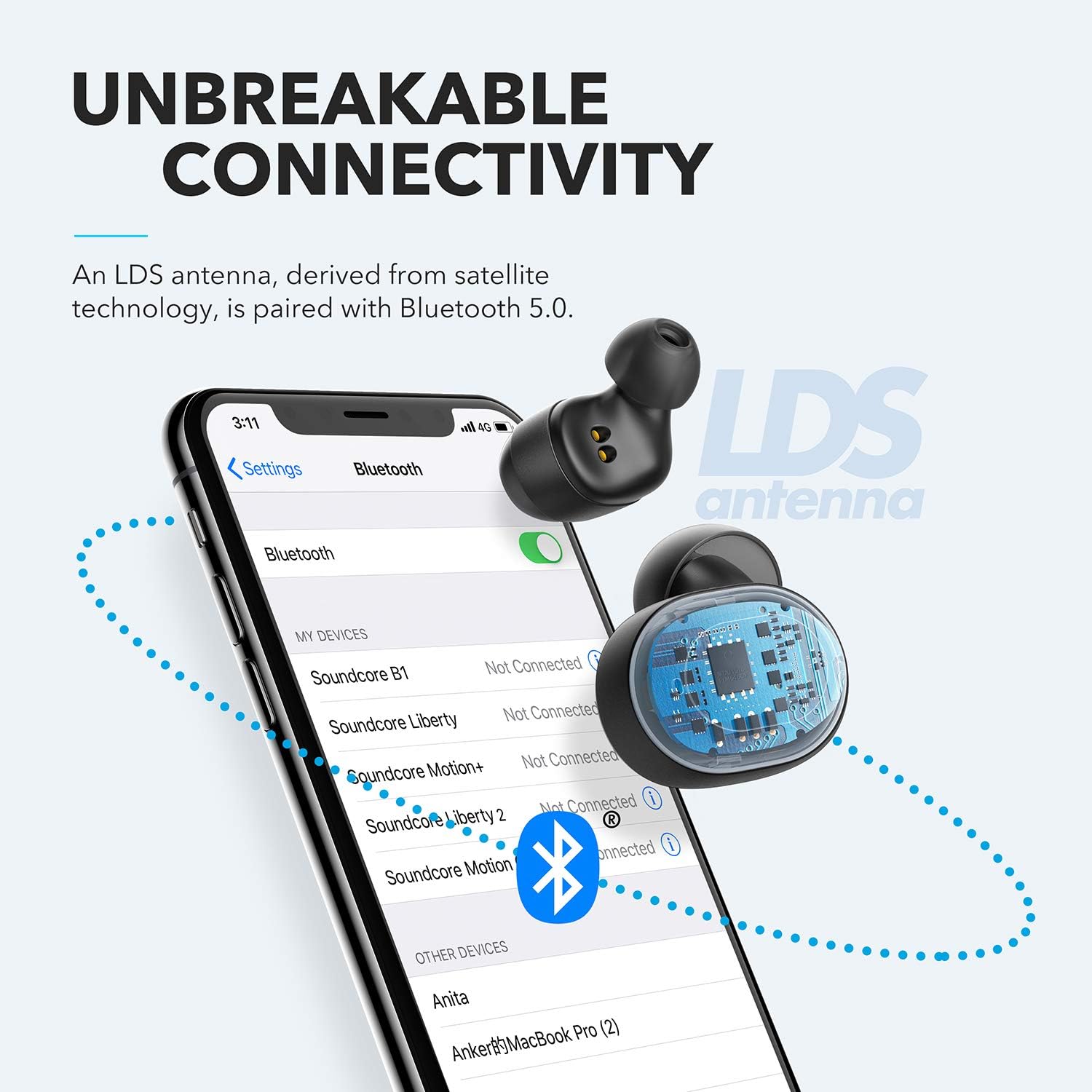
Figure 4: Bluetooth pairing process on a smartphone.
Ṣiṣẹ Awọn Agbekọri Rẹ
1. Wọ awọn Earbuds
For optimal sound quality and a secure fit, choose the correct size of EarTips and WingTips. Insert the earbuds into your ears and twist them gently until they feel snug and comfortable.

Figure 5: Proper wearing of the earbuds for a secure fit.
2. Awọn iṣakoso
The Liberty Neo earbuds feature intuitive touch controls:
- Ṣiṣẹ/Daduro: Tap the multi-function button on either earbud once.
- Orin t’okan: Double-tap the multi-function button on the right earbud.
- Tẹlẹ Orin: Double-tap the multi-function button on the left earbud.
- Idahun/Ipe Ipari: Tap the multi-function button on either earbud once.
- Kọ Ipe: Tẹ mọlẹ bọtini iṣẹ-ọpọlọpọ lori boya agbekọri fun iṣẹju meji 2.
- Mu Oluranlọwọ Ohun ṣiṣẹ: Press and hold the multi-function button on either earbud for 1 second.
3. Awọn ọna ohun
While the Liberty Neo earbuds offer excellent passive noise isolation, they do not feature Active Noise Cancellation (ANC) or Transparency modes. They are designed to provide a rich audio experience with Soundcore's signature sound and BassUp technology.
Itoju
Láti rí i dájú pé àwọn agbekọri rẹ pẹ́ títí àti pé wọ́n ń ṣiṣẹ́ dáadáa:
- Jeki awọn agbekọri ati apoti gbigba agbara ni mimọ ati ki o gbẹ. Lo asọ asọ ti o gbẹ lati nu wọn.
- Yago fun awọn iwọn otutu to gaju.
- Maṣe lo awọn afọmọ ipata.
- The earbuds are IPX7 waterproof, meaning they can withstand sweat and rain. However, the charging case is not waterproof. Ensure earbuds are dry before placing them back in the case.

Figure 6: Earbuds demonstrating IPX7 waterproof rating.
Laasigbotitusita
If you encounter any issues with your earbuds, refer to the following common solutions:
| Isoro | Ojutu |
|---|---|
| Earbuds ko so pọ | Ensure earbuds are charged. Turn off Bluetooth on your device, then turn it back on. Try resetting the earbuds (refer to Soundcore support for specific reset instructions). |
| Etí ìgbọ́hùn kan ṣoṣo ló ń gbọ́ ohùn | Place both earbuds back into the charging case, close the lid, then open it again. Ensure both earbuds are connected to your device. |
| Didara ohun ko dara | Ensure earbuds are clean and free of debris. Try different sized EarTips for a better seal. Check your device's audio settings. |
| Earbuds ja bo jade | Experiment with different sizes of EarTips and WingTips to find the most secure and comfortable fit for your ears. |
Awọn pato
| Ẹya ara ẹrọ | Ẹ̀kúnrẹ́rẹ́ |
|---|---|
| Orukọ awoṣe | Ominira Neo |
| Nọmba awoṣe | A3911 |
| Asopọmọra Technology | Ailokun (Bluetooth 5.0) |
| Omi Resistance Ipele | IPX7 (Earbuds nikan) |
| Igbesi aye batiri | 8 Hours (Earbuds), 40 Hours with Charging Case |
| Audio Driver Type | Dynamic Driver (Graphene-enhanced) |
| Ọna Iṣakoso | Fọwọkan |
| Iwọn Nkan | 1.76 iwon |
| Ọja Mefa | 2.95 x 1.38 x 1.18 inches |
Atilẹyin ọja ati Support
For warranty information and customer support, please refer to the official Soundcore webojula tabi kan si wọn onibara iṣẹ taara. Tọju iwe-ẹri rira rẹ fun awọn ẹtọ atilẹyin ọja.
Atilẹyin Ayelujara: Ṣabẹwo www.soundcore.com fun FAQs, awọn itọsọna laasigbotitusita, ati alaye olubasọrọ.


