1. Ifihan
The Reloop Keypad Pro is a versatile, compact all-in-one workstation designed for music producers. It integrates a mini master keyboard, responsive drum pads, a mixer unit, and comprehensive digital audio workstation (DAW) controls. This device offers an ideal solution for both project studios and mobile music production environments, providing a powerful and portable tool for creating and performing music.

Figure 1.1: The Reloop Keypad Pro, a compact USB-MIDI DAW workstation.
2. Key Awọn ẹya ara ẹrọ
- 25-key MIDI Controller: A compact keyboard for melodic input and control.
- 16 Velocity-Sensitive Drum Pads with RGB Lighting: Expressive pads for drumming, triggering samples, and clip launching, featuring customizable RGB illumination.
- 8 Channel Strips: Dedicated faders and knobs for controlling mixer parameters within your DAW.
- Awọn iṣakoso gbigbe: Dedicated buttons for play, stop, record, and other common DAW transport functions.
- 3.5mm TRS MIDI Out: Fún ìsopọ̀ mọ́ ohun èlò MIDI ti ìta.
- MIDI Bluetooth LE: Enables wireless MIDI connectivity with compatible devices.
- Integrated Arpeggiator: Generates rhythmic patterns from held notes.
- Iṣẹ́ Kọd: Allows playing complex chords with a single key press.
- Ipo Iwọn: Constrains notes to a selected musical scale, aiding in melodic composition.
- Ifihan OLED: Provides real-time feedback on parameters and settings.
- USB-Powered and Battery-Operated: Flexible power options for studio and mobile use.
- Ibudo USB: Built-in USB hub for connecting additional devices.

Figure 2.1: Detail of the 16 velocity-sensitive drum pads with RGB lighting.
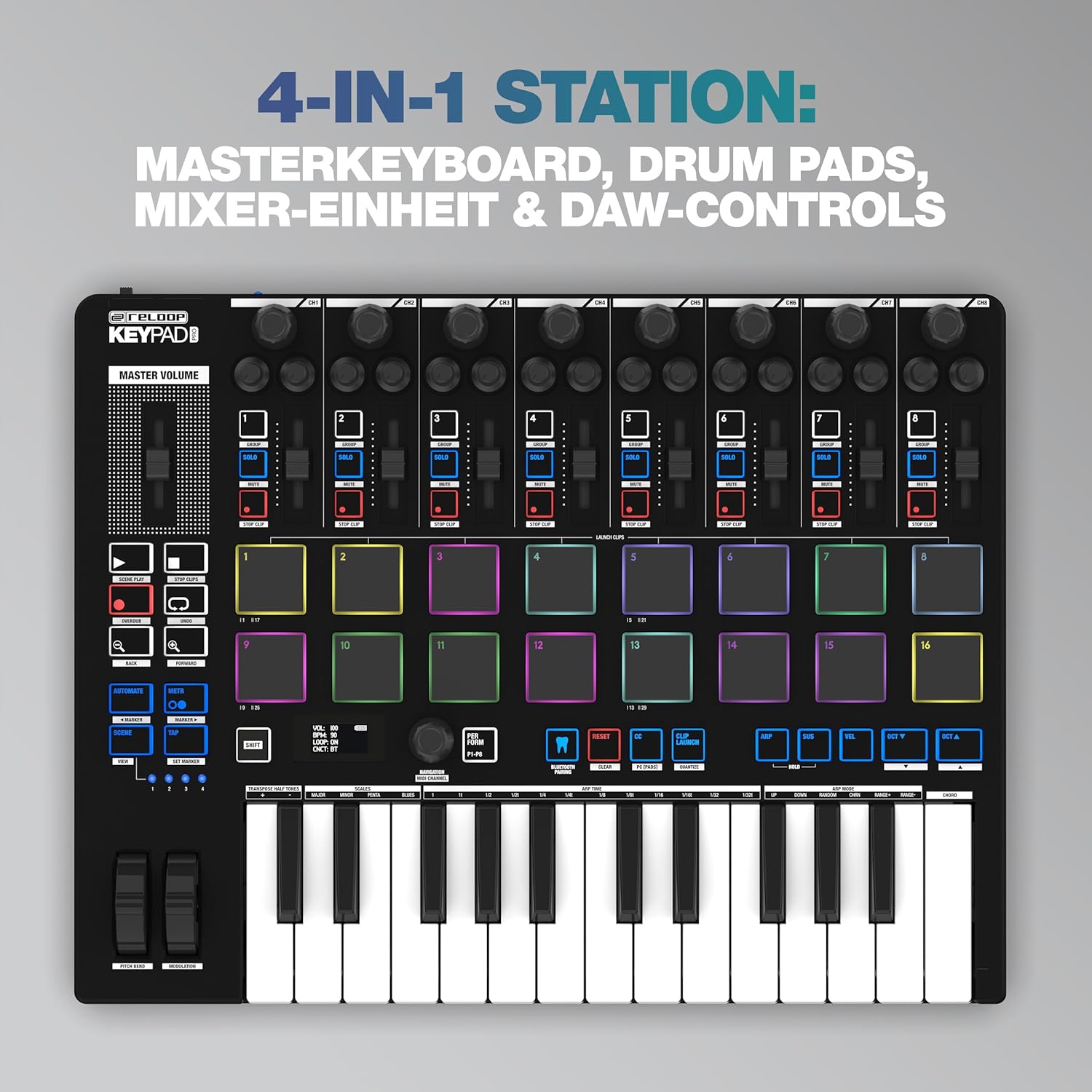
Figure 2.2: The OLED display showing real-time parameters and settings.
3. Ohun ti o wa ninu Apoti
Upon unboxing your Reloop Keypad Pro, please ensure all the following items are present:
- Reloop Keypad Pro Unit
- Afowoyi Olumulo (iwe-ipamọ yii)
- Okun USB
- 3.5mm TRS MIDI Cable
4. Eto
4.1 Agbara ẹrọ naa
The Keypad Pro can be powered via USB or batteries:
- Agbara agbara USB: Connect the included USB cable from the Keypad Pro's USB port to a USB port on your computer or a compatible USB power adapter.
- Agbara Batiri: Insert compatible batteries (not included) into the battery compartment. Ensure the power switch on the rear panel is set to 'BAT' for battery operation.
4.2 Nsopọ si Kọmputa kan (USB)
For direct control of your DAW and software instruments:
- Connect the USB cable from the Keypad Pro to an available USB port on your Windows PC or Mac computer.
- The Keypad Pro is class-compliant and typically does not require additional drivers for basic functionality.
- Open your preferred DAW (e.g., Bitwig Studio) and configure the Keypad Pro as a MIDI input and control surface device in the software's preferences.
4.3 Connecting to External MIDI Devices (TRS MIDI Out)
To control external synthesizers or other MIDI hardware:
- Use the included 3.5mm TRS MIDI cable to connect the Keypad Pro's MIDI Out port to the MIDI In port of your external MIDI device.
- Ensure the external device is powered on and configured to receive MIDI data.
4.4 Wireless MIDI Connection (Bluetooth LE)
For wireless connectivity with compatible devices (iOS, Android, Mac):
- Ensure Bluetooth is enabled on your host device (tablet, smartphone, computer).
- On the Keypad Pro, activate Bluetooth MIDI mode (refer to the device's OLED display and controls for specific instructions).
- Pair the Keypad Pro with your host device through its Bluetooth settings.
- Configure your music application to recognize the Keypad Pro as a MIDI input.

Figure 4.1: Rear panel connections including USB, USB Hub, and MIDI Out.
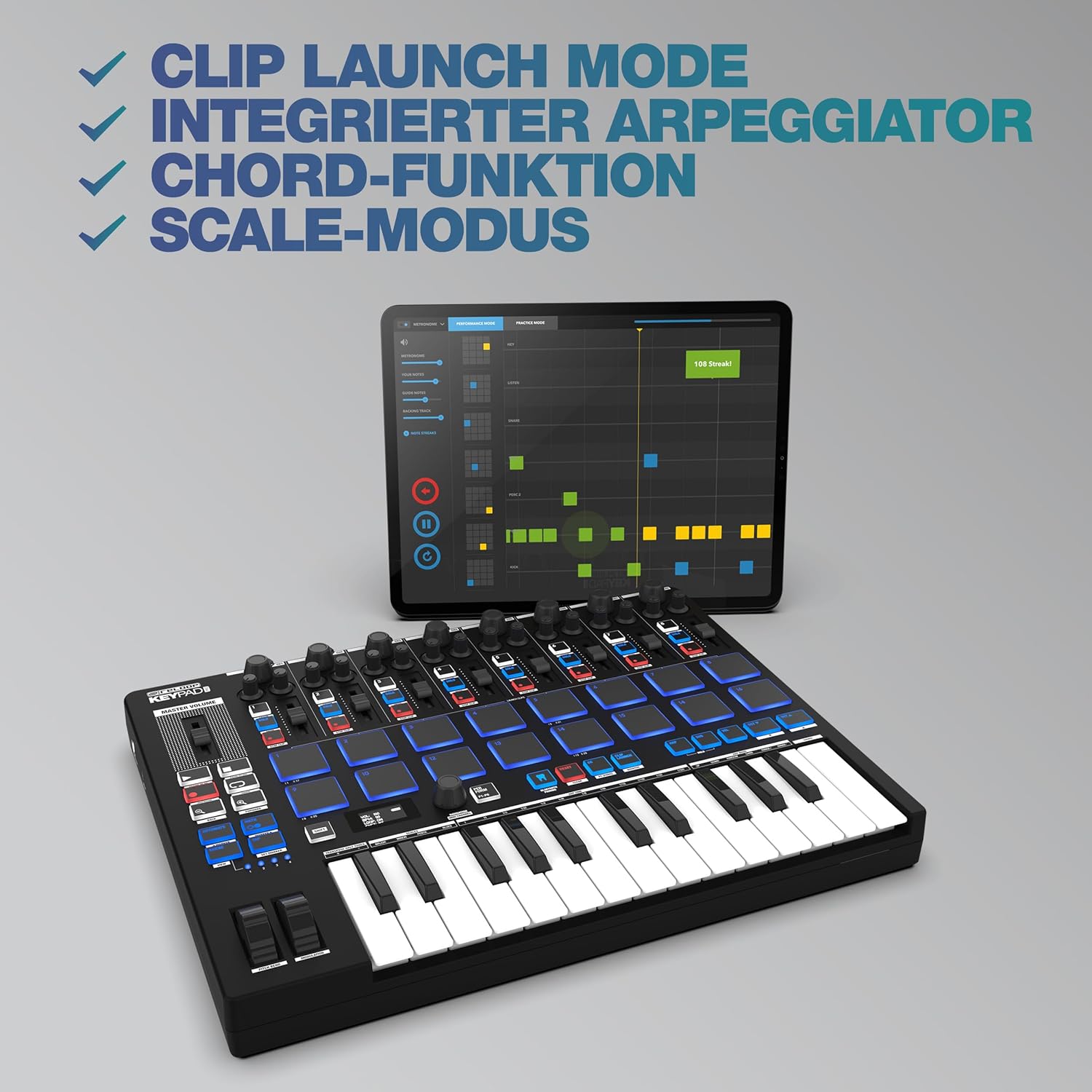
Figure 4.2: The Keypad Pro demonstrating wireless MIDI connectivity with a tablet.
5. Awọn ilana Iṣiṣẹ
5.1 Keyboard and Pads
The 25-key keyboard functions as a standard MIDI controller for playing melodies and chords. The 16 drum pads are velocity-sensitive, allowing for dynamic performance. They can be used for triggering drum sounds, samples, or launching clips in your DAW.
5.2 Mixer Unit and DAW Controls
The 8 channel strips, each with a fader and rotary knob, are designed to control mixer parameters such as volume, pan, or send effects within your digital audio workstation. The dedicated transport controls (Play, Stop, Record, Loop, etc.) provide hands-on control over your DAW's playback and recording functions.
5.3 Awọn iṣẹ ilọsiwaju
- Apeggiator: Activate the arpeggiator to automatically generate rhythmic patterns from notes you hold down. Parameters like rate, swing, and octave range can typically be adjusted via the OLED display and control knobs.
- Iṣẹ́ Kọd: This feature allows you to play full chords by pressing a single key or pad. Configure chord types (major, minor, etc.) through the device's settings.
- Ipo Iwọn: When enabled, Scale Mode ensures that all notes played on the keyboard or pads conform to a selected musical scale, preventing
Awọn iwe aṣẹ ti o jọmọ - 244054

Yi pada bọtini itẹwe Pro Afowoyi
Iwe ilana itọnisọna pipe fun Pro Keypad Pro, iwapọ DAW iṣẹ ṣiṣe pẹlu MIDI alailowaya. Kọ ẹkọ nipa iṣeto, ailewu, awọn idari, ati iṣẹ ṣiṣe fun iṣelọpọ orin.
Reloop RMX-30 BT Mixer: Ilana isẹ ati Awọn alaye imọ-ẹrọ
Iwe afọwọkọ iṣiṣẹ okeerẹ fun Reloop RMX-30 BT 3-Channel Bluetooth Mixer, aabo ibora, awọn asopọ, iṣiṣẹ, data imọ-ẹrọ, ati ibamu ilana.
Reloop RMX-30 BT 3-ikanni Bluetooth DJ Mixer - Ilana itọnisọna
Itọsọna itọnisọna pipe fun Reloop RMX-30 BT 3-ikanni Bluetooth DJ Mixer, aabo ibora, iṣeto, iṣẹ, awọn alaye imọ-ẹrọ, ati diẹ sii. Pẹlu atilẹyin multilingual.
Reloop RMX-95 Digital Club Mixer pẹlu 24-Bit Meji Interface - Afowoyi
Iwe yii n pese itọnisọna itọnisọna fun Reloop RMX-95 Digital Club Mixer, ibora awọn ilana aabo, isẹ, awọn ipa, lilu, IwUlO iṣeto, ati awọn alaye imọ-ẹrọ. O wa ni German, English, French, and Spanish.
Reloop RP8000 Itọsọna Iṣiṣẹ fun VirtualDJ 8: Iṣeto, Awọn iṣakoso, ati Awọn ẹya MIDI
Itọsọna iṣiṣẹ okeerẹ fun Reloop RP8000 arabara turntable ti a ṣepọ pẹlu sọfitiwia VirtualDJ 8. Awọn fifi sori ẹrọ ni wiwa, iṣeto DVS, awọn idari turntable, aworan agbaye MIDI, ati awọn ẹya ilọsiwaju fun awọn DJs.
Reloop Itọsọna Iṣeto Buddy: Nsopọ si iOS, iPadOS, Mac, PC, ati Awọn Ẹrọ Android
Itọsọna iṣeto okeerẹ fun oluṣakoso Reloop Buddy DJ, awọn ọna asopọ alaye fun iOS, iPadOS, Mac, PC, ati awọn ẹrọ Android, pẹlu agbara ati awọn ibeere okun data.