1. Ifihan
This manual provides detailed instructions for the setup, operation, and maintenance of your visiPower H885 8MP Trail Camera. Please read this manual thoroughly before using the camera to ensure optimal performance and longevity.
The visiPower H885 is a high-performance trail camera designed for capturing wildlife images and videos. It features an 8-megapixel sensor, 2.4-inch TFT LCD, infrared flash for night vision, and three PIR sensors for motion detection. Its waterproof design ensures reliable operation in various outdoor conditions.
2. Package Awọn akoonu
Daju pe gbogbo awọn nkan wa ninu apo rẹ:
- visiPower H885 Trail Camera
- Okun USB
- AV Cable
- Iṣagbesori Okun
- Wall Mount Bracket and Screws
- Afowoyi Olumulo (iwe-ipamọ yii)

Image: Contents of the visiPower H885 Trail Camera package.
3. Kamẹra Loriview

Aworan: Iwaju view of the visiPower H885 Trail Camera.

Aworan: Apa view of the visiPower H885 Trail Camera.
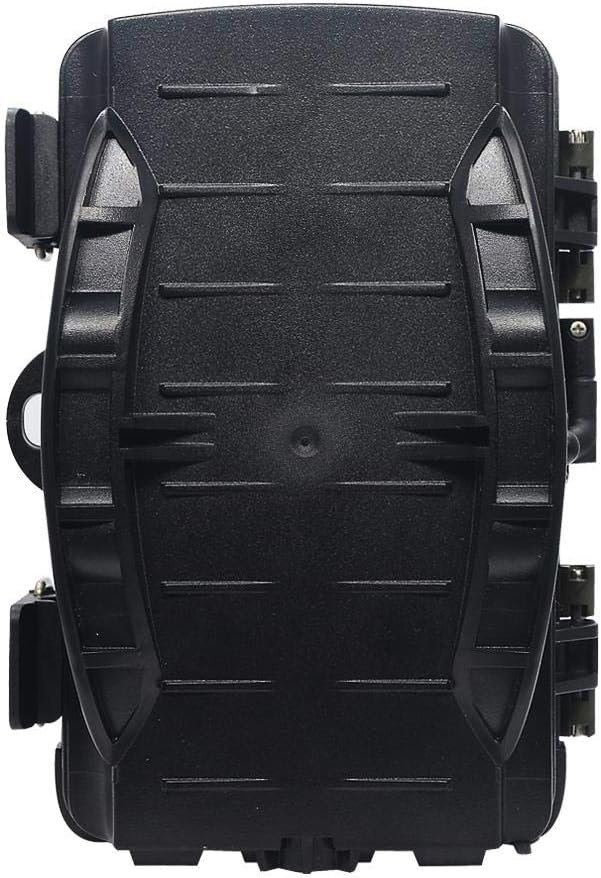
Aworan: Pada view of the visiPower H885 Trail Camera.
4. Eto
4.1. Fifi sori batiri
- Open the camera's housing by releasing the side latches.
- Wa yara batiri naa.
- Fi awọn batiri AA 8 sii, ni idaniloju polarity ti o pe (+/-).
- Pa yara batiri naa ni aabo.
Akiyesi: The camera also supports an external 6V/1.5A power source and is compatible with solar batteries (sold separately).
4.2. Fifi sori Kaadi SD
- Pẹlu kamẹra ti wa ni pipa, wa iho kaadi SD.
- Insert a TF (Micro SD) card (up to 32GB) into the slot until it clicks into place.
- Lati yọ kuro, tẹ kaadi naa rọra titi yoo fi jade.
Pataki: Format the SD card using the camera's menu settings before first use to ensure compatibility.
4.3. Iṣagbesori Kamẹra
The camera can be mounted using the included strap or wall mount bracket.
- Fifi sori okun: Thread the mounting strap through the slots on the back of the camera and secure it around a tree or pole.
- Odi Odi: Use the provided screws and wall anchors to attach the bracket to a flat surface. Then, attach the camera to the bracket.
Position the camera to cover the desired area, ensuring no obstructions block the PIR sensors or lens.
5. Ṣiṣẹ kamẹra
5.1. Agbara lori / Paa
Locate the power switch inside the camera housing. Switch it to the "ON" position to power on the camera. Switch to "OFF" to power off.
5.2. Awọn ọna ṣiṣe
The camera typically operates in three modes:
- PA: Kamẹra ti wa ni pipa.
- ṢETO: Allows access to the menu for configuring settings, viewing images/videos, and manually taking photos/videos.
- ON (Active): The camera is armed and will capture images or videos based on motion detection and configured settings. The LCD screen will turn off after a few seconds to conserve power.
5.3. Awọn Eto Akojọ aṣyn
In SETUP mode, use the navigation buttons to access and adjust settings on the 2.4-inch TFT LCD. Common settings include:
- Ipo: Photo, Video, or Photo + Video.
- Ipinnu Fọto: 16MP, 12MP, 8MP, 5MP.
- Ipinnu fidio: 1080p (25fps), 720p (30fps).
- PIR ifamọra: High, Medium, Low.
- Àárín Àkókò Ìfàsẹ́yìn: Time delay between detections.
- Ipari akoko: For capturing images at set intervals.
- Ọjọ/Aago: Ṣeto ọjọ ati akoko lọwọlọwọ.
- Ọna kika kaadi SD: Pa gbogbo data lori kaadi SD rẹ.
- Gbigba Ailopin: On/Off (Loop recording).

Image: Camera displaying captured content on its LCD screen.
5.4. Yiya Awọn aworan ati awọn fidio
Once settings are configured, switch the camera to the "ON" position. The camera will enter active mode and begin monitoring for motion. When motion is detected by the PIR sensors, the camera will trigger and capture photos or videos according to your settings.

Image: Illustration of the camera's 20-meter detection range.
6. Itọju
- Ninu: Use a soft, dry cloth to clean the camera lens and PIR sensors. Avoid abrasive materials or harsh chemicals.
- Rirọpo Batiri: Rọpo gbogbo awọn batiri nigbati ifihan batiri kekere ba han tabi nigbati iṣẹ ṣiṣe ba bajẹ.
- Iṣakoso Kaadi SD: Regularly check the SD card capacity and transfer important files to a computer. Format the card periodically.
- Ibi ipamọ: Nigbati o ko ba wa ni lilo fun awọn akoko ti o gbooro sii, yọ awọn batiri kuro ki o fi kamẹra pamọ si ibi ti o tutu, ti o gbẹ.
7. Laasigbotitusita
- Kamẹra ko ṣiṣẹ:
- Rii daju pe awọn batiri ti fi sii daradara pẹlu polarity to dara.
- Check if batteries are fully charged or replace them.
- Verify the power switch is in the "ON" or "SETUP" position.
- Camera not capturing images/videos:
- Check if the SD card is inserted correctly and has sufficient free space.
- Ọna kika kaadi SD.
- Adjust PIR sensitivity settings.
- Ensure the camera is in "ON" mode, not "SETUP".
- Didara aworan/fidio ti ko dara:
- Nu lẹnsi kamẹra nu.
- Check resolution settings in the menu.
- Ensure adequate lighting for daytime shots; for night shots, ensure objects are within IR flash range.
- False triggers:
- Reduce PIR sensitivity.
- Avoid placing the camera near heat sources or moving branches that could trigger the sensor.
8. Awọn pato
| Ẹya ara ẹrọ | Ẹ̀kúnrẹ́rẹ́ |
|---|---|
| Iduro Aworan Ṣi | 8MP (Effective), 16MP/12MP/5MP selectable |
| Ipinnu fidio | 1080p @ 25fps, 720p @ 30fps |
| Ifihan | 2.4-inch TFT LCD |
| Awọn sensọ PIR | 3 PIR sensors (Main PIR 60°, Side PIRs for 120° total sensing angle) |
| IR Flash Ijinna | Titi de awọn mita 20 (65 ẹsẹ) |
| Iyara Nfa | 0.6 seconds (Pre-boot 0.2 seconds) |
| Omi Resistance | IP56 mabomire |
| Iranti | Supports TF (Micro SD) card up to 32GB |
| Orisun agbara | 8x AA batteries; External 6V/1.5A DC; Supports solar battery (optional) |
| Akoko Iduro | Titi di oṣu mẹfa |
| Ohun | Gbohungbohun ti a ṣe sinu & agbọrọsọ |
| Igun lẹnsi | 108 iwọn |
| Fidio Yaworan kika | MPEG-4 |
| UPC | 614024391237 |
9. Atilẹyin ọja ati Support
For warranty information and technical support, please refer to the documentation provided at the time of purchase or contact visiPower customer service. Keep your purchase receipt as proof of purchase.
For further assistance, visit the official visiPower webojula tabi kan si wọn support egbe taara.

