1. Ọja Ipariview
The OIVO PS4 Controller Charging Station is designed to efficiently charge two PlayStation 4, PS4 Slim, or PS4 Pro controllers simultaneously. It features LED indicators to display charging status and incorporates intelligent protection mechanisms to ensure safe and reliable operation.
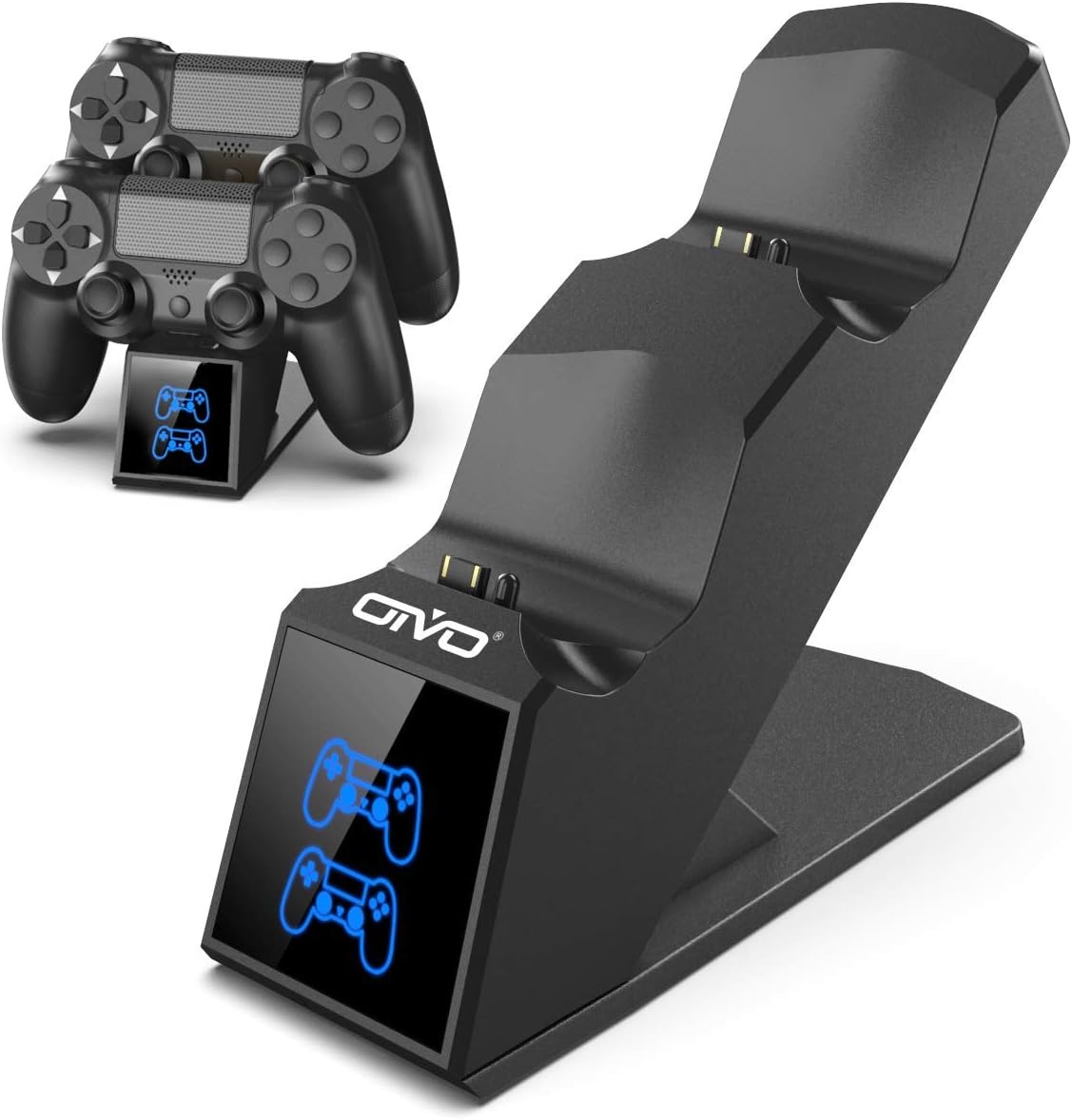
Image 1.1: The OIVO PS4 Controller Charging Station, capable of charging two controllers simultaneously.
2. Package Awọn akoonu
Jọwọ rii daju pe gbogbo awọn nkan ti a ṣe akojọ rẹ si isalẹ wa ninu package rẹ:
- 1 x OIVO PS4 Controller Charging Station
- 1 x okun gbigba agbara (USB Micro)
- 1 x Itọsọna olumulo (iwe yii)
3. Awọn ilana iṣeto
- So Ibusọ Gbigba agbara: Insert the provided charging cable into the Micro USB port on the back of the charging station. Connect the other end of the cable to a compatible 5V/1A power source. Compatible sources include a computer USB port, PS4/Slim/Pro console USB port, wall adapter (not included), or a power bank.
- Place Controllers for Charging: Align the charging port on your PS4 controller with the connector pins on the charging station. Gently push the controller down until it securely docks. The LED indicator on the station will change color to show the charging status.

Image 3.1: Illustration of compatible power sources and how to correctly place a PS4 controller onto the charging station.
4. Awọn ilana Iṣiṣẹ
4.1 Charging Controllers
Once controllers are docked, the charging process begins automatically. The station is designed to charge two controllers simultaneously in approximately 1.8 hours.
- Atọka LED: The front panel features LED indicators for each charging slot.
- Imọlẹ pupa: Indicates that the PS4 controller is currently charging.
- Imọlẹ bulu: Indicates that the PS4 controller is fully charged or the station is in standby mode (no controller or fully charged controller).

Image 4.1: The LED indicators on the charging station display red when charging and blue when fully charged or in standby.
4.2 Agbara Gbigba agbara Yara
The charging station is equipped with an upgraded copper chip, enabling fast charging for both controllers. This allows for a full charge of two controllers in approximately 1.8 hours.

Image 4.2: Visual representation of the 1.8-hour fast charging cycle for two controllers.
5. Awọn ẹya ara ẹrọ ailewu
The OIVO PS4 Controller Charging Station integrates smart chips and high-quality components to provide comprehensive protection for your controllers and the charging station itself. These protections include:
- Over-Heated Protection: Ó ń dènà ìgbóná jù nígbà tí a bá ń gba agbára.
- Idaabobo Iyika kukuru: Awọn aabo lodi si awọn iyika kukuru.
- Idabobo ti o ti lọ lọwọlọwọ: Aabo lodi si nmu lọwọlọwọ sisan.
- Lori-Voltage Idaabobo: Àwọn ààbò lòdì sí voltage spikes.

Image 5.1: Visual representation of the intelligent protection features built into the charging station.
6. Itọju
- Ninu: Disconnect the charging station from the power source before cleaning. Use a soft, dry cloth to wipe the surface. Do not use liquid cleaners or abrasive materials.
- Ibi ipamọ: Tí o kò bá lò ó, tọ́jú ibi tí a ti ń gba agbára sí sí ibi gbígbẹ tí ó tutù, tí kò sí ìmọ́lẹ̀ oòrùn tààrà àti ooru líle koko.
- Mimu: Avoid dropping or subjecting the device to strong impacts. Do not attempt to disassemble or repair the unit yourself.
7. Laasigbotitusita
| Isoro | Ojutu |
|---|---|
| Controller not charging (no LED light) |
|
| Gbigba agbara lọra |
|
| LED light is blue but controller is not fully charged |
|
8. Awọn pato
| Ẹya ara ẹrọ | Ẹ̀kúnrẹ́rẹ́ |
|---|---|
| Brand | OVO |
| Nọmba awoṣe | 12359687031 |
| Àwọ̀ | Buluu |
| Asopọmọra Iru | USB |
| Awọn ẹrọ ibaramu | Game Console (PS4, PS4 Slim, PS4 Pro controllers) |
| Pataki Awọn ẹya ara ẹrọ | Gbigba agbara yara |
| Lapapọ Awọn ibudo USB | 2 (for charging controllers) |
| Iṣagbewọle Voltage | 5 Volts |
| Ampigba | 1 A |
| Awọn irinše to wa | Okun USB |
| Olupese | OVO |
| Ilu isenbale | China |
9. Atilẹyin ọja ati Support
This OIVO product comes with a 2-odun olupese ká atilẹyin ọja lati ọjọ ti o ra. Atilẹyin ọja yi ni wiwa awọn abawọn ninu awọn ohun elo ati iṣẹ ṣiṣe labẹ lilo deede.
The warranty does not cover damage caused by accident, misuse, abuse, neglect, unauthorized modification or repair, or damage from external causes such as power surges.
For warranty claims or technical support, please contact OIVO customer service through the retailer where the product was purchased or visit the official OIVO webojula fun alaye olubasọrọ.