Ọrọ Iṣaaju
The DALI IO-6 are premium wireless over-the-ear headphones designed to deliver exceptional audio quality with the added benefit of Active Noise Cancellation (ANC). These headphones offer versatile connectivity options including Bluetooth, USB-C, and a traditional 3.5mm wired connection. Engineered with DALI's expertise in Hi-Fi audio, the IO-6 aims to reproduce music with natural and authentic sound.
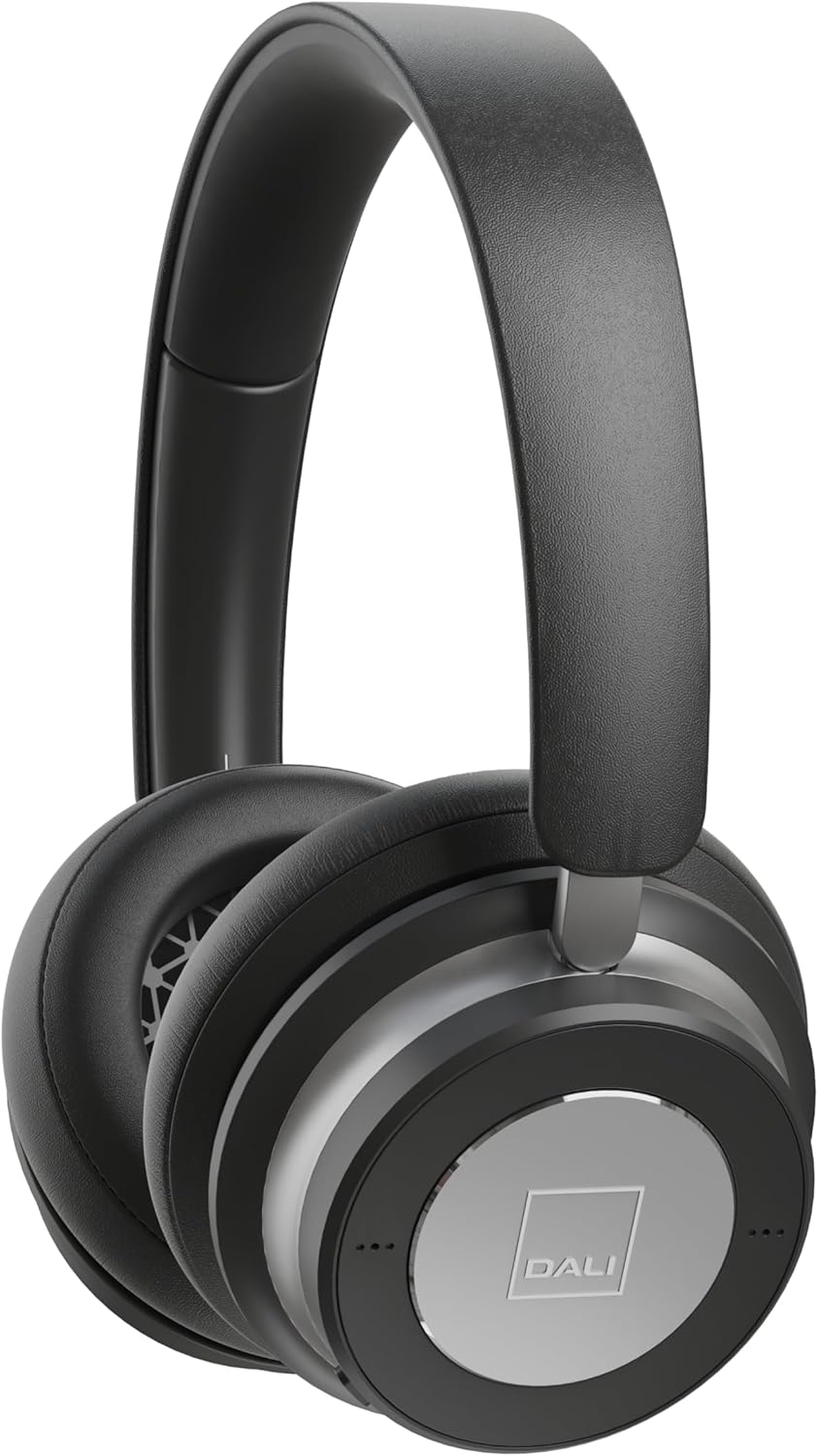
Aworan: Iwaju view of the DALI IO-6 headphones in Iron Black, showcasing apẹrẹ didan ati awọn agolo eti.
Ohun ti o wa ninu Apoti
Rii daju pe gbogbo awọn paati wa ninu apoti:
- DALI IO-6 Agbekọri
- USB-C Cable (for charging and wired audio)
- 3.5mm Stereo Cable (for wired audio)
- Adapter Flight
- Irin-ajo Ọran

Image: The DALI IO-6 headphones neatly folded and placed inside their included grey fabric travel case.
Ṣeto
1. Ngba agbara si awọn Agbekọri
Before first use, fully charge your DALI IO-6 headphones. Connect the supplied USB-C cable to the USB-C port on the headphones and the other end to a USB power source (e.g., computer USB port or USB wall adapter). The charging indicator light will show charging status. A full charge takes approximately 2.5 hours.
2. Agbara lori / Paa
To power on, press and hold the power button until the indicator light illuminates. To power off, press and hold the power button again until the light turns off.
3. Sisopọ Bluetooth
- Rii daju pe awọn agbekọri ti wa ni pipa.
- Press and hold the power button for approximately 5 seconds until the indicator light flashes rapidly, indicating pairing mode.
- Lori ẹrọ rẹ (foonuiyara, tabulẹti, kọmputa), mu Bluetooth ṣiṣẹ ki o wa awọn ẹrọ to wa.
- Select "DALI IO-6" from the list of found devices.
- Once paired, the indicator light on the headphones will turn solid blue.
The DALI IO-6 supports aptX, aptX HD, and Apple AAC codecs for high-quality audio streaming.

Aworan: A view from above the DALI IO-6 headphones, highlighting the control buttons and ports located on the right earcup.
Ṣiṣẹ Awọn Agbekọri
Sisisẹsẹhin ohun ati awọn ipe
- Ṣiṣẹ/Daduro: Tẹ bọtini iṣẹ-ọpọlọpọ lẹẹkan.
- Orin t’okan: Tẹ bọtini iṣẹ-pupọ lẹẹmeji.
- Tẹlẹ Orin: Tẹ bọtini iṣẹ-pupọ ni igba mẹta.
- Iwọn didun Soke/Isalẹ: Lo awọn bọtini iwọn didun ti a yà sọ́tọ̀ (+/-).
- Idahun/Ipe Ipari: Tẹ bọtini iṣẹ-pupọ lẹẹkan nigba ipe ti nwọle.
- Kọ Ipe: Tẹ mọlẹ bọtini iṣẹ-ọpọlọpọ nigba ipe ti nwọle.
Fagilee Ariwo Ti nṣiṣe lọwọ (ANC)
The DALI IO-6 features Active Noise Cancellation to reduce ambient noise. There are typically multiple ANC modes:
- ANC Lori: Activates noise cancellation.
- Ipo akoyawo: Allows ambient sounds to pass through, enabling you to hear your surroundings without removing the headphones.
- ANC Paa: Disables active noise cancellation, relying on passive noise isolation.
Cycle through ANC modes by pressing the dedicated ANC button. Refer to the indicator lights for the current mode.
Asopọ ti Ha
The DALI IO-6 can be used with the supplied 3.5mm stereo cable for a traditional wired connection to audio sources. It can also function as a USB audio device when connected via the USB-C cable to a computer.

Image: The DALI IO-6 headphones positioned on a dark surface, with a vinyl record player in the background, suggesting their use for high-fidelity audio listening.
Itoju
- Ninu: Lo asọ asọ ti o gbẹ lati nu agbekọri naa. Ma ṣe lo abrasive ose tabi epo.
- Ibi ipamọ: When not in use, store the headphones in their provided travel case to protect them from dust and damage.
- Itọju Batiri: Láti mú kí batiri pẹ́ sí i, má ṣe jẹ́ kí batiri náà máa jáde dáadáa nígbà gbogbo. Gba agbára lórí agbekọri náà déédéé, kódà bí kò bá tiẹ̀ jẹ́ pé a ń lò ó déédéé.
- Iwọn otutu: Yẹra fún fífi àwọn agbekọri sí ibi tí ó gbóná tàbí tí ó tutù jù (gbóná tàbí òtútù) tàbí ọriniinitutu gíga.

Aworan: A alaye view of the inside of a DALI IO-6 earcup, revealing the patterned speaker grille and soft ear cushion.
Laasigbotitusita
| Isoro | Ojutu |
|---|---|
| Awọn agbekọri ko ṣiṣẹ. | Rí i dájú pé batiri náà ti gba agbára. So mọ́ orísun agbára nípa lílo okùn USB-C. |
| Ko le so pọ nipasẹ Bluetooth. | Ensure headphones are in pairing mode (flashing light). Turn off and on Bluetooth on your device. Move closer to the device. |
| Ko si ohun lati olokun. | Check volume levels on both headphones and connected device. Ensure correct input source is selected (Bluetooth, 3.5mm, USB). |
| ANC ko ṣiṣẹ daradara. | Ensure ANC mode is activated. Check that earcups form a good seal around your ears. |
Awọn pato
| Ẹya ara ẹrọ | Ẹ̀kúnrẹ́rẹ́ |
|---|---|
| Orukọ awoṣe | IO-6 Over-The-Ear Headphone |
| Ariwo Iṣakoso | Ti nṣiṣe lọwọ Noise Ifagile |
| Asopọmọra Technology | Bluetooth 5.0, 3.5 mm Jack, USB-C |
| Awọn kodẹki ohun afetigbọ | aptX, aptX HD, Apple AAC |
| Battery Life (ANC active) | Titi di wakati 30 |
| Akoko gbigba agbara | Isunmọ. wakati meji 2.5 |
| Audio Driver Iwon | 50 mm Awakọ Awakọ |
| Iwọn Igbohunsafẹfẹ | 10 - 20,000 Hz |
| Ipalara | 25 ohm |
| Iwọn Nkan | 0.32 kilogram (11.3 iwon) |
| Awọn iwọn | 8.86 x 9.65 x 3.15 inches |

Image: An exploded diagram showing the internal components of the DALI IO-6 headphones, including the driver, circuit board, and earcup layers.
Atilẹyin ọja ati Support
DALI products are manufactured to the highest quality standards. For warranty information and support, please refer to the warranty card included with your product or visit the official DALI webojula. Jeki ẹri rira rẹ fun awọn iṣeduro atilẹyin ọja.
For further assistance, you may contact DALI customer support through their official channels. Visit the DALI Store on Amazon fun diẹ ọja alaye ati oro.


